Zero-Knowledge Password Manager: What It Means and Why It Matters for Teams

Passwords are the first line of defense for every team, yet they are also one of the most common sources of security risk. A zero knowledge password manager is designed to solve this problem by ensuring that only the user can access their stored credentials.

Even the service provider cannot see or read the data. This approach adds a strong layer of privacy and control, which is critical for teams that handle sensitive information every day.

In this blog, you will learn what a zero knowledge password manager really means, how it works behind the scenes, and why it matters for modern teams. It will also explain how this model reduces internal and external risks, supports secure collaboration, and helps organizations stay compliant with data protection standards.

The need for stronger password security is clear. According to its 2024 Password Manager Report, only 36 percent of adults use a password manager, while over half still rely on unsafe methods like memorization or written notes. This shows how important it is to move beyond traditional password storage methods and adopt systems that do not expose sensitive data at any point.

By the end of this blog, you will have a clear understanding of why zero knowledge architecture is becoming essential for teams and how it can strengthen your overall security strategy.

What is zero-knowledge in a password manager?

A zero-knowledge password manager encrypts your vault on your device before any data reaches the provider’s servers. The provider stores only ciphertext never your master password, never your encryption key. Even if the company is breached or subpoenaed, your credentials cannot be read by anyone without your key.

The term gets thrown around in a lot of password manager marketing, which is precisely why it’s worth understanding what it actually requires. Standard encryption protects your data in transit and at rest, but the provider may still hold the decryption keys, which means they could read your data if compelled to, or if their key management is compromised. Zero-knowledge removes the provider from the key equation entirely.

In practice, it works in three steps:

  1. Encryption on your device. Your vault data is encrypted locally, in your browser or app before it goes anywhere.
  2. Only ciphertext leaves your device. The encrypted blob is what travels to the server. Unreadable without your key.
  3. Decryption on your device. When you open your vault, the ciphertext comes back and is decrypted locally. The server never sees plaintext.

Your master password never leaves your device. The server stores a cryptographic proof that you know the correct password, enough to verify your identity, but not the password itself and not the derived encryption key.

Zero-knowledge is a spectrum, not a binary certification. A provider can implement client-side encryption for vault contents but still retain unencrypted metadata, URL entries, timestamps, vault item counts.

A USENIX Security ’26 paper analysing cloud-based password managers found design anti-patterns in some products’ ZK claims. When evaluating the right password manager, ask specifically what is and is not covered by their zero-knowledge model.

How All Pass Hub implements zero-knowledge encryption

Most password managers that claim zero-knowledge describe the concept without disclosing the technical specifics. Here is All Pass Hub’s implementation stack in full, the kind of detail that lets you verify the claim rather than take it on faith.

LayerImplementationWhat it means
Vault encryptionAES-128Your vault data is encrypted using AES-128 (Advanced Encryption Standard with a 128-bit key). This cipher has no known practical attack at current computing capability.
Key derivationPBKDF2-SHA256, 600,000 iterationsPBKDF2 (Password-Based Key Derivation Function 2) converts your master password into an encryption key by running it through SHA-256 hashing 600,000 times. This makes brute-force guessing computationally expensive. NIST recommends a minimum of 600,000 iterations as of 2023.
Shared vault key exchangeRSA-based key exchangeWhen you share access to a vault with a team member, RSA (an asymmetric encryption algorithm) is used to securely wrap the vault key for each recipient. The server facilitates the exchange without ever receiving the plaintext vault key.
Encryption locationClient-side (browser / app)All encryption and decryption happens on your device. The All Pass Hub server receives and stores ciphertext only.

What this means in a breach scenario: if All Pass Hub’s servers were compromised tomorrow, an attacker would retrieve an encrypted blob that is computationally unreadable without each user’s master password and derived key. There is no server-side key to steal because one does not exist.

A note on AES-128 vs AES-256. AES-128 and AES-256 differ in key size (128-bit vs 256-bit). Both are considered secure against current and near-future attacks which means no practical attack exists against either.

However, some compliance frameworks (FedRAMP, certain ISO 27001 auditors) specifically require AES-256. If your organisation operates under one of these frameworks, verify this detail with All Pass Hub before committing.

Is All Pass Hub zero-knowledge?

Yes. All Pass Hub is designed around a zero-knowledge architecture, which means your sensitive data is encrypted before it ever leaves your device. Only you and the people you explicitly grant access to can decrypt that data. The platform does not have access to your plaintext passwords, encryption keys, or vault contents.

All Pass Hub uses strong encryption standards and a secure key management approach to ensure that credentials remain protected at all times. Its use of RSA-based key exchange enables secure sharing between users while preserving the zero-knowledge model. This is particularly important in team environments where credentials need to be accessed by multiple people without exposing the underlying data.

Unlike many password managers that were originally built for individual use, All Pass Hub is structured specifically for teams. This allows it to handle shared access, role-based permissions, and user lifecycle management in a way that aligns with how organisations actually operate.

For comparison, Bitwarden also follows a zero-knowledge model and is widely respected for its security practices, including client-side encryption and open-source transparency. Bitwarden encrypts vault data client-side using AES-256 and derives encryption keys from your master password using PBKDF2.

Bitwarden’s servers never receive your plaintext passwords or your encryption key. Bitwarden has also published a detailed white paper defining the scope of their zero-knowledge model, including a pointed acknowledgement that some unnamed competitors retain unencrypted URL data, giving those providers detailed records of which sites users visit. Bitwarden encrypts URLs within the vault.

Bitwarden is also open-source. That means their zero-knowledge implementation can be and has been independently audited, not just claimed. For a security-sensitive purchase, that is a genuine differentiator worth acknowledging. It is a strong choice for individuals and for teams that are comfortable adapting an individual-first vault structure to collaborative use.

The key difference lies in design focus. All Pass Hub approaches zero-knowledge with team workflows as a core requirement, not an extension. This makes it a practical option for organisations that need secure credential sharing, structured access control, and efficient onboarding and offboarding without compromising on security.

Also Read – Bitwarden vs All Pass Hub — Which Password Manager Is Right for Your Team?

Which password managers are truly zero-knowledge?
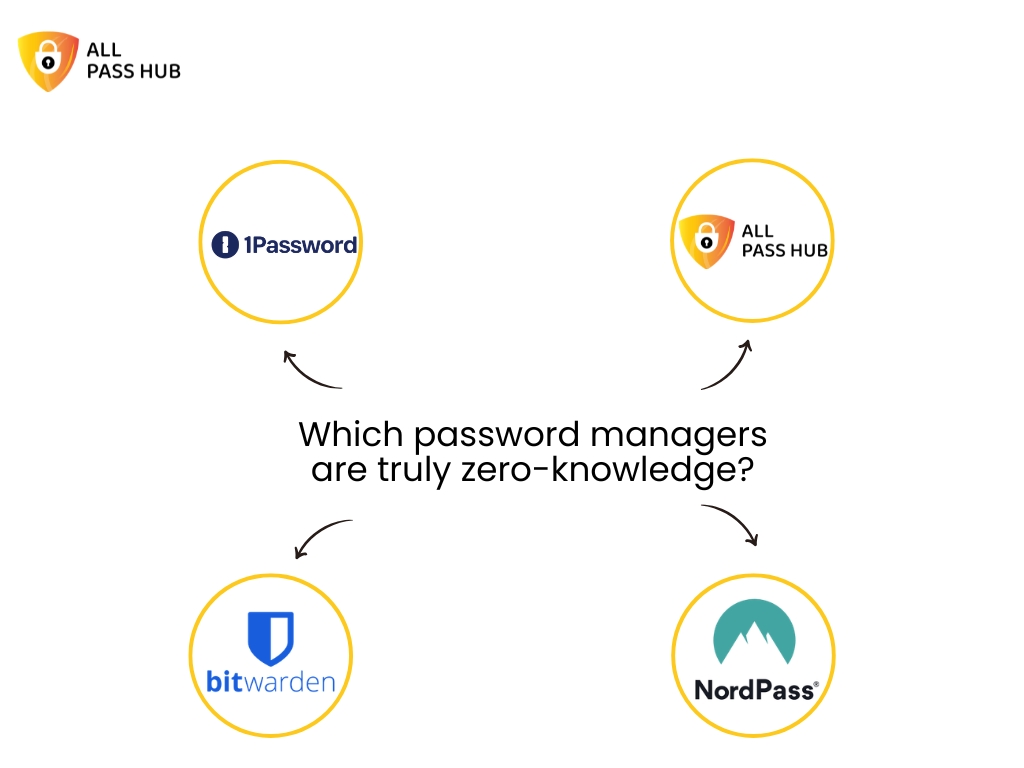
Which password managers are truly zero-knowledge?

Before the list: “truly zero-knowledge” is not a certified standard. It is a design claim, one that is only as reliable as a vendor’s published documentation and, ideally, independent audit. The USENIX Security ’26 paper on cloud-based password managers found design vulnerabilities in some products that marketed themselves as zero-knowledge. That paper is worth reading if you are making a security-sensitive purchasing decision.

With that caveat stated, the following managers have documented client-side encryption and no server-side key access, based on available published evidence.

Evaluation criteria used:

(1) client-side encryption confirmed,

(2) master password never transmitted to the server,

(3) key derivation function with sufficient iteration count,

(4) no unencrypted metadata retention.

  • All Pass Hub – AES-128 client-side encryption, PBKDF2-SHA256 with 600,000 iterations, RSA-based key exchange for shared team vaults. Designed natively for multi-user credential sharing while preserving zero-knowledge throughout.
  • Bitwarden – AES-256 client-side encryption, PBKDF2 key derivation, open-source and independently audited. Encrypts vault URLs. Particularly strong for individual users and self-hosted environments.
  • 1Password – Zero-knowledge encryption with account passwords never sent over the network. Uses a Secret Key model (a locally-stored key combined with your master password) for additional protection.
  • NordPass – All encryption and decryption occurs on the user’s device before backup and sync. Master password not stored by NordPass.

When evaluating any tool on this list, ask one additional question: does the provider encrypt vault metadata, specifically, the URLs of sites for which you store credentials? Some providers retain these unencrypted. For most teams this is a low-risk detail; for teams handling sensitive client credentials, it matters.

Also Read – The Small Agency Password Playbook: Practical Steps to Strengthen Security in 2026

Does zero-knowledge mean the company can’t access my passwords?

Yes, in a properly implemented zero-knowledge model, the answer to this question is an unambiguous yes. The company cannot read your vault contents. It does not matter if they want to, if they are audited, or if a government issues a lawful request for your data. Without your encryption key, the data is ciphertext. They cannot produce what they do not hold.

ZK protects against

  • Server-side data breaches
  • Insider threats and rogue employees
  • Subpoenas for vault contents
  • Provider infrastructure compromise

ZK does not protect against

  • A compromised device or browser extension
  • A weak master password (brute-forceable)
  • Unencrypted metadata (URLs, timestamps) if retained
  • User error — phishing, for example

There is one important implication that catches teams off guard: account recovery. Because the provider does not store your master password, they cannot reset your vault if you forget it. Most zero-knowledge managers handle this by generating an emergency access kit or recovery code at account creation, a one-time credential you store offline. If you lose both your master password and your recovery code, the vault contents are unrecoverable by design.

For All Pass Hub specifically, users should generate and store their recovery code at account setup. IT administrators managing a team account should treat this code with the same care as any other critical offline credential, ideally stored in a physical safe or an offline secrets manager.

Zero-knowledge is not a guarantee of perfect security. It eliminates one class of risk provider access to your vault but your data is only as secure as the device it lives on, the master password protecting it, and the practices of the people who have access to it.

Also Read – Password Security for Agencies: Why Ignoring It Could Cost You Everything

Why zero-knowledge architecture matters specifically for teams

Most zero-knowledge explainers are written for a single user with a personal vault. The team context introduces three scenarios that the single-user model does not have to solve and where the architecture matters far more than the marketing.

1. Sharing without exposing

When you share a vault credential with a colleague, the encryption model faces a challenge: the server needs to facilitate the exchange without ever receiving a plaintext key. All Pass Hub’s RSA-based key exchange solves this. Each team member holds their own keypair; when a vault item is shared, the item key is wrapped (encrypted) using the recipient’s public key. The server passes the encrypted package but never sees its contents. Zero-knowledge is preserved through the share event, not just within individual vaults.

2. Offboarding that actually works

When a team member leaves, revoking their vault access is only meaningful if the access was genuine and localised. In a zero-knowledge model, the departing employee never held server-side keys, only their own local keypair and the vault items explicitly shared with them. Revoking their access removes their ability to decrypt those items going forward. There is no risk that a compromised server credential gives them continued read access, because the server never held decryptable data in the first place.

3. Admin logs without admin access

A common misconception is that audit logging is incompatible with zero-knowledge that if an admin can see who accessed what, the admin must be able to see the contents. This is not the case. Audit logs record access events (which user accessed which vault item, and when) without recording what was in those items. The metadata of an event is not the same as the plaintext of the vault entry. Admins get the visibility they need; the content remains encrypted.

4. Client credentials at agencies

For agencies specifically, zero-knowledge carries a client trust implication that goes beyond internal security. When client credentials are stored in a shared team vault, a properly implemented ZK model means those credentials are private even from the agency’s own infrastructure team. If your cloud hosting provider, your DevOps contractor, or a senior employee were to access the server, they would find ciphertext. The ZK guarantee is the agency’s assurance to clients that their credentials are not simply trusted to good behaviour, they are protected by design. That is a secure password vault for teams in the fullest sense of the phrase.

Understanding how All Pass Hub handles team sharing at the architecture level changes the conversation from “which password manager has the best interface” to “which password manager’s security model actually holds up when your team is the threat model.” If you are ready to evaluate this for your team, get started with All Pass Hub to see the implementation in practice.

Security Is Stronger When It’s Built for Teams

Zero-knowledge is not just a technical feature. It is the foundation of trust in any modern password manager. It ensures that sensitive data stays private, even from the provider itself, and reduces the risk surface in the event of a breach. As more teams move toward shared digital environments, understanding how zero-knowledge works in practice becomes essential.

Solutions like Bitwarden demonstrate how strong encryption and transparent security practices can protect individual users and smaller setups effectively. However, as soon as password management becomes a team responsibility, the requirements shift. Secure sharing, access control, and user lifecycle management become just as important as encryption itself.

This is where All Pass Hub stands out. It applies the zero-knowledge principle in a way that aligns with real-world team workflows. By combining strong encryption with a team-first architecture, it enables organisations to share credentials securely, manage access with clarity, and scale without adding operational complexity.

If your use case involves multiple users, ongoing onboarding and offboarding, or frequent credential sharing, choosing a solution built specifically for teams can make a meaningful difference. All Pass Hub offers that balance of security and usability, making it a practical option for teams that want to stay protected without slowing down their operations.

Frequently asked questions

What is zero-knowledge in a password manager?

    A zero-knowledge password manager encrypts your vault on your own device before any data is sent to the provider’s servers. The provider stores only encrypted ciphertext and never your master password or decryption key. Even the company’s own engineers cannot read your stored credentials. All Pass Hub uses this model: encryption and decryption happen client-side, and the server receives only data it cannot interpret.

    Which password managers are truly zero-knowledge?

      Password managers with documented client-side encryption and no server-side key access include All Pass Hub, Bitwarden, 1Password, and NordPass. Each encrypts vault data before it leaves your device and does not store your master password. All Pass Hub additionally uses RSA-based key exchange to preserve zero-knowledge during team credential sharing. Buyers should confirm whether their chosen tool also encrypts vault URLs and metadata, as some providers retain these unencrypted.

      What encryption does All Pass Hub use?

        All Pass Hub uses AES-128 encryption for vault data, PBKDF2-SHA256 with 600,000 iterations for key derivation from your master password, and RSA-based key exchange for shared team vaults. All encryption and decryption occur client-side; the All Pass Hub server receives only ciphertext that cannot be decrypted without your master password.

        Does zero-knowledge mean the company can’t access my passwords?

          Yes, in a properly implemented zero-knowledge model, the company cannot access your vault contents even if legally compelled to produce them, because they do not hold your encryption key. However, zero-knowledge does not protect against a compromised device, a weak master password, or metadata the provider may retain (such as login timestamps or unencrypted URLs). Always verify what a provider’s zero-knowledge claim specifically covers.

          Can a zero-knowledge password manager recover my account if I forget my master password?

            Because a zero-knowledge password manager does not store your master password, the company cannot reset your vault on your behalf. Most implementations offer an emergency access kit or recovery code generated at account creation, this must be stored securely offline. All Pass Hub users should generate and store their recovery code when setting up their account.
            Looking For A Secure Password Manager? Here’s How All Pass Hub Protects You

            Nearly half of all data breaches involve compromised passwords. You will be surprised to know that 81% of hacking-related incidents in corporate environments originate from weak or reused credentials. It clearly indicates that passwords remain one of the most fragile points in digital security, even in 2025. [Source: Spacelift]

            So, ask yourself: Do you reuse passwords, rely on memory, or let browsers store them for convenience? If so, you are not alone. 

            Studies show that more than 60 percent of Americans reuse passwords across accounts, and approximately 69 percent feel overwhelmed by the number of logins they must remember. It is no surprise that around 76 percent of users have been locked out of accounts due to forgetting passwords. [Source: Spacelift]

            However, here is the real concern: Cybercriminals thrive on these weaknesses, and stolen credentials power nearly 63 percent of social engineering attacks. The good news is that there is a practical way forward. [Source: Spacelift]

            A secure password manager with end-to-end encryption can remove these risks, simplify your digital life, and protect both individuals and businesses. 

            In this web blog, we will explore password manager security, expose myths, and reveal why All Pass Hub emerges as the best password manager 2025, built to protect you from evolving digital threats. 

            Let’s get started to instill confidence in you to navigate online spaces with strength and peace of mind. 

            What Is A Password Manager And Why Use One?

            A password manager is a digital vault that securely stores and organizes your logins, payment information, and private notes. 

            Instead of struggling to memorize dozens of credentials, you only need to remember one strong master password. With autofill and synchronization, your accounts become easily accessible across devices, whether you are using a laptop, smartphone, or browser.

            The real strength of a password manager lies in its client-side encryption password system. 

            Data is encrypted locally on your device before it enters the vault, ensuring that no one, not even the service provider, can view your information. It is what makes an end-to-end encryption password manager different from ordinary storage solutions.

            Some people still rely on browser storage for convenience, and it creates unnecessary risks. Studies show that more than 54 percent of cloud platform breaches occurred because accounts used no or weak passwords. [Source: Spacelift]

            A secure password manager eliminates this issue with structured protection that browsers cannot match.

            The Crux: A password manager acts like an encrypted vault, making logins simple yet highly secure. Unlike browser storage, it provides end-to-end encryption. It safeguards sensitive data from breaches, theft, and modern cyberattacks. 

            Are Password Managers Really Secure?

            One of the most common questions people ask is whether password managers are actually safe. Some fear password manager vulnerability, assuming that storing all credentials in one place may create more risk. In truth, password manager security is built to lower these risks, not amplify them.

            Here are the protective foundations of modern password managers:

            • AES Encryption Password Manager: Advanced algorithms, such as AES-128, secure your information. This standard is often described as military-grade password encryption, trusted worldwide.
            • Zero-Knowledge Password Manager: Only you can decrypt your data because encryption happens on your device. Even the provider cannot view your information.
            • Protection from Weak Credentials: Managers encourage unique and complex passwords, preventing the reuse that hackers exploit.

            Together, these elements prove that password managers are not a vulnerability but a robust defense. By combining the latest encryption, strict privacy policies, and stronger password practices, they ensure your digital information remains shielded and secure.

            The Bottom Line: Password managers provide high-level protection with AES-128 encryption, zero-knowledge privacy, and resilient credential generation. They prevent weaknesses caused by poor habits and keep sensitive information safe from online threats. 

            Master Password Security And Data Breach Protection

            The strength of your entire password manager depends on one element: the master password. It acts as the single key to your digital vault, which makes its security absolutely critical.

            Best practices for protecting your master password include:

            • Use a long, complex passphrase: Avoid birthdays, names, or common words. Complexity makes guessing nearly impossible.
            • Never share your master password: Sharing credentials compromises the entire vault, no matter how secure the system is.
            • Update it if exposed: If you suspect a breach or compromise, change the master password immediately.

            Here is a stat: Approximately 59% of U.S. adults use personal names or birthdays while generating their passwords. It makes it pretty obvious to guess. [Source: Spacelift]

            All Pass Hub enhances master password security with protective measures, such as account recovery options and continuous monitoring through its security dashboard. Even in the event of a suspected compromise, users can change their master password without losing stored data.

            A worrying survey reveals that 47 percent of Americans forget a password multiple times each month, which often results in insecure resets. [Source: Spacelift]

            With All Pass Hub, recovery processes are secure, streamlined, and designed to prevent careless mistakes. 

            Moreover, the All Pass Hub free version offers a password generator feature, and you can customize the generated master password.

            Must-Know Insight: Your master password is the key to your vault. All Pass Hub strengthens this safeguard with recovery options, secure resets, a password generator, and data breach protection. It ensures credentials remain accessible to you and invisible to attackers. 

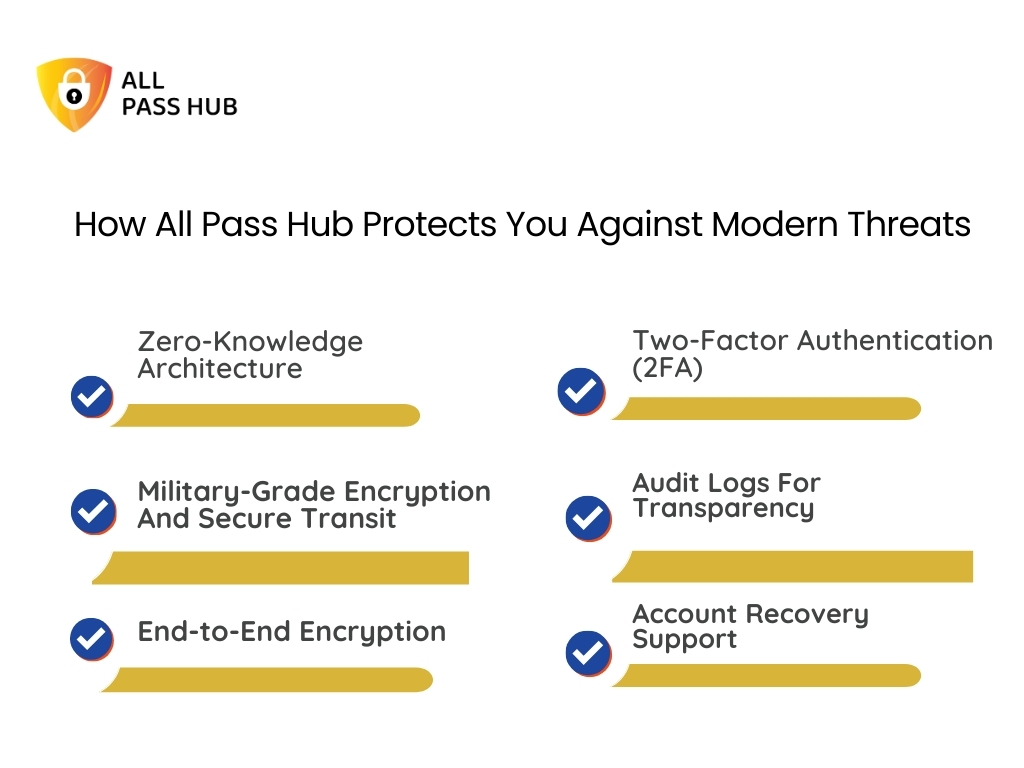
            How All Pass Hub Protects You Against Modern Threats

            How All Pass Hub Protects You Against Modern Threats

            Cyberthreats are evolving daily, from phishing scams to credential stuffing attacks. One weak password or careless mistake can expose sensitive information. All Pass Hub is built to protect users by combining advanced security layers with practical usability.

            Here is how All Pass Hub safeguards your digital presence:

            Zero-Knowledge Architecture

            Your master password never leaves your device. All Pass Hub uses PBKDF2 SHA256 with 600,000 unique iterations to generate an encryption key. A separate authentication construct is derived after one more iteration, ensuring secure login and isolation from vault decryption.

            Military-Grade Encryption And Secure Transit

            Every vault at rest is encrypted using AES-128-bit, while data in transit is shielded with TLS 1.2 or higher. Sensitive information is encrypted on your device before transmission, ensuring only encrypted data reaches our servers.

            End-to-End Encryption With Dual Key Protection

            A dual-key system enhances protection. Your login password authorizes access, while a master key is required to decrypt the vault. If one passkey is exposed, your credentials remain inaccessible.

            Two-Factor Authentication (2FA)

            A second verification layer prevents unauthorized users from gaining access, even if authentication details are compromised.

            Audit Logs For Transparency

            All Pass Hub maintains real-time, timestamped logs of every activity, including logins, changes, and credential additions. This visibility ensures that suspicious behavior can be detected and addressed immediately.

            Account Recovery Support

            If you forget your master password, All Pass Hub provides a secure recovery PDF and instant notification system. This process allows you to regain access safely without compromising your stored data.

            This robust and carefully layered security framework ensures that your credentials remain private, resilient, and wholly under your control.

            Core Insight: All Pass Hub protects with zero-knowledge architecture, AES-128 encryption, TLS 1.2, dual-key safeguards, 2FA, audit logs, and secure recovery, giving you total control and peace of mind.

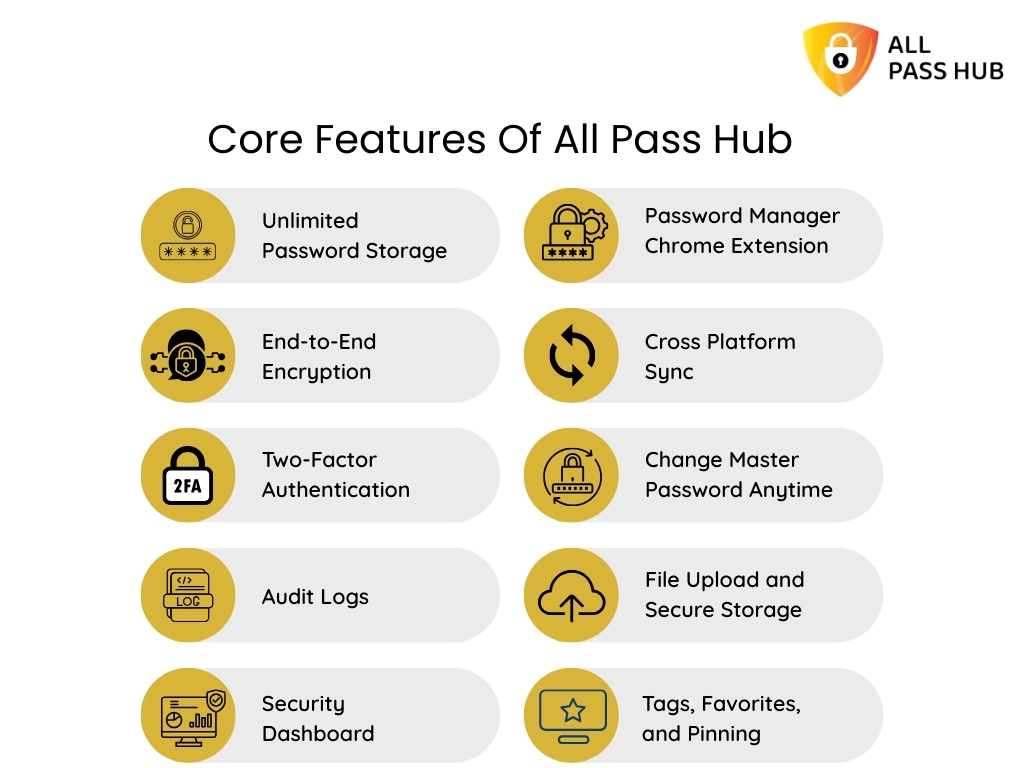
            Core Features Of All Pass Hub

            Core Features Of All Pass Hub

            All Pass Hub combines simplicity with enterprise-grade security. Its features strive to make password management effortless while ensuring that sensitive data remains wholly guarded.

            Here are the core features included in All Pass Hub:

            • Unlimited Password Storage: Save credentials, notes, credit cards, API keys, and more without limits.
            • End-to-End Encryption: AES-128 with HMAC (Hash-based Message Authentication Code) and salted hashing ensures your data is secure both at rest and in transit.
            • Two-Factor Authentication: Adds an extra layer of protection by requiring secondary verification.
            • Audit Logs: Track logins and changes with timestamps, device names, and IP details to detect unusual activity.
            • Security Dashboard: Instantly spot weak or reused passwords and reinforce them.
            • Password Manager Chrome Extension: Save and autofill logins with a single click while browsing.
            • Cross Platform Sync: Use your vault seamlessly on Windows, Mac, iOS, Android, and browsers.
            • Change Master Password Anytime: Update your master password without losing any stored data.
            • File Upload and Secure Storage: Store sensitive files alongside credentials with complete encryption.
            • Tags, Favorites, and Pinning: Organize credentials for quicker access to important accounts.
            • Password Generator: Create unique, impenetrable, and customizable passwords instantly.

            These features aim to deliver convenience without compromising on protection, making All Pass Hub a powerful yet easy-to-use solution.

            Smart Summary: All Pass Hub combines unlimited storage, AES-128 encryption, 2FA, audit logs, file storage, and seamless sync to deliver secure, convenient, and reliable password management for individuals and businesses. 

            Don't Let Weak Passwords Cost You Everything Upgrade Your Security For Less Than A Dollar

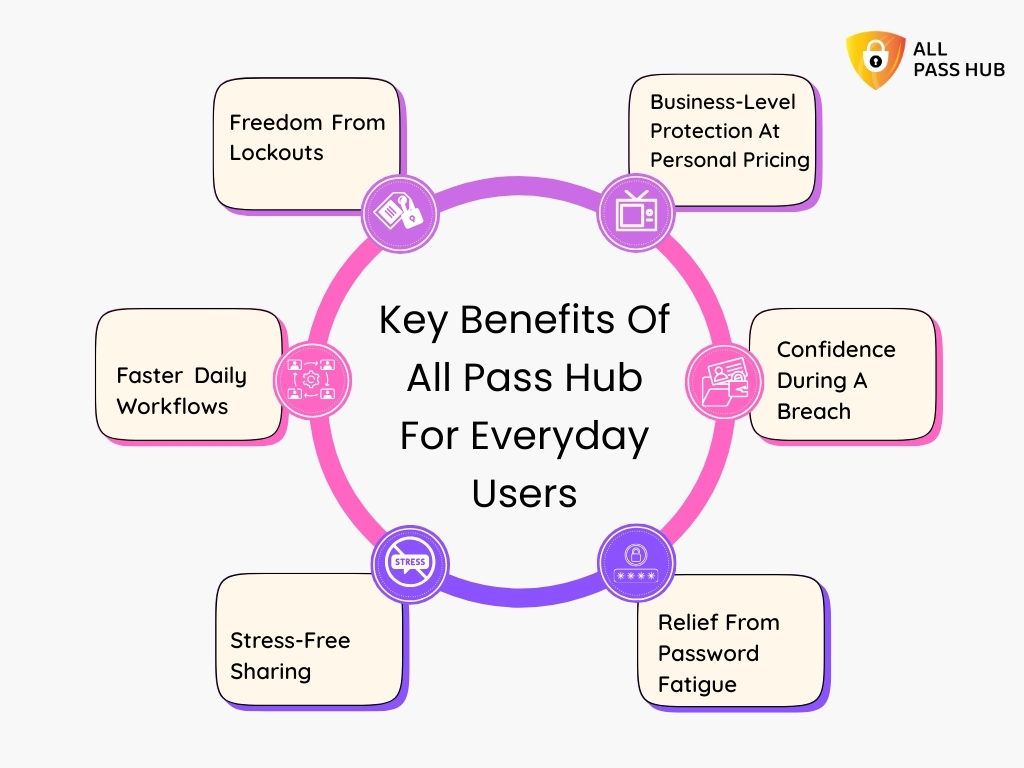
            Key Benefits Of All Pass Hub For Everyday Users

            Key Benefits Of All Pass Hub For Everyday Users

            Managing dozens of passwords is more than a technical issue; it is an emotional one. People feel anxious, waste time, and often get locked out of accounts at the worst possible moments. All Pass Hub addresses these everyday frustrations with practical benefits.

            Here is how it changes the user experience:

            Freedom From Lockouts

            One study found that 76% of users have been locked out of accounts due to forgotten passwords. All Pass Hub’s account recovery and master password reset system means you never lose access to your data, even if you can’t recall the key.

            Faster Daily Workflows

            Features such as pinned credentials and smart tagging cut login time dramatically. Whether you are paying bills, checking banking apps, or logging into a work platform, your access is instant.

            Stress-Free Sharing

            Sharing credentials with family or coworkers no longer means sending them in unsafe emails or chats. All Pass Hub allows controlled sharing with complete visibility into who accessed what and when.

            Relief From Password Fatigue

            Password overload is real. Instead of carrying dozens of combinations in your head or writing them down on paper, All Pass Hub takes over the cognitive burden. It lets you focus on core activities.

            Confidence During A Breach

            When your company’s accounts are hacked, panic sets in. All Pass Hub’s dashboard instantly flags reused or weak credentials, guiding you to change them before attackers can act. It feels like having a personal security coach.

            Business-Level Protection At Personal Pricing

            You get enterprise-grade features like role-based access, group sharing, and dual-key encryption for less than a cup of coffee per month. That mix of affordability and professional security is a significant differentiator.

            These benefits show that security is only part of the story. All Pass Hub aims to improve how you live and work remotely. It reduces stress while giving you complete control over your digital identity.

            What You Should Know: All Pass Hub goes beyond security. It prevents lockouts, speeds up daily access, enables safe sharing, and removes password fatigue. It makes digital life simpler, calmer, and more productive for everyday users.

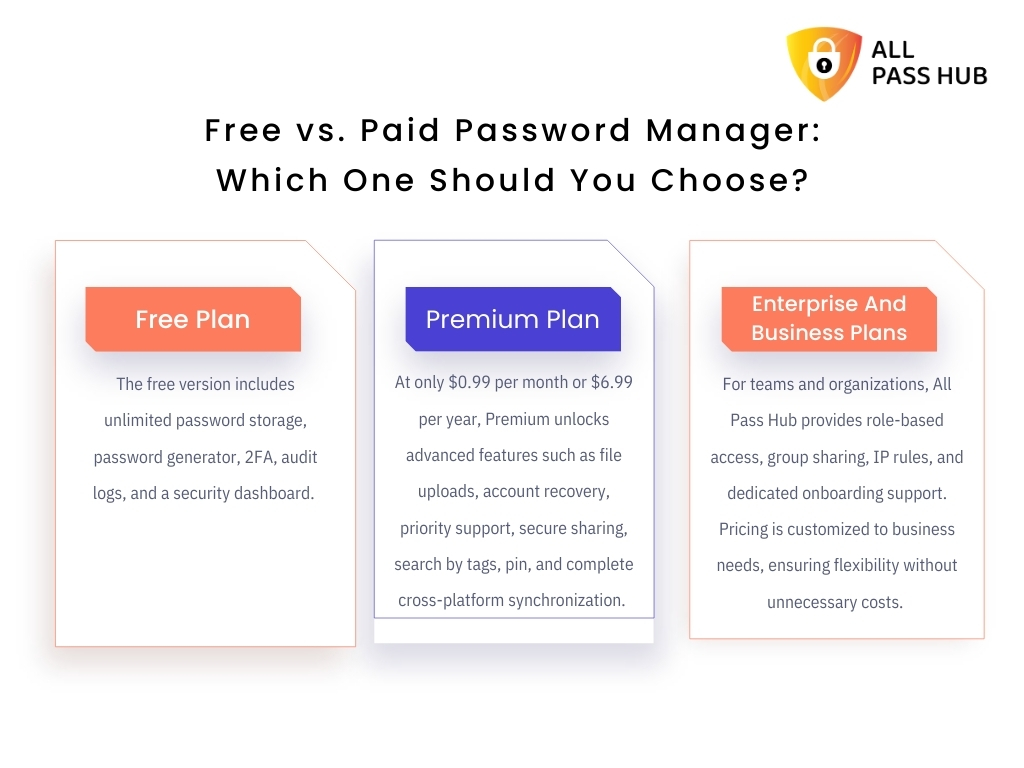
            Free vs. Paid Password Manager: Which One Should You Choose?

            Free vs. Paid Password Manager: Which One Should You Choose?

            Choosing between free and paid password managers often comes down to the value they offer. Many free options cover the basics, but they usually limit storage or remove crucial protections. All Pass Hub takes a different approach by offering a generous free plan and affordable upgrades.

            Free Plan

            The free version includes unlimited password storage, password generator, 2FA, audit logs, and a security dashboard. Unlike most competitors, All Pass Hub does not restrict the number of credentials you can store, making it ideal for individuals who want resilient protection without incurring additional costs.

            Premium Plan

            At only $0.99 per month or $6.99 per year, Premium unlocks advanced features such as file uploads, account recovery, priority support, secure sharing, search by tags, pin, and complete cross-platform synchronization. Guess what? Choosing the annual option saves nearly 41 percent compared to paying monthly.

            Enterprise And Business Plans

            For teams and organizations, All Pass Hub provides role-based access, group sharing, IP rules, and dedicated onboarding support. Pricing is customized to business needs, ensuring flexibility without unnecessary costs. 

            A Visual Glance At The Value Offered By Each Plan

            FeatureFree PlanPremium Plan ($0.99/month or $6.99/year)Enterprise/Business (Custom Pricing)
            Unlimited Password Storage
            Secure Sharing
            Security Dashboard
            Audit Logs
            Cross-Platform Sync
            File Upload & Secure Storage
            Account Recovery
            Role-Based Access & Groups
            IP Rules & Onboarding Support

            The decision is simple: If you want to try without commitment, the free plan is more potent than most paid alternatives offered by competitors. If you seek high-end features and peace of mind, Premium delivers unmatched value at a fraction of typical costs.

            Quick Recap: All Pass Hub’s free plan offers unlimited storage and essential tools, while Premium adds top-tier features for less than $7 a year, providing users with enterprise-level protection at a budget-friendly price. 

            Security Upgrade Promotional Banner Showing Hands Typing On Keyboard With Digital Lock Icons Overlay

            All Pass Hub For Businesses And Teams

            Managing passwords across a team is far more complex than individual use. Businesses face risks when employees share credentials informally, lack oversight on who has access, or fail to revoke credentials when staff leave. All Pass Hub addresses these challenges with advanced features tailored for professional and organizational needs.

            Business-ready features include:

            Users Management

            Add, remove, and organize employees with ease. It ensures that only active team members have authorization to the company accounts.

            Roles Management

            Assign role-based permissions so each user only accesses what they need, minimizing unnecessary exposure.

            Groups Management

            Create groups for departments or projects, making it easier to organize and control access across multiple teams.

            Group Sharing

            Securely share credentials within groups so everyone has the correct access at the right time, without sending details through unsafe channels.

            User Supervisor

            Give managers oversight of their team’s login data, providing accountability without compromising privacy.

            User Credential

            Manage user-specific credentials separately, ensuring that sensitive accounts remain personal yet fully auditable.

            Audit Logs

            Track activities with timestamped records of logins, edits, and usage. This transparency helps with compliance and regulatory requirements.

            IP Rules And Policies

            Limit permissions to approved networks or trusted devices, preventing unauthorized logins from external environments.

            For small businesses, these features reduce the stress of onboarding and offboarding employees. They create the structure and visibility for larger enterprises, empowering them to comply with strict security frameworks. 

            In a Nutshell: All Pass Hub equips businesses with complete control through users, roles, and groups management, secure sharing, supervision, audit logs, and IP rules. It ensures both small and large teams stay organized and protected. 

            Why All Pass Hub Is Different From Competitors

            Most password managers pitch encryption and syncing, but few truly change how people perceive security. All Pass Hub aims to eliminate fear, restore confidence, and give you more freedom online.

            Imagine this:

            • What if you never had to worry about forgetting a password at the worst time, like during a crucial meeting or while traveling?
            • What if sharing credentials with your team or family felt as safe as keeping them locked in your head?
            • What if a dashboard could act like your personal security coach, spotting risks before they turned into crises?

            These are not promises for the future; they are everyday realities with All Pass Hub.

            Here is the value it delivers that others overlook:

            • Confidence Instead of Anxiety: You stop fearing account lockouts, weak credentials, and hidden breaches because everything is monitored and recoverable.
            • Time Returned to You: Pinned logins and autofill will save you valuable minutes every workday. It adds up to hours of productivity each month.
            • Safer Collaboration Without Friction: Teams no longer juggle spreadsheets or deal with unsafe emails. Group sharing and supervision keep everyone aligned without compromising trust.
            • Strategic Growth Enabler: All Pass Hub doubles as a compliance ally for organizations. Features such as audit logs, IP rules, and group management help you meet industry requirements without additional overhead.
            • Long-Term Adaptability: Start as an individual user, expand as a family, grow into a team. All Pass Hub scales with you rather than forcing you to switch tools.

            What sets it apart is not just security, but the experience it creates: freedom from worry, smoother daily workflows, and the assurance that your digital life is protected today and ready for tomorrow.

            Key Takeaway: All Pass Hub creates tangible value by removing fear, saving time, simplifying collaboration, and supporting growth. It transforms password management from a burden into an advantage for users and businesses alike. 

            The Password Manager Millions Trust Because Your Data Deserves Bulletproof Protection

            Best Practices For Maximum Security With All Pass Hub

            Resilient security is not about complexity; it is about clever habits paired with the right tools. All Pass Hub offers you value-driven features, but how you use them can transform your digital safety into an unbeatable advantage.

            Here are the best practices that unlock maximum value:

            Set A Strong Master Password

            Imagine if someone guessed your vault’s key because it was a birthday or a pet’s name. Instead, create a passphrase that only you know, and let All Pass Hub remember everything else.

            Always Enable Two-Factor Authentication

            What if someone stole your login details? With 2FA active, they still can’t break in. A second verification step becomes your invisible bodyguard.

            Use The Security Dashboard Regularly

            Think of it as a fitness tracker for your digital life. It highlights weak or reused passwords, helping you fix issues before they become a problem.

            Generate Unique Passwords

            Would you trust your home if every lock used the same key? The built-in generator creates unique, unbreakable passkeys for each account, ensuring no single breach spreads across your digital world.

            Organize With Tags And Pins

            Instead of hunting through a long list of logins, use tags and pins to keep critical accounts within reach. It turns everyday access into a smooth, stress-free routine.

            Change Sensitive Credentials When Needed

            If you suspect a breach, update your master password and sensitive logins immediately. All Pass Hub ensures a seamless transition without risking data loss.

            When applied together, these practices turn All Pass Hub from a storage vault into a proactive security partner. They guide you toward safer and more productive digital living.

            Final Thought: With handy habits like 2FA, strong master passwords, dashboard checks, and unique logins, All Pass Hub evolves from a secure vault into a proactive partner for long-term digital safety.

            Conclusion: A Clever, Safer Way To Manage Passwords In 2025

            Passwords remain one of the most significant challenges of our digital age. Forgetting them creates frustration, reusing them creates risks, and managing them without a system creates endless anxiety. 

            Throughout this blog, we have explored how individuals and businesses gain more than a secure vault with All Pass Hub. You get a partner that protects every login with military-grade encryption, a guide that highlights risks before they grow, and a solution that adapts to your needs over time.

            We recommend following the best practices suggested in the blog to maximize your account protection. All Pass Hub brings these practices to life with an intuitive experience. 

            Whether you are an individual, a family, or a business, it eliminates the burden of remembering passwords and replaces it with confidence, clarity, and control.

            The future of security in 2025 and beyond is not about remembering more; it is about trusting the right tool to remember for you. 

            Do not let the struggle of managing credentials grow. Make a bold move today and give yourself lasting protection and peace of mind with All Pass Hub.

            FAQ

            How Secure Are Password Managers With End-To-End Encryption?

            Password managers with end-to-end encryption ensure your data is encrypted on your device before transmission and decrypted only when accessed. Even service providers can’t read your vault, making it one of the safest ways to store credentials.

            Is Client-Side Encryption Safer Than Browser Storage?

            Yes. Client-side encryption encrypts your data locally before it leaves your device, giving you total control. Browser storage often keeps passwords in plain text or weaker formats, making them vulnerable targets for attackers.

            Can I Use A Password Manager Without Internet Access?

            Yes. Many managers, including All Pass Hub, allow offline access once your vault is synced. You can retrieve stored credentials even without an internet connection. However, the updates will sync only when you have internet access.

            What Happens If A Password Manager Company Shuts Down?

            Most password managers provide export or recovery features. With All Pass Hub, you retain access to your encrypted vault locally. It ensures your credentials remain available even if the company discontinues operations.

            Do Password Managers Support Multi-Device Usage?

            Yes. Modern managers synchronize across multiple devices, such as desktops, smartphones, and browsers. All Pass Hub supports cross-platform sync, ensuring you have access to your vault wherever and whenever you need it.