Bitwarden vs All Pass Hub — Which Password Manager Is Right for Your Team?

Choosing a password manager for your team is no longer just about storing login details. It is about who has access to what, how securely that access is managed, and whether you can track activity when it matters. For teams comparing tools like Bitwarden and All Pass Hub, the real decision comes down to control, visibility, and how well the tool fits into day to day workflows.

This comparison is designed to give you a clear and practical answer. Instead of listing features without context, it explains how each platform performs in real situations such as managing shared credentials, setting up structured access, and maintaining accountability through audit logs. It also explores how teams can move away from risky practices by adopting a more secure password workflow for small teams, which is often where most security gaps begin.

The need for this shift is backed by data. According to the Verizon Data Breach Investigations Report, a large percentage of security breaches continue to involve compromised credentials. This makes structured password management and visibility not just a convenience, but a requirement for any team handling client data or internal systems.

In the sections that follow, you will see where each tool is strong, where trade offs exist, and which one fits best based on your team size and workflow. Whether you are a small team looking for better control without added complexity, or evaluating long term security and scalability, this guide will help you make a confident and informed decision.

Bitwarden vs All Pass Hub: Feature Comparison

FeatureBitwardenAll Pass Hub
Price per userFree / $4 (Teams) / $6 (Enterprise)Free / $2 (Premium) Lowest
Free planYes — sharing limited to 1 personYes — includes access controls & shared vault
Open sourceYes — fully open source AdvantageNo — zero-knowledge architecture
Self-hostingEnterprise plan only (Docker required)Premium plan — no Docker required
User-based access controlsTeams plan and aboveAll plans including free Advantage
Audit logsTeams plan and aboveAll plans including free Advantage
Guest sharingSend links (no account needed); collection sharing on Teams+Account-based guest sharing on Premium
Supervisor roleNo named supervisor tierYes — dedicated supervisor role on Premium
MFA optionsTOTP, email, hardware keys (premium), DuoTOTP, hardware keys — MFA on all plans
Team size sweet spotAny size — scales to enterprise2–30 users
Browser extensionsChrome, Firefox, Safari, Edge, Opera, Brave, Tor, CLI WiderChrome, Firefox, Safari, Edge

Open source and transparency

Open Source And Transparency

Bitwarden wins this clearly, and it matters. Open source means anyone can read the code. Security researchers can audit exactly how encryption is implemented, how keys are derived, and how data is stored. The community finds bugs, reports them publicly, and verifies that fixes land.

Bitwarden’s GitHub repository is active and its annual third-party audits (Cure53) are published.

All Pass Hub is not open source. What it does offer is zero-knowledge architecture in which the master password never leaves your device, encryption happens client-side, and All Pass Hub as a company cannot read your vault.

That is the security outcome most small business buyers actually care about. But it is not the same as open source, and it should not be presented as equivalent. If your team’s security culture demands code-level auditability, Bitwarden is the right choice.

Pricing for small teams

Pricing For Small Team

All Pass Hub offers a straightforward pricing model that aligns well with the needs of small teams. At $2 per user per month, a 10 person team pays $20 a month, making it a cost efficient option for teams that need structured access, shared vaults, and visibility without moving into higher pricing tiers. This becomes especially relevant when you consider the broader cost of managing passwords across teams and the risks associated with unstructured systems.

Bitwarden’s free plan exists and is genuinely useful for individuals, but it limits sharing to one other person. That constraint makes it impractical for a team.

All Pass Hub’s free plan is designed with small teams in mind. It includes shared vault access and user based access controls, allowing teams to organise credentials and manage access from the start, without needing an immediate upgrade. This makes it easier to establish structured password management practices early, rather than introducing them later as the team grows.

One other pricing distinction is self hosting. Bitwarden requires the Enterprise plan at $6 per user per month for self hosting. All Pass Hub includes self hosting in its $2 per user per month Premium plan, making it more accessible for teams that need a self hosted password manager for small teams without significantly increasing costs.

User-based access controls
User Based Access Controls

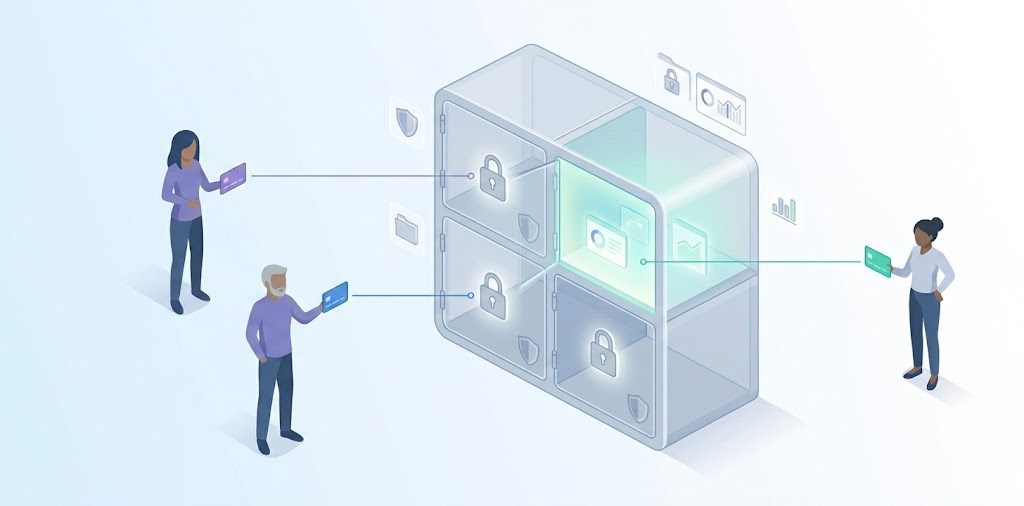
Both tools let you control who sees what but they differ in how and at which price point. Bitwarden organises credentials into collections and assigns roles at the collection level: Owner, Admin, Manager, and Member.

Manager-level users can control who accesses specific collections. Custom roles are available on the Enterprise plan. This is a mature, flexible system, but it requires the Teams plan ($4/user/month) or above to unlock.

All Pass Hub uses user-based access controls on all plans, including free. This is not the same as true item-level RBAC in the enterprise sense, but it covers the core small-team requirement: controlling which users can access which vaults and credentials based on their role.

A team lead can be given access to their client’s vault without seeing unrelated vaults. That separation is what most agencies and small businesses actually need in secure team password management, and it does not require an upgrade to access it.

Audit logs
Audit Log

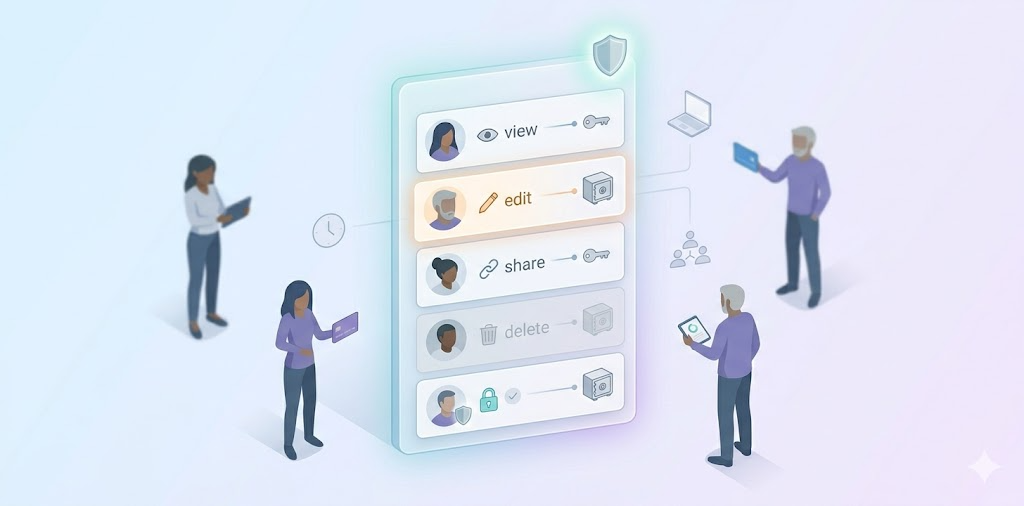
Both tools include audit logging, but All Pass Hub includes it on every plan, while Bitwarden restricts it to Teams and above. That distinction is the most practically significant pricing difference between the two tools for small teams on tight budgets.

What do audit logs actually show? In both tools: who accessed which credential, when, from which device, and what action they took like view, edit, share, delete. For a 10-person agency, this matters in three specific situations: offboarding a contractor (what did they access in the final week?), investigating a suspicious login (was an account accessed outside business hours?), and demonstrating credential hygiene to a client or auditor.

If your team is on Bitwarden’s free plan, you have no audit trail at all. But, if your team is on All Pass Hub’s free plan, you do have an audit trail to prevent client disputes. For teams where accountability and visibility are non-negotiable, that difference is worth paying attention to.

Guest sharing and external access
Guest Sharing And External Access

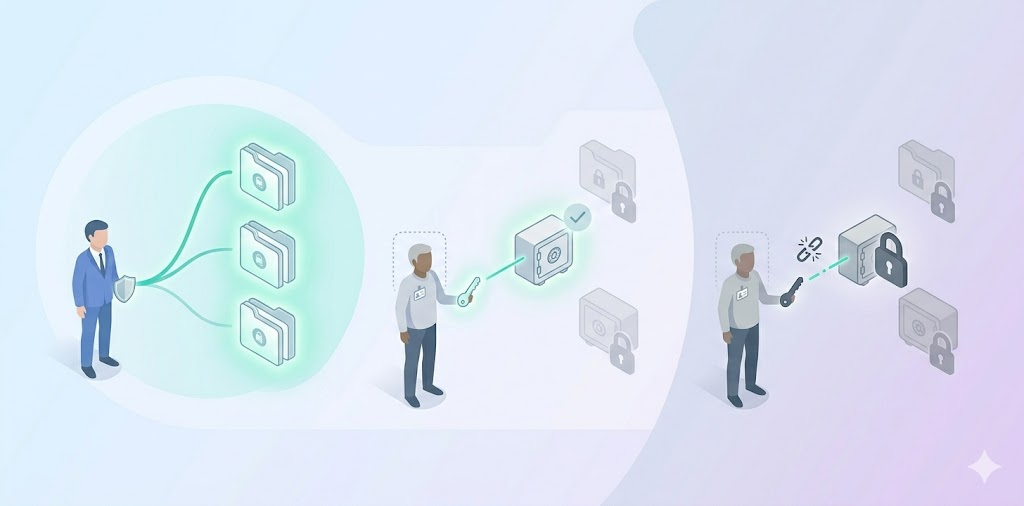
This is where the two tools take genuinely different approaches. Bitwarden has a feature called Send, it generates an encrypted link to a specific credential that anyone can open, even without a Bitwarden account, with optional expiry and password protection.

It also allows adding external people to collections on a Teams or Enterprise plan. Neither option gives you a named guest account with scoped vault access and an audit trail entry on a free or low-cost plan.

All Pass Hub includes account-based guest sharing on its Premium plan. A contractor or client is invited as a guest, gets access to a specific vault, not your full credential store and that access can be revoked cleanly when the engagement ends. The sharing event is logged in the audit trail.

For agencies managing credentials across multiple client engagements with rotating freelancers, the workflow difference matters, especially when following a structured small agency password playbook:

share access to Client A’s vault → contractor completes the project → revoke access → confirm in audit log that access is removed.

Both tools support this workflow; All Pass Hub’s implementation is more structured for this specific use case.

Self-hosting

Self Hosting

Bitwarden’s self-hosting option is more mature. It has a large, active community of self-hosters, detailed documentation, and years of production use. If you have a technical team member who is comfortable with Docker and a server environment, Bitwarden’s self-hosted option is well-supported.

The constraint is cost: Bitwarden self-hosting requires the Enterprise plan at $6 per user per month. For a 10-person team, that is $60 a month which is three times the cost of All Pass Hub Premium before you factor in infrastructure.

All Pass Hub offers self-hosting for small teams on its $2 per user per month Premium plan and does not require Docker. The trade-off is that it is a newer, smaller community with less peer-reviewed documentation.

For teams that need self-hosting for data sovereignty or compliance reasons but do not want enterprise pricing, All Pass Hub’s approach is more accessible. For teams where self-hosting maturity and community support are the priority, Bitwarden is stronger.

Ease of use and setup

Bitwarden has a learning curve, particularly for non-technical team members and for admins setting up collections and permissions for the first time. The interface is functional rather than polished, and new users sometimes need guidance to understand how vaults, collections, and organisations fit together.

All Pass Hub is designed specifically for non-technical small business teams. The admin interface is simpler, onboarding is faster, and it is built to streamline password management without requiring enterprise middleware, SSO configuration, or directory sync.

Bitwarden has significantly wider platform coverage: browser extensions for Chrome, Firefox, Safari, Edge, Opera, Brave, and Tor, plus a command-line interface. All Pass Hub covers the four major browsers. For technical teams that need CLI access or use niche browsers, Bitwarden is the practical choice.

Which one should your team choose?

Choose All Pass Hub if…

  • Your team is 2–30 people and you want audit logs and access controls without paying enterprise prices to unlock them
  • You run an agency and need to separate credentials by client with vault-level access controls and a supervisor role per account manager
  • You need to share credentials with contractors or clients and want that activity logged in the audit trail
  • You want a self-hosted option at $2 per user per month without a Docker infrastructure requirement
  • You want a simpler admin experience designed for non-technical team members

Choose Bitwarden if…

  • Open-source transparency and community auditability are priorities for your team’s security culture
  • You need enterprise self-hosting with Docker and have the infrastructure to support it
  • Your team is technical and benefits from CLI access or uses Brave, Tor, or other niche browsers
  • You are managing more than 30 users and need enterprise SSO, directory sync, or custom roles
  • It is just two of you and you can operate on Bitwarden’s free plan with single-person sharing

Choosing the Right Fit for Team Password Management

The decision between Bitwarden and All Pass Hub is less about which tool is universally better and more about which one aligns with how your team actually works on a daily basis. Both platforms solve the core problem of secure password storage, but they approach control, visibility, and usability from very different angles.

Bitwarden leans toward teams that prioritise transparency, technical flexibility, and long-term scalability. Its open-source foundation and mature ecosystem make it a strong fit where infrastructure, compliance, and engineering involvement are already part of the workflow.

All Pass Hub takes a more practical route for small teams that need structure without complexity. It brings access control, audit visibility, and organised sharing into place from the start, without requiring upgrades, additional configuration, or technical overhead. This changes how quickly a team can move from informal password handling to a system that is controlled, trackable, and easier to manage as responsibilities grow.

For most small teams, the real shift is not adopting a password manager, but moving toward a setup where access is intentional and activity is visible. The tool that makes that transition simpler, without adding friction, is usually the one that gets used properly.

Frequently asked questions

1. Is Bitwarden suitable for small teams on a free plan?

Bitwarden’s free plan works well for individual use or very small setups, but team usage quickly runs into limitations around shared access and structured controls. For small teams that need shared vaults, role-based access, and visibility from the start, All Pass Hub’s free plan is designed to support that workflow without requiring an immediate upgrade.

2. Do small teams really need audit logs?

Audit logs become important as soon as multiple people are accessing shared credentials. Without them, it becomes difficult to track usage or review activity when something changes. All Pass Hub includes audit logs across all plans, which allows even small teams to maintain visibility without moving into higher pricing tiers.

3. What is a better approach for sharing passwords with external users?

A more structured approach is to avoid sending credentials as links and instead provide controlled access through scoped accounts. All Pass Hub supports this through guest sharing, where external users can be given access to specific vaults and removed cleanly when no longer needed, while keeping a record of activity in the audit trail.

4. How important are permission levels in a small team setup?

Even small teams benefit from separating access by role instead of sharing everything broadly. All Pass Hub includes user-based access controls across all plans, which helps teams assign credentials based on responsibility without complex configuration or enterprise-level setup.

5. What should a small business look for in a password manager?

Small businesses typically need three things: controlled sharing, visibility over usage, and a system that does not require heavy administration. All Pass Hub focuses on making these available in simpler plans, which allows teams to adopt structured password management early without waiting to scale into higher tiers.

6. How can teams reduce password-related risk in day-to-day operations?

Risk usually comes from untracked sharing and inconsistent access practices. A more reliable approach is to centralise credentials in a system that enforces controlled access and logs activity automatically. All Pass Hub is built around this principle, making it easier for teams to maintain consistent security habits without relying on manual processes.
The Small Agency Password Playbook: Practical Steps to Strengthen Security in 2026

Why Every Agency Needs a Password Manager for Small Business in 2026

It’s 3pm on a Tuesday. Your client just sent an email asking who currently has access to their Google Ads account. You open Slack. Then a spreadsheet. Then another tab. Fifteen minutes later, you still can’t give a definitive answer so you type: ‘Let me check and get back to you.’ This is the moment every growing agency dreads. And it’s the exact problem a password manager for small business is designed to solve.

Why Generic Password Advice Fails Agencies

Most password advice is written for small businesses with one environment to safeguard. They don’t work that way. 

You manage shared client credentials, short-term contractors, and a growing stack of tools, often all simultaneously. The moment you apply generic advice, it breaks under real conditions.

Vendor blogs simplify the problem to password strength and hygiene. That is not where agencies struggle. Agencies struggle with ownership access. 

  • Who can log in today? 
  • Who should not? 
  • Who can still log in, without anyone realizing it? 

Add contractor churn and tool sprawl, and there is rarely a single owner accountable for end-to-end access.

That is why password management for small agencies is not about knowing what to do. It is about doing it without hindering delivery. 

Agencies don’t need reminders to use strong passwords. They need a way to manage client access at scale, cleanly, and without improvisation.

The Real Credential Risks Agencies Face Going Into 2026

Password risk in 2026 is less about new threats and more about accumulated friction. Client access management has not kept up with the way agencies operate today.

Here is where the pressure often shows up.

Client credential sprawl

Each client brings multiple tools. CRM, ads, hosting, analytics, internal dashboards. Access grows horizontally, not systematically. Over time, no one has a complete picture of credentials.

Shadow access

Freelancers, vendors, and partner agencies come and go. Access rarely leaves as cleanly as people do. Permissions linger because offboarding is manual and fragmented.

Browser-synced passwords on personal devices

Convenient in the moment. Invisible at scale. Teams lose visibility the moment credentials reside within personal browsers instead of a shared system.

Audit Trail is Missing

Many agencies cannot answer with confidence when clients ask practical questions:

  • “Who had access last quarter?”
  • “What changed after the incident?”

An audit trail removes uncertainty when accountability matters most. Transparency becomes automatic, not situational.

Expectations are higher in 2026. Clients expect access clarity. Security questionnaires are becoming routine. Accountability is no longer optional. 

Even small businesses are being pushed toward stringent access control standards, as reflected in FTC guidance on cybersecurity expectations

The risk is not one breach. It is operating without clear ownership of who can access what and when.

What “Good Password Management” Actually Looks Like for Small Agencies

Effective password management for agencies is not about adding more rules; It is about removing improvisation from everyday access decisions. Structured access enables teams to move quickly, and clients feel safer.

In practice, good password management for small agencies follows a few well-defined behaviors.

One vault, multiple clients

Agencies work across many client environments simultaneously. Without proper separation, credentials blur together, and ownership becomes unclear. A client-based structure ensures organized access, fewer mistakes, and sensitive information doesn’t reside within personal tools.

Access tied to roles, not people

Permissions should follow responsibility, not familiarity. User-level RBAC ensures that onboarding and offboarding no longer require rebuilding systems. Access adjusts naturally as people join, leave, or change accountabilities.

Beyond these foundations, disciplined agencies also operate with stricter controls:

  • No shared master passwords
  • Everything revocable, nothing permanent

These password management best practices are essential. However, agencies require unambiguous rules, templates, and decision frameworks to apply consistently. That is where teams often struggle, and the Small Agency Password Playbook goes deeper.

The 2026-Ready Password Workflow: Step-by-Step Playbook

The 2026 Ready Password Workflow Step By Step Playbook

As agencies grow, informal access habits no longer scale. More clients mean more tools, more contributors, and more moments where accountability matters. 

The following structure aims to eliminate guesswork before those moments arrive.

Step 1: Map Credentials by Client and Function

Agencies operate across multiple client environments concurrently. Without well-defined boundaries, credentials blur together, ownership becomes unclear, and risk spreads quietly. 

Structuring access around functions and clients restores clarity and makes responsibility visible.

Step 2: Centralize Access Even If You Are Mid-Growth

Confidence is an illusion when access lingers in multiple places. Fragmentation creates blind spots that only surface under pressure. 

Centralization is pivotal because it provides agencies with a single source of truth, especially when uncertainty around access hinders productivity.

The real cost analysis between spreadsheets and password managers becomes apparent when access visibility begins to slow work.

Step 3: Enforce Role-Based Access by Default

Not all access carries the same risk. Aligning visibility with responsibility limits the damage of mistakes. It also prevents convenience-driven permissions from becoming a liability as teams restructure.

For instance, User-level RBAC reduces the blast radius when something changes.

Step 4: Secure Sharing Without Exposure

Sharing credentials should never create new risk. Agencies need safe ways to grant authorization that don’t involve copying secrets into places they can’t control or revoke later.

Step 5: Review and Rotate on Triggers, Not Dates

Access only becomes outdated when something is modified. Reviewing credentials based on real events ensures systems remain current without introducing unnecessary process or overhead.

That is where many agencies lose momentum.

The ideas make sense. The risks are understood. But turning principles into a repeatable system is where things tend to break down. 

Access decisions get deferred, templates stay unfinished, and teams fall back on memory and shortcuts when pressure rises.

That gap is exactly why we built the Small Agency Password Playbook.

It does not revisit the theory. It provides practical checklists, decision frameworks, and client-ready workflows that teams can apply these principles consistently, without slowing delivery. 

Get The Exact Templates Agencies Use To Manage Client Access

Why a Password Manager Becomes Non-Negotiable at This Stage

There is a point where adding another tool doesn’t increase complexity. It eliminates hidden work. For agencies, that moment arrives when delivery is interrupted by uncertainty around access and ownership.

At this stage, a password manager is no longer just a place to store logins. It becomes an infrastructure:

  • A centralized system where client credentials live. 
  • A transparent record of who has access. 
  • Secure sharing that doesn’t depend on copying secrets into chats. 
  • Onboarding becomes quicker. 
  • Offboarding becomes streamlined.

That is why a password manager for small business matters more for agencies than for most teams. 

You are not protecting a single environment. You are responsible for multiple client systems simultaneously.

Once access is centralized, work moves differently: 

  • Ops spends less time clarifying who has access.
  • Founders carry less silent risk. 
  • Clients feel the difference even if they never see the system behind it.

For agencies that want complete control over how credentials are stored and managed as expectations rise, our self-hosting article has the answers.

Preparing Your Agency for Client Security Expectations in 2026

Client expectations around security are already surfacing in onboarding calls, security questionnaires, and renewal conversations.

Agencies will answer fewer vague questions in 2026 and more operational ones:

  • Who can access this tool today?
  • How is access revoked when someone leaves the organization?
  • Can you show what changed and when?

These questions arise at inconvenient moments — during onboarding. After an incident. Mid-project. 

Agencies without defined access systems have to pause delivery and reconstruct decisions under pressure.

That is where security becomes an enabler, not a blocker. Clients feel reassured, and work moves without unnecessary hurdles.

Agencies that prepare early can respond with confidence. They can scale faster because access ownership is already defined.

When access decisions are documented and repeatable, conversations stay focused on delivery. Sales cycles feel steadier. Ops does not have to improvise answers after the fact.

At this stage, understanding the need for better access control is not the concern. It is turning that understanding into something teams can execute consistently.

Download the Small Agency Password Playbook

This article clarifies what effective access control means inside a growing agency.

The playbook exists to help you actually implement it.

Without a repeatable system, agencies keep revisiting the same access decisions. Each new contractor, client tool, or project handoff becomes another point of debate — What should be shared? With whom? For how long?

The Small Agency Password Playbook replaces that uncertainty with a well-defined structure.

It provides ready-to-use templates, decision frameworks, and client-ready workflows that teams can follow without delay or disagreement.

It is designed for real agency conditions — Imperfect systems, rotating contributors, and client pressure. Not an idealized security theory.

If you want to stop rethinking permissions every time something changes, this is the missing layer. 

Use the playbook to standardize credentials handling, eliminate bottlenecks across teams, and move quickly without introducing new risk.

Stop Guessing Who Has Access

Final Thoughts: Fewer Password Problems, Better Agency Control

Most password issues inside agencies are not technical failures or isolated mistakes. They are signals that access has outgrown the systems meant to support it. 

What once felt manageable becomes more challenging to track with the increase in clients, tools, and contributors.

Agencies that stay steady choose systems over shortcuts. They design access intentionally. They reduce dependency on individuals. Access changes are intentional, not reactive. 

The result is steadier operations, smoother handovers, and answering confidently when clients ask about access and accountability.

When credential management aligns with the way your agency works, password problems fade into the background. Control becomes the default, not something you have to chase.

Password Security for Agencies: Why Ignoring It Could Cost You Everything

Every small agency and freelancer eventually hits the same fork in the road.

  • A late-night Slack ping about a suspicious login.
  • A client is asking who still has access.
  • A contractor admitted to reusing a password because it was faster.

Nothing is on fire yet, but something is off.

That is where paths diverge. 

Agency A: Rely on shortcuts, memory, and goodwill. 

Agency B: Introduces structure early. Credentials reside in a centralized password vault. Access is controlled. Nothing relies on remembering.

Most freelancers and small teams are not careless. They are fast. 

Habits scale quickly than systems. And password decisions quietly shape client trust and delivery confidence more than almost any daily workflow.

It only takes one weak credential for a client to question control. Once that doubt appears, work feels heavier. Speed no longer feels an advantage.

How Leaks Really Happen Inside Small Teams

Credential leaks rarely appear as dramatic breaches. They usually begin with ordinary moments that every freelancer & small team has seen. 

  • Someone rushes to share a login during a client call. 
  • A contractor works from a personal device with synced browsers. 
  • An old account remains active after offboarding. 
  • A shared password sits in a chat thread long after the task is done. 

These situations feel harmless, yet they quietly create cracks that attackers wait for.

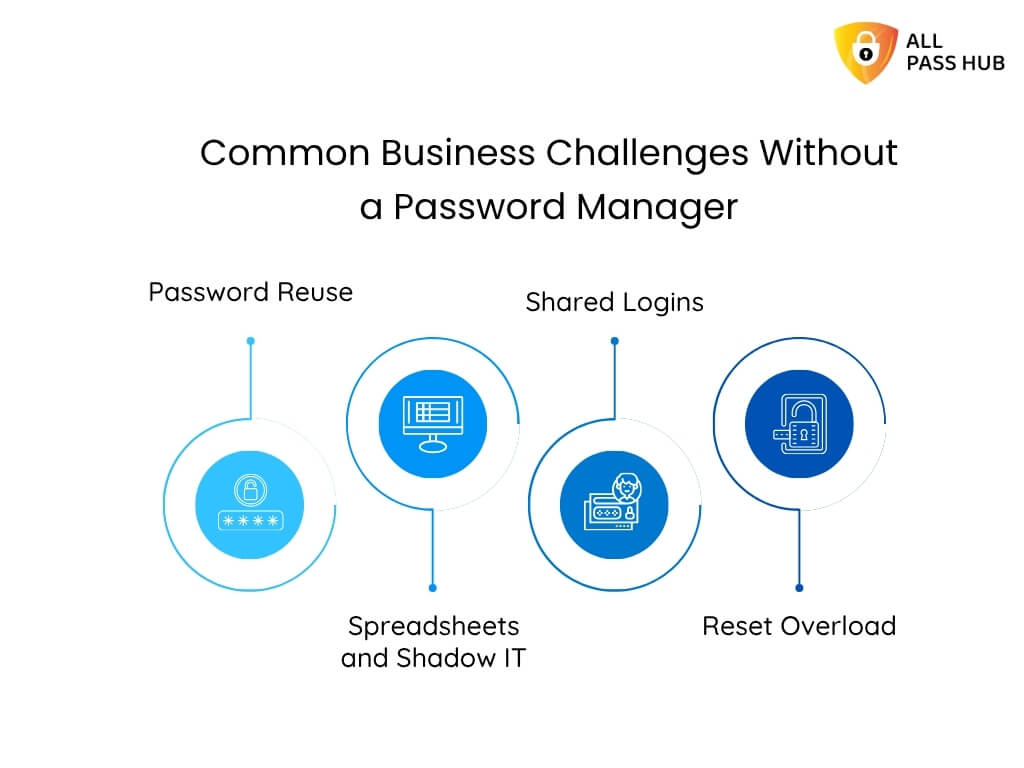
Common Business Challenges Without A Password Manager
  • Research from CyCognito shows that stolen session cookies, misused tokens, and phishing attempts often originate from tiny lapses in credential handling. 
  • Proofpoint highlights credential stuffing, password spraying, and Adversary-in-the-Middle (AitM) attacks as additional pathways for compromise. 
  • Sentry Security explains how public apps leak credentials through poorly configured OAuth workflows. These risks come from human shortcuts more than technical flaws.

And when a leak slips through, the consequences reach far beyond the single account that started it. It emphasizes the importance of generating and using strong credentials using a password manager.  

The Cost of Weak Passwords That Agencies Never See: Cost-Risk Analysis

When a password slips, the actual damage rarely begins at the moment of the leak. What unfolds afterward is a chain reaction. Freelancers & small teams only notice once client work slows, systems behave unpredictably, or a concerned client reaches out. 

  • Research from Exabeam indicates that weak credentials are usually attackers’ silent entry points. It allows them to explore connected systems before anyone detects unusual behavior. 
  • Proofpoint’s data reveals that exposed logins often contribute to unauthorized access long before teams realize something is suspicious. 
  • Arsen’s breach analysis highlights how quickly the fallout spreads into client relationships, operational delays, and compliance pressure.

Let’s make the impact crystal clear by outlining how a single weak credential can escalate across an agency’s workflow.

Cost-Risk Analysis Table

Failure PointWhat Happens Behind the ScenesBusiness Impact
Unauthorized accessAttackers gain quiet entry and observe systems without immediate detectionLoss of control and increased threat exposure
Lateral movementAccess spreads into related accounts or shared toolsMultiple systems become compromised at once
Client data exposureSensitive information becomes accessible or copiedDamaged trust, possible legal reporting, and strained client relations
Operational slowdownsTeams pause work to verify logs, reset access, and contain the issueMissed deadlines, stalled deliverables, and internal disruption
Reputational consequencesClients question security standards and long-term reliabilityHarder renewals, slower referrals, risk of churn
Compliance triggersBreaches meet thresholds for reporting or auditsAdministrative burden, financial penalties, scrutiny from regulators

Once leaders notice how quickly these steps unfold, the priority naturally shifts toward designing a password security policy that prevents small cracks from becoming structural failures. 

Stop Letting One Weak Password Decide Your Next Crisis

The Prevention Framework Small Teams Can Implement

Passwords fail quietly first, through small compromises that feel harmless in the moment. Actual protection comes from tightening the workflow before anything goes wrong, not from reacting after the damage is visible.

What actually works for freelancers and small agencies handling multiple clients is not a single policy or tool, but a set of simple practices applied consistently.

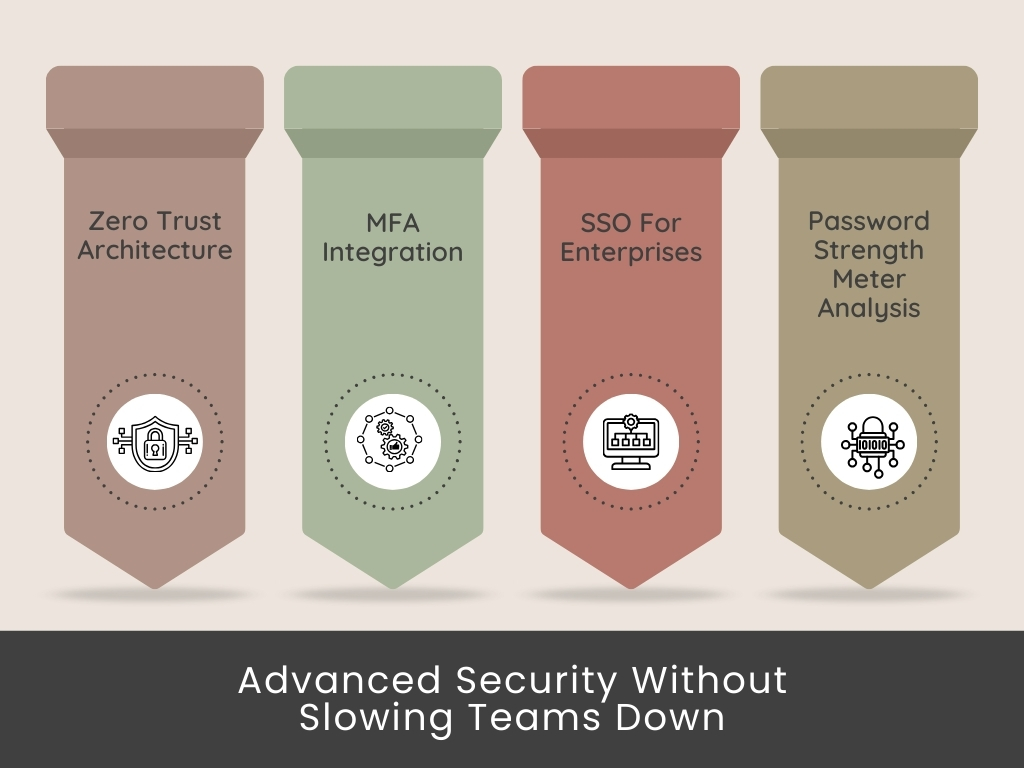
Advanced Security Without Slowing Team Down

Below is the prevention blueprint (password security best practices) that holds up across real multi-client work.

MFA matters everywhere

Safeguard high-risk accounts with strong authentication (2FA) and avoid relying solely on SMS (text messages).

Unique passwords and passphrases

Remove shared patterns and ensure no two client accounts repeat the same structure. 

Organized, centralized credential storage

Use a single controlled vault instead of scattered files, chats, or browser sync.

Item-based RBAC and audit readiness

Assign access at the credential level so each person only sees the items tied to their responsibilities. Pair this with audit-ready logs that capture who viewed, edited, or shared an entry. Ideal for compliance checks and activity reviews.

Secure sharing and rotation rules

Share without exposing. Rotate credentials after major events, handovers, or vendor changes.

Real-time access reviews

Examine who can view what before every new project cycle commences.

⭐Tip: If a prevention step feels “optional,” it is usually the one attackers rely on, and you are neglecting.

Once these fundamentals are in place, the conversation naturally shifts toward the root problem holding back most teams: the infrastructure used to store and share credentials. 

Why Password Managers for Small Teams Are a Solution to Leak Prevention

When small teams and freelancers trace a credential leak back to its source, the cause is rarely mysterious. It’s the workflow that drifted.

  • A password was dropped into a chat to save time.
  • A Google Sheet that outlived the project.
  • A contractor who kept access because offboarding was rushed.

None of these feels dangerous in the moment. The damage starts compounding long before anything breaks. 

Password managers for small teams work because they replace improvisation with structure. They turn fragile habits into predictable, controlled access. That is why many digital agencies adopt them to manage client passwords and boost collaboration & security.

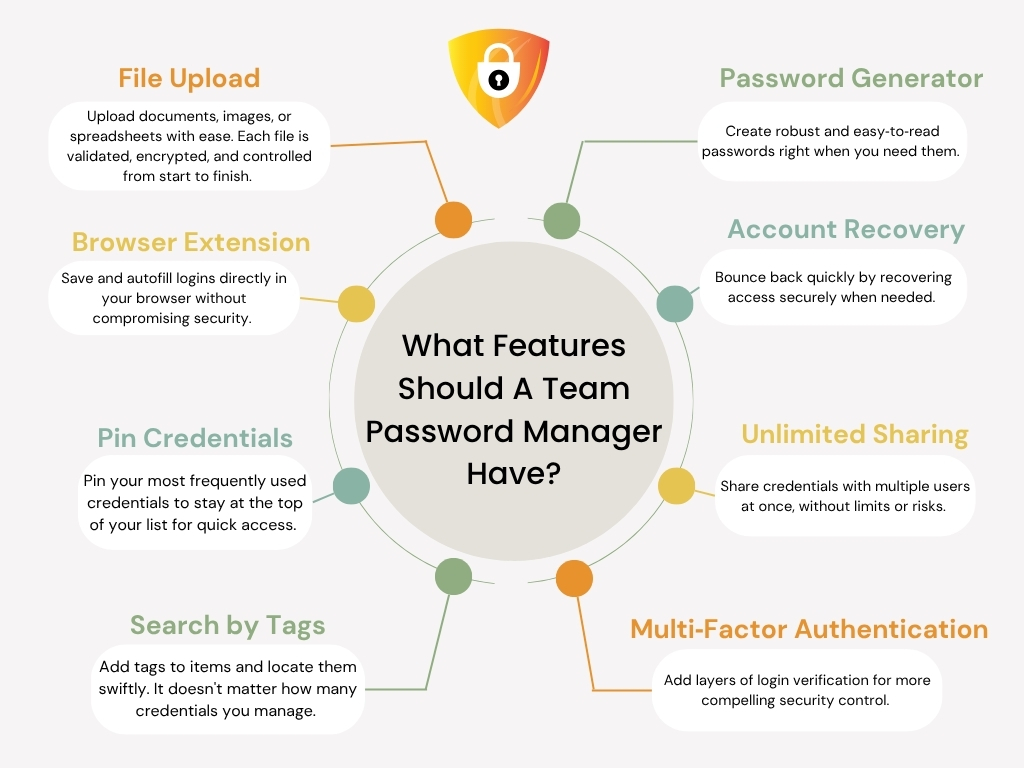
What Features Should A Team Password Manager Have

Let us make this straightforward with the following visual breakdown that decision-makers often find helpful. 

How Password Managers Prevent Credential Leaks

Problem That Causes Leaks in Small TeamsWhat Happens in Real LifeHow a Password Manager Solves It
Scattered credential sharingPasswords shared in chats or emails linger for monthsSecure sharing links, controlled visibility, and no long-term exposure
Shared or repeated passwordsOne breach affects multiple client accountsEnforced unique passwords and strong password generation
Stale access after offboardingEx-employees retain access without anyone noticingInstant revocation and client-specific vault control
Unknown credential historyNo visibility of who viewed or changed a loginComprehensive audit logs and item-level tracking
Browser-synced credentialsPersonal devices store logins without oversightCentralized vault replaces browser storage entirely
Contractors needing quick accessTemporary access becomes permanent accessTime-bound or item-specific access rules
Rushed last-minute updatesTeams forget to update shared sheetsCentralized updates apply instantly for all authorized users

It is not just a tool shift; it is a structural upgrade in how to secure passwords, especially sensitive information. 

Moreover, it is essential to have an understanding of the cost analysis of spreadsheets vs password managers for agencies.

How Small Teams Build a Leak-Proof Credential Workflow

What most teams and freelancers never admit out loud is that leaks don’t come from attackers outsmarting them; they originate because everyday habits drift. 

A workflow is only as strong as the last shortcut taken. It can be:

  • A login saved into a chat to unblock work. 
  • A vendor who kept access longer than expected. 
  • A credential no one remembered to rotate. 

These moments feel operational, not risky, until they stack.

Teams that stay protected rely on a structure that eliminates guesswork and closes gaps before they form.

Let’s make this clear with a real structure behind an impenetrable workflow:

The Core Layers of a Leak-Proof Credential System

LayerWhat It ProtectsStrategic Advantage
Strong passphrasesEntry pointsPrevents anyone from guessing or cracking patterns
MFA on critical accountsHigh value targetsStops intrusions even if a password leaks
Item-level access rulesContractor and team visibilityLimits blast radius and keeps exposure contained
Centralized vault updatesReal-time accuracyNo one works with outdated credentials
Regular access reviewsOld accounts and stale permissionsRemoves silent vulnerabilities before attackers find them

A workflow like this works because it eliminates improvisation. When every access path is intentional, leaks have nowhere to hide.

Once this structure is in place, the final step is to ensure secure password management as your team grows and client demands evolve.

Step Into A Credential System Built For Stability And Control

The Bottom Line

Password security rarely announces itself as a problem. It appears as a barrier. 

Work slows. Access feels uncertain. Simple questions take too long to answer. 

Over time, that friction quietly erodes confidence, both yours and your clients’.

The teams and freelancers who stay ahead treat credentials as part of how work moves, not as loose items to manage later. 

Access is intentional. Sharing is controlled. Nothing critical depends on memory, inbox searches, or last-minute fixes.

This shift is less about locking things down and more about creating operational calm. 

Organized credentials ensure streamlined workflows. Handoffs feel lighter. Trust becomes easier to maintain.

If you want a password system that supports this way of working without adding overhead, All Pass Hub fits naturally into small agency and freelancer workflows. It ensures access is simple, controlled, and ready for whatever comes next. 

Here is to creating a workflow where credentials feel effortless, security feels robust, and your clients always feel protected.

FAQs

How do companies actually encrypt passwords, and how does this differ between cloud and self-hosted setups?

Most systems encrypt passwords on the user’s device before they enter any server. In cloud setups, the vendor controls the storage location. In self-hosted models, the encrypted database resides within your environment. 

How can we maintain password hygiene across multiple client environments with different rules?

Use one vault with client-specific folders, enforce strong passphrases using a password generator, standardize MFA for high-risk accounts, and review access before every new project cycle. 

How can a small team identify if a password has already been compromised without waiting for an incident?

Monitor credential activity logs, review unexpected access patterns, and check passwords against breach databases. Early detection often comes from noticing irregular use rather than an entire incident alert.

How do we set up temporary access for new contractors without exposing everything?

Assign access at the item level and set definite expiration rules. Contractors should only view the credentials tied to their task, and the access should end automatically when the work is done.

How do we safely share passwords with clients who prefer email or messaging apps?

Avoid sending credentials through open channels as per password security best practices. Use a one-time share feature that lets the client view the password once without exposing your vault. 

All Pass Hub includes this capability, allowing secure sharing without storing sensitive details in chats or email threads as part of its password security policy.

How Self-Hosting Helps Small Teams Keep Control of Their Credentials

There is a moment every small team eventually faces. A client asks where their credentials are stored, who can access them, or how quickly you can perform an audit trail

And for a minute, the room gets quiet. Not because the team is unprepared, but because the answer depends on whatever the cloud vendor allows you to view.

That pause is the actual risk. It shows a gap between responsibility and visibility.

Small teams don’t struggle with security awareness. They struggle because traditional cloud password tools keep ownership with the vendor. 

You get the interface. Vendor controls the infrastructure. You rely on their logs, their access rules, and their storage decisions.

Gartner forecasts that by 2025, 60% of enterprises will adopt self-hosting for privacy-enhancing computing, a significant increase from less than 5% in 2021.

Self-hosting a credentials database changes that dynamic. It brings ownership back into your environment. And once you experience that level of clarity, the old model feels restrictive.

The True Meaning of Self-Hosting For Small Teams

Self-hosting is often perceived as racks, servers, and midnight maintenance. 

For small teams, a self-hosted password vault means your encrypted credential database resides in an environment you control. 

Not in a vendor’s region. Not behind a vendor’s admin panel — Only yours.

That shift matters because the issues that break workflows for small teams often arise from everyday situations:

  • A shared drive folder gets renamed, and no one notices until delivery day.
  • A browser syncs an outdated password, and the wrong version spreads quietly.
  • A contractor leaves, and you are unsure what copies still exist.

Self-hosting removes the guesswork. You control backups. You decide your reverse proxy configuration. You are accountable for patching and updates. 

Even something as simple as a failing SD card on a self-hosted Raspberry Pi setup has consequences that users in the r/selfhosted community have ended up discussing.

It is not effortless; It is free of uncertainty. And that clarity is the foundation of control.

Why Security Feels Different When You Self-Host Database

Security feels very different when your encrypted data sits inside your environment. You no longer wonder who manages the backend keys or how logs are interpreted.

You already know:

✔️ Where the encrypted vault is stored

✔️ Who can reach the database

✔️ How the infrastructure behaves behind the scenes

Cloud password managers work well until you need precision. Not broad permissions. Not vendor-controlled logs. Actual, verifiable access control.

Self-hosting your own database changes the posture entirely:

  • Audit logs reflect exactly what happened on your infrastructure. 
  • Data residency questions become predictable because you are aware of the location.
  • Offboarding becomes decisive when the encrypted database sits in your environment. You can remove someone’s access at the source itself. 

Revoking access is immediate with All Pass Hub. No leftover tokens. No lingering sessions. No vendor delays. Authorization ends the moment you choose.

Reddit discussions often mention this tradeoff. Teams prefer a little setup because it gives them something cloud tools can never provide: complete awareness of how and where their credential data resides.

That sense of certainty is the real value.

The Operational Friction Cloud Tools Never Solved

You have probably seen this play out inside your own team:

  • A designer keeps a private copy of a login because the shared vault feels slow. 
  • A project manager screenshots a login in the middle of a call to save time
  • A spreadsheet that was “retired” six months ago quietly returns because it still feels familiar and fast

Teams don’t create workarounds because they ignore the process. They form because the primary tool forces them into workarounds that delay delivery and increase risk. 

They also create a predictable pattern of unofficial lists, duplicate vaults, and side copies that quietly weaken security over time.

A self-hosted password manager for teams removes that friction. Access becomes accurate, revocation becomes trustworthy, and performance aligns with your environment.

Once that happens, the conversation naturally shifts toward ownership and long-term stability.

Where All Pass Hub Fits in a World That Needs Control

Many small teams reach a point where cloud password managers feel convenient but incomplete. The interface is polished, but the vault sits somewhere you do not supervise. 

For teams handling sensitive client accounts, that gap becomes more challenging to justify. They want the reliability of a managed platform along with the assurance of their encrypted database on their trusted infrastructure.

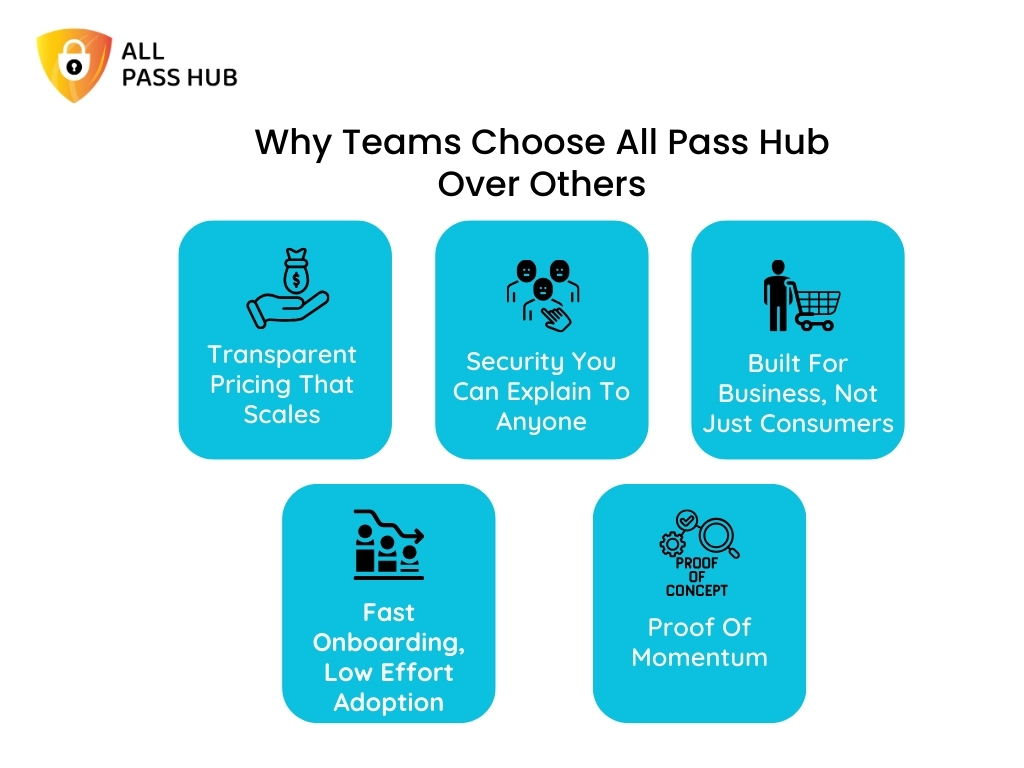
Why Teams Choose All Pass Hub

Though self-hosting resolves visibility problems, it introduces a heavy operational load:

  • Server maintenance 
  • SSL configuration 
  • Patching 
  • Backups 
  • Reverse proxy issues

All Pass Hub offers a balanced alternative. The application remains cloud-based. 

No server upkeeping or maintenance. No SSL headaches. No patching. No risk of breaking your vault through misconfigurations. 

You host only one thing. Your encrypted database is stored in your environment. 

That is the balance small teams have been trying to find.

A simple workflow. A familiar interface. Actual supervision of the credentials database.

How All Pass Hub Compares to Other Self-Hosted Options

The following table outlines where All Pass Hub stands among available options.

Password ManagerProsConsBest Use Case
VaultwardenLightweight, resource-efficient, and works with Bitwarden clientsCommunity maintained, no formal security auditsIndividuals or homelabs
KeePassXCMinimal server dependency and strong on the privacy & encryption side.No built-in sharing, manual sync, not ideal for multi-user setupsPrivacy-first individual setups
PasskyLightweight, open-source, and simple to deployLimited team features, no third-party audits, basic UIIndividuals or minimal setups
PadlocClean interface, simple workflows, cross-platformLimited scalability, relies on the vendor for hosting extensionsIndividuals or small teams
All Pass HubCloud platform with database self-hosting, zero-vendor visibility, ideal for multi-client teamsNot open-source and requires a user-controlled database hostSmall teams or compliance-focused agencies
Ownership-focused tools by All Pass Hub

Final Thoughts

If you manage credentials for a small team, you already know this. Visibility determines whether your system prevents problems or reacts to them.

When your encrypted database lives on the infrastructure you supervise, everything feels streamlined. 

Audits make sense. Offboarding becomes predictable. Client conversations shift from uncertainty to confidence.

Think of it as the difference between renting storage space in someone else’s warehouse and keeping your valuables in a locker you own. 

One gives convenience. The other provides certainty. And assurance is what clients remember.

Self-hosting your credential database is the next step for better clarity and clearer oversight. All Pass Hub offers that path. You get the ease of a managed application and the control that traditional cloud tools cannot provide.

When clarity becomes the priority, the next step becomes obvious.

FAQs

How does self-hosting your credentials database work?

Traditional self-hosting means running both the app and database on your own infrastructure. Small teams often find this powerful, but it is more challenging to maintain. 

All Pass Hub offers a lighter approach by enabling teams to self-host only the encrypted database and keeping the app cloud-based for simplicity.

What is the difference between cloud-hosted and self-hosted?

Cloud-hosted systems keep everything on the vendor’s servers. Self-hosted password managers provide teams with the entire infrastructure responsibility. 

All Pass Hub offers a balanced alternative. It allows teams to keep the application managed in the cloud and host their encrypted database in their own environment.

How do companies encrypt passwords?

Most tools encrypt data before storage. In fully hosted systems, the vendor manages infrastructure and storage. 

All Pass Hub keeps encryption client-side and allows teams to choose where their encrypted database resides.

Is a self-hosted password manager more secure for small teams?

Often yes, because teams control where encrypted data lives and how it is accessed. The tradeoff is higher maintenance. 

All Pass Hub offers a hybrid path to improve supervision and visibility without requiring small teams to manage the entire application stack.