What Is the Best Password Manager for Agencies and Small Teams in 2026?

Choosing a password manager used to be a simple decision. Pick something secure, store your logins, and move on. In 2026, that’s no longer enough.

For agencies and small teams, passwords are not just personal credentials. They are shared assets tied to client work, internal tools, billing systems, and critical infrastructure. A single weak link can expose an entire organization. At the same time, teams need to collaborate quickly, onboard and offboard users without friction, and maintain visibility over who accessed what and when.

A single weak link can expose an entire organization. Across recent studies, more than 19 billion passwords have been exposed in data breaches, highlighting how widespread credential risk has become. At the same time, teams need to collaborate quickly, onboard and offboard users without friction, and maintain visibility over who accessed what and when.

This is where the gap between traditional password managers and team-focused solutions becomes clear.

Many tools still prioritize individual use, offering limited sharing, restricted audit logs, or expensive upgrades for basic team features. Others are built with enterprises in mind, making them overly complex or costly for smaller teams that just need something reliable, secure, and easy to manage.

So the question is not just “Which password manager is the most secure?” It is “Which one actually fits the way agencies and small teams work today?”

In this guide, we will break down the best password managers for agencies and small teams in 2026, focusing on what truly matters: secure sharing, access control, auditability, ease of use, and pricing that scales with your team, not against it.

Also Read – Password Security for Agencies: Why Ignoring it Could Cost You Everything

How We Evaluated These Tools

Every tool in this comparison was assessed against five criteria, normalised so you can make a fair decision without visiting five vendor sites:

  1. Price per user per month — annual billing, no introductory rates
  2. RBAC in the base tier — whether role-based access control is included without an upgrade
  3. Self-hosting availability — for teams with data residency or compliance requirements
  4. Audit logs — who accessed what, and when
  5. Free tier — whether there is a credible no-cost starting point for early-stage teams

Comparison Table — All Pass Hub vs Bitwarden vs 1Password vs NordPass vs Dashlane

FeatureAll Pass HubBitwarden1PasswordNordPassDashlane
Price/user/month (annual)~$2/user/month (teams)~$4 (Teams)~$7 (Business)~$4.99 (Teams)~$8 (Business)
RBAC in base tierYes (item-level RBAC in team plans)Yes (Collections)Yes (13 permissions)YesYes
Self-hostingYes (hybrid self-hosting)YesNoNoNo
Audit logsYes (included in team plans)Yes (Teams+)YesYes (Business+)Yes
Free tierYes (individual use; team features require paid plan)Individuals onlyNoNoNo
Team size sweet spot2-305-5010-100+2-255-50
Client credential sharingYes (unlimited sharing + guest access + vault isolation)Via CollectionsVia Guest accountsLimitedLimited

How Can Agencies Share Passwords with Clients Securely?

Most password management guides conflate two distinct problems: sharing credentials with colleagues (internal) and sharing credentials with clients (external). The workflows are different, the risk profiles are different, and not every tool handles both well.

  • Internal sharing means a colleague in your org gets access to a vault or collection. They’re under your admin policies, you can revoke them with one click, and their access is tied to a user account you control.
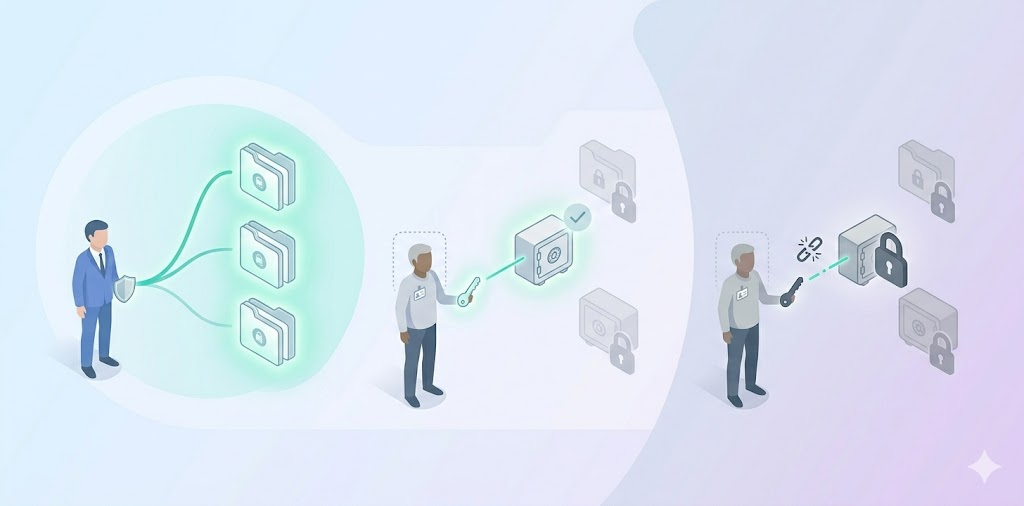
  • External client sharing means someone outside your org, a client, a contractor, a freelancer, needs temporary access to a specific set of credentials. They shouldn’t see anything else in your vault. That isolation is the hard part, and it’s where most general-purpose tools fall short.

Agencies typically use one of three models:

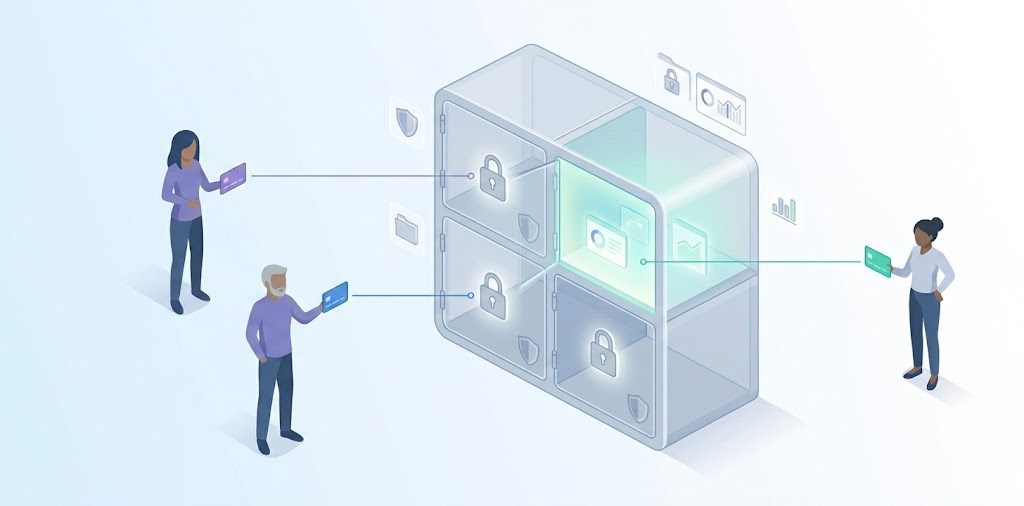
1. Shared vault with scoped access

Create a dedicated vault or collection per client. Only grant that client’s team access to their own collection. Bitwarden handles this with Collections you assign a user to a specific Collection with view, edit, or manager-level permissions. Nothing else in your vault is visible to them.

2. Guest or client invite to a specific folder

1Password supports Guest Accounts, where external users who can be invited to a single vault with limited permissions. They cannot browse your other vaults. This is the cleanest model for agencies handing off credentials at project end, because the client’s access is structurally isolated from day one.

3. Time-limited or view-count-limited sharing

Some purpose-built agency tools support credential shares that expire after a set number of days or views. This is useful for one-off handoffs where you don’t want to manage an ongoing user account for the client. General-purpose tools like Bitwarden and 1Password do not natively support this model without workarounds.

  • The offboarding step matters most.

When a project ends, you need to revoke the client’s access in one action, not manually remove them from every shared folder. Tools like Bitwarden and 1Password let you remove a Guest Account or Collection member in a single step. If your tool requires manual cleanup of each shared item, you will forget one eventually. That’s how stale access creates a breach.

  • Where All Pass Hub fits this workflow:

All Pass Hub supports secure client sharing through encrypted vaults, item-level access control, and unlimited sharing. Teams can isolate credentials by client, assign scoped access, and maintain full visibility through audit logs, making it suitable for both internal collaboration and external client access.

Which Password Manager Is Right for Your Team? (Use-Case Recommendations)

Generic rankings don’t answer the real question: which tool fits your team structure? Here’s how the comparison breaks down by three common agency and small-team models.

1. For MSPs managing multiple clients

Core need: Vault or collection isolation per client, reliable onboarding and offboarding workflows, and audit logs you can show a client if they ask who accessed their credentials.

Recommended

Bitwarden (Collections) 1Password (Guest Accounts) All Pass Hub (Client-level vault isolation + built-in audit logs)

⚠ Watch for

Tools that use a single shared vault across all clients. If one client’s credentials are stored in the same collection as another’s, you have a cross-contamination risk and an awkward conversation if a client ever asks for an access audit.

Also Read – How All Pass Hub’s Password Manager Audit Trail Protects Agencies from Client Disputes

2. For a 5–15 person startup

Core need: Low per-user cost, fast setup, shared vaults without needing a dedicated IT admin. You want a tool your team will actually use, not one that requires onboarding documentation.

Recommended

NordPass (setup speed) Bitwarden (cost + free tier) All Pass Hub (simple onboarding + team-friendly pricing)

⚠ Watch for

Minimum seat requirements. Zoho Vault’s Professional tier requires at least five licences. If you’re a team of two or three, check whether the tool’s pricing model actually works for your size before starting a trial.

3. For an IT agency needing vault-per-client

Core need: Strict credential isolation between client environments, granular RBAC so different team members see only what they’re authorised to see, and audit logs for compliance or client accountability.

Recommended

Bitwarden (self-hosting + Collections) 1Password (13 vault permissions) All Pass Hub (granular access control + client-isolated vault structure)

⚠ Watch for

Cloud-only tools without self-hosting may create data residency issues for clients in regulated industries. All Pass Hub and Bitwarden both support self-hosting. Bitwarden offers full application-level self-hosting, while All Pass Hub provides a hybrid model where the encrypted credential database can be hosted on your own infrastructure.

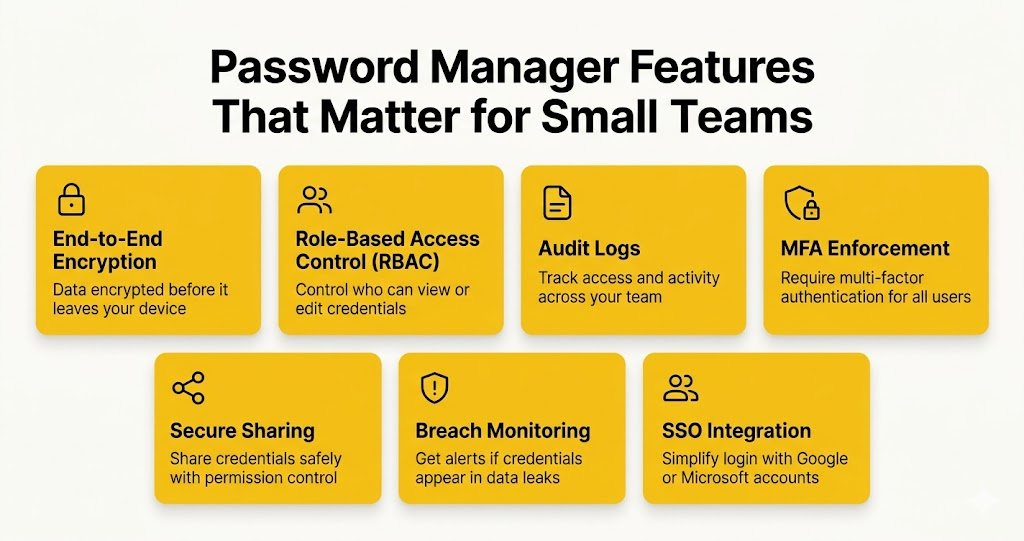
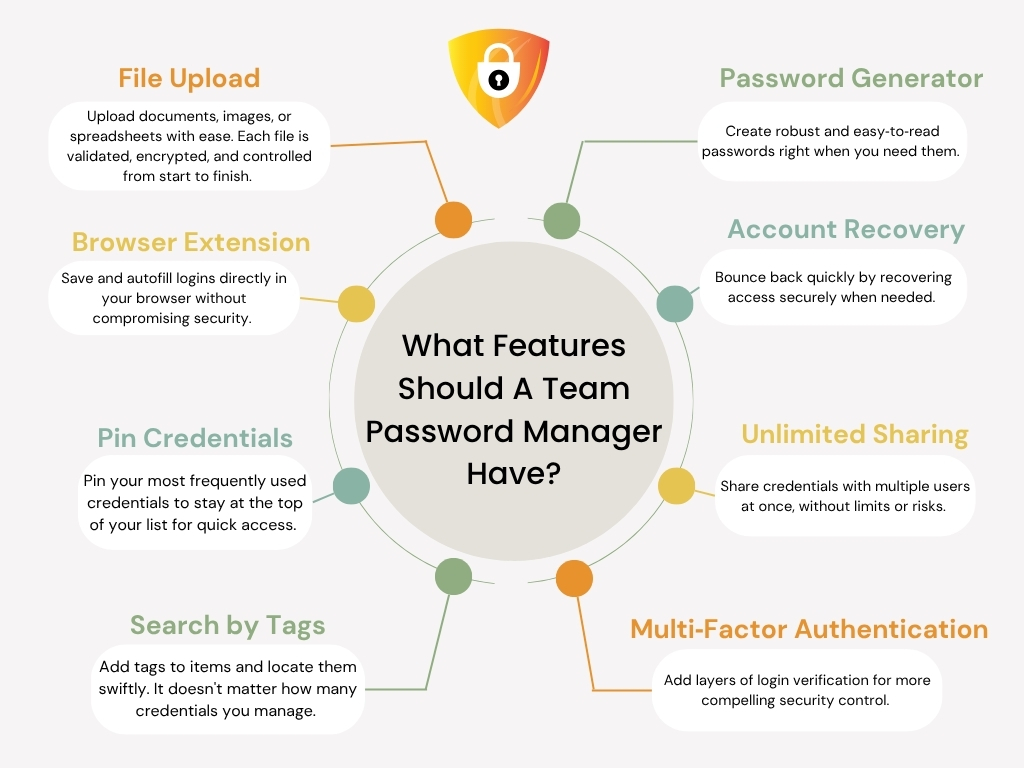
What Features Should a Small Business Look for in a Password Manager?

Features Should A Small Business Look For In A Password Manager

If you’ve landed here without a shortlist yet, here’s the feature framework. Five are non-negotiable for any team use case. Two are worth paying for if your threat model warrants it.

Credentials should be encrypted before they leave your device. Zero-knowledge architecture means the vendor cannot read your vault even if compelled.

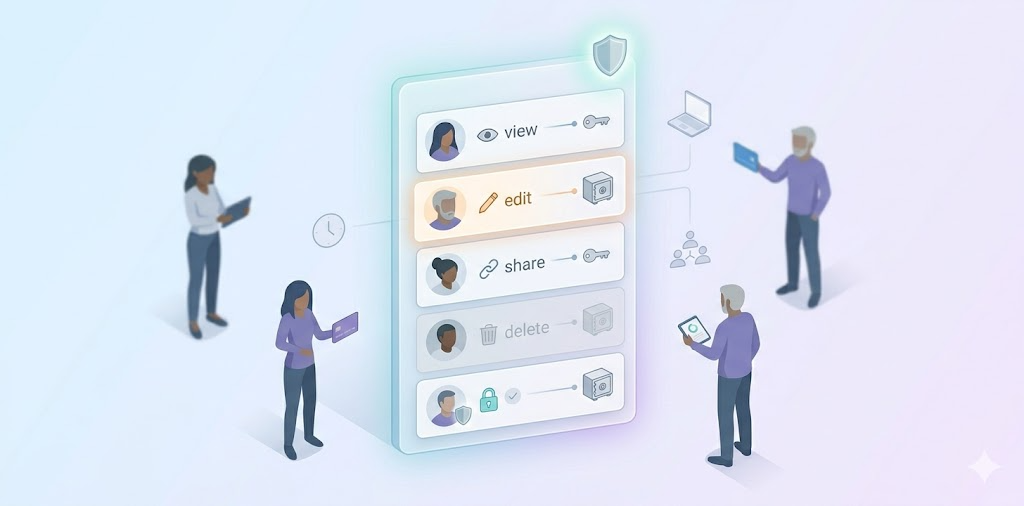
Admins should be able to set who can view, edit, or share specific credentials. Without RBAC, every team member has access to everything.

A record of who accessed which credential and when. Essential for incident response and client accountability. Check whether it’s included in the base tier.

Admins should be able to require multi-factor authentication for all users, not just offer it as an opt-in. This is the single highest-impact security control available.

  • Secure sharing

Sharing should be encrypted end-to-end, with permission controls. Sharing via email or a shared spreadsheet undermines everything else.

  • Breach monitoring

Dark web alerts notify you when a stored credential appears in a known data breach. Dashlane includes this; Bitwarden does not on standard plans.

  • SSO integration

For teams using Google Workspace or Microsoft 365, SSO integration simplifies onboarding and offboarding. 1Password and Bitwarden (Teams+) both support SAML-based SSO.

Budget reality: For teams of 2–5 on tight budgets, a credible free tier may matter more than advanced RBAC. All Pass Hub’s free tier is genuinely usable for individuals and offers a functional starting point though team-sharing features require a paid plan. See the comparison table above for where each of these five features is included or absent across all five tools.

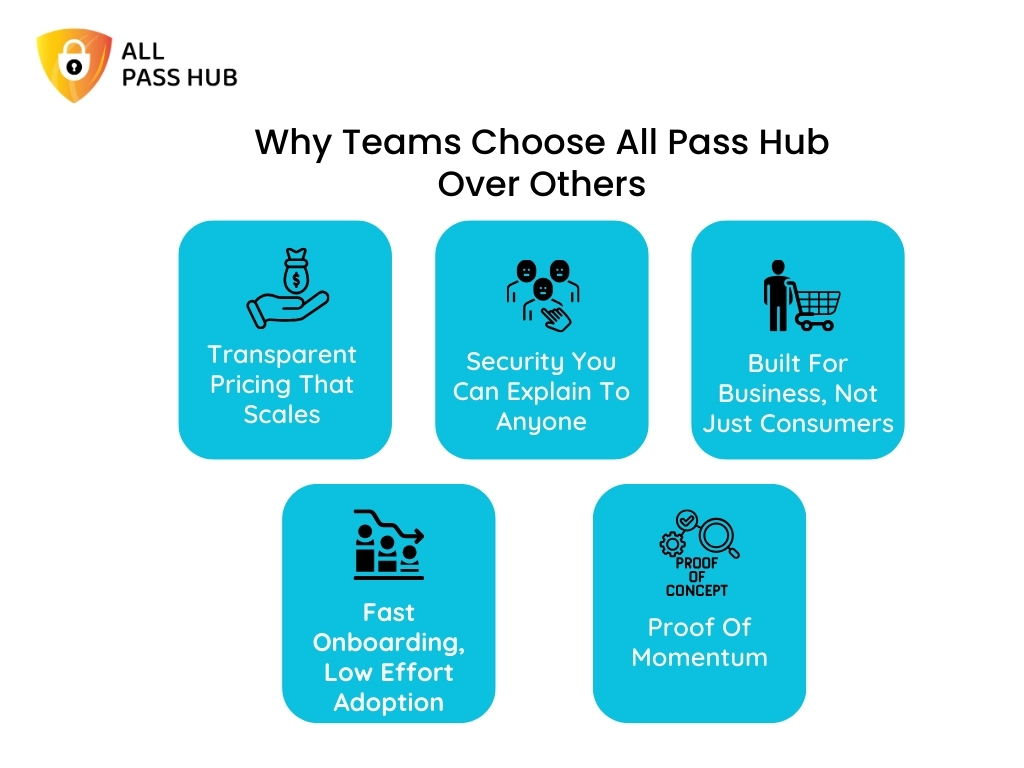
Is All Pass Hub Good for Teams? (And How It Compares)

All Pass Hub is built specifically for agencies and small teams, and its feature set reflects that focus. Instead of covering every enterprise use case, it prioritizes everyday password workflows like secure sharing, client-level isolation, and granular access control without adding operational complexity

Features such as item-level access control, audit logs, and unlimited sharing are part of the core experience, so teams can use them immediately without complex setup. At the same time, security features like end-to-end encryption and self-hosting ensure strong protection and data control without added complexity.

All Pass Hub strengths

  • End-to-end encryption + zero-knowledge architecture: all data is encrypted on your device, and even the platform cannot access or decrypt your vault
  • Self-hosting with full data control: host your encrypted credential database on your own infrastructure while keeping setup simple
  • Item-level RBAC: control access down to individual credentials, ensuring clean separation across clients and team roles
  • Audit trails + real-time visibility: track every access, edit, or share action for accountability and client reporting
  • Unlimited sharing (including guest access): securely share credentials with team members, clients, or external collaborators without limits
  • Security dashboard: identify weak or reused passwords and improve overall password health proactively
  • Built for team workflows: features like tagging, pinning, file storage, and import/export help teams stay organized without friction
  • Cross-platform access + browser extension: seamless usage across devices with autofill and quick access
  • Unlimited credentials: no storage limits as your team or client base grows

All Pass Hub limitations

  • Not fully open-source: focuses on practical security architecture rather than publicly auditable codebases
  • Hybrid self-hosting model: you control the database layer, while the application layer remains managed, reducing operational overhead but differing from fully self-hosted tools
  • Designed for small teams (2–30 users): optimized for clarity and speed rather than enterprise-scale complexity
  • Simplicity over deep customization: prioritizes ease of use and fast adoption instead of layered configuration systems

One-sentence verdict: Choose All Pass Hub if you want strong security fundamentals, precise access control, and client-safe sharing in a system that stays simple to manage. Consider alternatives if your priority is full open-source transparency or enterprise-scale customization beyond small-team workflows.

Conclusion

There is no universal winner in password management, only trade-offs that align differently depending on how your team operates day to day.

Some teams will naturally lean toward tools like Bitwarden for its flexibility and self-hosting capabilities, especially when infrastructure control is a priority. Others may prefer 1Password for its polished experience and depth of permission management in more structured environments.

But for many agencies and small teams, the challenge is not a lack of features. It is finding a tool that balances security with clarity, without adding operational overhead.

That is where All Pass Hub takes a different approach.

Instead of layering advanced features behind higher tiers or complex setups, it focuses on making core team requirements immediately usable. Client-level separation, access visibility, and shared credential management are treated as fundamentals rather than upgrades. This makes it particularly well-suited for teams that need to move quickly while still maintaining control.

In practice, the best choice often comes down to this: do you want a tool you need to configure around your workflow, or one that already aligns with it?

If your team values straightforward setup, clear structure, and built-in accountability without added complexity, All Pass Hub is a strong option to consider alongside the more established names.

Frequently Asked Questions

  1. What is the best password manager for a small business in 2026?

    The best password manager for a small business in 2026 depends on team size and use case. All Pass Hub provides an encrypted vault with a built-in password generator suited to small teams. Bitwarden is the strongest choice for teams prioritising open-source transparency and low per-user cost. NordPass suits teams that need fast setup and zero-knowledge encryption without enterprise complexity. 1Password is best for teams needing granular vault permissions and passkey support.

    2. What is the best password manager for a marketing agency?

      Marketing agencies need a password manager that can handle multiple client accounts with scoped access and easy credential handoff. All Pass Hub, Bitwarden (via Collections), and 1Password (via Guest Accounts) all support client-facing sharing models. The critical feature to verify is whether the tool allows you to grant a client access to their own credentials only — without exposing your agency vault or other client data.

      3. How do agencies share passwords with clients securely?

        Agencies share passwords with clients securely by granting scoped access to a specific vault collection or folder, not by sharing master vault credentials or sending passwords via email. Tools like Bitwarden use Collections; 1Password uses Guest Accounts with limited permissions. The workflow is: create a client-specific collection, populate it with that client’s credentials, invite the client with view-only or edit access, and revoke access at project end. All Pass Hub’s client-sharing model is based on encrypted vaults with item-level access control and unlimited sharing, allowing agencies to grant clients scoped access while keeping other credentials fully isolated.

        4. What is the difference between a personal and team password manager?

          A personal password manager stores and autofills credentials for one user. A team password manager adds shared vaults, role-based access controls, admin dashboards, user provisioning, and audit logs, so an admin can manage who accesses which credentials, enforce password policies across the organisation, and revoke access instantly when a team member leaves. For any team beyond two people sharing credentials, the admin controls and audit trail of a team-focused tool are essential.

          5. How much does a business password manager cost?

            Business password managers typically cost between $2 and $8 per user per month when billed annually.

            • All Pass Hub pricing: around $2/user/month (teams).
            • Bitwarden Teams is around $4/user/month.
            • NordPass Teams is around $4.99/user/month.
            • 1Password Business is around $7/user/month.
            • Dashlane Business is around $8/user/month.

            Some tools, including Bitwarden, offer a credible free tier for individuals — but team-sharing features typically require a paid plan. Minimum seat requirements vary; Zoho Vault’s Professional tier requires five licences minimum.

            Bitwarden vs All Pass Hub — Which Password Manager Is Right for Your Team?

            Choosing a password manager for your team is no longer just about storing login details. It is about who has access to what, how securely that access is managed, and whether you can track activity when it matters. For teams comparing tools like Bitwarden and All Pass Hub, the real decision comes down to control, visibility, and how well the tool fits into day to day workflows.

            This comparison is designed to give you a clear and practical answer. Instead of listing features without context, it explains how each platform performs in real situations such as managing shared credentials, setting up structured access, and maintaining accountability through audit logs. It also explores how teams can move away from risky practices by adopting a more secure password workflow for small teams, which is often where most security gaps begin.

            The need for this shift is backed by data. According to the Verizon Data Breach Investigations Report, a large percentage of security breaches continue to involve compromised credentials. This makes structured password management and visibility not just a convenience, but a requirement for any team handling client data or internal systems.

            In the sections that follow, you will see where each tool is strong, where trade offs exist, and which one fits best based on your team size and workflow. Whether you are a small team looking for better control without added complexity, or evaluating long term security and scalability, this guide will help you make a confident and informed decision.

            Bitwarden vs All Pass Hub: Feature Comparison

            FeatureBitwardenAll Pass Hub
            Price per userFree / $4 (Teams) / $6 (Enterprise)Free / $2 (Premium) Lowest
            Free planYes — sharing limited to 1 personYes — includes access controls & shared vault
            Open sourceYes — fully open source AdvantageNo — zero-knowledge architecture
            Self-hostingEnterprise plan only (Docker required)Premium plan — no Docker required
            User-based access controlsTeams plan and aboveAll plans including free Advantage
            Audit logsTeams plan and aboveAll plans including free Advantage
            Guest sharingSend links (no account needed); collection sharing on Teams+Account-based guest sharing on Premium
            Supervisor roleNo named supervisor tierYes — dedicated supervisor role on Premium
            MFA optionsTOTP, email, hardware keys (premium), DuoTOTP, hardware keys — MFA on all plans
            Team size sweet spotAny size — scales to enterprise2–30 users
            Browser extensionsChrome, Firefox, Safari, Edge, Opera, Brave, Tor, CLI WiderChrome, Firefox, Safari, Edge

            Open source and transparency

            Open Source And Transparency


            Bitwarden wins this clearly, and it matters. Open source means anyone can read the code. Security researchers can audit exactly how encryption is implemented, how keys are derived, and how data is stored. The community finds bugs, reports them publicly, and verifies that fixes land.

            Bitwarden’s GitHub repository is active and its annual third-party audits (Cure53) are published.

            All Pass Hub is not open source. What it does offer is zero-knowledge architecture in which the master password never leaves your device, encryption happens client-side, and All Pass Hub as a company cannot read your vault.

            That is the security outcome most small business buyers actually care about. But it is not the same as open source, and it should not be presented as equivalent. If your team’s security culture demands code-level auditability, Bitwarden is the right choice.

            Pricing for small teams

            Pricing For Small Team


            All Pass Hub offers a straightforward pricing model that aligns well with the needs of small teams. At $2 per user per month, a 10 person team pays $20 a month, making it a cost efficient option for teams that need structured access, shared vaults, and visibility without moving into higher pricing tiers. This becomes especially relevant when you consider the broader cost of managing passwords across teams and the risks associated with unstructured systems.

            Bitwarden’s free plan exists and is genuinely useful for individuals, but it limits sharing to one other person. That constraint makes it impractical for a team.

            All Pass Hub’s free plan is designed with small teams in mind. It includes shared vault access and user based access controls, allowing teams to organise credentials and manage access from the start, without needing an immediate upgrade. This makes it easier to establish structured password management practices early, rather than introducing them later as the team grows.

            One other pricing distinction is self hosting. Bitwarden requires the Enterprise plan at $6 per user per month for self hosting. All Pass Hub includes self hosting in its $2 per user per month Premium plan, making it more accessible for teams that need a self hosted password manager for small teams without significantly increasing costs.

            User-based access controls

            User Based Access Controls


            Both tools let you control who sees what but they differ in how and at which price point. Bitwarden organises credentials into collections and assigns roles at the collection level: Owner, Admin, Manager, and Member.

            Manager-level users can control who accesses specific collections. Custom roles are available on the Enterprise plan. This is a mature, flexible system, but it requires the Teams plan ($4/user/month) or above to unlock.

            All Pass Hub uses user-based access controls on all plans, including free. This is not the same as true item-level RBAC in the enterprise sense, but it covers the core small-team requirement: controlling which users can access which vaults and credentials based on their role.

            A team lead can be given access to their client’s vault without seeing unrelated vaults. That separation is what most agencies and small businesses actually need in secure team password management, and it does not require an upgrade to access it.

            Audit logs

            Audit Log


            Both tools include audit logging, but All Pass Hub includes it on every plan, while Bitwarden restricts it to Teams and above. That distinction is the most practically significant pricing difference between the two tools for small teams on tight budgets.

            What do audit logs actually show? In both tools: who accessed which credential, when, from which device, and what action they took like view, edit, share, delete. For a 10-person agency, this matters in three specific situations: offboarding a contractor (what did they access in the final week?), investigating a suspicious login (was an account accessed outside business hours?), and demonstrating credential hygiene to a client or auditor.

            If your team is on Bitwarden’s free plan, you have no audit trail at all. But, if your team is on All Pass Hub’s free plan, you do have an audit trail to prevent client disputes. For teams where accountability and visibility are non-negotiable, that difference is worth paying attention to.

            Guest sharing and external access

            Guest Sharing And External Access


            This is where the two tools take genuinely different approaches. Bitwarden has a feature called Send, it generates an encrypted link to a specific credential that anyone can open, even without a Bitwarden account, with optional expiry and password protection.

            It also allows adding external people to collections on a Teams or Enterprise plan. Neither option gives you a named guest account with scoped vault access and an audit trail entry on a free or low-cost plan.

            All Pass Hub includes account-based guest sharing on its Premium plan. A contractor or client is invited as a guest, gets access to a specific vault, not your full credential store and that access can be revoked cleanly when the engagement ends. The sharing event is logged in the audit trail.

            For agencies managing credentials across multiple client engagements with rotating freelancers, the workflow difference matters, especially when following a structured small agency password playbook:

            share access to Client A’s vault → contractor completes the project → revoke access → confirm in audit log that access is removed.

            Both tools support this workflow; All Pass Hub’s implementation is more structured for this specific use case.

            Self-hosting

            Self Hosting


            Bitwarden’s self-hosting option is more mature. It has a large, active community of self-hosters, detailed documentation, and years of production use. If you have a technical team member who is comfortable with Docker and a server environment, Bitwarden’s self-hosted option is well-supported.

            The constraint is cost: Bitwarden self-hosting requires the Enterprise plan at $6 per user per month. For a 10-person team, that is $60 a month which is three times the cost of All Pass Hub Premium before you factor in infrastructure.

            All Pass Hub offers self-hosting for small teams on its $2 per user per month Premium plan and does not require Docker. The trade-off is that it is a newer, smaller community with less peer-reviewed documentation.

            For teams that need self-hosting for data sovereignty or compliance reasons but do not want enterprise pricing, All Pass Hub’s approach is more accessible. For teams where self-hosting maturity and community support are the priority, Bitwarden is stronger.

            Ease of use and setup

            Bitwarden has a learning curve, particularly for non-technical team members and for admins setting up collections and permissions for the first time. The interface is functional rather than polished, and new users sometimes need guidance to understand how vaults, collections, and organisations fit together.

            All Pass Hub is designed specifically for non-technical small business teams. The admin interface is simpler, onboarding is faster, and it is built to streamline password management without requiring enterprise middleware, SSO configuration, or directory sync.

            Bitwarden has significantly wider platform coverage: browser extensions for Chrome, Firefox, Safari, Edge, Opera, Brave, and Tor, plus a command-line interface. All Pass Hub covers the four major browsers. For technical teams that need CLI access or use niche browsers, Bitwarden is the practical choice.

            Which one should your team choose?

            Choose All Pass Hub if…

            • Your team is 2–30 people and you want audit logs and access controls without paying enterprise prices to unlock them
            • You run an agency and need to separate credentials by client with vault-level access controls and a supervisor role per account manager
            • You need to share credentials with contractors or clients and want that activity logged in the audit trail
            • You want a self-hosted option at $2 per user per month without a Docker infrastructure requirement
            • You want a simpler admin experience designed for non-technical team members

            Choose Bitwarden if…

            • Open-source transparency and community auditability are priorities for your team’s security culture
            • You need enterprise self-hosting with Docker and have the infrastructure to support it
            • Your team is technical and benefits from CLI access or uses Brave, Tor, or other niche browsers
            • You are managing more than 30 users and need enterprise SSO, directory sync, or custom roles
            • It is just two of you and you can operate on Bitwarden’s free plan with single-person sharing

            Choosing the Right Fit for Team Password Management

            The decision between Bitwarden and All Pass Hub is less about which tool is universally better and more about which one aligns with how your team actually works on a daily basis. Both platforms solve the core problem of secure password storage, but they approach control, visibility, and usability from very different angles.

            Bitwarden leans toward teams that prioritise transparency, technical flexibility, and long-term scalability. Its open-source foundation and mature ecosystem make it a strong fit where infrastructure, compliance, and engineering involvement are already part of the workflow.

            All Pass Hub takes a more practical route for small teams that need structure without complexity. It brings access control, audit visibility, and organised sharing into place from the start, without requiring upgrades, additional configuration, or technical overhead. This changes how quickly a team can move from informal password handling to a system that is controlled, trackable, and easier to manage as responsibilities grow.

            For most small teams, the real shift is not adopting a password manager, but moving toward a setup where access is intentional and activity is visible. The tool that makes that transition simpler, without adding friction, is usually the one that gets used properly.

            Frequently asked questions

            1. Is Bitwarden suitable for small teams on a free plan?

            Bitwarden’s free plan works well for individual use or very small setups, but team usage quickly runs into limitations around shared access and structured controls. For small teams that need shared vaults, role-based access, and visibility from the start, All Pass Hub’s free plan is designed to support that workflow without requiring an immediate upgrade.

            2. Do small teams really need audit logs?

            Audit logs become important as soon as multiple people are accessing shared credentials. Without them, it becomes difficult to track usage or review activity when something changes. All Pass Hub includes audit logs across all plans, which allows even small teams to maintain visibility without moving into higher pricing tiers.

            3. What is a better approach for sharing passwords with external users?

            A more structured approach is to avoid sending credentials as links and instead provide controlled access through scoped accounts. All Pass Hub supports this through guest sharing, where external users can be given access to specific vaults and removed cleanly when no longer needed, while keeping a record of activity in the audit trail.

            4. How important are permission levels in a small team setup?

            Even small teams benefit from separating access by role instead of sharing everything broadly. All Pass Hub includes user-based access controls across all plans, which helps teams assign credentials based on responsibility without complex configuration or enterprise-level setup.

            5. What should a small business look for in a password manager?

            Small businesses typically need three things: controlled sharing, visibility over usage, and a system that does not require heavy administration. All Pass Hub focuses on making these available in simpler plans, which allows teams to adopt structured password management early without waiting to scale into higher tiers.

            6. How can teams reduce password-related risk in day-to-day operations?

            Risk usually comes from untracked sharing and inconsistent access practices. A more reliable approach is to centralise credentials in a system that enforces controlled access and logs activity automatically. All Pass Hub is built around this principle, making it easier for teams to maintain consistent security habits without relying on manual processes.

            How All Pass Hub’s Password Manager Audit Trail Protects Agencies from Client Disputes

            You’ve just received a message from a client. They’re upset — their social media account password was changed without their knowledge, and they want to know who did it and why. You turn to your team. Someone says, “I think it was updated last week, but I’m not sure who did it.”

            That answer isn’t good enough, and you know it.

            This is the silent vulnerability most agencies carry: no clear record of who accessed which client credential, when, and why. When a dispute surfaces, there’s nothing concrete to show.

            An audit trail for a password manager solves exactly this. It’s a complete, chronological log of every action taken on stored credentials, who accessed them, who changed them, and precisely when each event occurred.

            All Pass Hub’s audit trail gives agencies a transparent, tamper-proof record of all credential activity across every client account. This guide walks through what it records, how agencies use it day-to-day, how it resolves disputes step by step, and why it’s become a quiet but powerful competitive advantage.

            1. The Real Problem Agencies Face When Managing Multiple Client Accounts

            Most agencies are quietly juggling hundreds of logins across their client base. Social media accounts, CMS platforms, ad dashboards, hosting panels, email tools, analytics accounts. The list grows with every new client and every new platform.

            The problem isn’t that teams are careless. The problem is structural. When multiple people share access to the same credentials, individual actions become invisible.

            Who viewed the login? Who copied it? Who made a change and when?

            Without a dedicated tracking system, the honest answer is: nobody knows for certain.

            This lack of visibility becomes even more risky when you consider that, according to IBM’s Cost of a Data Breach Report, compromised credentials are one of the most common causes of security incidents and can significantly increase the time it takes to identify and contain a breach.

            Agencies fall back on memory and informal communication. “I think Sarah accessed it last Thursday.” That’s not a defensible answer when a client is asking hard questions.

            How Disputes Typically Surface

            TriggerWhat the Client NoticesWhat the Agency Can’t Explain
            Unauthorised postContent published they didn’t approveWho had access at that time
            Changed settingAccount configuration alteredWhich team member made the edit
            Locked accountLogin no longer worksWhether the agency changed the password
            Missing file or assetSomething deleted or movedWho last accessed the credentials

            Disputes happen more often than agencies expect. And in every case, the agency faces the same problem: without proof, it cannot explain or defend itself, even if it did everything right.

            The core issue is accountability. Shared team access without individual tracking creates a blind spot, and that blind spot grows every time the team expands or a new client is onboarded.

            2. What an Audit Trail Actually Is in a Password Manager

            An audit trail in a password manager is a continuous, unalterable log that records every interaction with stored credentials. Every action is documented the moment it happens, not summarised, not approximated. Documented.

            Think of it like a bank statement. Your bank doesn’t just show your current balance, it shows every deposit, withdrawal, and transfer, with an exact timestamp. You can look back at any point in history and know exactly what happened. An audit trail does the same thing for credential activity.

            What a Proper Audit Trail Records

            Data PointWhat It Captures
            WhoThe specific team member who performed the action
            WhatWhether they viewed, copied, edited, shared, or deleted the credential
            WhenThe exact date and time of the action
            Which credentialThe specific login that was accessed or changed
            Which clientThe vault or account the credential belongs to

            Audit Trail vs. What Most Agencies Have

            ApproachWhat It CapturesUseful in a Dispute?
            No loggingNothing✗ No
            Basic login logsWho logged into the system✗ Rarely
            Audit trail (All Pass Hub)Every credential-level action, by individual user✓ Yes

            The word unalterable is important. A proper audit trail cannot be edited or deleted retroactively — not even by admins. That’s what gives it credibility. If it could be changed, it wouldn’t be evidence; it would just be another document that someone might have modified.

            3. What All Pass Hub’s Audit Trail Records

            Credential access monitoring is only useful if it captures the right data. Here’s exactly what All Pass Hub logs, and why each data point matters in practice.

            A. User Identity

            Every action is tied to a specific team member, not just the account login. This makes individual accountability possible even in a shared workspace. When a dispute arises, you’re not looking at a vague log entry that says “someone accessed this”, you know exactly who.

            B. Action Type

            The log distinguishes between meaningfully different events. Password usage tracking captures each one separately:

            ActionWhy It Matters
            ViewedConfirms someone looked at the credential without necessarily using it
            CopiedIndicates the credential was taken out of the vault, possibly used externally
            EditedShows a change was made which is the most common source of disputes
            SharedRecords when access was extended to another person
            DeletedDocuments permanent removal of a credential

            C. Timestamp

            Every entry includes the exact date and time of the action. In a dispute where a client says “this happened on Tuesday afternoon,” the timestamp either confirms or rules out agency involvement. There’s no ambiguity.

            D. Password Change History Tracking

            When a credential is updated, the system logs who changed it and when, that too without storing the old password in plain text (security is preserved). But the change event itself is fully documented. Password change history tracking means you always know when credentials were rotated, who did it, and in what context.

            E. Client or Vault Association

            Every log entry is linked to a specific client vault. When reviewing a dispute, you can filter the entire log to show only that client’s activity eliminating the need of shifting through unrelated entries.

            F. Device or IP Address

            Depending on configuration, All Pass Hub can also capture the device or network from which access occurred that are extremely useful when investigating whether access happened from an expected location.

            4. How Agencies Use the Audit Trail in Daily Operations

            The audit trail isn’t just a break-glass-in-emergency feature. For well-run agencies, it becomes part of everyday workflow acting as a quiet layer of discipline that makes everything run more smoothly.

            A. Role-Based Access Enforcement

            Because the audit trail tracks individual users, agencies can set clear access permissions by role — and then verify those permissions are being respected.

            Example: If only the social media manager should access a particular client login, the log will immediately show if anyone else did. Credential access monitoring doesn’t just record what happened, it holds team members accountable to the rules you’ve set.

            B. Onboarding and Offboarding Checklist

            ✅ New Team Member Onboarding

            • Assign role-based vault access in All Pass Hub
            • Confirm the audit trail is logging their activity from day one
            • Review first-week access log to confirm permissions are working as intended

            ✅ Employee Offboarding

            • Revoke vault access immediately upon departure
            • Pull the audit trail for that team member’s full access history
            • Review for any unusual access in the weeks before departure
            • Document the review and retain for client records

            C. Regular Access Reviews

            Agencies can run periodic checks like weekly or monthly to verify that only the right people are touching the right credentials. This is preventive, not reactive.

            Suggested review cadence:

            FrequencyWhat to Check
            WeeklyAny access outside normal working hours
            MonthlyFull access review per client vault
            At project closeComplete credential activity log for the engagement
            After personnel changesAccess history for the departing or joining team member

            D. Handover Documentation

            When a project wraps up or a client relationship ends, the audit trail provides a complete record of all credential activity during the engagement. Both sides know what was accessed, what was changed, and when. Handovers become clean, clear, and dispute-free.

            5. How the Audit Trail Resolves Client Disputes

            This is where the audit trail earns its place. Let’s walk through exactly what resolution looks like.

            The Scenario

            A client messages your agency. Their social media account password was changed without their knowledge or so they believe and they want to know who did it and why. They’re not angry yet, but the tone is pointed. They want answers.

            Without an audit trail, you’re stuck. You can ask your team, piece together memories, and come back with something vague. With All Pass Hub’s audit trail, you have the answer in minutes.

            The Resolution Process

            1. Identify the client vault

                     │

                     ▼

            2. Filter the audit log by credential + time range

                     │

                     ▼

            3. Read the log — who accessed it, what they did, when

                     │

                     ▼

            4. Generate and export the report

                     │

                     ▼

            5. Share with the client

            Step 1 – Identify the client vault Navigate to the relevant client’s vault in All Pass Hub. All credentials and their associated activity are housed here.

            Step 2 – Filter the audit log Filter the audit trail by the specific credential in question and set the time range to the period the client is asking about.

            Step 3 – Read the log The log shows exactly who accessed or modified the credential, with timestamps. If a change was made by a team member, the record shows who. If no change was made at all, the record confirms that clearly.

            Step 4 – Generate the report Pull a readable report of the audit log for that credential and time frame. All Pass Hub formats this as a clean, shareable document, no technical jargon, no raw data.

            Step 5 – Share with the client Send the report to the client. The dispute is resolved with evidence, not with argument.

            Scenario A: The Agency Is Cleared

            The audit log shows no changes to the credential during the period in question. No team member accessed it. The agency shares this record with the client, clearly, professionally, without defensiveness.

            The client now knows the change didn’t come from the agency’s side, and the investigation can move in a more productive direction. The agency’s reputation is protected.

            Scenario B: The Agency Takes Accountability

            The audit log reveals that a team member did access and modify the credential, possibly without proper authorisation.

            This outcome, while uncomfortable, is actually better than a dispute that never gets resolved. The agency can acknowledge what happened, explain the context, and demonstrate that the access control issue has been corrected.

            Clients respect accountability. What damages relationships isn’t mistakes, it’s the inability to own them. The audit trail makes ownership possible.

            Dispute Outcomes at a Glance

            SituationWithout Audit TrailWith All Pass Hub Audit Trail
            Agency made no changesCan’t prove itLog confirms no access — client satisfied
            Team member made an errorBlame is unresolvedSpecific event identified, accountability taken
            Client made the changeCan’t demonstrate thisLog shows no agency activity — inquiry redirected
            Access occurred outside hoursUnknownFlagged in the log with timestamp and device

            6. How the Audit Trail Supports Compliance for Agencies

            Beyond dispute resolution, there’s a broader context that many agencies don’t consider until they pitch to their first enterprise client: compliance.

            Many industries that agencies serve, healthcare, finance, legal, e-commerce, operate under data protection regulations that require documented access control. An audit trail isn’t just good practice in these contexts; it’s often a formal requirement.

            Compliance Framework Alignment

            FrameworkRequirement Relevant to Audit TrailsHow All Pass Hub Helps
            GDPRDemonstrate who had access to personal data and whenFull per-user, per-credential access log
            HIPAAAudit controls for access to protected health informationTamper-proof activity log with timestamps
            SOC 2Logical access and monitoring controlsCredential-level access monitoring with exportable reports

            For agencies pitching to enterprise clients or regulated businesses, showing that your password management includes audit trail capability is a competitive differentiator. Most agencies can’t answer the question “do you have a documented record of credential access?” If you can and you can show it you move into a different tier of consideration.

            Internal compliance matters too. Agency owners can show investors, auditors, or partners that the business follows controlled access practices not just in policy documents, but in actual, verifiable records.

            7. How All Pass Hub Makes the Audit Trail Easy to Use

            A powerful audit trail that’s buried in an admin panel no one can navigate is almost as useless as not having one. All Pass Hub was designed so that the audit trail is accessible, readable, and actionable for any team member, not just the technical ones.

            Feature Overview

            FeatureWhat It DoesWhy It Matters
            In-vault accessAudit trail lives inside the client vaultNo separate admin panel or IT support needed
            Smart filtersFilter by user, action, credential, or date rangeFind specific events in seconds
            Plain language logsWritten in readable English, not event codesAny team member can understand it
            Exportable reportsGenerate shareable reports in a clean formatReady to send to clients without reformatting
            Activity alertsNotifications for unusual access (e.g. after hours)Proactive monitoring, not just reactive review

            How to Access the Audit Trail (Quick Sequence)

            Open All Pass Hub

                    │

                    ▼

            Navigate to the relevant client vault

                    │

                    ▼

            Select the credential in question

                    │

                    ▼

            Open the audit log tab

                    │

                    ▼

            Apply filters (user / action type / date range)

                    │

                    ▼

            Review log entries

                    │

                    ▼

            Export report if needed

            The log is written in readable language not raw event codes or cryptographic identifiers. An account manager, a project lead, or the agency owner can open the log and understand exactly what it says without needing a technical background.

            8. Building Client Trust Through Transparency

            Everything covered so far has been operational. But there’s a bigger picture worth stepping back to see.

            Trust between an agency and its clients is built on transparency. When an agency can tell a client, “Here is exactly what happened with your credentials, and here is the proof,” the relationship becomes more durable. It’s not a claim. It’s documentation.

            Reactive vs. Proactive Use of the Audit Trail

            ApproachWhen It’s UsedEffect on Client Relationship
            ReactiveOnly when a dispute arisesResolves problems, restores trust after damage
            ProactiveRegular access reports shared with clientsSignals accountability before problems arise

            Proactive transparency is more powerful. Agencies that share access reports with clients regularly not just when something goes wrong signal a level of confidence and accountability that most clients have never experienced from an agency before. It changes the nature of the relationship.

            Clients who know their credentials are managed with a fully audited system are more likely to expand the scope of work they give you. They’re trusting you with their accounts precisely because you can demonstrate that trust is warranted.

            Compare this to the alternative. Clients with no visibility into how their logins are handled tend to feel anxious. They raise more disputes not because more things go wrong, but because they can’t tell what’s happening. Over time, that anxiety erodes confidence and drives them toward agencies that offer something better.

            The audit trail isn’t just a defensive tool. It’s a relationship tool. And in an industry where long-term client relationships are the difference between a growing agency and a struggling one, that distinction matters.

            Conclusion

            The agencies that thrive long term are the ones clients trust completely. That trust doesn’t come from good intentions, it comes from demonstrated accountability.

            All Pass Hub’s audit trail gives agencies the infrastructure to be accountable: a tamper-proof record of who accessed which credential, what they did with it, and when. It resolves disputes with evidence instead of argument. It supports compliance with GDPR, HIPAA, and SOC 2. It protects agencies when clients raise concerns and it empowers agencies to take responsibility when something goes wrong.

            Above all, it transforms credential management from something that happens invisibly in the background into something you can stand behind, show to clients, and use to build stronger relationships over time.

            If you’re managing client credentials without a clear record of every access and change, that gap is worth closing. All Pass Hub’s audit trail is a natural place to start, explore it and see how it fits into how your agency works.

            The Step-by-Step Guide To Building A Secure Password Workflow For Small Team

            Anyone who has managed a small team long enough has seen a similar moment play out. 

            A project lead is minutes away from a client review, asks for a password, and suddenly the room goes quiet. 

            Slack is searched. An old spreadsheet is opened. Someone insists, “They had it last week.” 

            A five-second step becomes a five-minute scramble.

            In our experience, it is a workflow problem that grows silently behind teams that move fast, juggle clients, and rely on habits that never scaled. 

            Most teams overlook one truth: Password chaos arises because of a lack of a system, such as a password manager for small teams that people can trust under pressure.

            That is why we have created this blog to provide small team managers and project leads a clear, step-by-step path to build a secure password workflow that actually thrives under an unexpected workload.

            Let’s break the cycle of chaos and replace it with something sustainable.

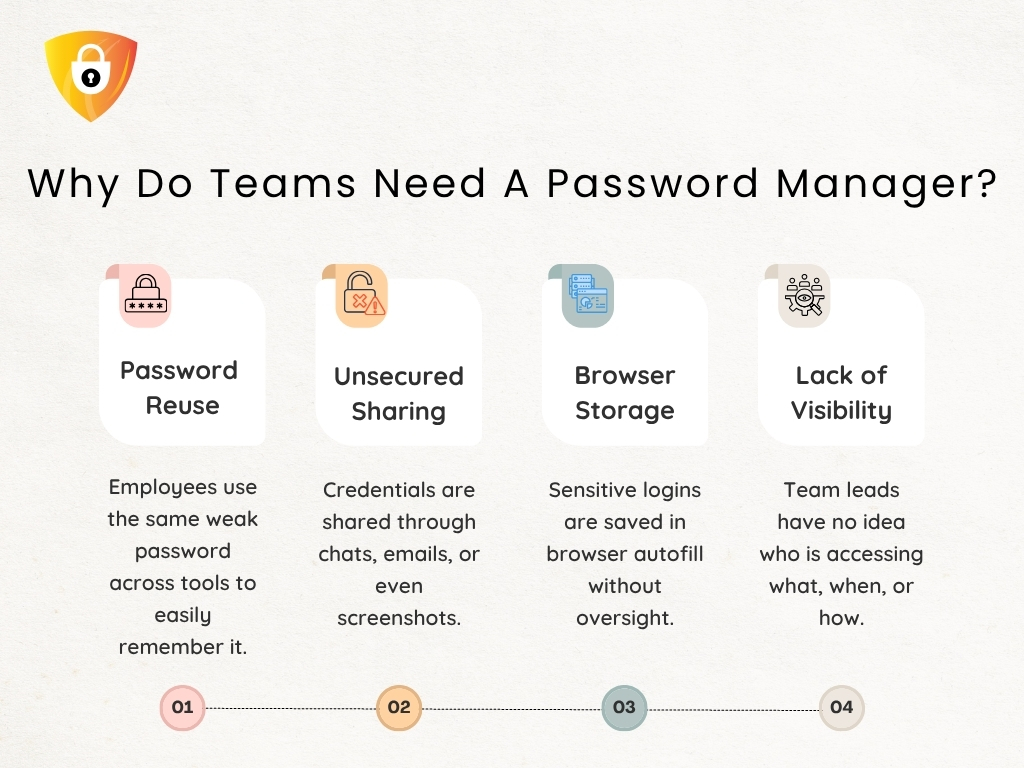
            Where Password Chaos Really Begins for Small Teams

            Password chaos does not start with a breach. It begins long before that, quietly, inside the way small teams actually work.

            Small teams move fast, rely on trust, and often assume “everyone knows where things are.” That assumption feels reasonable until a client requests immediate access and no one can agree on which login is the current one.

            Why Do Neam Need A Password Manager


            Small teams do not fail because they lack tools or the best security for small businesses. They fail because every person builds their own personal system. 

            • One manager maintains credentials in the browser autofill.
            • A freelancer stores them in notes.
            • A project lead remembers everything from memory.
            • Someone else relies on Slack threads or Teams messages.

            None of this feels dangerous until the team needs to move as one unit.

            It is the actual reason workflows collapse. Not because people are careless, but because there is no shared structure. 

            Result: passwords drift, ownership blurs, and accountability becomes impossible to trace. 

            Once you recognize that the root problem is fragmentation, the path toward a predictable, structured workflow, such as a small business password manager, finally becomes visible.

            What a Secure Workflow Actually Looks Like (Beyond Generic Tips)

            Most small teams presume they have a workflow until a deadline exposes how fragile their process actually is. 

            • A teammate searches for the correct login.
            • A contractor needs access, but no one remembers where the credential resides.
            • A project lead checks three places before trusting a password.

            These are not workflow quirks. They are signals that the system is working against the team, not for it.

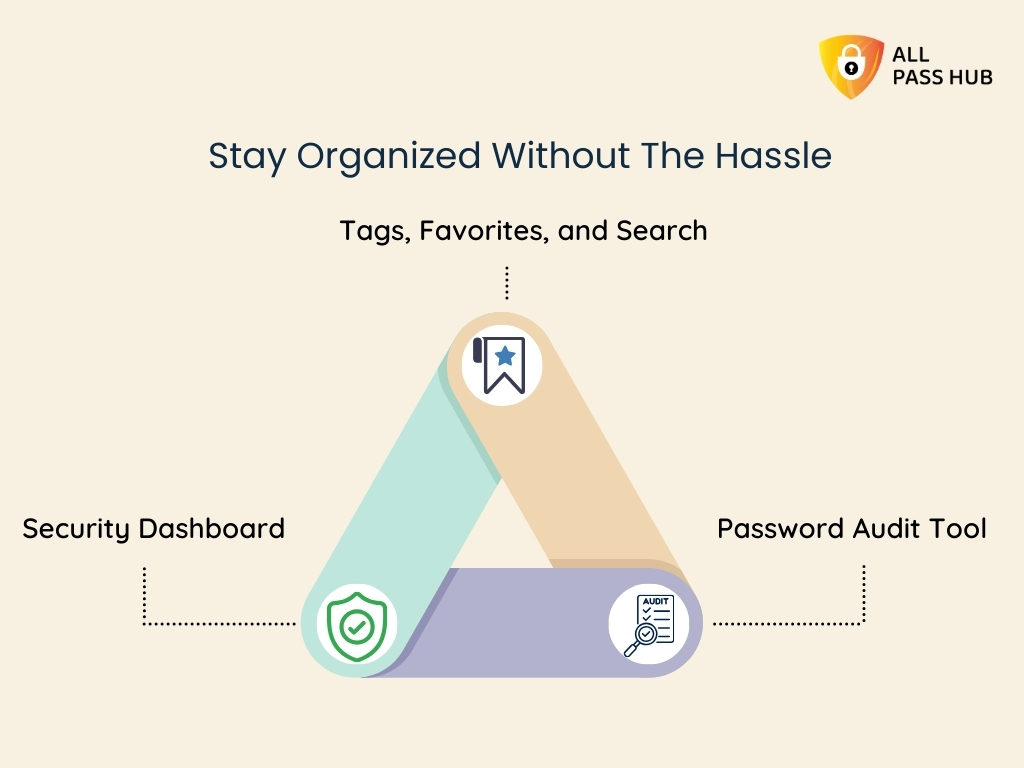
            Stay Organized Without The Hassle


            The best security for a small business is not a list of handy practices. It is a rhythm the entire team can rely on. 

            • It begins with having a source of truth, not scattered files. 
            • It continues with well-defined roles for who can view, use, or update credentials, ensuring no one has to guess what is safe to share. 
            • It concludes with a predictable way login details move across client work without relying on individual memory or personal habits.

            We have seen teams rebuild their entire credential process once they realize this. Many adopt a password manager for small teams. When you remove improvisation, the workflow becomes steady, repeatable, and scalable. 

            And once this picture is transparent, the next step is understanding the foundation that makes this structure possible. 

            Stop Letting Passwords Slow Down Your Client Work

            Step 1: Set The Standards Your Team Can Actually Remember & Follow

            Every small team reaches a point where weak standards become the silent origin of every password fire drill. Not because people don’t care about security. But because the rules are too vague, complicated, or scattered to follow consistently. 

            A secure workflow begins with simple, memorable standards that hold up under pressure.

            Here is the practical blueprint teams actually follow:

            Create passwords people can remember without reusing.

            Use short passphrases rather than complex strings using a password generator. They reduce friction and eliminate risky reuse.

            Apply MFA where it genuinely matters.

            Not everywhere, but enable 2FA on systems that could hinder client trust if accessed improperly.

            Ban personal storage habits.

            No browser vaults, no personal notes, no device-synced logins for client work.

            We suggest creating standards that your team can recall under pressure. The correct rule is not the most detailed one; it is the one people remember at the exact moment they are about to share or create a password.

            Remember to revisit your standards every quarter, as most leaks originate from rules that were never updated or fully adopted.

            Once your baseline is solid, the next step is giving these standards a single, structured home that everyone can rely on.

            Step 2: Centralize Credentials in a Password Manager Built For Small Teams

            Every small team eventually reaches the same crossroads. 

            “The passwords are everywhere, the responsibility sits with whoever remembers the most, and the system collapses the moment that person is unavailable.” 

            It is when managers and project leads finally realize that the actual problem is not security. It is the absence of structure. A password manager for small teams resolves this by creating a single, organized home for every credential. 

            What do you get? It provides clean vaults for each client, access rules based on roles instead of guesswork, and a definite line between what everyone should view and what only a few should. 

            The actual advantage is operational. How? Centralizing storage prepares the team for growth. 

            • Onboarding new members is faster because everything is organized. 
            • Contractors only see what they need to see. 
            • Leaders finally gain visibility into how access flows across the team.

            When the vault becomes the trusted place everyone relies on, the next challenge is making daily access feel fast, safe, and effortless. 

            Step 3: Make Daily Access Fast, Safe, and Predictable

            The real test of any password workflow is not the rules you write. It is how your team behaves when work gets chaotic. 

            After working with multiple clients, we have seen small teams fail at security because daily access becomes painful, slow, or inconsistent, and people naturally take shortcuts. A secure workflow needs to feel just as smooth as the messy habits it replaces.

            A password manager for small teams resolves this by creating predictable access paths. The following table illustrates how it makes everyday actions smooth.

            Daily Access Flow Snapshot

            Daily ActionHow It Works in a Secure SystemWhy It Matters
            Log in to toolsAutofill and shared vault accessFaster work, fewer shortcuts
            Shared accountsRole-based visibilityNo unnecessary exposure
            Sensitive loginsUse without seeingReduces misuse and forward sharing
            New assetsAdd to the vault onceEveryone stays in sync

            It is the point where teams stop reverting to old patterns because the new workflow genuinely works better.

            Step 4: Fix Onboarding, Offboarding, and Access Reviews

            Every small team eventually realizes that password security doesn’t collapse during hacks. It collapses during people changes. 

            • A contractor joins quickly, obtains permissions everywhere, finishes the project, and their access persists for months. 
            • A project lead leaves, but their shared credentials remain active. 
            • A new hire starts, and half their logins arrive scattered across Slack messages. 

            These gaps are what create unnecessary exposure.

            Simple Visual Snapshot of a Healthy Access Cycle

            Workflow StageWhat It Looks Like in a Secure SystemWhy It Protects Small Teams
            OnboardingAssign access through client or role groupsRemoves ad hoc sharing and forgotten logins
            Daily UsePeople only see what their role requiresReduces accidental exposure across accounts
            OffboardingOne action removes all permissions at onceEliminates orphaned access and stale accounts
            Monthly ReviewAudit who still needs whatPrevents the slow buildup of unnecessary visibility

            When access becomes structured, you reduce the two significant risks small teams face: forgotten permissions and uncontrolled sharing.

            With people changes finally under control, the next step is preparing your workflow for the way security requirements will evolve in 2026. 

            Step 5: Build a 2026 Ready Security Routine

            Small teams often underestimate how quickly security expectations rise. 

            • Clients demand transparent access logs. 
            • Platforms enforce stronger authentication. 
            • Auditors want proof of rotation. 

            The teams that struggle are not the ones with weak tools. They are the ones with no routine. They should not feel heavy. The most effective security programs in small teams are the ones that take minutes, not hours. 

            Here is a future-proof regime you can follow. 

            ActionFrequencyWhy It Matters
            MFA checksOngoingStops most credential-based attacks
            Rotation for high-risk assetsQuarterlyLimits damage if a password leaks
            Password health reviewMonthlyClears weak or reused entries
            Breach monitoringMonthlyDetects silent exposures early
            Access visibility checkQuarterlyEnsures the right people still have access

            A routine like this shifts your team from reactive to prepared. It ensures your workflow aligns with the rising standards clients expect in 2026.

            With the entire workflow mapped, the final step is selecting the best password manager for a small business that can reliably support everything you have built.

            Choosing the Best Password Manager for Small Business to Power Workflow

            When small teams reach this point, the question shifts from “Do we need a password manager for small teams?” to “Which one actually supports how we work?” Here is a straightforward, decision-ready checklist to help teams evaluate the right fit.

            Password Manager Evaluation Checklist for Small Teams

            Security Essentials

            Client and Team Workflow Support

            • uncheckedClean separation for client-specific vaults
            • uncheckedPredictable sharing without forwarding raw passwords
            • uncheckedReliable browser extension for daily work
            • uncheckedSupport for use without seeing in sensitive accounts

            Access Control and Growth Readiness

            • uncheckedGroup-based permissions for roles and contractors
            • uncheckedFast onboarding and one-step offboarding
            • uncheckedQuarterly access review features that keep visibility clean

            Usability and Migration

            • uncheckedEasy import from spreadsheets and scattered storage
            • uncheckedIntuitive structure that people can follow under pressure
            • uncheckedMinimal friction during high-priority client tasks

            Cost and Long-Term Value

            • uncheckedPredictable per-seat pricing
            • uncheckedReduced time spent chasing passwords or fixing access issues.
            • uncheckedStrong balance of control, simplicity, and reliability
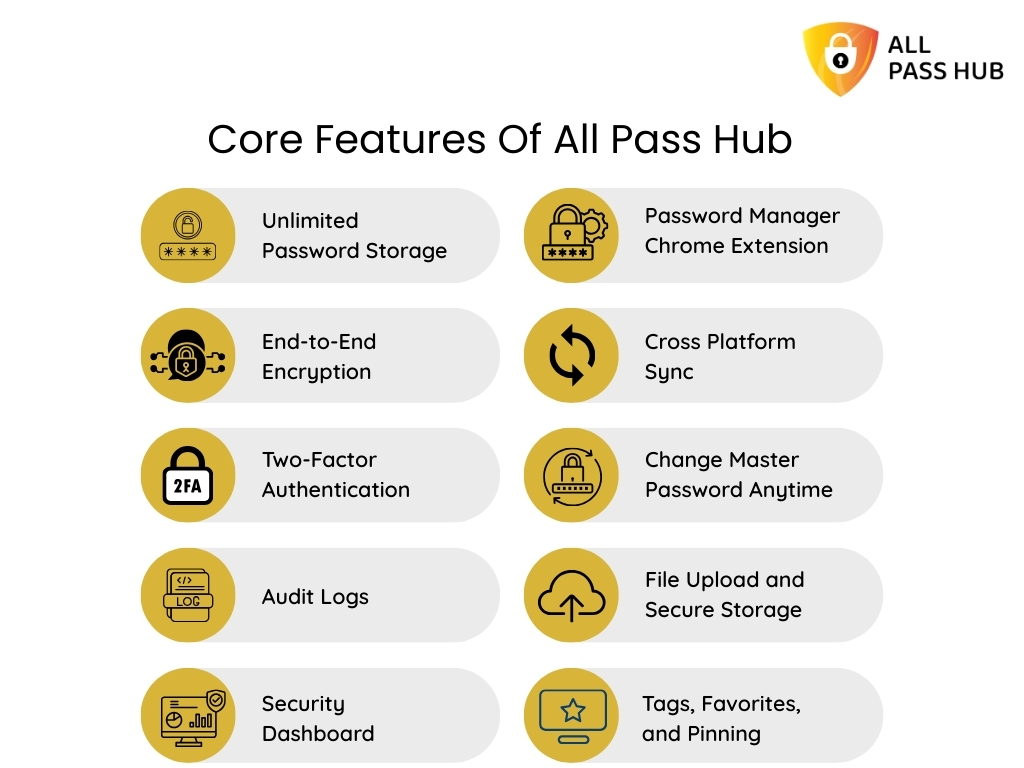
            Core Features Of All Pass Hub


            Where the All Pass Hub Fits

            • Lightweight and structured for small teams
            • Organizes client credentials cleanly with shared vaults
            • Simple migration and predictable daily use
            • Access policies that scale without complexity

            With the right tool selected, your workflow becomes stable, repeatable, and ready for growth. 

            Your Cradentaial System Should Give You Confidence, Not Guesswork

            In a Nutshell

            A secure password workflow is not just a safeguard; it is a framework for small team managers and project leads that keeps client work predictable and shields the reputation. 

            Once you replace scattered sharing habits with a small business password manager, the entire rhythm of work changes. Access becomes smoother, handoffs stay organized, and you no longer wonder whether a forgotten login might derail a deadline.

            When you are ready to centralize everything into a system that supports your workflow instead of working against it, All Pass Hub is right here. This best password manager for small businesses, offers a clean, structured approach that matches the pace and pressure of small teams.

            Thank you for reading. Here is to building processes that strengthen your work, protect your client credentials, and help your team operate with confidence.

            FAQs

            What are the key components of a password workflow?

            A strong workflow includes clear password standards, a shared vault, role-based access, MFA on critical accounts, monthly reviews, rotation for high-risk logins, and a seamless way to share credentials securely. 

            The goal is to enforce predictable habits that the entire team can follow, even during busy cycles.

            How do small teams enforce password security without slowing work?

            Ensure rules are well-defined, place every credential in one structured system, and adopt tools that support fast access through autofill, shared vaults, and predefined permission groups. When the process feels effortless, people follow it without shortcuts or delays.

            What is the simplest way to start using a password manager?

            Commence by importing all client logins into organized vaults, grouping them by client or project. Assign access based on roles, not individuals. Encourage everyone to use the vault for daily work so the team builds consistent habits from the beginning.

            How do I move my team from spreadsheets to a secure workflow?

            Start by centralizing passwords in a shared vault, then replace ad-hoc sharing with item-level RBAC. Review who needs visibility, remove stale logins, and introduce MFA for high-value accounts. 

            Tools like All Pass Hub make the transition smooth by offering team vaults, clean organization, and straightforward migration paths.

            How can we prevent contractors from having more access than they need?

            Grant contractors access through predefined groups, rather than direct sharing. Limit them to the minimum required items and remove visibility once work is done. A structured vault enables temporary, controlled access, making it easy to audit later.

            Free Password Generator Based on Keywords, Rules, and Length Settings

            Most people don’t struggle with passwords because they don’t understand security. The real challenge is that the tools meant to help them often make the process harder. Traditional password generators create complex strings, but they rarely give users meaningful control. There’s usually no option to include memorable keywords, adjust passwords to match platform rules, generate readable results, or securely store what was created.

            As a result, many users end up forgetting passwords, reusing them across platforms, or saving them in unsafe places, even when they try to follow good security practices.

            In this blog, we will break down why standard password generators often fall short and how a keyword-based password generation approach can make passwords both strong and easier to remember. We will also explain how custom length and rule settings influence password strength and why these options matter more than most users realize.

            Finally, we’ll look at how All Pass Hub brings password generation and password management together in one platform, helping individuals, teams, and MSPs create, organize, and securely store passwords without relying on multiple tools.

            The Real Problem With Most Password Generators

            Here’s what usually happens. You need a new password. You open a random generator, hit the button, and get something like: 

            xQ9#mLv!2kRw

            Technically secure. Practically useless.

            Neither can you remember it nor can you type it without triple-checking the password characters.

            This scenario worsens when the platform accepts passwords that are at least 14 characters. What would you do now? Helpless again.

            You are left manually tweaking a string that was already painful to work with.

            The frustration compounds for teams. Someone generates a password, saves it in a spreadsheet (yes, still), shares it over Slack, and suddenly “secure” is a polite fiction.

            Situations like this are not rare, as they highlight a pattern in how people actually end up dealing with passwords.

            The gap is not just technical. It is about the password’s usability. 

            A password that no one can remember or type reliably is not a secure password, it’s a password that gets written on a sticky note or reused out of desperation.

            What is a Keyword-based Password Generator?

            A password generator based on keywords starts from something meaningful to you, a name, a word, or a phrase, and builds a secure password around it, rather than generating noise from scratch.

            Instead of producing a random string, it takes your input and layers in the security elements: uppercase letters, numbers, symbols, and length requirements. The result is a password that still meets strong entropy standards but has a familiar anchor that makes it far easier to recall and type.

            Think of it this way: “Sunrise” alone is weak. But “$unRise91#” is strong, structured, and something a real person can remember. 

            That’s the principle behind keyword-based generation; the logic, not just the output, is built for humans.

            The security doesn’t come from randomness alone. It comes from applying intelligent rules consistently, so entropy stays high even when the password has a recognizable structure.

            Key Features of All Pass Hub’s Password Generator

            1. Generate Passwords Using Names or Keywords

            Generate strong passwords using names or keywords with All Pass Hub’s password generator

            The tool combines your chosen input with customizable length and character rules to create secure credentials that meet platform requirements. 

            Instead of producing completely random strings, it builds structured passwords around your keyword while still applying complex rules that maintain high entropy. This means even a recognizable anchor word results in a password that remains difficult to crack, balancing usability with strong security. 

            1. Custom Length and Rule Settings

            Different platforms have different requirements. 

            Some cap passwords at 16 characters. Others require a minimum of two special symbols. Most generators ignore all of that and leave you editing manually after the fact.

            All Pass Hub’s password generator with custom rules and length settings lets you define exactly what you need before generating: character count, symbol inclusion, capitalization rules, and number placement.

            The output fits the platform the first time, without manual adjustment.

            1. Easy-to-Read Output

            Readability isn’t a compromise on security; it’s a feature that should not be ignored. 

            The password generator’s easy-to-read design means the output is structured and scannable, not a wall of ambiguous characters. 

            You can type it, read it back aloud to a colleague, or enter it on a mobile keyboard without losing your place.

            Generate Auto Password

            Who Should Use This Tool?

            Not everyone struggles with passwords in the same way. The situations are different, but the frustration is often the same: creating secure passwords that people can still work with. 

            All Pass Hub’s password generator is built to serve a wide range of users, each with genuinely different needs.

            1. Individuals Who Are Tired of Reusing the Same Password

            Many people end up recycling the same few passwords across multiple platforms. Not because they want to, but because remembering completely random strings feels impossible.

            A keyword-based password generator offered by All Pass Hub changes that by creating secure variations built around something familiar, making passwords easier to remember without weakening security.

            1. Freelancers and Founders Managing Too Many Logins

            Freelancers and startup founders quickly accumulate a stack of platforms — project tools, billing systems, client portals, and cloud services. Each one requires its own login, and losing access to even one can slow down real work.

            All Pass Hub makes it easy to generate unique passwords for every service without creating a management headache.

            1. Teams That Need to Share Credentials Without Creating Risk

            For teams, the challenge is not just creating passwords but sharing them safely. Too often credentials end up in chat messages or shared documents simply because it’s the fastest option.

            All Pass Hub allows teams to generate and share passwords through encrypted controls, removing the need for risky workarounds.

            1. Managed Service Providers Handling Credentials at Scale

            MSPs manage credentials across multiple clients, systems, and environments. At that level, consistency, auditability, and control become critical.

            All Pass Hub supports this workflow by making it easier to generate and manage large volumes of credentials reliably.

            Not Just a Password Generator, But a Full Password Management System

            Generating a strong password is only the first step. What happens after that is where most tools start to fall short.

            Once a password exists, it needs to live somewhere secure. Not in a browser’s autofill. Not in a shared document. Not in someone’s head. It needs a place that protects it without making access complicated.

            All Pass Hub connects the generation step directly to a secure vault, so you’re not juggling multiple tools or copying credentials between apps. As a password generator and manager in one, it allows you to store everything you need, including logins, passkeys, IDs, and sensitive notes, all protected by end-to-end encryption and a zero-knowledge architecture.

            This means only you, or your authorized team members, can access what’s inside. Even All Pass Hub cannot see your data.

            For teams, the benefits become even clearer as they grow. Instead of credentials scattered across spreadsheets, chat messages, or personal notes, everything lives in one organized and encrypted vault. 

            You can store unlimited credentials, so you don’t suddenly hit a cap at 50 or 100 entries, and your expanding work remains securely in your control.

            Most password tools focus on passing a security audit. All Pass Hub focuses on something more practical: being genuinely useful to the people using it every day.

            In practice, that means users get passwords that are both strong and readable, a generation system that reliably follows the rules they define, and a free entry point that requires no credit card details to get started.

            All Pass Hub is built around a simple principle: a password only protects you if you can actually use it.

            Takeaway

            The challenge with passwords has never been that people do not care about security. The real problem is that most tools have historically made security feel like a punishment, random strings, no control over the output, nothing readable, and no practical way to manage what you generate.

            All Pass Hub builds on that concept by combining password generation, rule-based customization, and secure storage in one place. Rather than switching between tools or improvising insecure workarounds, users can generate, store, and manage their credentials inside a single system designed for everyday use.

            The result is a credential that works in the real world, something secure enough to protect your accounts, yet practical enough to remember, store, and manage.

            Built on that principle, All Pass Hub brings password generation and password management together in one place. You can generate passwords based on keywords, apply the rules that matter, store them securely in an encrypted vault, and share them safely when needed.And the best part is that getting started does not require complicated setup or any credit card details. You can begin using the All Pass Hub password generator right away and explore a smarter way to create credentials that you can actually use with confidence.

            The Small Agency Password Playbook: Practical Steps to Strengthen Security in 2026

            Why Every Agency Needs a Password Manager for Small Business in 2026

            It’s 3pm on a Tuesday. Your client just sent an email asking who currently has access to their Google Ads account. You open Slack. Then a spreadsheet. Then another tab. Fifteen minutes later, you still can’t give a definitive answer so you type: ‘Let me check and get back to you.’ This is the moment every growing agency dreads. And it’s the exact problem a password manager for small business is designed to solve.

            Why Generic Password Advice Fails Agencies

            Most password advice is written for small businesses with one environment to safeguard. They don’t work that way. 

            You manage shared client credentials, short-term contractors, and a growing stack of tools, often all simultaneously. The moment you apply generic advice, it breaks under real conditions.

            Vendor blogs simplify the problem to password strength and hygiene. That is not where agencies struggle. Agencies struggle with ownership access. 

            • Who can log in today? 
            • Who should not? 
            • Who can still log in, without anyone realizing it? 

            Add contractor churn and tool sprawl, and there is rarely a single owner accountable for end-to-end access.

            That is why password management for small agencies is not about knowing what to do. It is about doing it without hindering delivery. 

            Agencies don’t need reminders to use strong passwords. They need a way to manage client access at scale, cleanly, and without improvisation.

            The Real Credential Risks Agencies Face Going Into 2026

            Password risk in 2026 is less about new threats and more about accumulated friction. Client access management has not kept up with the way agencies operate today.

            Here is where the pressure often shows up.

            Client credential sprawl

            Each client brings multiple tools. CRM, ads, hosting, analytics, internal dashboards. Access grows horizontally, not systematically. Over time, no one has a complete picture of credentials.

            Shadow access

            Freelancers, vendors, and partner agencies come and go. Access rarely leaves as cleanly as people do. Permissions linger because offboarding is manual and fragmented.

            Browser-synced passwords on personal devices

            Convenient in the moment. Invisible at scale. Teams lose visibility the moment credentials reside within personal browsers instead of a shared system.

            Audit Trail is Missing

            Many agencies cannot answer with confidence when clients ask practical questions:

            • “Who had access last quarter?”
            • “What changed after the incident?”

            An audit trail removes uncertainty when accountability matters most. Transparency becomes automatic, not situational.

            Expectations are higher in 2026. Clients expect access clarity. Security questionnaires are becoming routine. Accountability is no longer optional. 

            Even small businesses are being pushed toward stringent access control standards, as reflected in FTC guidance on cybersecurity expectations

            The risk is not one breach. It is operating without clear ownership of who can access what and when.

            What “Good Password Management” Actually Looks Like for Small Agencies

            Effective password management for agencies is not about adding more rules; It is about removing improvisation from everyday access decisions. Structured access enables teams to move quickly, and clients feel safer.

            In practice, good password management for small agencies follows a few well-defined behaviors.

            One vault, multiple clients

            Agencies work across many client environments simultaneously. Without proper separation, credentials blur together, and ownership becomes unclear. A client-based structure ensures organized access, fewer mistakes, and sensitive information doesn’t reside within personal tools.

            Access tied to roles, not people

            Permissions should follow responsibility, not familiarity. User-level RBAC ensures that onboarding and offboarding no longer require rebuilding systems. Access adjusts naturally as people join, leave, or change accountabilities.

            Beyond these foundations, disciplined agencies also operate with stricter controls:

            • No shared master passwords
            • Everything revocable, nothing permanent

            These password management best practices are essential. However, agencies require unambiguous rules, templates, and decision frameworks to apply consistently. That is where teams often struggle, and the Small Agency Password Playbook goes deeper.

            The 2026-Ready Password Workflow: Step-by-Step Playbook

            The 2026 Ready Password Workflow Step By Step Playbook

            As agencies grow, informal access habits no longer scale. More clients mean more tools, more contributors, and more moments where accountability matters. 

            The following structure aims to eliminate guesswork before those moments arrive.

            Step 1: Map Credentials by Client and Function

            Agencies operate across multiple client environments concurrently. Without well-defined boundaries, credentials blur together, ownership becomes unclear, and risk spreads quietly. 

            Structuring access around functions and clients restores clarity and makes responsibility visible.

            Step 2: Centralize Access Even If You Are Mid-Growth

            Confidence is an illusion when access lingers in multiple places. Fragmentation creates blind spots that only surface under pressure. 

            Centralization is pivotal because it provides agencies with a single source of truth, especially when uncertainty around access hinders productivity.

            The real cost analysis between spreadsheets and password managers becomes apparent when access visibility begins to slow work.

            Step 3: Enforce Role-Based Access by Default

            Not all access carries the same risk. Aligning visibility with responsibility limits the damage of mistakes. It also prevents convenience-driven permissions from becoming a liability as teams restructure.

            For instance, User-level RBAC reduces the blast radius when something changes.

            Step 4: Secure Sharing Without Exposure

            Sharing credentials should never create new risk. Agencies need safe ways to grant authorization that don’t involve copying secrets into places they can’t control or revoke later.

            Step 5: Review and Rotate on Triggers, Not Dates

            Access only becomes outdated when something is modified. Reviewing credentials based on real events ensures systems remain current without introducing unnecessary process or overhead.

            That is where many agencies lose momentum.

            The ideas make sense. The risks are understood. But turning principles into a repeatable system is where things tend to break down. 

            Access decisions get deferred, templates stay unfinished, and teams fall back on memory and shortcuts when pressure rises.

            That gap is exactly why we built the Small Agency Password Playbook.

            It does not revisit the theory. It provides practical checklists, decision frameworks, and client-ready workflows that teams can apply these principles consistently, without slowing delivery. 

            Get The Exact Templates Agencies Use To Manage Client Access

            Why a Password Manager Becomes Non-Negotiable at This Stage

            There is a point where adding another tool doesn’t increase complexity. It eliminates hidden work. For agencies, that moment arrives when delivery is interrupted by uncertainty around access and ownership.

            At this stage, a password manager is no longer just a place to store logins. It becomes an infrastructure:

            • A centralized system where client credentials live. 
            • A transparent record of who has access. 
            • Secure sharing that doesn’t depend on copying secrets into chats. 
            • Onboarding becomes quicker. 
            • Offboarding becomes streamlined.

            That is why a password manager for small business matters more for agencies than for most teams. 

            You are not protecting a single environment. You are responsible for multiple client systems simultaneously.

            Once access is centralized, work moves differently: 

            • Ops spends less time clarifying who has access.
            • Founders carry less silent risk. 
            • Clients feel the difference even if they never see the system behind it.

            For agencies that want complete control over how credentials are stored and managed as expectations rise, our self-hosting article has the answers.

            Preparing Your Agency for Client Security Expectations in 2026

            Client expectations around security are already surfacing in onboarding calls, security questionnaires, and renewal conversations.

            Agencies will answer fewer vague questions in 2026 and more operational ones:

            • Who can access this tool today?
            • How is access revoked when someone leaves the organization?
            • Can you show what changed and when?

            These questions arise at inconvenient moments — during onboarding. After an incident. Mid-project. 

            Agencies without defined access systems have to pause delivery and reconstruct decisions under pressure.

            That is where security becomes an enabler, not a blocker. Clients feel reassured, and work moves without unnecessary hurdles.

            Agencies that prepare early can respond with confidence. They can scale faster because access ownership is already defined.

            When access decisions are documented and repeatable, conversations stay focused on delivery. Sales cycles feel steadier. Ops does not have to improvise answers after the fact.

            At this stage, understanding the need for better access control is not the concern. It is turning that understanding into something teams can execute consistently.

            Download the Small Agency Password Playbook

            This article clarifies what effective access control means inside a growing agency.

            The playbook exists to help you actually implement it.

            Without a repeatable system, agencies keep revisiting the same access decisions. Each new contractor, client tool, or project handoff becomes another point of debate — What should be shared? With whom? For how long?

            The Small Agency Password Playbook replaces that uncertainty with a well-defined structure.

            It provides ready-to-use templates, decision frameworks, and client-ready workflows that teams can follow without delay or disagreement.

            It is designed for real agency conditions — Imperfect systems, rotating contributors, and client pressure. Not an idealized security theory.

            If you want to stop rethinking permissions every time something changes, this is the missing layer. 

            Use the playbook to standardize credentials handling, eliminate bottlenecks across teams, and move quickly without introducing new risk.

            Stop Guessing Who Has Access

            Final Thoughts: Fewer Password Problems, Better Agency Control

            Most password issues inside agencies are not technical failures or isolated mistakes. They are signals that access has outgrown the systems meant to support it. 

            What once felt manageable becomes more challenging to track with the increase in clients, tools, and contributors.

            Agencies that stay steady choose systems over shortcuts. They design access intentionally. They reduce dependency on individuals. Access changes are intentional, not reactive. 

            The result is steadier operations, smoother handovers, and answering confidently when clients ask about access and accountability.

            When credential management aligns with the way your agency works, password problems fade into the background. Control becomes the default, not something you have to chase.

            Password Security for Agencies: Why Ignoring It Could Cost You Everything

            Every small agency and freelancer eventually hits the same fork in the road.

            • A late-night Slack ping about a suspicious login.
            • A client is asking who still has access.
            • A contractor admitted to reusing a password because it was faster.

            Nothing is on fire yet, but something is off.

            That is where paths diverge. 

            Agency A: Rely on shortcuts, memory, and goodwill. 

            Agency B: Introduces structure early. Credentials reside in a centralized password vault. Access is controlled. Nothing relies on remembering.

            Most freelancers and small teams are not careless. They are fast. 

            Habits scale quickly than systems. And password decisions quietly shape client trust and delivery confidence more than almost any daily workflow.

            It only takes one weak credential for a client to question control. Once that doubt appears, work feels heavier. Speed no longer feels an advantage.

            How Leaks Really Happen Inside Small Teams

            Credential leaks rarely appear as dramatic breaches. They usually begin with ordinary moments that every freelancer & small team has seen. 

            • Someone rushes to share a login during a client call. 
            • A contractor works from a personal device with synced browsers. 
            • An old account remains active after offboarding. 
            • A shared password sits in a chat thread long after the task is done. 

            These situations feel harmless, yet they quietly create cracks that attackers wait for.

            Common Business Challenges Without A Password Manager
            • Research from CyCognito shows that stolen session cookies, misused tokens, and phishing attempts often originate from tiny lapses in credential handling. 
            • Proofpoint highlights credential stuffing, password spraying, and Adversary-in-the-Middle (AitM) attacks as additional pathways for compromise. 
            • Sentry Security explains how public apps leak credentials through poorly configured OAuth workflows. These risks come from human shortcuts more than technical flaws.

            And when a leak slips through, the consequences reach far beyond the single account that started it. It emphasizes the importance of generating and using strong credentials using a password manager.  

            The Cost of Weak Passwords That Agencies Never See: Cost-Risk Analysis

            When a password slips, the actual damage rarely begins at the moment of the leak. What unfolds afterward is a chain reaction. Freelancers & small teams only notice once client work slows, systems behave unpredictably, or a concerned client reaches out. 

            • Research from Exabeam indicates that weak credentials are usually attackers’ silent entry points. It allows them to explore connected systems before anyone detects unusual behavior. 
            • Proofpoint’s data reveals that exposed logins often contribute to unauthorized access long before teams realize something is suspicious. 
            • Arsen’s breach analysis highlights how quickly the fallout spreads into client relationships, operational delays, and compliance pressure.

            Let’s make the impact crystal clear by outlining how a single weak credential can escalate across an agency’s workflow.

            Cost-Risk Analysis Table

            Failure PointWhat Happens Behind the ScenesBusiness Impact
            Unauthorized accessAttackers gain quiet entry and observe systems without immediate detectionLoss of control and increased threat exposure
            Lateral movementAccess spreads into related accounts or shared toolsMultiple systems become compromised at once
            Client data exposureSensitive information becomes accessible or copiedDamaged trust, possible legal reporting, and strained client relations
            Operational slowdownsTeams pause work to verify logs, reset access, and contain the issueMissed deadlines, stalled deliverables, and internal disruption
            Reputational consequencesClients question security standards and long-term reliabilityHarder renewals, slower referrals, risk of churn
            Compliance triggersBreaches meet thresholds for reporting or auditsAdministrative burden, financial penalties, scrutiny from regulators

            Once leaders notice how quickly these steps unfold, the priority naturally shifts toward designing a password security policy that prevents small cracks from becoming structural failures. 

            Stop Letting One Weak Password Decide Your Next Crisis

            The Prevention Framework Small Teams Can Implement

            Passwords fail quietly first, through small compromises that feel harmless in the moment. Actual protection comes from tightening the workflow before anything goes wrong, not from reacting after the damage is visible.

            What actually works for freelancers and small agencies handling multiple clients is not a single policy or tool, but a set of simple practices applied consistently.

            Advanced Security Without Slowing Team Down

            Below is the prevention blueprint (password security best practices) that holds up across real multi-client work.

            MFA matters everywhere

            Safeguard high-risk accounts with strong authentication (2FA) and avoid relying solely on SMS (text messages).

            Unique passwords and passphrases

            Remove shared patterns and ensure no two client accounts repeat the same structure. 

            Organized, centralized credential storage

            Use a single controlled vault instead of scattered files, chats, or browser sync.

            Item-based RBAC and audit readiness

            Assign access at the credential level so each person only sees the items tied to their responsibilities. Pair this with audit-ready logs that capture who viewed, edited, or shared an entry. Ideal for compliance checks and activity reviews.

            Secure sharing and rotation rules

            Share without exposing. Rotate credentials after major events, handovers, or vendor changes.

            Real-time access reviews

            Examine who can view what before every new project cycle commences.

            ⭐Tip: If a prevention step feels “optional,” it is usually the one attackers rely on, and you are neglecting.

            Once these fundamentals are in place, the conversation naturally shifts toward the root problem holding back most teams: the infrastructure used to store and share credentials. 

            Why Password Managers for Small Teams Are a Solution to Leak Prevention

            When small teams and freelancers trace a credential leak back to its source, the cause is rarely mysterious. It’s the workflow that drifted.

            • A password was dropped into a chat to save time.
            • A Google Sheet that outlived the project.
            • A contractor who kept access because offboarding was rushed.

            None of these feels dangerous in the moment. The damage starts compounding long before anything breaks. 

            Password managers for small teams work because they replace improvisation with structure. They turn fragile habits into predictable, controlled access. That is why many digital agencies adopt them to manage client passwords and boost collaboration & security.

            What Features Should A Team Password Manager Have

            Let us make this straightforward with the following visual breakdown that decision-makers often find helpful. 

            How Password Managers Prevent Credential Leaks

            Problem That Causes Leaks in Small TeamsWhat Happens in Real LifeHow a Password Manager Solves It
            Scattered credential sharingPasswords shared in chats or emails linger for monthsSecure sharing links, controlled visibility, and no long-term exposure
            Shared or repeated passwordsOne breach affects multiple client accountsEnforced unique passwords and strong password generation
            Stale access after offboardingEx-employees retain access without anyone noticingInstant revocation and client-specific vault control
            Unknown credential historyNo visibility of who viewed or changed a loginComprehensive audit logs and item-level tracking
            Browser-synced credentialsPersonal devices store logins without oversightCentralized vault replaces browser storage entirely
            Contractors needing quick accessTemporary access becomes permanent accessTime-bound or item-specific access rules
            Rushed last-minute updatesTeams forget to update shared sheetsCentralized updates apply instantly for all authorized users

            It is not just a tool shift; it is a structural upgrade in how to secure passwords, especially sensitive information. 

            Moreover, it is essential to have an understanding of the cost analysis of spreadsheets vs password managers for agencies.

            How Small Teams Build a Leak-Proof Credential Workflow

            What most teams and freelancers never admit out loud is that leaks don’t come from attackers outsmarting them; they originate because everyday habits drift. 

            A workflow is only as strong as the last shortcut taken. It can be:

            • A login saved into a chat to unblock work. 
            • A vendor who kept access longer than expected. 
            • A credential no one remembered to rotate. 

            These moments feel operational, not risky, until they stack.

            Teams that stay protected rely on a structure that eliminates guesswork and closes gaps before they form.

            Let’s make this clear with a real structure behind an impenetrable workflow:

            The Core Layers of a Leak-Proof Credential System

            LayerWhat It ProtectsStrategic Advantage
            Strong passphrasesEntry pointsPrevents anyone from guessing or cracking patterns
            MFA on critical accountsHigh value targetsStops intrusions even if a password leaks
            Item-level access rulesContractor and team visibilityLimits blast radius and keeps exposure contained
            Centralized vault updatesReal-time accuracyNo one works with outdated credentials
            Regular access reviewsOld accounts and stale permissionsRemoves silent vulnerabilities before attackers find them

            A workflow like this works because it eliminates improvisation. When every access path is intentional, leaks have nowhere to hide.

            Once this structure is in place, the final step is to ensure secure password management as your team grows and client demands evolve.

            Step Into A Credential System Built For Stability And Control

            The Bottom Line

            Password security rarely announces itself as a problem. It appears as a barrier. 

            Work slows. Access feels uncertain. Simple questions take too long to answer. 

            Over time, that friction quietly erodes confidence, both yours and your clients’.

            The teams and freelancers who stay ahead treat credentials as part of how work moves, not as loose items to manage later. 

            Access is intentional. Sharing is controlled. Nothing critical depends on memory, inbox searches, or last-minute fixes.

            This shift is less about locking things down and more about creating operational calm. 

            Organized credentials ensure streamlined workflows. Handoffs feel lighter. Trust becomes easier to maintain.

            If you want a password system that supports this way of working without adding overhead, All Pass Hub fits naturally into small agency and freelancer workflows. It ensures access is simple, controlled, and ready for whatever comes next. 

            Here is to creating a workflow where credentials feel effortless, security feels robust, and your clients always feel protected.

            FAQs

            How do companies actually encrypt passwords, and how does this differ between cloud and self-hosted setups?

            Most systems encrypt passwords on the user’s device before they enter any server. In cloud setups, the vendor controls the storage location. In self-hosted models, the encrypted database resides within your environment. 

            How can we maintain password hygiene across multiple client environments with different rules?

            Use one vault with client-specific folders, enforce strong passphrases using a password generator, standardize MFA for high-risk accounts, and review access before every new project cycle. 

            How can a small team identify if a password has already been compromised without waiting for an incident?

            Monitor credential activity logs, review unexpected access patterns, and check passwords against breach databases. Early detection often comes from noticing irregular use rather than an entire incident alert.

            How do we set up temporary access for new contractors without exposing everything?

            Assign access at the item level and set definite expiration rules. Contractors should only view the credentials tied to their task, and the access should end automatically when the work is done.

            How do we safely share passwords with clients who prefer email or messaging apps?

            Avoid sending credentials through open channels as per password security best practices. Use a one-time share feature that lets the client view the password once without exposing your vault. 

            All Pass Hub includes this capability, allowing secure sharing without storing sensitive details in chats or email threads as part of its password security policy.

            How Self-Hosting Helps Small Teams Keep Control of Their Credentials

            There is a moment every small team eventually faces. A client asks where their credentials are stored, who can access them, or how quickly you can perform an audit trail

            And for a minute, the room gets quiet. Not because the team is unprepared, but because the answer depends on whatever the cloud vendor allows you to view.

            That pause is the actual risk. It shows a gap between responsibility and visibility.

            Small teams don’t struggle with security awareness. They struggle because traditional cloud password tools keep ownership with the vendor. 

            You get the interface. Vendor controls the infrastructure. You rely on their logs, their access rules, and their storage decisions.

            Gartner forecasts that by 2025, 60% of enterprises will adopt self-hosting for privacy-enhancing computing, a significant increase from less than 5% in 2021.

            Self-hosting a credentials database changes that dynamic. It brings ownership back into your environment. And once you experience that level of clarity, the old model feels restrictive.

            The True Meaning of Self-Hosting For Small Teams

            Self-hosting is often perceived as racks, servers, and midnight maintenance. 

            For small teams, a self-hosted password vault means your encrypted credential database resides in an environment you control. 

            Not in a vendor’s region. Not behind a vendor’s admin panel — Only yours.

            That shift matters because the issues that break workflows for small teams often arise from everyday situations:

            • A shared drive folder gets renamed, and no one notices until delivery day.
            • A browser syncs an outdated password, and the wrong version spreads quietly.
            • A contractor leaves, and you are unsure what copies still exist.

            Self-hosting removes the guesswork. You control backups. You decide your reverse proxy configuration. You are accountable for patching and updates. 

            Even something as simple as a failing SD card on a self-hosted Raspberry Pi setup has consequences that users in the r/selfhosted community have ended up discussing.

            It is not effortless; It is free of uncertainty. And that clarity is the foundation of control.

            Why Security Feels Different When You Self-Host Database

            Security feels very different when your encrypted data sits inside your environment. You no longer wonder who manages the backend keys or how logs are interpreted.

            You already know:

            ✔️ Where the encrypted vault is stored

            ✔️ Who can reach the database

            ✔️ How the infrastructure behaves behind the scenes

            Cloud password managers work well until you need precision. Not broad permissions. Not vendor-controlled logs. Actual, verifiable access control.

            Self-hosting your own database changes the posture entirely:

            • Audit logs reflect exactly what happened on your infrastructure. 
            • Data residency questions become predictable because you are aware of the location.
            • Offboarding becomes decisive when the encrypted database sits in your environment. You can remove someone’s access at the source itself. 

            Revoking access is immediate with All Pass Hub. No leftover tokens. No lingering sessions. No vendor delays. Authorization ends the moment you choose.

            Reddit discussions often mention this tradeoff. Teams prefer a little setup because it gives them something cloud tools can never provide: complete awareness of how and where their credential data resides.

            That sense of certainty is the real value.

            The Operational Friction Cloud Tools Never Solved

            You have probably seen this play out inside your own team:

            • A designer keeps a private copy of a login because the shared vault feels slow. 
            • A project manager screenshots a login in the middle of a call to save time
            • A spreadsheet that was “retired” six months ago quietly returns because it still feels familiar and fast

            Teams don’t create workarounds because they ignore the process. They form because the primary tool forces them into workarounds that delay delivery and increase risk. 

            They also create a predictable pattern of unofficial lists, duplicate vaults, and side copies that quietly weaken security over time.

            A self-hosted password manager for teams removes that friction. Access becomes accurate, revocation becomes trustworthy, and performance aligns with your environment.

            Once that happens, the conversation naturally shifts toward ownership and long-term stability.

            Where All Pass Hub Fits in a World That Needs Control

            Many small teams reach a point where cloud password managers feel convenient but incomplete. The interface is polished, but the vault sits somewhere you do not supervise. 

            For teams handling sensitive client accounts, that gap becomes more challenging to justify. They want the reliability of a managed platform along with the assurance of their encrypted database on their trusted infrastructure.

            Why Teams Choose All Pass Hub

            Though self-hosting resolves visibility problems, it introduces a heavy operational load:

            • Server maintenance 
            • SSL configuration 
            • Patching 
            • Backups 
            • Reverse proxy issues

            All Pass Hub offers a balanced alternative. The application remains cloud-based. 

            No server upkeeping or maintenance. No SSL headaches. No patching. No risk of breaking your vault through misconfigurations. 

            You host only one thing. Your encrypted database is stored in your environment. 

            That is the balance small teams have been trying to find.

            A simple workflow. A familiar interface. Actual supervision of the credentials database.

            How All Pass Hub Compares to Other Self-Hosted Options

            The following table outlines where All Pass Hub stands among available options.

            Password ManagerProsConsBest Use Case
            VaultwardenLightweight, resource-efficient, and works with Bitwarden clientsCommunity maintained, no formal security auditsIndividuals or homelabs
            KeePassXCMinimal server dependency and strong on the privacy & encryption side.No built-in sharing, manual sync, not ideal for multi-user setupsPrivacy-first individual setups
            PasskyLightweight, open-source, and simple to deployLimited team features, no third-party audits, basic UIIndividuals or minimal setups
            PadlocClean interface, simple workflows, cross-platformLimited scalability, relies on the vendor for hosting extensionsIndividuals or small teams
            All Pass HubCloud platform with database self-hosting, zero-vendor visibility, ideal for multi-client teamsNot open-source and requires a user-controlled database hostSmall teams or compliance-focused agencies
            Ownership-focused tools by All Pass Hub

            Final Thoughts

            If you manage credentials for a small team, you already know this. Visibility determines whether your system prevents problems or reacts to them.

            When your encrypted database lives on the infrastructure you supervise, everything feels streamlined. 

            Audits make sense. Offboarding becomes predictable. Client conversations shift from uncertainty to confidence.

            Think of it as the difference between renting storage space in someone else’s warehouse and keeping your valuables in a locker you own. 

            One gives convenience. The other provides certainty. And assurance is what clients remember.

            Self-hosting your credential database is the next step for better clarity and clearer oversight. All Pass Hub offers that path. You get the ease of a managed application and the control that traditional cloud tools cannot provide.

            When clarity becomes the priority, the next step becomes obvious.

            FAQs

            How does self-hosting your credentials database work?

            Traditional self-hosting means running both the app and database on your own infrastructure. Small teams often find this powerful, but it is more challenging to maintain. 

            All Pass Hub offers a lighter approach by enabling teams to self-host only the encrypted database and keeping the app cloud-based for simplicity.

            What is the difference between cloud-hosted and self-hosted?

            Cloud-hosted systems keep everything on the vendor’s servers. Self-hosted password managers provide teams with the entire infrastructure responsibility. 

            All Pass Hub offers a balanced alternative. It allows teams to keep the application managed in the cloud and host their encrypted database in their own environment.

            How do companies encrypt passwords?

            Most tools encrypt data before storage. In fully hosted systems, the vendor manages infrastructure and storage. 

            All Pass Hub keeps encryption client-side and allows teams to choose where their encrypted database resides.

            Is a self-hosted password manager more secure for small teams?

            Often yes, because teams control where encrypted data lives and how it is accessed. The tradeoff is higher maintenance. 

            All Pass Hub offers a hybrid path to improve supervision and visibility without requiring small teams to manage the entire application stack.

            Spreadsheets vs Password Managers for Agencies: The Real Cost Analysis

            If you have worked in an agency long enough, you have seen this pattern: someone updates an entry, someone else forgets to, a contractor requests access, a team lead cannot find the latest version, and Ops tries to maintain control while the system quietly works against them. What appears to be a “free” solution slowly turns into a hidden cost.

            Ops and PMs do not abandon spreadsheets only because of security concerns. They switch because the daily operational drag becomes impossible to ignore. When managing multiple clients, the real issue is not the file – it is the uncertainty the file creates.

            This blog breaks down what really happens when agencies rely on spreadsheets, why the shift toward structured password systems is accelerating, and how decision makers can strengthen operational stability before cracks become visible.

            Let’s begin!

            Why Agencies Are Moving Away from Spreadsheets

            Agencies typically recognize the need for change when routine tasks start slowing down. A spreadsheet that once felt convenient begins creating hesitation, double-checking, and repeating “is this updated?” messages. 

            As client loads grow and more contributors touch the same file, trust in the spreadsheet drops. Manual updates, memory-dependent accuracy, and the lack of enforced consistency make the system fragile.

            The Agency Shift From Spreadsheets To Password Managers (1)

            This is where spreadsheets turn from a quick fix into a bottleneck. They require constant checks, frequent cleanups, and ongoing coordination. 

            Version conflicts become common: two people update different copies, and the team no longer knows which one is accurate. The result is rework, communication loops, and delays during live projects.

            In discussions across Reddit and agency communities, the sentiment is the same: spreadsheets may be familiar, but they are neither efficient nor secure at scale. What appears free quickly becomes expensive in time, attention, and lost momentum. 

            Combined with the security gaps spreadsheets cannot address, the shift toward structured password systems becomes not just preferred, but necessary.

            Security and Compliance Risks Spreadsheets Cannot Solve

            Spreadsheets store everything as readable text. Anyone with access, or anyone who gains one, can view every credential. A basic file lock is easy to bypass and offers no real protection.

            When sheets are shared over email or chat, they leave the agency’s control entirely. There is no tracking, no visibility, and no way to detect suspicious activity. A password update leaves no trace. Agencies handling multiple clients face even greater risk because one misplaced file can expose several accounts at once.

            Security & Compliance Risks From Using Spreadsheets To Store Passwords

            A Deloitte analysis on spreadsheet risk management reinforces this problem: uncontrolled files introduce structural vulnerabilities that organizations struggle to monitor or mitigate.

            A Reddit commenter put it bluntly: “How is this spreadsheet protected? A password manager is an encryption tool.”

            Once agencies see this gap clearly, they naturally move toward systems that strengthen workflow stability rather than weaken it. And that leads to an important question: what value do password managers create for agencies?

            How Password Managers Deliver Value for Agencies in 2026

            Password managers transform daily workflows almost instantly. Tasks that previously required confirmation, follow-ups, or duplicate checks collapse into a single action. Teams start trusting their system again.

            The biggest advantage is that structure and protection are built in. Encryption happens automatically. Every update leaves a record of who made it. Ops and PMs no longer worry about overwritten passwords or freelance contractors retaining access beyond their project.

            Secure sharing is often the tipping point. Instead of copying logins into chats or sending updated spreadsheets, teams share items with controlled visibility. Offboarding becomes a one-step process rather than an audit of multiple versions.

            This is why agencies that outgrow spreadsheets adopt password managers, and once they experience the workflow improvements, cost obviously becomes the next consideration.

            Cost Comparison: Spreadsheets vs Password Managers

            On the surface, spreadsheets appear free. But as workloads increase, the hidden costs become clearer. A structured password system removes these friction points, making it significantly cheaper in total operational cost, even if the upfront pricing initially seems higher.

            Feature and Cost Comparison Table

            CategoryPassword ManagerSpreadsheet
            Core ProtectionEncrypted vault with structured accessOpen the file with minimal protection
            Sharing SafetyControlled sharing with granular visibilityShared copies with no oversight
            Audit SupportActivity tracking for every changeNo record of edits
            PricingPredictable per-user feeZero fee with high hidden effort
            MaintenanceAutomated updatesManual corrections and checks

            Time & Risk Impact Table

            FactorPassword Manager ImpactSpreadsheet Impact
            Daily Time LossVery low due to centralized updatesHigh due to repeated checks
            Risk ExposureLow risk with encryption and access controlsHigh risk due to open entries
            Scaling CostPredictable and stableRising cost of errors and delays
            Team EfficiencyStrong throughout project cyclesWeak during periods of heavy work

            How Agencies Can Decide: A Simple Framework

            If your team experiences these symptoms frequently, it is time to evaluate a password manager:

            Evaluation SignalIf This HappensWhat It Suggests
            Credential countLists grow faster than updatesSpreadsheets are nearing a limit
            Team structureContributors need quick accessCentralized controls would help
            Security needsNo visibility into changesA stronger system is required
            Operational costTime loss is risingA password manager adds more value

            When these patterns appear, you are already losing time, clarity, and stability.

            Why A Password Manager Is Becoming Essential For Operations Teams

            There comes a stage where spreadsheets simply cannot keep pace. As credentials multiply and contributors rotate, ownership blurs and teams spend more time validating information than using it. Password managers eliminate this drag by creating a structured, reliable source of truth.

            Why Choose A Password Manager For Small Teams

            With role-based access control, teams only see what they are meant to see, removing the risks of overexposed spreadsheets. Audit trails track every view, update, and action, giving Ops full visibility without manual checks. Centralized oversight replaces scattered versions with a single governed space, while tools built for collaboration prevent overwrites and version conflicts.

            For Ops, PMs, and coordinators, the difference is immediate, and the next question becomes: which system fits agency workflows best?

            How All Pass Hub Fits Into This New Trend

            Agencies making the transition usually seek three things: control, clarity, and cost stability. All Pass Hub is designed around these needs without unnecessary complexity.

            Here is how it supports modern, multi-client environments:

            1. Self-Hosted Control

            All Pass Hub allows agencies to host their encrypted database on their own servers. This gives complete ownership of data, full compliance clarity, and strong sovereignty for industries that require local hosting.

            1. Built for Agencies Managing Many Credentials

            With structured project-level organization, Ops and PMs never lose track of which credentials belong to which client or team, especially during live work.

            1. Unlimited Storage

            Teams can store unlimited credentials without worrying about hitting limits as accounts scale or projects expand.

            1. Lower Total Cost

            Plans are simple, predictable, and designed for small teams and growing agencies with no hidden charges or confusing tiers.

            What sets All Pass Hub apart is not just features; it is the way it removes uncertainty from daily operations. Once that uncertainty fades, the benefits of a dedicated password system become much easier to measure.

            End the chaos. Switch to All Pass Hub.

            What This Means For Your Agency

            Spreadsheets work in the early stages, but small delays soon add up. As teams grow, version conflicts, unclear ownership, and scattered access become harder to manage and increasingly slow down delivery.

            A dedicated password management system provides what spreadsheets cannot: a single, consistent place for updates, clearer visibility into changes, and structured access that keeps information organized and secure. The goal is simply a workflow where accuracy and accountability are built in, not manually maintained.

            If your agency is feeling the strain of shared spreadsheets, it may be time to evaluate a more stable system. Here’s to smoother operations and fewer bottlenecks as you scale.

            FAQs

            1. Why shouldn’t agencies rely on spreadsheets for passwords?

            Spreadsheets lack encryption, version control, and clear ownership. As teams grow, they introduce errors, access risks, and delays. Agencies quickly outgrow them and need structured, secure systems built for multi-client workflows.

            2. How does a password manager improve agency workflows?

            A password manager centralizes updates, enforces accuracy, and removes manual checks. With audit trails, shared visibility, and cleaner collaboration, teams reduce bottlenecks and work with confidence rather than constantly verifying spreadsheet entries.

            3. What is the best free password manager for teams?

            Most free tools work for personal use, but teams need features like audit trails, structured access, and centralized oversight. All Pass Hub offers a free trial with unlimited credentials and collaboration essentials, making it stronger than typical free-only options.

            4. When should an agency switch to a password manager?

            If you face version conflicts, unclear ownership, repeated “is this updated?” moments, or growing credential lists, it’s time. These are clear signs the team has outgrown spreadsheets and needs a structured tool like All Pass Hub.

            How Password Managers For Teams Boost Collaboration And Security

            What do lost spreadsheets, repeated password reset tickets, and frantic chat messages asking for login details have in common? They all point to a growing problem: chaotic password management. 

            In today’s digital workplace, teams rely on dozens of tools, from CRMs and HR platforms to cloud storage and project dashboards. However, without proper structure, login details end up scattered across chatting apps, sticky notes, and shared Excel files. It creates inefficiency and security risks. 

            That’s where a password manager for teams redefines everything. By centralizing access into encrypted vaults, setting role-based permissions, and enabling secure sharing, teams can collaborate with peace of mind. 

            From agencies and IT teams to HR and admin departments to remote groups and enterprises, every organization faces the same challenge. This blog is written for them.

            It offers practical answers, proven benefits, and explains how features like role-based access and audit logs protect company data.  You’ll discover how All Pass Hub empowers modern teams to work confidently, collaboratively, and securely.

            So fasten your seatbelt to uncover a blueprint for protecting your business and transforming the way your team collaborates. 

            What Is A Team Password Manager?

            In layperson terms, a team password manager is a secure, shared vault where organizations can store, manage, and distribute credentials without relying on spreadsheets or unsecured chat tools. 

            Unlike personal password managers, which are designed for individuals, team solutions are built for collaboration, supervision, and accountability.

            Here’s how it works in practice:

            • Centralized Password Management → Every login, key, and credential is stored in an encrypted repository accessible only to authorized team members.
            • Role-Based Permissions → Admins, managers, and employees can be granted different levels of access. It ensures credentials are shared only with the authorized personnel.
            • Encrypted Sharing → Instead of sending login details in emails, teams share access securely within the vault, eliminating leaks.
            • Zero-Knowledge Design → The provider cannot view or decrypt the data, guaranteeing privacy and control remain with the business.

            The significant shift here is cultural. Moving from scattered logins to a shared password manager for business means adopting a structure where credentials are not just protected but also easy to manage. 

            This balance of security and usability is why present-day teams are adopting zero-knowledge, collaborative password managers as a foundation of corporate password management.

            The Crux: A team password manager centralizes credentials, adds oversight, and supports collaboration securely. It replaces outdated methods such as spreadsheets or informal sharing.

            Why Do Teams Need Password Managers?

            Every team, whether a five-person startup or a global agency, has numerous accounts. It includes CRMs, cloud drives, email suites, and project tools. Yet most still juggle passkeys through spreadsheets, sticky notes, or chat apps. 

            These shortcuts may feel convenient. However, they quietly open the door to security risks that cost businesses time, money, and credibility.

            Here’s why teams can’t afford to depend on outdated practices:

            • Password Reuse and Oversharing → When employees recycle the same credentials or share them casually, a single breach can compromise multiple systems.
            • Spreadsheets as “Vaults” → Excel files or Google Sheets may organize logins, but they offer zero encryption, no access control, and no audit trail.
            • Shadow IT Risks → Employees often create accounts outside of IT oversight, leaving credentials unmanaged and invisible until a breach occurs.
            • Rising Reset Tickets → IT teams lose countless hours handling password resets, reducing productivity and frustrating both staff and management.

            The cost is exorbitant. According to the IBM report, credential theft accounts for a large percentage of data breaches, often resulting in millions of dollars in damages. 

            Teams that fail to stop unsafe authentication data sharing or eliminate storage in spreadsheets are not only at risk of breaches but also face compliance penalties and reputational harm.

            Core Insight: Team password managers replace scattered, insecure practices with structured, centralized control. It reduces the likelihood of credential theft, reduces reset tickets, and restores productivity. 

            The Lifecycle Of A Team Password: From Creation To Decommission

            Think of a password like a key that moves through many hands in its lifetime. From the moment it is created until it is retired, that “pass key” can either protect the business or expose it to unnecessary risk. Understanding this journey helps teams see where weak points emerge and how a team password manager like All Pass Hub secures every step.

            Here’s how a typical team login verification token travels through its lifecycle:

            Creation

            Passwords often begin life hurriedly, crafted to be easy to remember rather than resilient enough to resist attacks. Weak or recycled passwords are the foremost crack in the armor.

            With All Pass Hub → A built-in password generator creates undecipherable, unique credentials by default, reducing human error from the beginning.

            Storage

            Authentication information often ends up in spreadsheets, notebooks, or chat threads without a systematic storage structure. One lost file can mean uncontrolled access.

            With All Pass Hub → Every credential is stored inside an encrypted repository with zero-knowledge assurance. It ensures only authorized team members can use it.

            Sharing

            Teams share credentials daily, whether for social media logins or SaaS tools. Untracked sharing creates a trail that no one can trace back if something goes wrong.

            With All Pass Hub → Secure sharing links and role-based permissions ensure credentials travel safely between teammates and are monitored with a transparent audit log.

            Rotation

            Accounts change roles, projects end, or vendors move on. Yet many access tokens never get rotated, leaving old passkeys swinging in the system.

            With All Pass Hub → Password rotation is easy to enforce. Security dashboards and audit logs alert admins to outdated or risky credentials.

            Revocation

            When employees leave the organization or access is no longer needed, revoked passwords should close the door. Unfortunately, orphaned accounts are often forgotten.

            With All Pass Hub → Admins can instantly revoke or reassign access, ensuring no digital doors stay open for former staff or third-party contractors.

            The lifecycle of a password reveals one truth: security gaps appear not in one moment, but across every stage. All Pass Hub protects the entire journey, allowing teams to collaborate with confidence rather than chaos.

            Main Message: By securing the comprehensive password lifecycle from creation to revocation, team password managers transform fragile, forgotten credentials into a controlled, auditable, and resilient system.

            Here is something worth reading-  Why Do CTOs, Team Leads, And Administrators Love All Pass Hub

            Key Features That Matter (And Their Business Value)

            Key Features That Matter (and Their Business Value)


            Features mean little if they don’t solve practical problems. A team password manager isn’t just a collection of security tools; it’s a way to eliminate daily hassle, lower risks, and cultivate trust across departments. 

            Let’s walk through the most critical features and the business value they deliver.

            End-to-End Encryption → Keeps Data Untouchable → Reduced Breach Risk

            Without encryption, stored credentials are like a diary left unlocked on a desk. End-to-end encryption with a zero-knowledge guarantee ensures that no one, not even the provider, can peep inside your vault.

            • Business Value: Peace of mind that sensitive logins are safe from hackers, breaches, or accidental exposure.

            Role-Based Access → Assigns Control → Prevents Insider Misuse

            In many teams, “everyone knows the password” is a recipe for trouble. Role-based access provides admins with control of who views what.

            • Business Value: Sensitive credentials stay in the right hands, reducing insider threats and maintaining accountability.

            Audit Trails → Track Activity → Compliance Evidence

            Imagine a financial auditor asking, “Who accessed this system last Tuesday?” You can only guess without logs. Audit trails answer those questions instantly.

            • Business Value: Creates a tamper-proof record of every login, making compliance checks and investigations far less painful.

            Cross-Device Sync → Productivity Anywhere → Smoother Remote Work

            In today’s hybrid work culture, a password locked to one device is futile. Cross-device sync ensures consistency in access, whether your team is on a laptop, tablet, or smartphone.

            • Business Value: Remote and on-the-go employees stay aligned without creating risky workarounds.

            Password Generator → Strong Credentials → Reduced Human Error

            Most people still default to “easy-to-type” passwords. A built-in password generator eliminates weak and recycled credentials by creating impenetrable, unique ones for every account.

            • Business Value: Lowers the likelihood of breaches caused by human laziness or forgetfulness.

            The actual power of these features isn’t in the technology itself, but in the outcomes: top-notch security, smoother workflows, and a culture of accountability. All Pass Hub transforms technical specs into practical advantages that teams can feel in their daily work.

            Smart Summary: Security features only matter when they deliver genuine results. From encryption to role-based access, All Pass Hub ties every capability to a tangible business outcome. 

            How Password Managers Protect Company Data

            Think of your company’s data like a castle. Without the resilient defenses, attackers don’t need to storm the gates; they just find an unlocked door. A corporate password manager like All Pass Hub ensures every entry point is locked, guarded, and monitored. 

            Let’s walk you through what protection resembles.

            Before: Scattered and Vulnerable

            • Saving authentication information in spreadsheets, sticky notes, or chat messages.
            • Shared accounts with no record of who accessed them.
            • Employees are reusing the same login across multiple platforms.
            • A single phishing email escalates into a company-wide breach.

            After: Centralized and Secure

            • Encryption + Zero-Knowledge Policy → Every password is sealed in an encrypted vault that only your team can unlock. Even All Pass Hub cannot view your data.
              • Value: Eliminates the risk of provider breaches or insider snooping.
            • Password Vault for Enterprises → Instead of scattered credentials, everything resides in one controlled hub.
              • Value: Reduces the hassle of lost logins and reinforces supervision for IT admins.
            • Secure Sharing of Files & Credentials → Sensitive access is granted with granular permissions, not emailed around in plain text.
              • Value: Fosters trust among teams while safeguarding clients, partners, and internal data.
            • Audit Logs & Activity Monitoring → Every login and password change is tracked.
              • Value: Transparency deters insider misuse and creates compliance-ready records for audits.
            • Data Breach Prevention Mechanisms → Tools such as phishing resistance, brute-force blocking, and MFA integration close familiar attack doors.
              • Value: Keeps attackers out, even if one employee makes a mistake.

            Replacing ineffective password practices with a secure, centralized system ensures your company’s digital castle is no longer a sitting duck. It becomes a fortress where every wall, gate, and guard works in harmony.

            Knowledge Drop: A password manager doesn’t just store credentials; it turns scattered risks into a unified defense system. It ensures business data is locked down and compliant.

            Collaboration Made Simple: Real Team Use Cases

            Collaboration thrives when everyone knows exactly where to find what they need. A team password manager eliminates the friction of scattered logins and replaces them with structured, secure workflows. 

            Here are some real-world examples that show how All Pass Hub fits seamlessly into daily team life:

            Real World Examples That Show How All Pass Hub Fits Seamlessly Into Daily Team Life

            Remote Teams

            Remote employees often juggle multiple devices and time zones. With All Pass Hub’s cross-device sync, every login is available instantly on desktop, web, or mobile. 

            No waiting for emails, no hunting in Slack threads. Only secure access when and where required.

            Agencies and Consultants

            Marketing or branding agencies manage dozens of client accounts across social media apps, ad platforms, and analytics dashboards. A shared vault with role-based access ensures each client’s credentials are safe, organized, and only visible to authorized staff. 

            Onboarding new consultants is as effortless as assigning them to the secure repository.

            HR and IT Departments

            HR teams handle sensitive employee records while IT departments safeguard admin credentials for infrastructure. All Pass Hub provides role-based permissions. It ensures HR staff never pry on IT admin passwords, and IT doesn’t access payroll accounts. 

            Audit logs track every access event for accountability and transparency.

            Developers and Designers

            From GitHub repositories to design platforms, creative and technical teams use numerous shared accounts. All Pass Hub ensures credentials are rotated regularly, stored securely, and retrieved effortlessly. The result is fewer interruptions and more focus on shipping projects.

            Quick Recap: Team password managers do more than store credentials; they enable agencies, IT, HR, and creative teams to collaborate safely without bottlenecks, guesswork, or security gaps. 

            Collaboration Should Be About Ideas, Not Password Drama

            Implementation Guide: How To Deploy A Password Manager For Business

            Implementation Guide How To Deploy A Password Manager For Business


            Adopting a team password manager is not just about technology; it is about reshaping how your team treats security every day. A structured rollout ensures smooth adoption, minimal friction, and maximum value. 

            Here’s a proven path to success:

            1. Define an Employee Password Management Policy

            Begin by formulating definite rules: how passwords are created, who can share them, and how frequently they must be rotated. This foundation guides every action your team takes inside the password manager.

            2. Organize Team Vaults by Department

            Create vaults for marketing, HR, IT, development, and client accounts. It prevents clutter, keeps credentials organized, and ensures that employees only access the needed passkeys.

            3. Enable MFA and SSO for Stronger Security

            Multi-factor authentication combined with single sign-on ensures only verified users can log in. It reduces the risk of compromised accounts while keeping authorization straightforward for employees.

            4. Onboard Employees with Training

            Guide your team on how to log in, share, and manage credentials inside the repository. A 30-minute training session can prevent months of confusion and hesitation.

            5. Use Audit Logs for Continuous Monitoring

            Encourage managers and IT admins to check activity logs regularly. It provides visibility into unusual access attempts and ensures compliance requirements are always met.

            Must-Know Insight: Successful deployment is about more than installing software. Policies, vault organization, training, and monitoring ensure your password manager becomes a daily security ally rather than another forgotten tool.

            Compliance Made Easier With Team Password Managers

            Meeting compliance is mandatory for modern businesses. Whether you operate in healthcare, finance, or the e-commerce industry vertical, regulators demand strict controls over the handling of company data and credentials. Failure to comply can invite costly fines, reputational damage, or even legal consequences.

            Team password managers like All Pass Hub simplify this challenge. Instead of scattered spreadsheets and unsecured sharing methods, they provide the audit-ready tools enterprises need to pass compliance checks with confidence.

            Why Compliance Matters

            • GDPR: Requires robust protection of personal data and accountability in access management.
            • HIPAA: Demands secure handling of patient information with transparent audit trails.
            • SOC 2: Focuses on access control, monitoring, and data confidentiality.
            • PCI DSS: Requires safe credential storage and protection for cardholder data.

            Feature-to-Compliance Mapping

            FeatureCompliance NeedAll Pass Hub Advantage
            End-to-End EncryptionData confidentiality (GDPR, HIPAA, PCI DSS)The zero-knowledge model ensures only authorized users view data
            MFA + SSO IntegrationStrong access controls (SOC 2, PCI DSS)Multi-layer login protection across teams
            Audit TrailsProof of activity and accountability (SOC 2, HIPAA)Tamper-proof logs track every access event
            Role-Based AccessLeast-privilege principle (ISO 27001, SOC 2)Permissions set by role to reduce insider risks
            Centralized VaultsSecure storage (GDPR, HIPAA, PCI DSS)Encrypted, organized storage for all credentials

            What This Means For You: Compliance no longer has to be a burden. With features such as encryption, MFA, audit logs, and centralized control, All Pass Hub transforms regulatory pressure into an organized, trackable process.

            Common Myths & Risks Without A Team Password Manager

            Myths spread faster than facts when it comes to team security. Many companies still hold on to outdated practices, assuming they are “good enough.” Let’s tackle some of the most standard misconceptions head-on.

            Myth 1: “A Spreadsheet Will Do the Job”

            You might think: “It’s simple, everyone already has access.”

            ➡️The Truth: Spreadsheets are easily copied, shared, or leaked with no way to trace them. Convenience quickly turns into a security liability.

            Myth 2: “A Password Manager Is Too Risky”

            You might think: “Why put all my passwords in one basket?”

            ➡️The Truth: With end-to-end encryption and zero-knowledge design, enterprise password managers ensure no one outside your team, not even the provider, can access your data.

            Myth 3: “We’re Too Small to Be a Target”

            You might think: “Hackers only go after big companies.”

            ➡️The Truth: Small teams are often easier targets because their defenses are weaker. A single stolen password can cause disruption, downtime, or reputational loss.

            The Hidden Risks of Skipping a Team Password Manager

            • Phishing and brute-force attacks thrive on fragile, unmanaged passwords.
            • Insider misuse goes unseen without access logs.
            • Compliance failures occur when you lack MFA and audit trails.
            • Downtime and fines hit harder than the cost of prevention.

            In a Nutshell: Relying on outdated methods, such as spreadsheets or ignoring password managers, creates vulnerable spots in your security. The risk is not “if” but “when” an incident will happen.

            All Pass Hub Features That Teams Love

            Flashy features aren’t sufficient when selecting a team password manager. What matters is how those features translate into tangible value for your business, keeping teams secure, productive, and stress-free. 

            Let’s break down what makes All Pass Hub stand out.

            Zero-Knowledge Encryption + AES-128

            • Why it Matters: Your credentials are protected with military-grade encryption.
            • Value to you: Even All Pass Hub cannot spy on your data, giving you complete privacy and peace of mind.

            Multi-Factor Authentication (MFA) and SSO Integration

            • Why it Matters: Stronger access control for every login.
            • Value to you: Whether logging in through 2FA or integrating with Single Sign-On, your team has additional protection without added friction.

            Audit Logs and Compliance Tracking

            • Why it Matters: You require visibility into who accessed what and when.
            • Value to you: Every action is recorded, helping you meet compliance standards and investigate suspicious activity with confidence.

            Cross-Device Sync with Unlimited Users

            • Why it Matters: Present-day teams do not work from a single device or one office.
            • Value to you: From laptops to mobiles, everyone stays aligned, and you never hit “user limits” that other tools impose.

            File Upload & Secure Storage

            • Why it Matters: Teams often need to store sensitive documents (contracts, licenses, certificates).
            • Value to you: Keep confidential files alongside credentials in one AES-256-bit encrypted vault.

            Browser Extension

            • Why it Matters: Most breaches happen at the login point.
            • Value to you: Autofill securely, save time, and reduce password errors while browsing.

            Unlimited Sharing

            • Why it Matters: Teams grow, clients change, and authorization needs scale quickly.
            • Value to you: Share credentials with as many users as required, without hitting paywalls.

            Pin Important Credentials

            Search by Tags

            • Why it Matters: Large teams can have hundreds of credentials.
            • Value to you: Find the right account instantly by using tags like “Finance,” “HR,” “Client A,” or “Vendor A.”

            Affordable, Transparent Pricing

            • Why it Matters: Security should not be a luxury only large enterprises can pay for.
            • Value to you: With All Pass Hub plans ranging from free forever to $0.99/month and $6.99/year, plus enterprise customization, you get world-class security without the premium price tag.

            Key Takeaway: All Pass Hub is more than a password manager. It is a scalable, compliance-ready solution designed for real teams, delivering enterprise-grade security without complexity or cost barriers. 

            Comparison: All Pass Hub vs. Other Team Password Managers

            When choosing a password manager for teams, the devil is in the details. Many tools seem identical on the surface, but their limitations often appear only after adoption. Hidden user caps, weak audit logs, or a lack of authentic zero-knowledge protection can quickly turn a promising solution into a frustrating liability.

            Here is a transparent comparison between All Pass Hub and other popular team password managers to equip you with clarity: 

            Feature / CriteriaAll Pass HubTypical Competitors
            EncryptionAES-128 + Zero-KnowledgeSatisfactory but partial provider visibility
            Role-Based AccessYes, with granular controlsLimited, often rigid roles
            Audit LogsDetailed, tamper-proof, exportableBasic, often non-exportable
            Cross-Device SyncUnlimited devices includedOften, extra charges or limits
            User SharingLimitless at no additional costPer-user pricing, capped sharing
            MFA & SSO IntegrationSupported across all plansOften enterprise-tier only
            File & Note StorageEncrypted, integrated with credentialsBasic or unavailable
            Compliance-ReadinessGDPR, HIPAA, SOC 2, PCI DSS supportedGeneral compliance, fewer specifics
            PricingFree, $0.99/month, $6.99/year, custom enterpriseHigher monthly rates, hidden fees

            ➡️What this demonstrates is straightforward: where others restrict, All Pass Hub scales. Where others charge more for enterprise-grade features, All Pass Hub includes them up front. Instead of compromise, you get transparency, affordability, and security in a consolidated vault.

            Essential Insight: All Pass Hub outshines competitors with unlimited sharing, tamper-proof logs, and a compliance-first design. It offers transparent pricing without hidden trade-offs. 

            The Table Spoke. Now, Let All Pass Hub Prove It

            Building A Culture Of Security And Collaboration

            Technology alone cannot safeguard a business; it needs people who understand and adopt secure practices. A team password manager is most potent when it becomes a daily habit rather than a once-a-month IT mandate. 

            The following are a few practical ways teams can implement to make this shift into their everyday routines.

            Encourage Vault-First Habits

            Every new credential, whether for a marketing platform or a financial tool, should start in the vault. This habit eliminates scattered spreadsheets and makes security second nature.

            Make Security Part of Collaboration

            When team members share passwords safely rather than relying on chat messages or sticky notes, they reinforce a culture of trust and accountability.

            Scale Security With Growth

            All Pass Hub supports unlimited users and affordable tiers, allowing security culture to expand alongside business growth without friction.

            Measure and Reward Adoption

            Audit logs and activity tracking can highlight departments thriving in guarded collaboration. Recognizing their efforts motivates others to follow suit.

            What You Should Know: A culture of security thrives when teams perceive password managers not as tools but as enablers of trust, collaboration, and growth. It makes safe practices effortless across the workplace.

            Future Of Team Password Management

            Future Of Team Password Management


            The way teams collaborate and protect access is evolving as fast as the threats they face. Password managers are no longer static vaults; they are becoming adaptive guardians that predict risks and simplify workflows. 

            The future of team password management will be defined by innovation in the following four pivotal areas.

            AI-Powered Threat Detection

            Artificial intelligence will enable password managers to recognize unusual login patterns, suspicious sharing, or brute-force attempts instantly. All Pass Hub is already aligning toward AI-driven anomaly detection to strengthen team resilience.

            Passwordless Authentication and Biometrics

            Traditional logins are giving way to biometric authentication and passkeys. Fingerprints, facial recognition, and hardware tokens will soon work seamlessly with team vaults. It will minimize dependency on static credentials.

            Next-Generation Vaults for Distributed Teams

            As remote and hybrid work are becoming standard, password managers must adapt to support collaboration across geographies. Future vaults will provide real-time sync, offline-ready access, and integrations with emerging workplace platforms.

            Compliance in a Post-Quantum World

            Stringent regulations and quantum computing threats will push managers to adopt post-quantum cryptography and state-of-the-art compliance automation. Businesses that adopt forward-looking tools now will avoid costly overhauls later.

            Final Thought: The future of team password management lies in AI-driven defense, passwordless access, global collaboration support, and post-quantum compliance readiness. 

            Conclusion

            In today’s digital workplace, passwords are more than gatekeepers; they are the keys that unlock collaboration, productivity, and trust. Managing them carelessly turns them into cracks that invite unthinkable threats. 

            Throughout this guide, you explored how a team password manager replaces chaos with clarity and transforms vulnerability into resilience.

            From scattered spreadsheets to centralized vaults, from forgotten logins to streamlined onboarding, and from siloed risks to shared accountability, password managers redefine teams’ working style. They do not just secure credentials; they guard culture, compliance, and confidence.

            All Pass Hub is built with this future in mind. With zero-knowledge encryption, MFA, audit-ready logs, and unlimited user scalability, it ensures your team is protected today and prepared for tomorrow’s challenges. 

            ⭐Where others promise, All Pass Hub proves by blending simplicity with enterprise-grade safeguards.

            Your business deserves more than fragmented tools. It deserves an armor that evolves with you, protects every interaction, and inspires trust across your teams.

            ➡️Start your team’s secure journey with All Pass Hub today: collaborate confidently, shield completely. 

            FAQ

            Can A Team Password Manager Integrate With Tools Like Slack Or Google Workspace?

            Yes. Many team password managers, including All Pass Hub, integrate with business tools such as Slack, Google Workspace, and project management platforms. It makes credential sharing seamless and lowers the risk of employees resorting to insecure methods such as chat messages or spreadsheets.

            How Do Password Managers Handle Employees Who Leave The Company?

            A team password manager empowers admins to revoke access instantly when an employee departs. It prevents lingering access to shared accounts and safeguards sensitive data. With centralized control, businesses can transfer or reassign credentials securely without disruption.

            What Is The Difference Between A Team Password Manager And A Password Vault?

            A password vault is primarily a secure storage for credentials, whereas a team password manager combines vaulting with collaboration features, such as role-based access, audit logs, and safe sharing. It makes it practical for businesses requiring superior oversight and control.

            How Does A Password Manager Improve ROI For Businesses?

            Password managers save both time and money by reducing password reset requests, eliminating downtime caused by lost credentials, and lowering the risk of breaches. Productivity gains and compliance-readiness add further long-term ROI for companies of all sizes.

            Is There A Risk Of Losing Access If The Password Manager Fails?

            Reputable password managers provide secure recovery options, such as encrypted recovery files or admin reset controls. It ensures businesses retain access even if users forget master credentials, without compromising the zero-knowledge security model.

            Do Small Teams And Agencies Really Need A Password Manager?

            Yes. Even small teams face threats from password reuse, insecure sharing, and accidental leaks. A team password manager offers affordable, scalable protection that grows with the business. For agencies handling multiple clients, it provides clear separation and secure access control for each project.