What Is the Best Password Manager for Agencies and Small Teams in 2026?

Choosing a password manager used to be a simple decision. Pick something secure, store your logins, and move on. In 2026, that’s no longer enough.

For agencies and small teams, passwords are not just personal credentials. They are shared assets tied to client work, internal tools, billing systems, and critical infrastructure. A single weak link can expose an entire organization. At the same time, teams need to collaborate quickly, onboard and offboard users without friction, and maintain visibility over who accessed what and when.

A single weak link can expose an entire organization. Across recent studies, more than 19 billion passwords have been exposed in data breaches, highlighting how widespread credential risk has become. At the same time, teams need to collaborate quickly, onboard and offboard users without friction, and maintain visibility over who accessed what and when.

This is where the gap between traditional password managers and team-focused solutions becomes clear.

Many tools still prioritize individual use, offering limited sharing, restricted audit logs, or expensive upgrades for basic team features. Others are built with enterprises in mind, making them overly complex or costly for smaller teams that just need something reliable, secure, and easy to manage.

So the question is not just “Which password manager is the most secure?” It is “Which one actually fits the way agencies and small teams work today?”

In this guide, we will break down the best password managers for agencies and small teams in 2026, focusing on what truly matters: secure sharing, access control, auditability, ease of use, and pricing that scales with your team, not against it.

Also Read – Password Security for Agencies: Why Ignoring it Could Cost You Everything

How We Evaluated These Tools

Every tool in this comparison was assessed against five criteria, normalised so you can make a fair decision without visiting five vendor sites:

  1. Price per user per month — annual billing, no introductory rates
  2. RBAC in the base tier — whether role-based access control is included without an upgrade
  3. Self-hosting availability — for teams with data residency or compliance requirements
  4. Audit logs — who accessed what, and when
  5. Free tier — whether there is a credible no-cost starting point for early-stage teams

Comparison Table — All Pass Hub vs Bitwarden vs 1Password vs NordPass vs Dashlane

FeatureAll Pass HubBitwarden1PasswordNordPassDashlane
Price/user/month (annual)~$2/user/month (teams)~$4 (Teams)~$7 (Business)~$4.99 (Teams)~$8 (Business)
RBAC in base tierYes (item-level RBAC in team plans)Yes (Collections)Yes (13 permissions)YesYes
Self-hostingYes (hybrid self-hosting)YesNoNoNo
Audit logsYes (included in team plans)Yes (Teams+)YesYes (Business+)Yes
Free tierYes (individual use; team features require paid plan)Individuals onlyNoNoNo
Team size sweet spot2-305-5010-100+2-255-50
Client credential sharingYes (unlimited sharing + guest access + vault isolation)Via CollectionsVia Guest accountsLimitedLimited

How Can Agencies Share Passwords with Clients Securely?

Most password management guides conflate two distinct problems: sharing credentials with colleagues (internal) and sharing credentials with clients (external). The workflows are different, the risk profiles are different, and not every tool handles both well.

  • Internal sharing means a colleague in your org gets access to a vault or collection. They’re under your admin policies, you can revoke them with one click, and their access is tied to a user account you control.
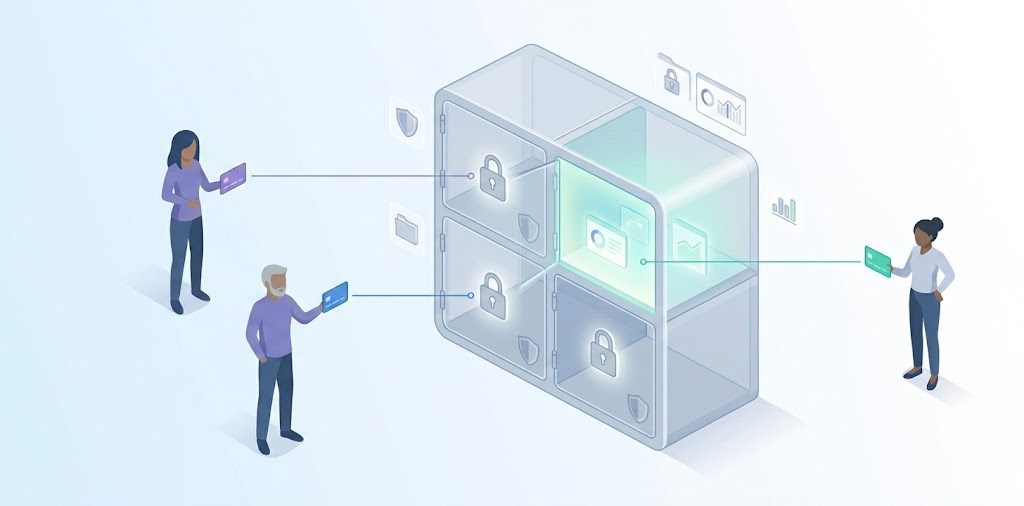
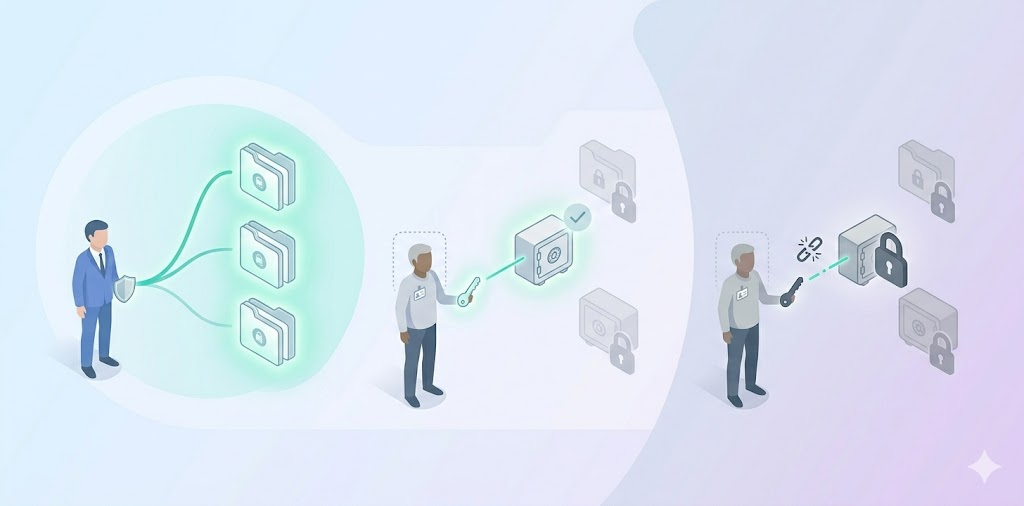
  • External client sharing means someone outside your org, a client, a contractor, a freelancer, needs temporary access to a specific set of credentials. They shouldn’t see anything else in your vault. That isolation is the hard part, and it’s where most general-purpose tools fall short.

Agencies typically use one of three models:

1. Shared vault with scoped access

Create a dedicated vault or collection per client. Only grant that client’s team access to their own collection. Bitwarden handles this with Collections you assign a user to a specific Collection with view, edit, or manager-level permissions. Nothing else in your vault is visible to them.

2. Guest or client invite to a specific folder

1Password supports Guest Accounts, where external users who can be invited to a single vault with limited permissions. They cannot browse your other vaults. This is the cleanest model for agencies handing off credentials at project end, because the client’s access is structurally isolated from day one.

3. Time-limited or view-count-limited sharing

Some purpose-built agency tools support credential shares that expire after a set number of days or views. This is useful for one-off handoffs where you don’t want to manage an ongoing user account for the client. General-purpose tools like Bitwarden and 1Password do not natively support this model without workarounds.

  • The offboarding step matters most.

When a project ends, you need to revoke the client’s access in one action, not manually remove them from every shared folder. Tools like Bitwarden and 1Password let you remove a Guest Account or Collection member in a single step. If your tool requires manual cleanup of each shared item, you will forget one eventually. That’s how stale access creates a breach.

  • Where All Pass Hub fits this workflow:

All Pass Hub supports secure client sharing through encrypted vaults, item-level access control, and unlimited sharing. Teams can isolate credentials by client, assign scoped access, and maintain full visibility through audit logs, making it suitable for both internal collaboration and external client access.

Which Password Manager Is Right for Your Team? (Use-Case Recommendations)

Generic rankings don’t answer the real question: which tool fits your team structure? Here’s how the comparison breaks down by three common agency and small-team models.

1. For MSPs managing multiple clients

Core need: Vault or collection isolation per client, reliable onboarding and offboarding workflows, and audit logs you can show a client if they ask who accessed their credentials.

Recommended

Bitwarden (Collections) 1Password (Guest Accounts) All Pass Hub (Client-level vault isolation + built-in audit logs)

⚠ Watch for

Tools that use a single shared vault across all clients. If one client’s credentials are stored in the same collection as another’s, you have a cross-contamination risk and an awkward conversation if a client ever asks for an access audit.

Also Read – How All Pass Hub’s Password Manager Audit Trail Protects Agencies from Client Disputes

2. For a 5–15 person startup

Core need: Low per-user cost, fast setup, shared vaults without needing a dedicated IT admin. You want a tool your team will actually use, not one that requires onboarding documentation.

Recommended

NordPass (setup speed) Bitwarden (cost + free tier) All Pass Hub (simple onboarding + team-friendly pricing)

⚠ Watch for

Minimum seat requirements. Zoho Vault’s Professional tier requires at least five licences. If you’re a team of two or three, check whether the tool’s pricing model actually works for your size before starting a trial.

3. For an IT agency needing vault-per-client

Core need: Strict credential isolation between client environments, granular RBAC so different team members see only what they’re authorised to see, and audit logs for compliance or client accountability.

Recommended

Bitwarden (self-hosting + Collections) 1Password (13 vault permissions) All Pass Hub (granular access control + client-isolated vault structure)

⚠ Watch for

Cloud-only tools without self-hosting may create data residency issues for clients in regulated industries. All Pass Hub and Bitwarden both support self-hosting. Bitwarden offers full application-level self-hosting, while All Pass Hub provides a hybrid model where the encrypted credential database can be hosted on your own infrastructure.

What Features Should a Small Business Look for in a Password Manager?

Features Should A Small Business Look For In A Password Manager

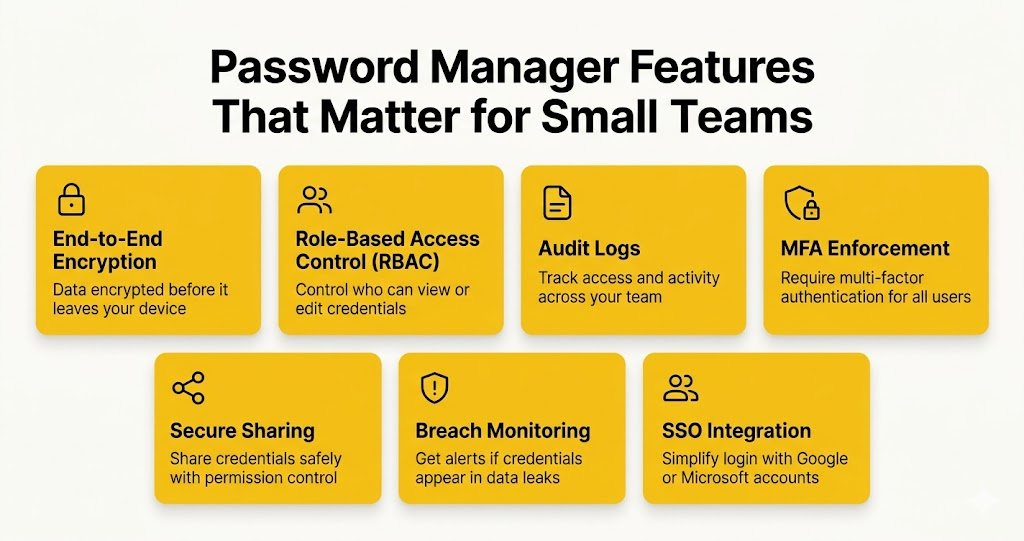
If you’ve landed here without a shortlist yet, here’s the feature framework. Five are non-negotiable for any team use case. Two are worth paying for if your threat model warrants it.

Credentials should be encrypted before they leave your device. Zero-knowledge architecture means the vendor cannot read your vault even if compelled.

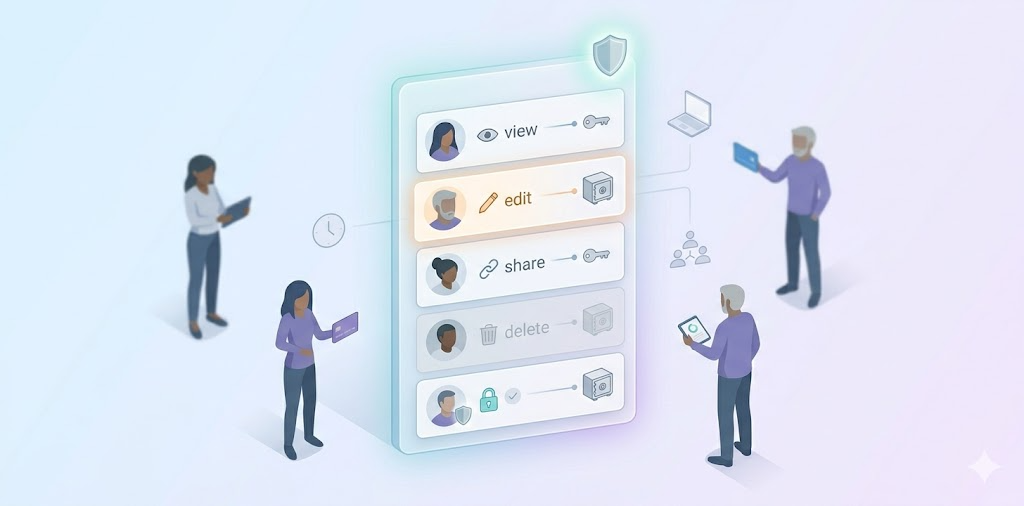
Admins should be able to set who can view, edit, or share specific credentials. Without RBAC, every team member has access to everything.

A record of who accessed which credential and when. Essential for incident response and client accountability. Check whether it’s included in the base tier.

Admins should be able to require multi-factor authentication for all users, not just offer it as an opt-in. This is the single highest-impact security control available.

  • Secure sharing

Sharing should be encrypted end-to-end, with permission controls. Sharing via email or a shared spreadsheet undermines everything else.

  • Breach monitoring

Dark web alerts notify you when a stored credential appears in a known data breach. Dashlane includes this; Bitwarden does not on standard plans.

  • SSO integration

For teams using Google Workspace or Microsoft 365, SSO integration simplifies onboarding and offboarding. 1Password and Bitwarden (Teams+) both support SAML-based SSO.

Budget reality: For teams of 2–5 on tight budgets, a credible free tier may matter more than advanced RBAC. All Pass Hub’s free tier is genuinely usable for individuals and offers a functional starting point though team-sharing features require a paid plan. See the comparison table above for where each of these five features is included or absent across all five tools.

Is All Pass Hub Good for Teams? (And How It Compares)

All Pass Hub is built specifically for agencies and small teams, and its feature set reflects that focus. Instead of covering every enterprise use case, it prioritizes everyday password workflows like secure sharing, client-level isolation, and granular access control without adding operational complexity

Features such as item-level access control, audit logs, and unlimited sharing are part of the core experience, so teams can use them immediately without complex setup. At the same time, security features like end-to-end encryption and self-hosting ensure strong protection and data control without added complexity.

All Pass Hub strengths

  • End-to-end encryption + zero-knowledge architecture: all data is encrypted on your device, and even the platform cannot access or decrypt your vault
  • Self-hosting with full data control: host your encrypted credential database on your own infrastructure while keeping setup simple
  • Item-level RBAC: control access down to individual credentials, ensuring clean separation across clients and team roles
  • Audit trails + real-time visibility: track every access, edit, or share action for accountability and client reporting
  • Unlimited sharing (including guest access): securely share credentials with team members, clients, or external collaborators without limits
  • Security dashboard: identify weak or reused passwords and improve overall password health proactively
  • Built for team workflows: features like tagging, pinning, file storage, and import/export help teams stay organized without friction
  • Cross-platform access + browser extension: seamless usage across devices with autofill and quick access
  • Unlimited credentials: no storage limits as your team or client base grows

All Pass Hub limitations

  • Not fully open-source: focuses on practical security architecture rather than publicly auditable codebases
  • Hybrid self-hosting model: you control the database layer, while the application layer remains managed, reducing operational overhead but differing from fully self-hosted tools
  • Designed for small teams (2–30 users): optimized for clarity and speed rather than enterprise-scale complexity
  • Simplicity over deep customization: prioritizes ease of use and fast adoption instead of layered configuration systems

One-sentence verdict: Choose All Pass Hub if you want strong security fundamentals, precise access control, and client-safe sharing in a system that stays simple to manage. Consider alternatives if your priority is full open-source transparency or enterprise-scale customization beyond small-team workflows.

Conclusion

There is no universal winner in password management, only trade-offs that align differently depending on how your team operates day to day.

Some teams will naturally lean toward tools like Bitwarden for its flexibility and self-hosting capabilities, especially when infrastructure control is a priority. Others may prefer 1Password for its polished experience and depth of permission management in more structured environments.

But for many agencies and small teams, the challenge is not a lack of features. It is finding a tool that balances security with clarity, without adding operational overhead.

That is where All Pass Hub takes a different approach.

Instead of layering advanced features behind higher tiers or complex setups, it focuses on making core team requirements immediately usable. Client-level separation, access visibility, and shared credential management are treated as fundamentals rather than upgrades. This makes it particularly well-suited for teams that need to move quickly while still maintaining control.

In practice, the best choice often comes down to this: do you want a tool you need to configure around your workflow, or one that already aligns with it?

If your team values straightforward setup, clear structure, and built-in accountability without added complexity, All Pass Hub is a strong option to consider alongside the more established names.

Frequently Asked Questions

  1. What is the best password manager for a small business in 2026?

    The best password manager for a small business in 2026 depends on team size and use case. All Pass Hub provides an encrypted vault with a built-in password generator suited to small teams. Bitwarden is the strongest choice for teams prioritising open-source transparency and low per-user cost. NordPass suits teams that need fast setup and zero-knowledge encryption without enterprise complexity. 1Password is best for teams needing granular vault permissions and passkey support.

    2. What is the best password manager for a marketing agency?

      Marketing agencies need a password manager that can handle multiple client accounts with scoped access and easy credential handoff. All Pass Hub, Bitwarden (via Collections), and 1Password (via Guest Accounts) all support client-facing sharing models. The critical feature to verify is whether the tool allows you to grant a client access to their own credentials only — without exposing your agency vault or other client data.

      3. How do agencies share passwords with clients securely?

        Agencies share passwords with clients securely by granting scoped access to a specific vault collection or folder, not by sharing master vault credentials or sending passwords via email. Tools like Bitwarden use Collections; 1Password uses Guest Accounts with limited permissions. The workflow is: create a client-specific collection, populate it with that client’s credentials, invite the client with view-only or edit access, and revoke access at project end. All Pass Hub’s client-sharing model is based on encrypted vaults with item-level access control and unlimited sharing, allowing agencies to grant clients scoped access while keeping other credentials fully isolated.

        4. What is the difference between a personal and team password manager?

          A personal password manager stores and autofills credentials for one user. A team password manager adds shared vaults, role-based access controls, admin dashboards, user provisioning, and audit logs, so an admin can manage who accesses which credentials, enforce password policies across the organisation, and revoke access instantly when a team member leaves. For any team beyond two people sharing credentials, the admin controls and audit trail of a team-focused tool are essential.

          5. How much does a business password manager cost?

            Business password managers typically cost between $2 and $8 per user per month when billed annually.

            • All Pass Hub pricing: around $2/user/month (teams).
            • Bitwarden Teams is around $4/user/month.
            • NordPass Teams is around $4.99/user/month.
            • 1Password Business is around $7/user/month.
            • Dashlane Business is around $8/user/month.

            Some tools, including Bitwarden, offer a credible free tier for individuals — but team-sharing features typically require a paid plan. Minimum seat requirements vary; Zoho Vault’s Professional tier requires five licences minimum.

            Bitwarden vs All Pass Hub — Which Password Manager Is Right for Your Team?

            Choosing a password manager for your team is no longer just about storing login details. It is about who has access to what, how securely that access is managed, and whether you can track activity when it matters. For teams comparing tools like Bitwarden and All Pass Hub, the real decision comes down to control, visibility, and how well the tool fits into day to day workflows.

            This comparison is designed to give you a clear and practical answer. Instead of listing features without context, it explains how each platform performs in real situations such as managing shared credentials, setting up structured access, and maintaining accountability through audit logs. It also explores how teams can move away from risky practices by adopting a more secure password workflow for small teams, which is often where most security gaps begin.

            The need for this shift is backed by data. According to the Verizon Data Breach Investigations Report, a large percentage of security breaches continue to involve compromised credentials. This makes structured password management and visibility not just a convenience, but a requirement for any team handling client data or internal systems.

            In the sections that follow, you will see where each tool is strong, where trade offs exist, and which one fits best based on your team size and workflow. Whether you are a small team looking for better control without added complexity, or evaluating long term security and scalability, this guide will help you make a confident and informed decision.

            Bitwarden vs All Pass Hub: Feature Comparison

            FeatureBitwardenAll Pass Hub
            Price per userFree / $4 (Teams) / $6 (Enterprise)Free / $2 (Premium) Lowest
            Free planYes — sharing limited to 1 personYes — includes access controls & shared vault
            Open sourceYes — fully open source AdvantageNo — zero-knowledge architecture
            Self-hostingEnterprise plan only (Docker required)Premium plan — no Docker required
            User-based access controlsTeams plan and aboveAll plans including free Advantage
            Audit logsTeams plan and aboveAll plans including free Advantage
            Guest sharingSend links (no account needed); collection sharing on Teams+Account-based guest sharing on Premium
            Supervisor roleNo named supervisor tierYes — dedicated supervisor role on Premium
            MFA optionsTOTP, email, hardware keys (premium), DuoTOTP, hardware keys — MFA on all plans
            Team size sweet spotAny size — scales to enterprise2–30 users
            Browser extensionsChrome, Firefox, Safari, Edge, Opera, Brave, Tor, CLI WiderChrome, Firefox, Safari, Edge

            Open source and transparency

            Open Source And Transparency

            Bitwarden wins this clearly, and it matters. Open source means anyone can read the code. Security researchers can audit exactly how encryption is implemented, how keys are derived, and how data is stored. The community finds bugs, reports them publicly, and verifies that fixes land.

            Bitwarden’s GitHub repository is active and its annual third-party audits (Cure53) are published.

            All Pass Hub is not open source. What it does offer is zero-knowledge architecture in which the master password never leaves your device, encryption happens client-side, and All Pass Hub as a company cannot read your vault.

            That is the security outcome most small business buyers actually care about. But it is not the same as open source, and it should not be presented as equivalent. If your team’s security culture demands code-level auditability, Bitwarden is the right choice.

            Pricing for small teams

            Pricing For Small Team

            All Pass Hub offers a straightforward pricing model that aligns well with the needs of small teams. At $2 per user per month, a 10 person team pays $20 a month, making it a cost efficient option for teams that need structured access, shared vaults, and visibility without moving into higher pricing tiers. This becomes especially relevant when you consider the broader cost of managing passwords across teams and the risks associated with unstructured systems.

            Bitwarden’s free plan exists and is genuinely useful for individuals, but it limits sharing to one other person. That constraint makes it impractical for a team.

            All Pass Hub’s free plan is designed with small teams in mind. It includes shared vault access and user based access controls, allowing teams to organise credentials and manage access from the start, without needing an immediate upgrade. This makes it easier to establish structured password management practices early, rather than introducing them later as the team grows.

            One other pricing distinction is self hosting. Bitwarden requires the Enterprise plan at $6 per user per month for self hosting. All Pass Hub includes self hosting in its $2 per user per month Premium plan, making it more accessible for teams that need a self hosted password manager for small teams without significantly increasing costs.

            User-based access controls

            User Based Access Controls

            Both tools let you control who sees what but they differ in how and at which price point. Bitwarden organises credentials into collections and assigns roles at the collection level: Owner, Admin, Manager, and Member.

            Manager-level users can control who accesses specific collections. Custom roles are available on the Enterprise plan. This is a mature, flexible system, but it requires the Teams plan ($4/user/month) or above to unlock.

            All Pass Hub uses user-based access controls on all plans, including free. This is not the same as true item-level RBAC in the enterprise sense, but it covers the core small-team requirement: controlling which users can access which vaults and credentials based on their role.

            A team lead can be given access to their client’s vault without seeing unrelated vaults. That separation is what most agencies and small businesses actually need in secure team password management, and it does not require an upgrade to access it.

            Audit logs

            Audit Log

            Both tools include audit logging, but All Pass Hub includes it on every plan, while Bitwarden restricts it to Teams and above. That distinction is the most practically significant pricing difference between the two tools for small teams on tight budgets.

            What do audit logs actually show? In both tools: who accessed which credential, when, from which device, and what action they took like view, edit, share, delete. For a 10-person agency, this matters in three specific situations: offboarding a contractor (what did they access in the final week?), investigating a suspicious login (was an account accessed outside business hours?), and demonstrating credential hygiene to a client or auditor.

            If your team is on Bitwarden’s free plan, you have no audit trail at all. But, if your team is on All Pass Hub’s free plan, you do have an audit trail to prevent client disputes. For teams where accountability and visibility are non-negotiable, that difference is worth paying attention to.

            Guest sharing and external access

            Guest Sharing And External Access

            This is where the two tools take genuinely different approaches. Bitwarden has a feature called Send, it generates an encrypted link to a specific credential that anyone can open, even without a Bitwarden account, with optional expiry and password protection.

            It also allows adding external people to collections on a Teams or Enterprise plan. Neither option gives you a named guest account with scoped vault access and an audit trail entry on a free or low-cost plan.

            All Pass Hub includes account-based guest sharing on its Premium plan. A contractor or client is invited as a guest, gets access to a specific vault, not your full credential store and that access can be revoked cleanly when the engagement ends. The sharing event is logged in the audit trail.

            For agencies managing credentials across multiple client engagements with rotating freelancers, the workflow difference matters, especially when following a structured small agency password playbook:

            share access to Client A’s vault → contractor completes the project → revoke access → confirm in audit log that access is removed.

            Both tools support this workflow; All Pass Hub’s implementation is more structured for this specific use case.

            Self-hosting

            Self Hosting

            Bitwarden’s self-hosting option is more mature. It has a large, active community of self-hosters, detailed documentation, and years of production use. If you have a technical team member who is comfortable with Docker and a server environment, Bitwarden’s self-hosted option is well-supported.

            The constraint is cost: Bitwarden self-hosting requires the Enterprise plan at $6 per user per month. For a 10-person team, that is $60 a month which is three times the cost of All Pass Hub Premium before you factor in infrastructure.

            All Pass Hub offers self-hosting for small teams on its $2 per user per month Premium plan and does not require Docker. The trade-off is that it is a newer, smaller community with less peer-reviewed documentation.

            For teams that need self-hosting for data sovereignty or compliance reasons but do not want enterprise pricing, All Pass Hub’s approach is more accessible. For teams where self-hosting maturity and community support are the priority, Bitwarden is stronger.

            Ease of use and setup

            Bitwarden has a learning curve, particularly for non-technical team members and for admins setting up collections and permissions for the first time. The interface is functional rather than polished, and new users sometimes need guidance to understand how vaults, collections, and organisations fit together.

            All Pass Hub is designed specifically for non-technical small business teams. The admin interface is simpler, onboarding is faster, and it is built to streamline password management without requiring enterprise middleware, SSO configuration, or directory sync.

            Bitwarden has significantly wider platform coverage: browser extensions for Chrome, Firefox, Safari, Edge, Opera, Brave, and Tor, plus a command-line interface. All Pass Hub covers the four major browsers. For technical teams that need CLI access or use niche browsers, Bitwarden is the practical choice.

            Which one should your team choose?

            Choose All Pass Hub if…

            • Your team is 2–30 people and you want audit logs and access controls without paying enterprise prices to unlock them
            • You run an agency and need to separate credentials by client with vault-level access controls and a supervisor role per account manager
            • You need to share credentials with contractors or clients and want that activity logged in the audit trail
            • You want a self-hosted option at $2 per user per month without a Docker infrastructure requirement
            • You want a simpler admin experience designed for non-technical team members

            Choose Bitwarden if…

            • Open-source transparency and community auditability are priorities for your team’s security culture
            • You need enterprise self-hosting with Docker and have the infrastructure to support it
            • Your team is technical and benefits from CLI access or uses Brave, Tor, or other niche browsers
            • You are managing more than 30 users and need enterprise SSO, directory sync, or custom roles
            • It is just two of you and you can operate on Bitwarden’s free plan with single-person sharing

            Choosing the Right Fit for Team Password Management

            The decision between Bitwarden and All Pass Hub is less about which tool is universally better and more about which one aligns with how your team actually works on a daily basis. Both platforms solve the core problem of secure password storage, but they approach control, visibility, and usability from very different angles.

            Bitwarden leans toward teams that prioritise transparency, technical flexibility, and long-term scalability. Its open-source foundation and mature ecosystem make it a strong fit where infrastructure, compliance, and engineering involvement are already part of the workflow.

            All Pass Hub takes a more practical route for small teams that need structure without complexity. It brings access control, audit visibility, and organised sharing into place from the start, without requiring upgrades, additional configuration, or technical overhead. This changes how quickly a team can move from informal password handling to a system that is controlled, trackable, and easier to manage as responsibilities grow.

            For most small teams, the real shift is not adopting a password manager, but moving toward a setup where access is intentional and activity is visible. The tool that makes that transition simpler, without adding friction, is usually the one that gets used properly.

            Frequently asked questions

            1. Is Bitwarden suitable for small teams on a free plan?

            Bitwarden’s free plan works well for individual use or very small setups, but team usage quickly runs into limitations around shared access and structured controls. For small teams that need shared vaults, role-based access, and visibility from the start, All Pass Hub’s free plan is designed to support that workflow without requiring an immediate upgrade.

            2. Do small teams really need audit logs?

            Audit logs become important as soon as multiple people are accessing shared credentials. Without them, it becomes difficult to track usage or review activity when something changes. All Pass Hub includes audit logs across all plans, which allows even small teams to maintain visibility without moving into higher pricing tiers.

            3. What is a better approach for sharing passwords with external users?

            A more structured approach is to avoid sending credentials as links and instead provide controlled access through scoped accounts. All Pass Hub supports this through guest sharing, where external users can be given access to specific vaults and removed cleanly when no longer needed, while keeping a record of activity in the audit trail.

            4. How important are permission levels in a small team setup?

            Even small teams benefit from separating access by role instead of sharing everything broadly. All Pass Hub includes user-based access controls across all plans, which helps teams assign credentials based on responsibility without complex configuration or enterprise-level setup.

            5. What should a small business look for in a password manager?

            Small businesses typically need three things: controlled sharing, visibility over usage, and a system that does not require heavy administration. All Pass Hub focuses on making these available in simpler plans, which allows teams to adopt structured password management early without waiting to scale into higher tiers.

            6. How can teams reduce password-related risk in day-to-day operations?

            Risk usually comes from untracked sharing and inconsistent access practices. A more reliable approach is to centralise credentials in a system that enforces controlled access and logs activity automatically. All Pass Hub is built around this principle, making it easier for teams to maintain consistent security habits without relying on manual processes.

            How All Pass Hub’s Password Manager Audit Trail Protects Agencies from Client Disputes

            You’ve just received a message from a client. They’re upset — their social media account password was changed without their knowledge, and they want to know who did it and why. You turn to your team. Someone says, “I think it was updated last week, but I’m not sure who did it.”

            That answer isn’t good enough, and you know it.

            This is the silent vulnerability most agencies carry: no clear record of who accessed which client credential, when, and why. When a dispute surfaces, there’s nothing concrete to show.

            An audit trail for a password manager solves exactly this. It’s a complete, chronological log of every action taken on stored credentials, who accessed them, who changed them, and precisely when each event occurred.

            All Pass Hub’s audit trail gives agencies a transparent, tamper-proof record of all credential activity across every client account. This guide walks through what it records, how agencies use it day-to-day, how it resolves disputes step by step, and why it’s become a quiet but powerful competitive advantage.

            1. The Real Problem Agencies Face When Managing Multiple Client Accounts

            Most agencies are quietly juggling hundreds of logins across their client base. Social media accounts, CMS platforms, ad dashboards, hosting panels, email tools, analytics accounts. The list grows with every new client and every new platform.

            The problem isn’t that teams are careless. The problem is structural. When multiple people share access to the same credentials, individual actions become invisible.

            Who viewed the login? Who copied it? Who made a change and when?

            Without a dedicated tracking system, the honest answer is: nobody knows for certain.

            This lack of visibility becomes even more risky when you consider that, according to IBM’s Cost of a Data Breach Report, compromised credentials are one of the most common causes of security incidents and can significantly increase the time it takes to identify and contain a breach.

            Agencies fall back on memory and informal communication. “I think Sarah accessed it last Thursday.” That’s not a defensible answer when a client is asking hard questions.

            How Disputes Typically Surface

            TriggerWhat the Client NoticesWhat the Agency Can’t Explain
            Unauthorised postContent published they didn’t approveWho had access at that time
            Changed settingAccount configuration alteredWhich team member made the edit
            Locked accountLogin no longer worksWhether the agency changed the password
            Missing file or assetSomething deleted or movedWho last accessed the credentials

            Disputes happen more often than agencies expect. And in every case, the agency faces the same problem: without proof, it cannot explain or defend itself, even if it did everything right.

            The core issue is accountability. Shared team access without individual tracking creates a blind spot, and that blind spot grows every time the team expands or a new client is onboarded.

            2. What an Audit Trail Actually Is in a Password Manager

            An audit trail in a password manager is a continuous, unalterable log that records every interaction with stored credentials. Every action is documented the moment it happens, not summarised, not approximated. Documented.

            Think of it like a bank statement. Your bank doesn’t just show your current balance, it shows every deposit, withdrawal, and transfer, with an exact timestamp. You can look back at any point in history and know exactly what happened. An audit trail does the same thing for credential activity.

            What a Proper Audit Trail Records

            Data PointWhat It Captures
            WhoThe specific team member who performed the action
            WhatWhether they viewed, copied, edited, shared, or deleted the credential
            WhenThe exact date and time of the action
            Which credentialThe specific login that was accessed or changed
            Which clientThe vault or account the credential belongs to

            Audit Trail vs. What Most Agencies Have

            ApproachWhat It CapturesUseful in a Dispute?
            No loggingNothing✗ No
            Basic login logsWho logged into the system✗ Rarely
            Audit trail (All Pass Hub)Every credential-level action, by individual user✓ Yes

            The word unalterable is important. A proper audit trail cannot be edited or deleted retroactively — not even by admins. That’s what gives it credibility. If it could be changed, it wouldn’t be evidence; it would just be another document that someone might have modified.

            3. What All Pass Hub’s Audit Trail Records

            Credential access monitoring is only useful if it captures the right data. Here’s exactly what All Pass Hub logs, and why each data point matters in practice.

            A. User Identity

            Every action is tied to a specific team member, not just the account login. This makes individual accountability possible even in a shared workspace. When a dispute arises, you’re not looking at a vague log entry that says “someone accessed this”, you know exactly who.

            B. Action Type

            The log distinguishes between meaningfully different events. Password usage tracking captures each one separately:

            ActionWhy It Matters
            ViewedConfirms someone looked at the credential without necessarily using it
            CopiedIndicates the credential was taken out of the vault, possibly used externally
            EditedShows a change was made which is the most common source of disputes
            SharedRecords when access was extended to another person
            DeletedDocuments permanent removal of a credential

            C. Timestamp

            Every entry includes the exact date and time of the action. In a dispute where a client says “this happened on Tuesday afternoon,” the timestamp either confirms or rules out agency involvement. There’s no ambiguity.

            D. Password Change History Tracking

            When a credential is updated, the system logs who changed it and when, that too without storing the old password in plain text (security is preserved). But the change event itself is fully documented. Password change history tracking means you always know when credentials were rotated, who did it, and in what context.

            E. Client or Vault Association

            Every log entry is linked to a specific client vault. When reviewing a dispute, you can filter the entire log to show only that client’s activity eliminating the need of shifting through unrelated entries.

            F. Device or IP Address

            Depending on configuration, All Pass Hub can also capture the device or network from which access occurred that are extremely useful when investigating whether access happened from an expected location.

            4. How Agencies Use the Audit Trail in Daily Operations

            The audit trail isn’t just a break-glass-in-emergency feature. For well-run agencies, it becomes part of everyday workflow acting as a quiet layer of discipline that makes everything run more smoothly.

            A. Role-Based Access Enforcement

            Because the audit trail tracks individual users, agencies can set clear access permissions by role — and then verify those permissions are being respected.

            Example: If only the social media manager should access a particular client login, the log will immediately show if anyone else did. Credential access monitoring doesn’t just record what happened, it holds team members accountable to the rules you’ve set.

            B. Onboarding and Offboarding Checklist

            ✅ New Team Member Onboarding

            • Assign role-based vault access in All Pass Hub
            • Confirm the audit trail is logging their activity from day one
            • Review first-week access log to confirm permissions are working as intended

            ✅ Employee Offboarding

            • Revoke vault access immediately upon departure
            • Pull the audit trail for that team member’s full access history
            • Review for any unusual access in the weeks before departure
            • Document the review and retain for client records

            C. Regular Access Reviews

            Agencies can run periodic checks like weekly or monthly to verify that only the right people are touching the right credentials. This is preventive, not reactive.

            Suggested review cadence:

            FrequencyWhat to Check
            WeeklyAny access outside normal working hours
            MonthlyFull access review per client vault
            At project closeComplete credential activity log for the engagement
            After personnel changesAccess history for the departing or joining team member

            D. Handover Documentation

            When a project wraps up or a client relationship ends, the audit trail provides a complete record of all credential activity during the engagement. Both sides know what was accessed, what was changed, and when. Handovers become clean, clear, and dispute-free.

            5. How the Audit Trail Resolves Client Disputes

            This is where the audit trail earns its place. Let’s walk through exactly what resolution looks like.

            The Scenario

            A client messages your agency. Their social media account password was changed without their knowledge or so they believe and they want to know who did it and why. They’re not angry yet, but the tone is pointed. They want answers.

            Without an audit trail, you’re stuck. You can ask your team, piece together memories, and come back with something vague. With All Pass Hub’s audit trail, you have the answer in minutes.

            The Resolution Process

            1. Identify the client vault

                     │

                     ▼

            2. Filter the audit log by credential + time range

                     │

                     ▼

            3. Read the log — who accessed it, what they did, when

                     │

                     ▼

            4. Generate and export the report

                     │

                     ▼

            5. Share with the client

            Step 1 – Identify the client vault Navigate to the relevant client’s vault in All Pass Hub. All credentials and their associated activity are housed here.

            Step 2 – Filter the audit log Filter the audit trail by the specific credential in question and set the time range to the period the client is asking about.

            Step 3 – Read the log The log shows exactly who accessed or modified the credential, with timestamps. If a change was made by a team member, the record shows who. If no change was made at all, the record confirms that clearly.

            Step 4 – Generate the report Pull a readable report of the audit log for that credential and time frame. All Pass Hub formats this as a clean, shareable document, no technical jargon, no raw data.

            Step 5 – Share with the client Send the report to the client. The dispute is resolved with evidence, not with argument.

            Scenario A: The Agency Is Cleared

            The audit log shows no changes to the credential during the period in question. No team member accessed it. The agency shares this record with the client, clearly, professionally, without defensiveness.

            The client now knows the change didn’t come from the agency’s side, and the investigation can move in a more productive direction. The agency’s reputation is protected.

            Scenario B: The Agency Takes Accountability

            The audit log reveals that a team member did access and modify the credential, possibly without proper authorisation.

            This outcome, while uncomfortable, is actually better than a dispute that never gets resolved. The agency can acknowledge what happened, explain the context, and demonstrate that the access control issue has been corrected.

            Clients respect accountability. What damages relationships isn’t mistakes, it’s the inability to own them. The audit trail makes ownership possible.

            Dispute Outcomes at a Glance

            SituationWithout Audit TrailWith All Pass Hub Audit Trail
            Agency made no changesCan’t prove itLog confirms no access — client satisfied
            Team member made an errorBlame is unresolvedSpecific event identified, accountability taken
            Client made the changeCan’t demonstrate thisLog shows no agency activity — inquiry redirected
            Access occurred outside hoursUnknownFlagged in the log with timestamp and device

            6. How the Audit Trail Supports Compliance for Agencies

            Beyond dispute resolution, there’s a broader context that many agencies don’t consider until they pitch to their first enterprise client: compliance.

            Many industries that agencies serve, healthcare, finance, legal, e-commerce, operate under data protection regulations that require documented access control. An audit trail isn’t just good practice in these contexts; it’s often a formal requirement.

            Compliance Framework Alignment

            FrameworkRequirement Relevant to Audit TrailsHow All Pass Hub Helps
            GDPRDemonstrate who had access to personal data and whenFull per-user, per-credential access log
            HIPAAAudit controls for access to protected health informationTamper-proof activity log with timestamps
            SOC 2Logical access and monitoring controlsCredential-level access monitoring with exportable reports

            For agencies pitching to enterprise clients or regulated businesses, showing that your password management includes audit trail capability is a competitive differentiator. Most agencies can’t answer the question “do you have a documented record of credential access?” If you can and you can show it you move into a different tier of consideration.

            Internal compliance matters too. Agency owners can show investors, auditors, or partners that the business follows controlled access practices not just in policy documents, but in actual, verifiable records.

            7. How All Pass Hub Makes the Audit Trail Easy to Use

            A powerful audit trail that’s buried in an admin panel no one can navigate is almost as useless as not having one. All Pass Hub was designed so that the audit trail is accessible, readable, and actionable for any team member, not just the technical ones.

            Feature Overview

            FeatureWhat It DoesWhy It Matters
            In-vault accessAudit trail lives inside the client vaultNo separate admin panel or IT support needed
            Smart filtersFilter by user, action, credential, or date rangeFind specific events in seconds
            Plain language logsWritten in readable English, not event codesAny team member can understand it
            Exportable reportsGenerate shareable reports in a clean formatReady to send to clients without reformatting
            Activity alertsNotifications for unusual access (e.g. after hours)Proactive monitoring, not just reactive review

            How to Access the Audit Trail (Quick Sequence)

            Open All Pass Hub

                    │

                    ▼

            Navigate to the relevant client vault

                    │

                    ▼

            Select the credential in question

                    │

                    ▼

            Open the audit log tab

                    │

                    ▼

            Apply filters (user / action type / date range)

                    │

                    ▼

            Review log entries

                    │

                    ▼

            Export report if needed

            The log is written in readable language not raw event codes or cryptographic identifiers. An account manager, a project lead, or the agency owner can open the log and understand exactly what it says without needing a technical background.

            8. Building Client Trust Through Transparency

            Everything covered so far has been operational. But there’s a bigger picture worth stepping back to see.

            Trust between an agency and its clients is built on transparency. When an agency can tell a client, “Here is exactly what happened with your credentials, and here is the proof,” the relationship becomes more durable. It’s not a claim. It’s documentation.

            Reactive vs. Proactive Use of the Audit Trail

            ApproachWhen It’s UsedEffect on Client Relationship
            ReactiveOnly when a dispute arisesResolves problems, restores trust after damage
            ProactiveRegular access reports shared with clientsSignals accountability before problems arise

            Proactive transparency is more powerful. Agencies that share access reports with clients regularly not just when something goes wrong signal a level of confidence and accountability that most clients have never experienced from an agency before. It changes the nature of the relationship.

            Clients who know their credentials are managed with a fully audited system are more likely to expand the scope of work they give you. They’re trusting you with their accounts precisely because you can demonstrate that trust is warranted.

            Compare this to the alternative. Clients with no visibility into how their logins are handled tend to feel anxious. They raise more disputes not because more things go wrong, but because they can’t tell what’s happening. Over time, that anxiety erodes confidence and drives them toward agencies that offer something better.

            The audit trail isn’t just a defensive tool. It’s a relationship tool. And in an industry where long-term client relationships are the difference between a growing agency and a struggling one, that distinction matters.

            Conclusion

            The agencies that thrive long term are the ones clients trust completely. That trust doesn’t come from good intentions, it comes from demonstrated accountability.

            All Pass Hub’s audit trail gives agencies the infrastructure to be accountable: a tamper-proof record of who accessed which credential, what they did with it, and when. It resolves disputes with evidence instead of argument. It supports compliance with GDPR, HIPAA, and SOC 2. It protects agencies when clients raise concerns and it empowers agencies to take responsibility when something goes wrong.

            Above all, it transforms credential management from something that happens invisibly in the background into something you can stand behind, show to clients, and use to build stronger relationships over time.

            If you’re managing client credentials without a clear record of every access and change, that gap is worth closing. All Pass Hub’s audit trail is a natural place to start, explore it and see how it fits into how your agency works.