How All Pass Hub Helps High-Performance Teams Manage Credentials Smartly

You will be surprised to know that nearly 80% of hacking-related breaches happen due to stolen or weak credentials. The stakes are even higher for high-performance teams as they rely on dozens of platforms daily, from project management apps and developer repositories to payment portals and client dashboards. 

Every login becomes a potential weak spot if not handled carefully.

Here’s the sad part: many teams still depend on outdated habits, such as storing credentials in spreadsheets, reusing weak passwords, or sharing logins over chat apps. 

The result is an open invitation to data theft, compliance failures, and costly operational delays. We are midway through this decade, and password security for teams is no longer a minor IT task; it has become the foundation of enterprise resilience.

That is why this blog shares valuable insights about modern credential management and enterprise password management tools. 

Solutions like All Pass Hub demonstrate how a high-performance team password solution can combine simplicity with strength. By keeping everything in a secure vault, enabling role-based access, and ensuring zero-knowledge protection, teams gain both speed and confidence.

Let’s explore how teams can guard their digital backbone without hampering productivity. 

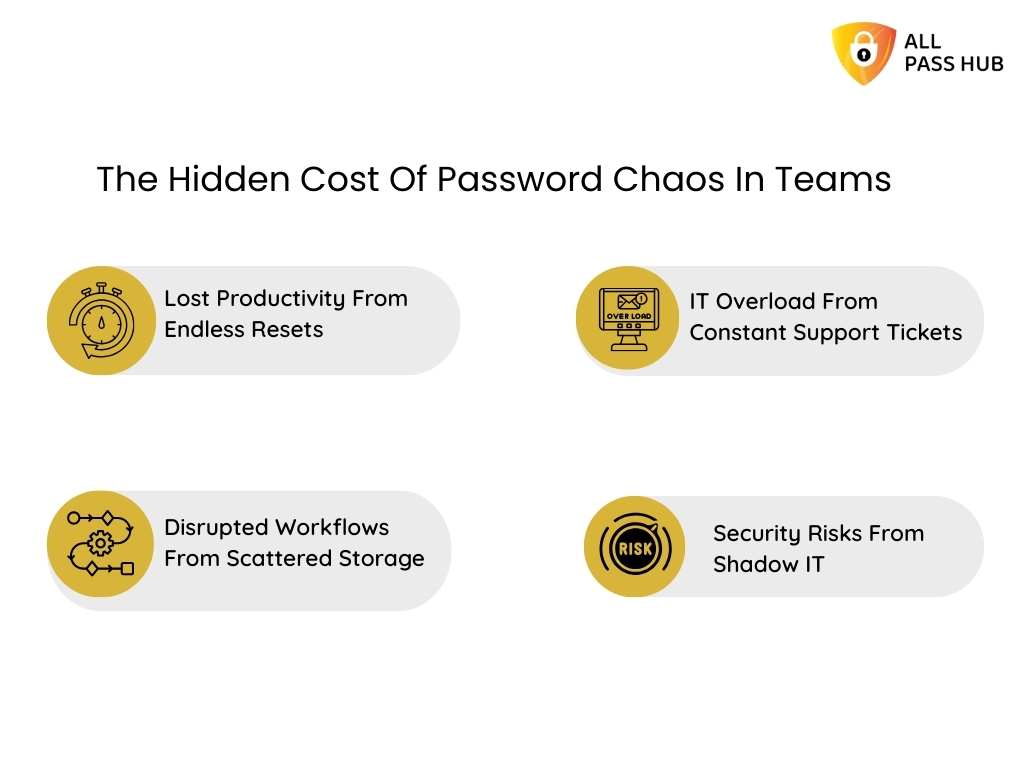
Core Challenges Teams Face In Password Management

Did you know that nearly 70 percent of professionals feel overwhelmed by the number of passwords they juggle daily? For high-performance teams, this chaos is magnified across dozens of platforms, making credential security both a necessity and a burden. 

Let’s break down the most pressing challenges that hinder team productivity.

Uncontrolled Sharing

Credentials are often exchanged through chat apps, email, or spreadsheets. These shortcuts expose sensitive data to leaks and misuse.

IT Overload

When reset requests pile up, IT teams spend valuable hours on low-level tasks instead of driving strategic innovation.

Shadow IT

Employees frequently sign up for tools without IT oversight, leaving accounts unmonitored and vulnerable to breaches.

Compliance Headaches

Industries that depend on compliance risk penalties, lost trust, and operational setbacks without audit trails or reporting.

➡️The exciting part is that solutions do exist. They not only resolve these problems but also transform them into opportunities for collaboration, trust, and growth.

In a Nutshell: Teams that rely on obsolete methods risk inefficiency and breaches. Credential management software turns password chaos into clarity, control, and compliance. 

Why Simplicity Equals Security In Enterprise Credential Vaults

Most teams assume that robust protection requires complex tools, but the truth is the opposite. The more cluttered a system becomes, the more likely users are to make mistakes or avoid the tool altogether. 

Let’s explore how over-complication weakens adoption and why a streamlined approach is the real strength in enterprise password management.

Overcomplicated Tools Create Risky Workarounds

When dashboards require endless clicks, employees bypass them by saving credentials in browsers, reusing old passwords, or worse, writing them down. Instead of reinforcing security, complex tools drive people toward unsafe shortcuts.

Clutter Blinds Users To What Matters

Interfaces crammed with dozens of little-used features bury the essentials. Instead of quickly accessing a password vault for business, staff waste time navigating tabs and menus, leaving gaps in both productivity and protection.

Intricacy Lowers Adoption Rates

A password manager only works if everyone uses it consistently. If the platform feels heavy, many users will abandon it. It creates silos of unsecured data and affects the primary purpose of enterprise password management.

Credential management software transforms security into a seamless part of daily workflows by focusing on user-friendliness. A high-performance team password solution, such as All Pass Hub, ensures that every member, from IT professionals to non-technical staff, can safeguard data with confidence.

➡️The result is a tool that blends into the background while delivering maximum security impact.

Essential Insight: A user-friendly, intuitive enterprise credential vault aims to fortify adoption, improve business workflows, and prevent security gaps at scale.

All Pass Hub: A Team-First, Enterprise-Ready Password Manager

The actual test of a password manager for teams is not just its encryption algorithms but how well it fits into the everyday rhythm of business. High-performance teams require a tool that adapts to their workflows, scales effortlessly, and enforces enterprise password management standards without being overwhelmed. 

It is where All Pass Hub makes a striking impression. How? Let’s explore.

Built on Zero-Knowledge Foundations

All Pass Hub follows a zero-knowledge password manager model. Credentials are encrypted locally before they enter the cloud. It means no one, not even the provider, can access a vault. This approach guarantees privacy while aligning with the latest compliance requirements.

Designed for Every Growth Stage

Whether you are a start-up searching for a reliable password manager for a small business or an enterprise with thousands of employees, All Pass Hub adjusts to your scale. 

It evolves with your needs. It offers the same resilient vault for business while supporting advanced role-based access for large teams.

Remote-First and Collaboration-Ready

Global teams cannot afford silos. All Pass Hub is a team password manager software that enables secure password sharing across distributed offices. 

From client-facing agencies to IT departments, every user benefits from seamless access. It empowers managers to retain visibility and control through the enterprise credential vault.

By combining rigorous security with an experience designed for real teams, All Pass Hub positions itself as both a business password manager and a high-performance team password solution. It does not just store credentials; it ensures teams move faster without sacrificing security.

The Crux: All Pass Hub adapts to modern work. From small businesses to global enterprises, it delivers enterprise credential management that has privacy, scalability, and effortless collaboration. 

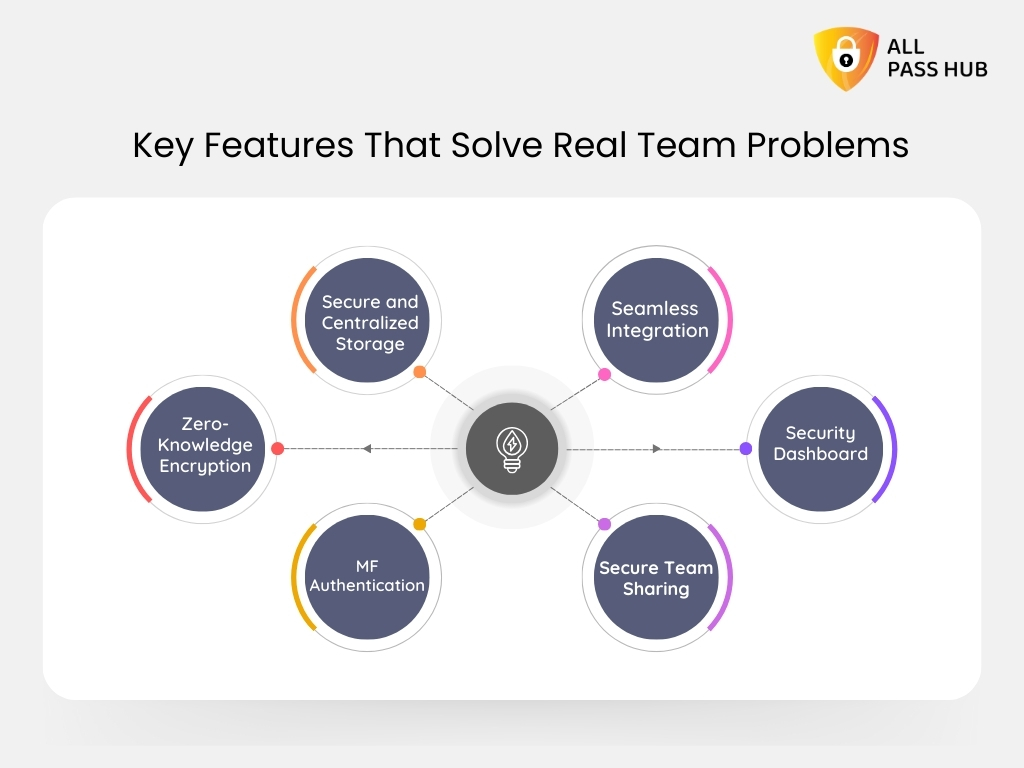
Key Features That Solve Real Team Problems

Key Features That Solve Real Team Problems


The actual test of a password manager for teams is not just its encryption algorithms but how well it resolves the everyday hurdles that drain productivity and expose organizations to risk. 

High-performance teams require a systematic tool that eliminates friction, safeguards sensitive data, and enables seamless access across every device. It is where All Pass Hub shines. It turns common challenges into lasting strengths with its following core features.

Secure and Centralized Storage

Scattered spreadsheets and forgotten sticky notes expose organizations to unforeseen risks. All Pass Hub offers a single password vault for businesses. 

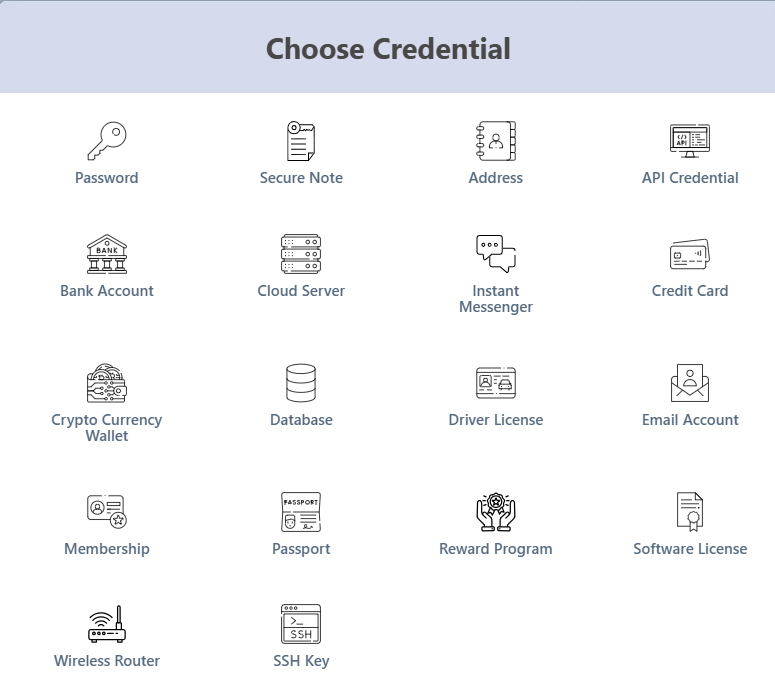
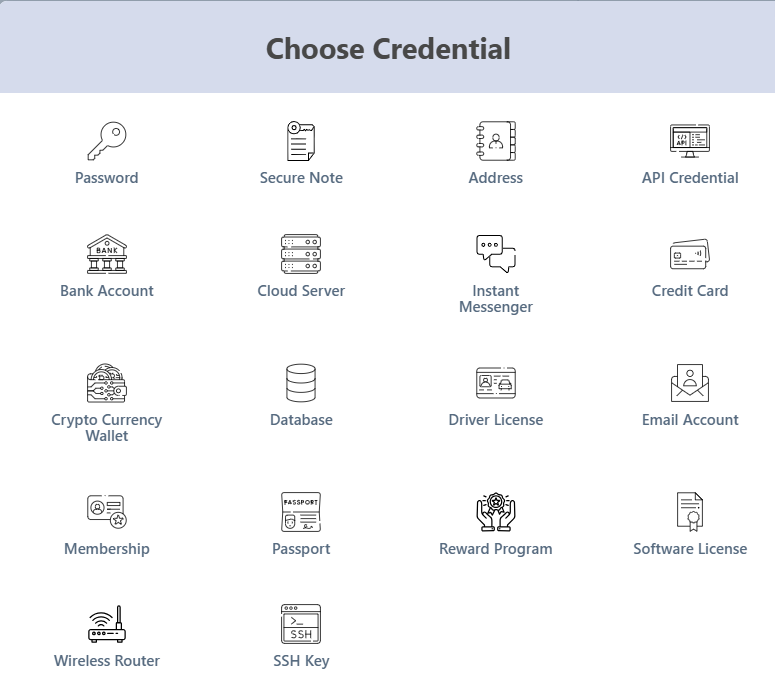
You can store credentials, payment cards, licenses, and even proprietary data in a consolidated place. With instant cloud sync, every update is available across devices, ensuring continuity and removing confusion. 

store credentials, payment cards, licenses, and even proprietary data in one place

Zero-Knowledge Encryption and Breach Protection

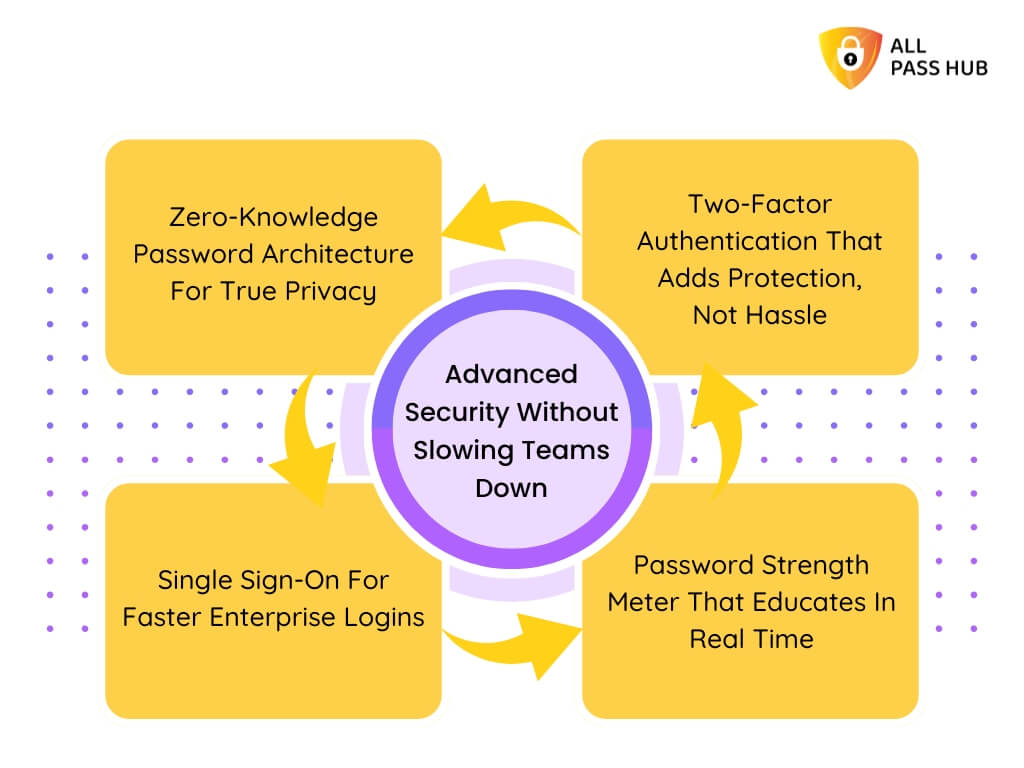
All Pass Hub encrypts data on the client side before it ever leaves the device. With its zero-knowledge password manager model, even the provider cannot access a vault. 

Encryption begins with PBKDF2-SHA256 and 600,000 unique iterations to derive a secure key, followed by AES-128 encryption for vault data. 

End-to-end encryption has dual-key protection that adds an extra safeguard, requiring both the login password and master key to decrypt credentials. 

This layered structure shields teams against brute-force attacks and phishing tactics.

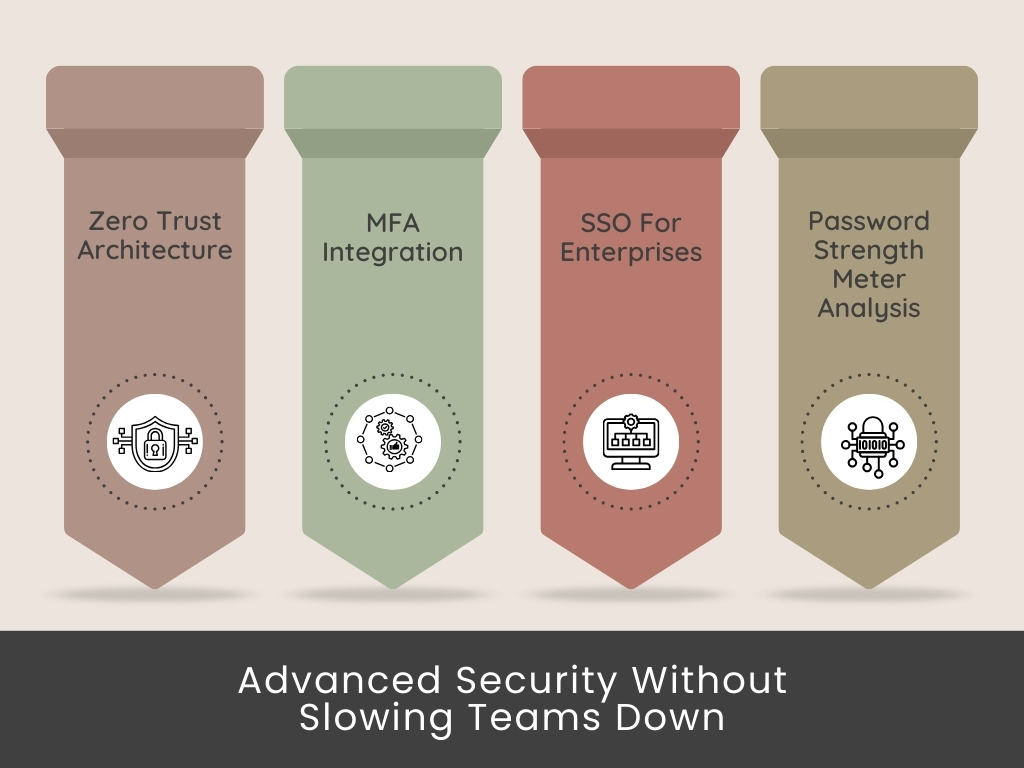
Multi-Factor Authentication and SSO Integration

Passwords alone are not enough. All Pass Hub integrates multi-factor authentication with options such as 2FA, OTP, and authenticator apps. 

For enterprises, single sign-on integration aligns with compliance needs while ensuring login convenience at scale. This combination ensures that both protection and compliance are achieved without friction.

Secure Team Sharing and Role-Based Access

Teams often fall into risky patterns, sharing logins over chat or email. All Pass Hub eliminates this hazard with a team password sharing tool that never reveals the actual password. 

Administrators can assign role-based permissions, allowing superior control over who can view, edit, or revoke access. It ensures that teams stay efficient while credentials remain secure.

Security Dashboard and Compliance-Ready Audit Logs

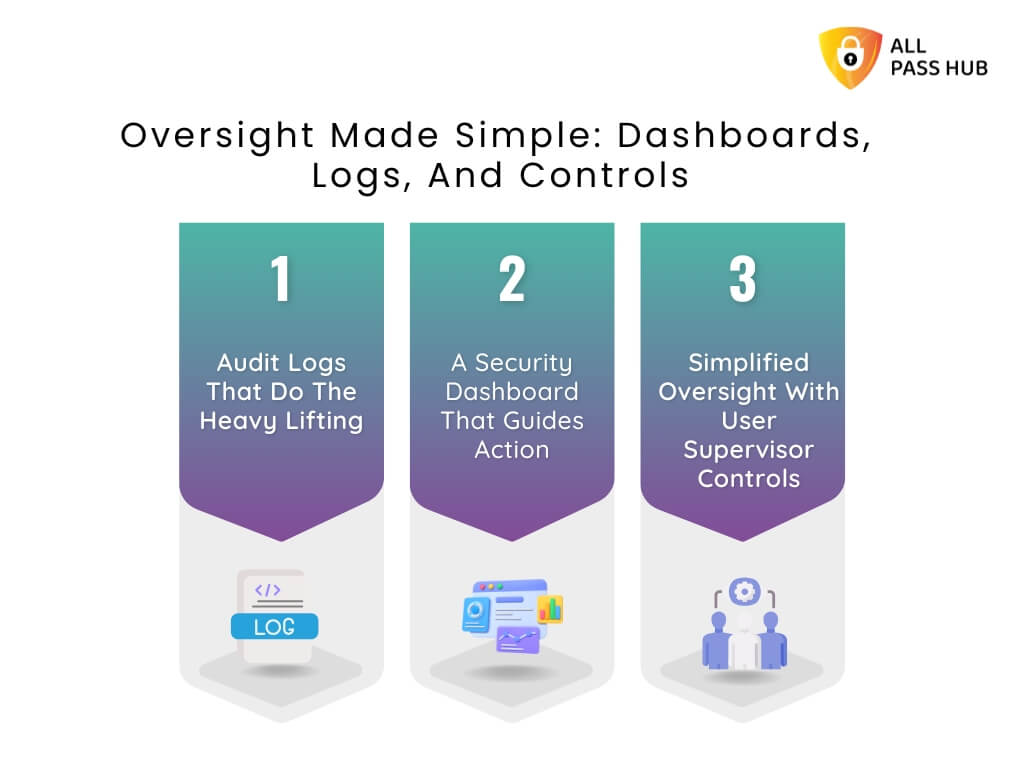
Monitoring matters as much as storing. All Pass Hub’s security dashboard highlights weak or reused passwords before they escalate into threats. Audit logs track logins, devices, and credential-sharing activity, creating a transparent trail that supports compliance reviews with ease.
Seamless Integration and Accessibility

From browser to mobile to desktop, All Pass Hub ensures accessibility without compromise. Its Chrome & Firefox extension powers instant autofill, while apps serve daily business users. 

It has built-in secure storage of API keys and repository credentials for developers. This flexibility ensures every department, from marketing to IT, works securely without interruptions.

Smart Summary: All Pass Hub combines centralized storage, zero-knowledge encryption, secure sharing, and compliance-ready oversight. It turns everyday credential challenges into organizational strengths. 

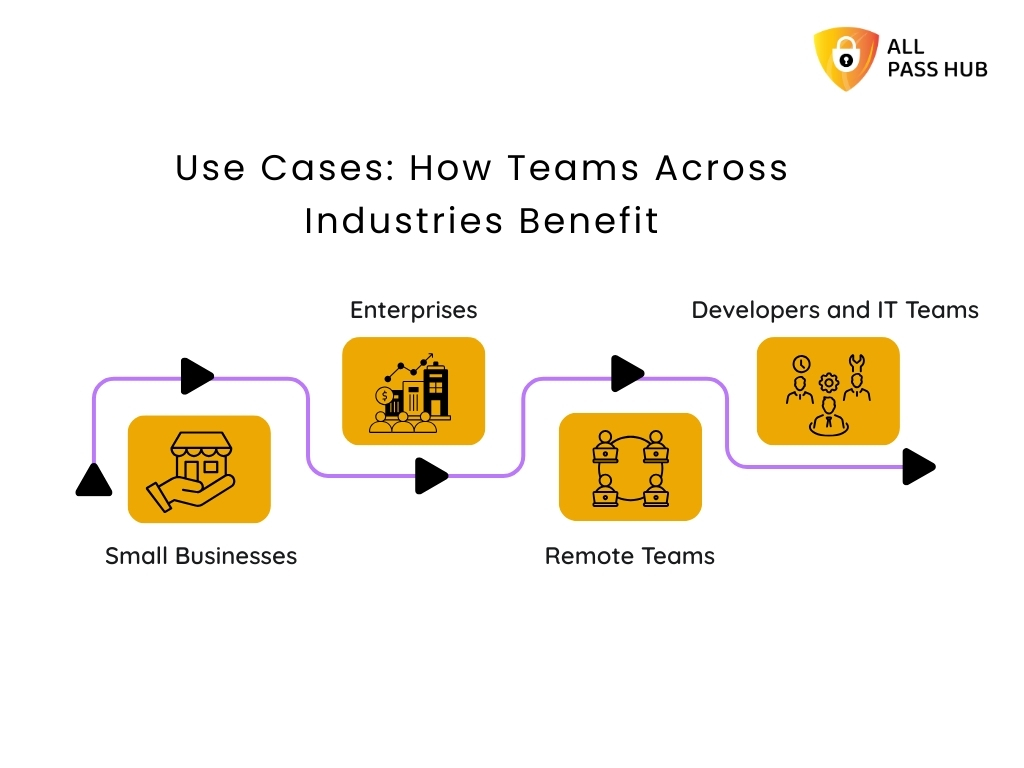
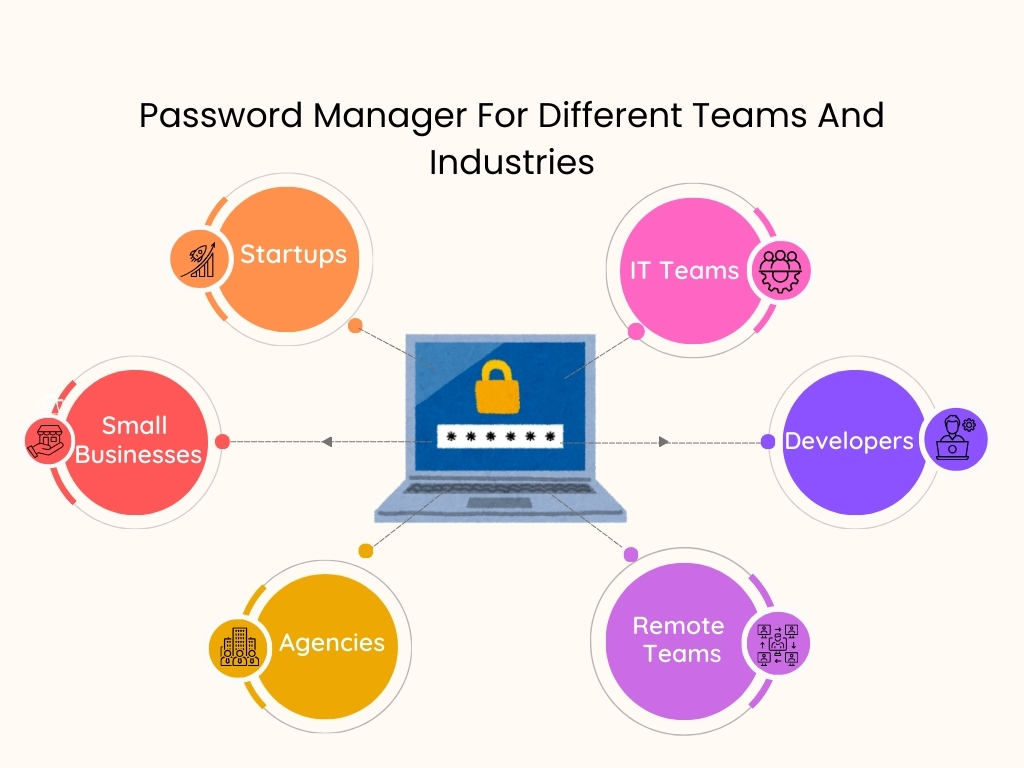
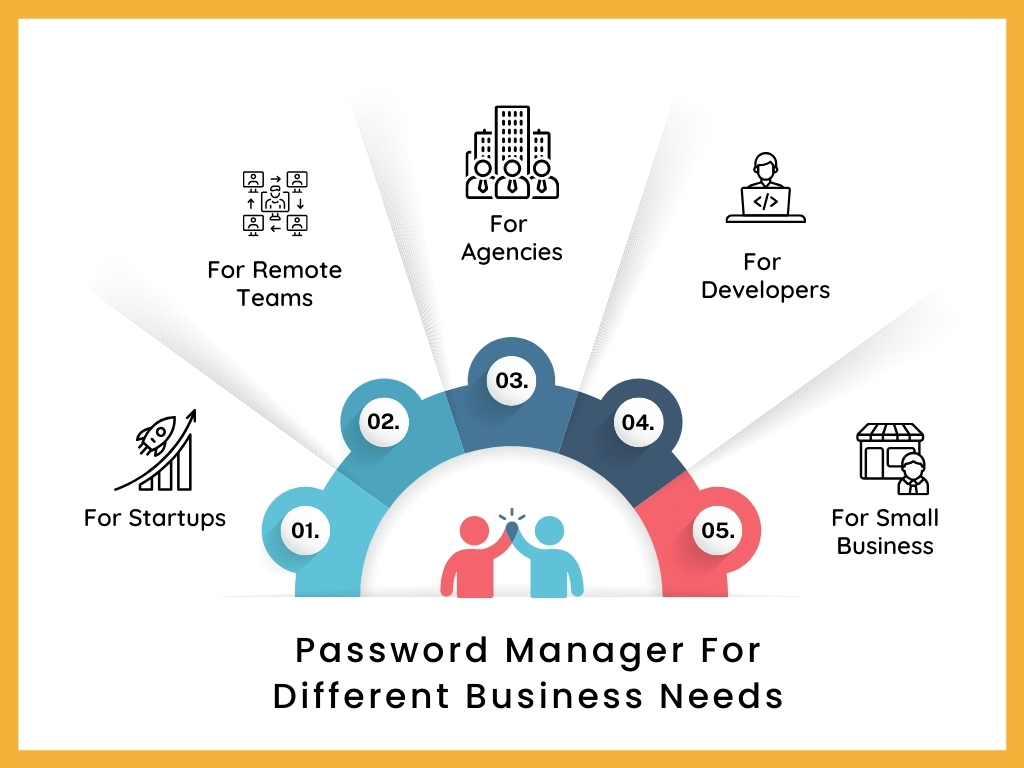
Use Cases: How Teams Across Industries Benefit

Use Cases: How Teams Across Industries Benefit

Different teams face unique challenges in credential management, yet the risks are universal. All Pass Hub addresses these pain points directly by offering solutions that feel tailored rather than generic. It is designed to adapt to businesses of every size and sector, turning password security for teams into a growth enabler rather than an administrative burden. 

Here is how it creates impact across industries.

Small Businesses

  • Challenge: Many small businesses still juggle credentials in spreadsheets or shared emails, creating unnecessary exposure to breaches. With limited IT staff, they often cannot afford complex enterprise tools.
  • All Pass Hub Solution: An affordable password manager for small businesses with

It delivers enterprise-grade protection at just $0.99/month and $6.99/yearly without adding technical overhead.

Enterprises

  • Challenge: Enterprises struggle with scale, compliance, and maintaining visibility across thousands of employees. Shadow IT and poor audit trails create blind spots that can lead to costly incidents.
  • All Pass Hub Solution: A centralized enterprise credential vault with reporting, audit logs, and role-based permissions. 

It provides leaders with the control and oversight they need, while meeting regulatory requirements through customized pricing plans for your needs.

Remote Teams

  • Challenge: Distributed teams often resort to sharing logins over chat apps or email, which increases the likelihood of leaks. Lack of centralized management leaves remote managers guessing who has access to which credentials.
  • All Pass Hub Solution: A secure team password sharing tool that allows global collaboration without exposing credentials. Managers can grant, revoke, or monitor permissions instantly, ensuring productivity with peace of mind.

Developers and IT Teams

  • Challenge: Developers often handle sensitive assets such as SSH keys, API credentials, and repository logins. Storing them in plain files or local notes creates dangerous vulnerabilities.
  • All Pass Hub Solution: A password manager for developers with encrypted storage, API key management, and easy integration with workflows. It reduces the risk of accidental exposure and fortifies security at the core of technical operations.

A Visual Glance At How Different Teams Benefit

Team TypeCommon ChallengesHow All Pass Hub HelpsBest-Fit Plan
Small BusinessesStruggle with scattered credentials, lack of secure storage, and limited IT resources.Affordable password manager for small businesses with unlimited credentials, 2FA, and centralized storage to keep everything organized.Premium Plan (budget-friendly with advanced features).
EnterprisesRequire compliance-ready oversight, role-based permissions, and visibility across thousands of users.Enterprise credential vault with audit logs, reporting, IP rules, and advanced role management for complete control.Organization Plan (scalable and compliance-focused).
Remote TeamsFace risks of insecure sharing over chat or email and difficulty managing access across global offices.Team password sharing tool with role-based access, real-time activity logs, and cloud sync for distributed teams.Premium or Organization Plan (depending on team size and compliance needs).
Developers & IT TeamsNeed secure storage for SSH keys, APIs, and repository credentials without slowing workflows.Developer-ready password manager for secure credential storage, Chrome extension for autofill, and support for API keys.Premium Plan (developer features at an affordable cost).

The Bottom Line: Each team faces unique password challenges, from weak storage to compliance gaps. All Pass Hub resolves them with tailored protection, scalable sharing, and compliance-ready oversight. 

Which Team Story Feels Like Yours

How All Pass Hub Prevents Common Password Risks

Every organization, regardless of size and scale, faces recurring password-related challenges. What separates a trustworthy solution from the rest is how effectively it addresses these risks in real-time. 

Here’s how All Pass Hub keeps teams secure and boosts their productivity.

Password Reuse Problems

Employees often recycle the same password across multiple platforms, creating a chain reaction risk if one service is breached.

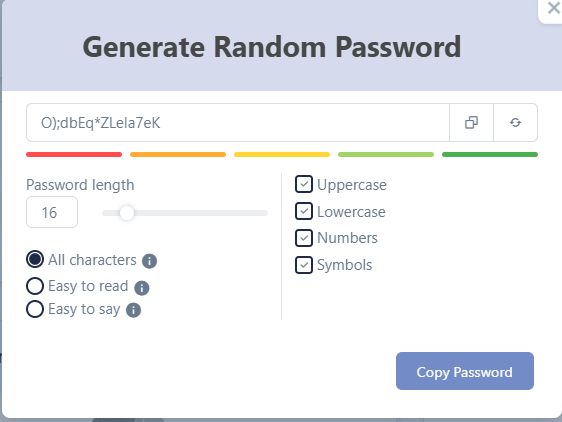
  • The All Pass Hub Fix: A built-in password generator delivers unique, unbreakable credentials for every login. It eliminates the threats of password recycling.

Weak Password Risks

Many users still create short, predictable passwords that hackers can guess with brute force.

  • The All Pass Hub Fix: The password strength checker flags weak entries instantly, encouraging users to adopt resilient combinations before they are stored.
 password strength checker

Forgotten Passwords and Lockouts

Teams waste hours resetting forgotten credentials, causing frustration and productivity loss.

  • The All Pass Hub Fix: A secure recovery system with passkey email recovery and guided reset ensures accounts can be regained without compromising safety.

Unsafe Habits and Poor Practices

Writing passwords on paper or sharing them via email leads to security blind spots.

  • The All Pass Hub Fix: Real-time monitoring through the security dashboard promotes safe password practices and detects risks before they escalate. Ensure to: 

✅ Prevent password reuse

✅ Flag weak entries instantly

✅ Enable secure recovery

✅ Encourage safe password practices

Core Insight: All Pass Hub does more than store credentials. It actively prevents easy-to-guess login details, password reuse, and unsafe practices. It provides teams with protection that evolves with their needs. 

All Pass Hub vs. Competitors: The Clear Edge

Selecting the best password manager for teams often comes down to balancing security, usability, and cost. Many established tools deliver solid encryption. However, they frequently overwhelm teams with steep pricing tiers, limited free plans, or cluttered interfaces. 

All Pass Hub positions itself differently. It provides a business password manager that offers enterprise-grade protection while staying affordable and user-friendly for everyday adoption.

Where some competitors restrict collaboration to paid tiers or cap the number of stored credentials, All Pass Hub includes unlimited storage and secure sharing even in its free plan. 

Its zero-knowledge password manager model ensures privacy, while premium plans expand enterprise functionality without draining budgets. 

Here is its visual comparison with competitors for your better understanding and informed decision-making.

A Comparison Snapshot with Competitors

FeatureAll Pass HubTypical Competitors
Free PlanUnlimited credentials, secure sharing, dashboard, and audit logsOften limited to 25–50 credentials, sharing is locked behind a paywall
Premium Plan$0.99/month or $6.99/year, includes extra credential types and recovery supportUsually $2–$4/month with incremental feature unlocks
Enterprise FeaturesRoles, groups, IP rules, audit trails, and reportingAvailable only in high-cost enterprise packages
Encryption ModelZero-knowledge, client-side AES-128 with PBKDF2-SHA256Zero-knowledge AES, but often with fewer customization options
CollaborationUnlimited sharing for individuals and teamsSharing is often capped or restricted to premium tiers
Ease of UseClean interface designed for high-performance teamsComplex dashboards with a steep learning curve

Key Takeaway: Unlike competitors, All Pass Hub delivers enterprise-level features at a fraction of the cost (even less than the cost of a coffee). It makes it one of the best password managers for teams that value both protection and simplicity.

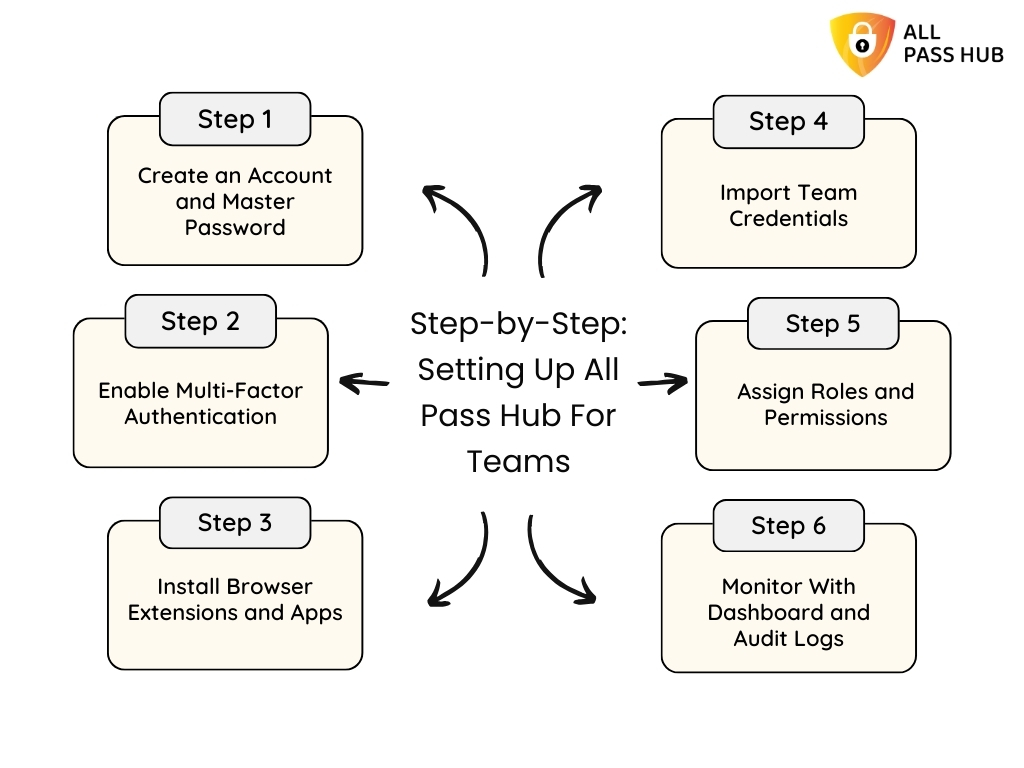
Step-by-Step: Setting Up All Pass Hub For Teams

Step by Step - Setting Up All Pass Hub For Teams

Getting started with All Pass Hub is quite straightforward. It empowers teams to move from sign-up to secure credential management in minutes. The setup process ensures that security is embedded right from the first step. 

Here is how you can get started.

Step 1: Create an Account and Master Password

Begin by creating your All Pass Hub account. Set a master password that acts as the key to your vault. Make it unique, lengthy, and resistant to guesswork.

Step 2: Enable Multi-Factor Authentication (MFA) and Recovery Key

Add an extra layer of defense with MFA using 2FA, or authenticator apps. Download your recovery key and store it securely to avoid future lockouts.

Step 3: Install Browser Extensions and Apps

Equip your team with the Chrome or Firefox extension for instant autofill, as well as mobile and desktop apps. It ensures credentials are always within reach across devices.

Step 4: Import Team Credentials

Centralize existing logins, API keys, and payment details into the cloud-based password manager. It mitigates disorganized storage and establishes one secure origin (source).

Step 5: Assign Roles and Permissions

Use team credential management features to assign roles such as admin, manager, or member. Control access according to responsibility. It will keep collaboration efficient and guarded.

Step 6: Monitor With Dashboard and Audit Logs

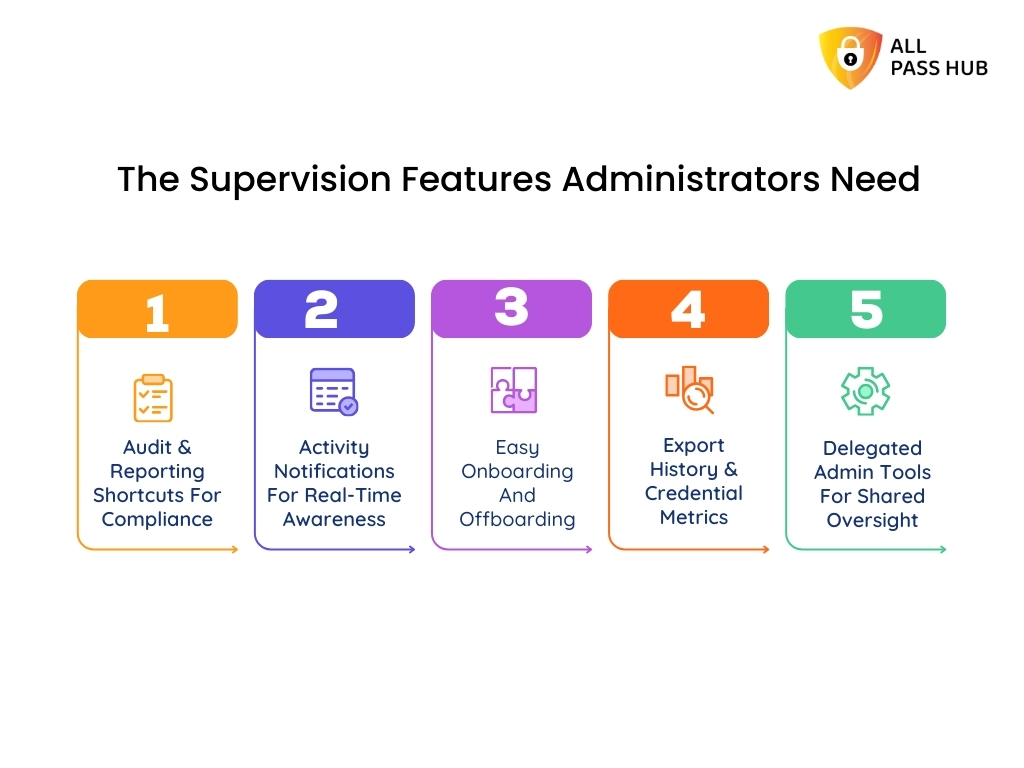
The password manager security dashboard highlights weak or reused credentials, while audit logs track activities for compliance and supervision. It gives leaders complete visibility.

What This Means for You: Setting up All Pass Hub takes only a few steps. It lays a rock-solid foundation for password security for teams, from small businesses to global enterprises. 

From Guide To Vault In Less Than 5 Minutes

Conclusion

High-performance teams thrive on precision, speed, and trust. Yet, even a minute oversight in credential handling can disrupt operations. 

Weak passwords invite cyber risks, poor sharing practices compromise client confidence, and scattered storage drains productivity. Future-ready teams recognize that protecting access is the backbone of business continuity.

Throughout this blog, we explored how All Pass Hub transforms this vision into reality. It combines zero-knowledge encryption, multi-factor authentication, audit-ready logs, and seamless sharing to keep credentials secure while empowering collaboration. 

Whether you are a growing startup searching for a password manager for a small business or a global enterprise enforcing strict compliance, All Pass Hub scales to match your needs while keeping operations effortless. 

The future of digital-first teams will belong to those who reinforce their foundation. All Pass Hub is a high-performance team password solution that protects logins, streamlines teamwork, and strengthens resilience. 

Take a decisive step today to protect your digital backbone with a password manager that blends enterprise-grade security with everyday simplicity.

FAQ

Can A Password Manager Integrate With Tools My Team Already Uses?

Yes. Many enterprise password managers, including All Pass Hub, integrate with browsers, productivity apps, and developer tools. It ensures credentials can be autofilled, synchronized, and securely accessed without disrupting workflows. 

Integration eliminates manual entry and improves adoption across distributed teams.

How Does A Password Manager Protect Data If Servers Are Compromised?

With zero-knowledge encryption, data is encrypted on the client side before reaching servers. Even if a server is breached, attackers cannot read vault contents. 

Multi-factor authentication and breach monitoring add additional layers of protection, ensuring credentials remain inaccessible to unauthorized parties.

What Happens If My Team Outgrows The Free Plan?

Free plans typically cover essentials such as unlimited device logins and credentials storage. However, as teams expand, advanced features such as audit logs, white glove onboarding, role-based access, and compliance reporting become vital. 

Upgrading to a business password manager plan ensures scalability, security, and supervision for larger teams.

Is A Password Manager Suitable For Teams With Non-Technical Members?

Absolutely. Modern team password managers are designed with user-friendly dashboards and intuitive sharing tools. Non-technical members can securely access credentials with minimal training. 

Features like autofill, mobile apps, and role-based permissions make adoption easy across all skill levels.

Can A Password Manager Store More Than Just Login Credentials?

Yes. Many solutions go beyond storing usernames and passwords. Teams can save payment cards, license keys, API tokens, SSH keys, and even sensitive documents. 

It creates a resilient, centralized vault for business information, reducing dependency on disorganized storage or insecure file sharing.

All Pass Hub: Say ‘Hi’ To The Simplest Password Manager & ‘Bye’ To Complex Tools

Here is an interesting statistic: Approximately 69% of Americans admit they feel overwhelmed by the sheer number of passwords they must manage, and 47% forget at least a few each month. [Source: Spacelift]

Despite these struggles, 75% of people still fail to follow accepted password best practices, leaving accounts vulnerable to risks. Even more worrying, 44% of internet users rarely change or reset their passwords, making them susceptible targets for attackers. [Source: Spacelift]

The irony is that tools designed to solve this problem often add salt to the wound. Many password managers bury users under cluttered dashboards, unnecessary features, and confusing plans. Rather than offering peace of mind, they create another layer of stress. 

Hence, we have crafted this blog for individuals, families, and businesses seeking a way out of this cycle. Here, you’ll discover how All Pass Hub redefines password management by replacing chaos with clarity, bringing together strength, simplicity, and affordability in one seamless experience. 

Let’s get started to provide you with genuine security without the headache of over-engineered software.

Why Complex Password Managers Fail Users

The promise of a password manager should be simple: save your logins, protect them, and make access seamless. Yet many tools on the market neglect this purpose and overwhelm users instead.

Here is where most password managers go wrong: 

  • Cluttered Dashboards: Icons, settings, and nested menus create confusion instead of clarity.
  • Unnecessary Features: Rather than focusing on core protection, they add layers most people never use.
  • Confusing Pricing: Free trials often lead to hidden restrictions or costly premium upgrades.
  • Limited Sharing: Collaboration features are either capped or require multiple paid accounts.

What should be peace of mind turns into frustration for individuals. The stakes are even higher for businesses. Teams waste time learning overly complicated systems. It often leads to weak adoption or risky workarounds like spreadsheets and shared documents.

Instead of reducing stress, many password manager apps add to the chaos. Most of them fall flat at the one thing they were built to do: make security effortless.

What You Should Know: Password managers should lighten the load, not increase it. Complexity drives abandonment, leaving users and businesses exposed to unnecessary risks.

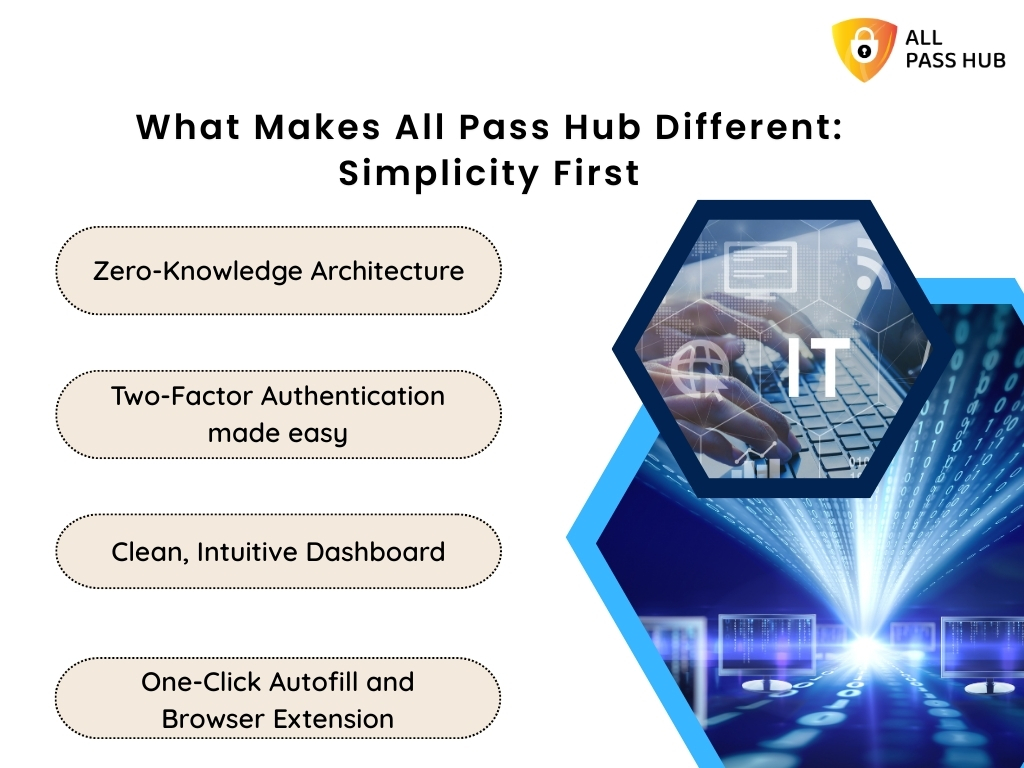
What Makes All Pass Hub Different: Simplicity First

What Makes All Pass Hub Different: Simplicity First


Where other tools complicate, All Pass Hub simplifies. It is created on the principle that security should feel effortless, not burdensome. Every feature aims to combine robust protection with an interface so intuitive that anyone can use it without second-guessing.

Core simplicity-driven features include:

  • Zero-Knowledge Architecture: Only you hold the keys to your data. Even All Pass Hub can’t view or access your vault.
  • Two-Factor Authentication made easy: Extra protection without adding technical hurdles.
  • Clean, Intuitive Dashboard: Everything you need is within a few clicks, with no clutter or distractions.
  • One-Click Autofill and Browser Extension: Save and fill credentials instantly across websites without tedious copying and pasting.

This focus on clarity means less time managing your passwords and more time using them with confidence. For individuals, it removes the burden of remembering endless logins. For businesses, it creates a tool that employees actually want to adopt, thereby reducing risky shortcuts.

The Crux: All Pass Hub is a secure password manager that delivers advanced protection in its simplest form, proving that authentic security does not need to be complicated.

How To Use A Password Manager Without The Confusion

Using a password manager should never feel like learning a new language. All Pass Hub strives to be as straightforward as possible. You can set it up in minutes and start enjoying stress-free security instantly.

Getting started is simple. You just need to:

  • Create your account and master password: This becomes your single secure key.
  • Save your logins automatically: As you browse, the All Pass Hub extension captures new credentials with one click.
  • Generate resilient passwords: Use the built-in strong password generator to create unique logins every time.
  • Sync across devices: Access your vault on desktop, mobile, or tablet without additional effort.

In daily life, it means logging into your bank without fumbling through notes, checking out on shopping websites without manual entries, and staying connected on social media without repeated resets.

Storing, protecting, and using passwords blends seamlessly into your routine with All Pass Hub. Rather than adding friction, it calmly works in the background to make every sign-in safer and quicker.

Must-Know Insight: A practical password manager should fit into your life, not force you to adapt to it. All Pass Hub ensures every login feels effortless, secure, and consistent across all your devices. 

CTA Image- From Setup To Autofill In Minutes

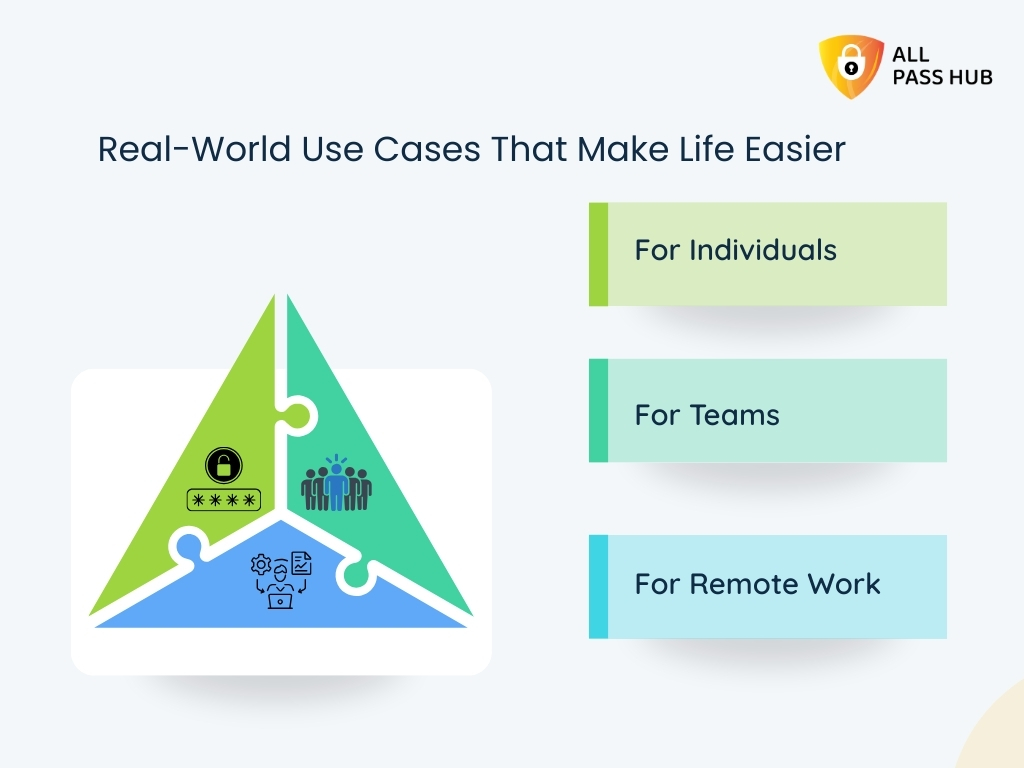
Real-World Use Cases That Make Life Easier

Real-World Use Cases That Make Life Easier

The value of a password manager is best understood when you see how it fits into everyday scenarios. All Pass Hub aims to reduce friction irrespective of your profession or working style. 

Here’s how different users benefit in practice:

For Individuals

  • Seamless Daily Logins: Quickly access shopping, social, and banking accounts with autofill.
  • No More Password Resets: Robust, unique credentials are saved instantly and remembered for you.
  • Complete Peace of Mind: Your sensitive data stays secure without extra effort.

Instead of scattered notes or repeated logins, individuals enjoy a smoother online routine backed by top-notch protection.

For Teams

  • Unlimited Secure Sharing: Share authorization information safely without messy emails or spreadsheets.
  • Permission Controls: Grant, restrict, or revoke permissions in seconds.
  • Stronger Accountability: Activities are tracked, so managers know who accessed what.

Teams collaborate more efficiently, saving time while ensuring credentials are never mishandled.

For Remote Work

  • Cross-Platform Access: Remote staff can log in from any device without security risks.
  • Audit-Ready Logs: Every login is recorded with details for compliance and visibility.
  • Cost-Effective Security: Protect distributed teams without adding expensive overhead.

For companies managing global teams, All Pass Hub ensures distance does not compromise protection.

Smart Summary: All Pass Hub makes password management effortless and adaptable for everyone. It doesn’t matter whether they are individuals tired of resets, teams needing secure sharing, or remote workers balancing access with safety.

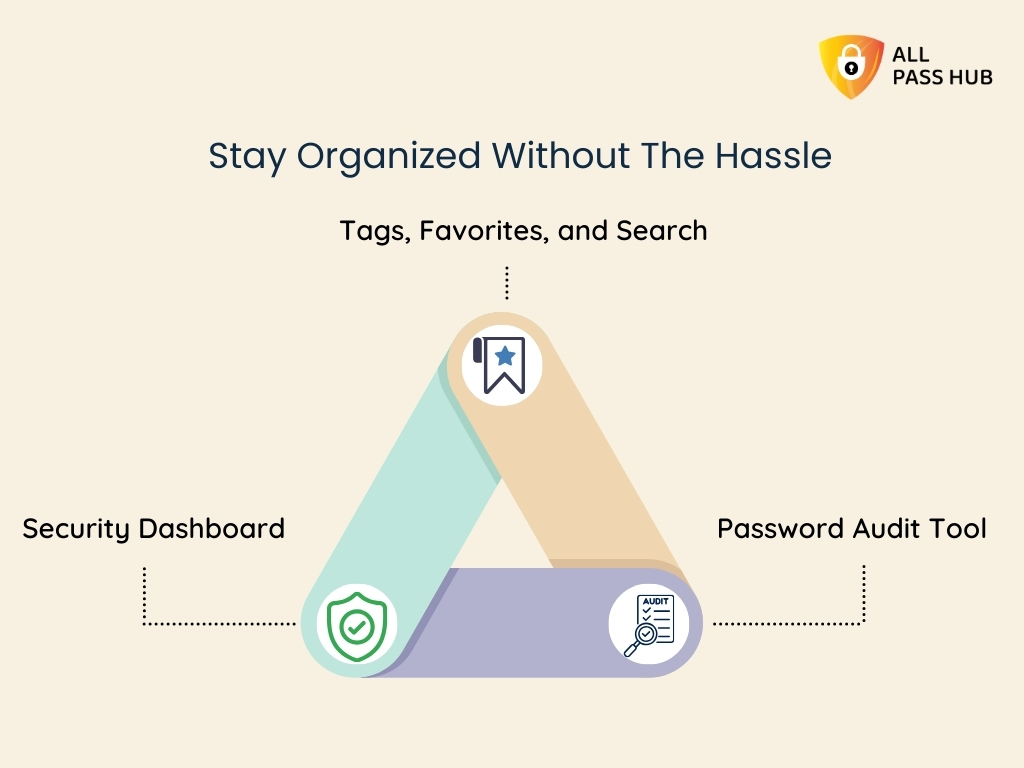
Stay Organized Without The Hassle

Stay Organized Without The Hassle


Resilient protection is only half the battle. If you cannot quickly locate the correct login details when you need them, frustration follows shortly after. All Pass Hub mitigates that problem by combining organization with security, ensuring you stay in control without any trouble. 

Here is how you can remain sorted:

Security Dashboard

  • Instant Visibility: See weak, reused, or outdated passwords at a glance.
  • Proactive Alerts: Spot risks early rather than reacting after a breach.

This dashboard acts as your control center, keeping you informed and prepared.

Tags, Favorites, and Search

  • Clever Organization: Group credentials by projects, categories, or priority.
  • Quick Access: Save frequently used logins as favorites.
  • Time-Saving Search: Locate any passcode within seconds.

These features mean no more scrolling endlessly or second-guessing where things are saved.

Password Audit Tool

  • Comprehensive Review: Identify risky patterns in your stored credentials.
  • Guided Improvement: Replace weak entries with impenetrable, auto-generated options.

Rather than managing chaos, you gain a clear, structured system that adapts to your workflow.

What This Means For You: Coordination comes built-in with All Pass Hub. From dashboards to audit tools, every feature intends to keep your digital life structured, secure, and stress-free. 

CTA image - Imagine Finding Every Login Before You Even Need It

Simplified Sharing And Collaboration

Sharing passwords is one of the most consequential security risks in any setting. Many people still send credentials through email, chat, or shared documents, which leaves sensitive data susceptible to cyberattacks. All Pass Hub eliminates these dangers by making sharing safe, seamless, and unlimited.

Unlimited Secure Sharing

  • No Restrictions: Share logins with as many individuals or teammates as you need.
  • Consistency for Teams: Everyone uses the same credentials without errors or conflicts.

It ensures productivity flows without compromising protection.

Access Control and Notifications

  • Complete Authority: Approve, reject, or revoke permissions instantly.
  • Real-time Alerts: Stay informed whenever credentials are shared or accessed.

You remain in control at all times with built-in transparency.

Just-in-time Access

  • Temporary Permissions: Grant authorization for one-off projects or short-term tasks.
  • Auto-Revoke: Automatically restrict credentials once the passcode is no longer needed.

This flexibility guards your vault while empowering collaboration.

With these features, All Pass Hub transforms sharing from a vulnerability into a strength. Instead of worrying about how login details are distributed, you can focus on getting work done.

The Bottom Line: All Pass Hub turns password sharing into a secure and controlled process. It gives individuals and teams the confidence to collaborate without fear of credentials exposure.

Easy Recovery And Encrypted File Storage

Forgetting a master password can feel like the ultimate nightmare. Many users fear losing access entirely, which often discourages them from trusting password managers in the first place. 

All Pass Hub addresses this concern with a recovery system that is both simple and safe. 

Here is what it offers you in terms of retrieval and file encryption.

Password Email Recovery

  • Quick Assistance: If you forget your master password, you will receive a secure recovery PDF via email to regain access.
  • Safe Process: Instant notifications ensure you are always aware of recovery attempts.

It means you can return to your vault without losing data or compromising the shield.

File Vault For Sensitive Storage

  • Encrypted Protection: Store documents, certificates, and images with the same robust security used for your passwords.
  • All-in-one Solution: Guard credentials and critical files together in a centralized safe location.

Instead of scattering your sensitive information across multiple platforms, you have a single, secure space that adapts to personal and business needs alike.

Core Insight: All Pass Hub ensures peace of mind with both secure account recovery and encrypted file storage, proving that protection extends beyond just passwords. 

Affordable And Transparent Pricing For Everyone

Security should not come with confusing costs or surprise upgrades. All Pass Hub keeps pricing simple, transparent, and accessible for every user type, from individuals to large organizations.

Free Plan

  • Unlimited Credentials: Store as many logins as you need without restrictions.
  • Built-in Security: Includes two-factor authentication, password strength meter, security dashboard, and email support.

This plan is ideal for individuals seeking a reliable, free password manager that covers the essentials.

Premium Plan ($0.99/month or $6.99/year)

  • Extra Credential Types: You can apply tags to saved credentials, search them by tag, and even pin favorites.
  • Affordable Security: With a yearly plan, users save nearly 41 percent compared to paying monthly.

You get complete coverage for personal or professional use for less than the cost of a coffee each month.

Organization Plan (Custom Pricing)

  • Advanced Controls: Includes user management, roles, groups, IP rules, and supervision.
  • Tailored Solutions: Pricing adapts to business size and requirements.

This plan equips teams and enterprises with enterprise-grade tools at a cost designed for efficiency.

In a Nutshell: All Pass Hub delivers powerful security without hidden fees. Whether you choose free, premium, or organizational plans, you receive unmatched value and clarity.

Why Simplicity Equals Security: All Pass Hub vs. Complex Tools

In cybersecurity, complexity often creates vulnerability. The more crowded and confusing a password manager becomes, the higher the chances of mistakes, poor adoption, or neglected updates. All Pass Hub takes the opposite approach, using simplicity as a pathway to stronger protection.

Why simplicity matters:

  • No Clutter: A clean, intuitive dashboard reduces errors and makes every action deliberate.
  • No Upsells: What you see is what you get. There are no locked essentials or confusing feature tiers.
  • No Confusion: Straightforward navigation ensures anyone, from individuals to enterprises, can use it with confidence.

A Visual Comparison of All Pass Hub vs. Complex Tools

AspectComplex ToolsAll Pass Hub
DashboardOverloaded with icons and hidden menusClean and intuitive with essentials only
FeaturesBloated with extras, few users ever needFocused on secure storage, sharing, and recovery
PricingMultiple tiers, hidden limitations, confusing upgradesTransparent and affordable with clear options
User ExperienceSteep learning curve, high abandonment ratesSimple navigation, effortless daily use
CollaborationLimited sharing or tied to expensive enterprise plansUnlimited sharing with controls built in
Security OutcomesComplexity increases errors and weak adoptionSimplicity strengthens adoption and trust

All Pass Hub eliminates distractions that put users at risk by focusing on what actually matters, such as secure storage, effortless sharing, and reliable recovery. Instead of trying to be everything at once, it provides everything you really need to stay protected.

For individuals and businesses alike, this simplicity does not mean less power. It means fewer mistakes, minimal vulnerabilities, and greater trust in daily use.

Key Takeaway: All Pass Hub proves that the most secure password manager is not the most complex; it is the one that makes protection clear, consistent, and effortless. 

Security Shold Feel Simple, Not Stressful

Expert Password Management Tips You Can Apply Today

Good password management is not just about having the right tool; it is also about using it wisely. By combining proven best practices with the features of All Pass Hub, you create an unbreakable defense against digital threats. 
Here are some handy tips we suggest applying from today to fortify your online security.

Set a Resilient Master Password

  • Create a unique, complex master password that you do not reuse anywhere else.
  • This single password is the key to your vault, so treat it as the most pivotal credential you own.

Avoid Password Reuse

  • Reusing the same login across multiple websites is one of the most significant risks.
  • With All Pass Hub, you can store unlimited unique passwords without the stress of remembering them.

Use a Password Generator for Every New Login

  • Generate long, random, and intricate passwords instead of creating them yourself.
  • All Pass Hub’s built-in generator ensures every account is guarded with a passkey that attackers cannot easily guess.

Review and Update Credentials Regularly

  • Use the security dashboard and audit tools to spot weak or outdated entries.
  • Replacing them with stronger versions keeps your accounts ahead of potential risks.

Adopting these practices will reinforce your own security and set a higher standard for managing digital access in everyday life.

Final Thought: Powerful habits combined with a secure password manager create lasting protection. With All Pass Hub, these best practices become simple actions that fit naturally into your daily routine. 

Conclusion: Say ‘Hi’ To Simplicity, Say ‘Bye’ To Chaos

Passwords are not going away, but the stress that comes with managing them can. Security tools should not confuse you with endless settings, complicated dashboards, or expensive upgrades. They should make life easier, safer, and more predictable. All Pass Hub is built on that vision. 

Throughout the blog, we’ve explored how it combines military-grade encryption, a zero-knowledge model, and effortless features with a design anyone can use. 

Whether you are an individual juggling dozens of logins, a family keeping accounts safe, or a business managing a distributed team, the solution remains the same: protection made simple. 

By following the best practices shared here and trusting a tool built for clarity, you replace chaos with calm and uncertainty with confidence.

➡️Remember, the difference lies in how it feels to use. No clutter, no confusion, just effective control over your digital life. 

So, say goodbye 👋 to sticky notes, reused logins, and password fatigue. Say hello to a secure, affordable, and easy password manager that finally puts you back in charge. Say ‘hi’ 🤝 to All Pass Hub. 

FAQ

Is My Data Safe With All Pass Hub?

Yes. All Pass Hub uses zero-knowledge encryption. It means only you can access your vault. Data is encrypted with AES-128 and transmitted with TLS 1.2+. It ensures your credentials remain private and protected even if servers are attacked.

Does It Work On Mobile And Desktop?

Absolutely. All Pass Hub is a cross-platform password manager that works on Windows, macOS, iOS, Android, and prominent browsers. Your credentials sync securely across devices, so you always have access when you need it.

Can I Share With My Team?

Yes. All Pass Hub includes unlimited credential sharing with built-in access controls. Teams can collaborate securely. Managers can assign roles, create groups, and monitor activity logs for complete transparency.

What If I Forget My Master Password?

You can use passkey email retrieval. All Pass Hub provides a recovery PDF and instant notifications to help you reset safely, so you regain access without losing stored data.

How Is All Pass Hub Better Than Browser Storage?

All Pass Hub provides encrypted password storage, two-factor authentication, audit logs, and secure sharing, unlike browsers that store logins with minimal protection. Browser extensions are convenient. However, they cannot match a dedicated online password manager for safety and control.

Is A Free Password Manager Enough For Me?

The free plan includes unlimited credentials and 2FA, making it ideal for personal use. You get a few enterprise-level features with the free plan. They are better suited for professionals, families, and businesses needing advanced control.

What Happens If All Pass Hub Servers Are Attacked?

Even in the unlikely event of a breach, attackers cannot read your vault. All Pass Hub uses client-side encryption and dual-key protection. It ensures your data remains encrypted and inaccessible without your master key.

Can Businesses Onboard New Employees Easily?

Yes. With user and group management, supervisors can assign roles and credentials quickly. Teams gain access immediately, while managers retain comprehensive supervision through IP rules, audit logs, and access controls.

Looking For A Secure Password Manager? Here’s How All Pass Hub Protects You

Nearly half of all data breaches involve compromised passwords. You will be surprised to know that 81% of hacking-related incidents in corporate environments originate from weak or reused credentials. It clearly indicates that passwords remain one of the most fragile points in digital security, even in 2025. [Source: Spacelift]

So, ask yourself: Do you reuse passwords, rely on memory, or let browsers store them for convenience? If so, you are not alone. 

Studies show that more than 60 percent of Americans reuse passwords across accounts, and approximately 69 percent feel overwhelmed by the number of logins they must remember. It is no surprise that around 76 percent of users have been locked out of accounts due to forgetting passwords. [Source: Spacelift]

However, here is the real concern: Cybercriminals thrive on these weaknesses, and stolen credentials power nearly 63 percent of social engineering attacks. The good news is that there is a practical way forward. [Source: Spacelift]

A secure password manager with end-to-end encryption can remove these risks, simplify your digital life, and protect both individuals and businesses. 

In this web blog, we will explore password manager security, expose myths, and reveal why All Pass Hub emerges as the best password manager 2025, built to protect you from evolving digital threats. 
Let’s get started to instill confidence in you to navigate online spaces with strength and peace of mind. 

What Is A Password Manager And Why Use One?

A password manager is a digital vault that securely stores and organizes your logins, payment information, and private notes. 

Instead of struggling to memorize dozens of credentials, you only need to remember one strong master password. With autofill and synchronization, your accounts become easily accessible across devices, whether you are using a laptop, smartphone, or browser.

The real strength of a password manager lies in its client-side encryption password system. 

Data is encrypted locally on your device before it enters the vault, ensuring that no one, not even the service provider, can view your information. It is what makes an end-to-end encryption password manager different from ordinary storage solutions.

Some people still rely on browser storage for convenience, and it creates unnecessary risks. Studies show that more than 54 percent of cloud platform breaches occurred because accounts used no or weak passwords. [Source: Spacelift]

A secure password manager eliminates this issue with structured protection that browsers cannot match.

The Crux: A password manager acts like an encrypted vault, making logins simple yet highly secure. Unlike browser storage, it provides end-to-end encryption. It safeguards sensitive data from breaches, theft, and modern cyberattacks. 

Are Password Managers Really Secure?

One of the most common questions people ask is whether password managers are actually safe. Some fear password manager vulnerability, assuming that storing all credentials in one place may create more risk. In truth, password manager security is built to lower these risks, not amplify them.

Here are the protective foundations of modern password managers:

  • AES Encryption Password Manager: Advanced algorithms, such as AES-128, secure your information. This standard is often described as military-grade password encryption, trusted worldwide.
  • Zero-Knowledge Password Manager: Only you can decrypt your data because encryption happens on your device. Even the provider cannot view your information.
  • Protection from Weak Credentials: Managers encourage unique and complex passwords, preventing the reuse that hackers exploit.

Together, these elements prove that password managers are not a vulnerability but a robust defense. By combining the latest encryption, strict privacy policies, and stronger password practices, they ensure your digital information remains shielded and secure.

The Bottom Line: Password managers provide high-level protection with AES-128 encryption, zero-knowledge privacy, and resilient credential generation. They prevent weaknesses caused by poor habits and keep sensitive information safe from online threats. 
Master Password Security And Data Breach Protection

The strength of your entire password manager depends on one element: the master password. It acts as the single key to your digital vault, which makes its security absolutely critical.

Best practices for protecting your master password include:

  • Use a long, complex passphrase: Avoid birthdays, names, or common words. Complexity makes guessing nearly impossible.
  • Never share your master password: Sharing credentials compromises the entire vault, no matter how secure the system is.
  • Update it if exposed: If you suspect a breach or compromise, change the master password immediately.

Here is a stat: Approximately 59% of U.S. adults use personal names or birthdays while generating their passwords. It makes it pretty obvious to guess. [Source: Spacelift]

All Pass Hub enhances master password security with protective measures, such as account recovery options and continuous monitoring through its security dashboard. Even in the event of a suspected compromise, users can change their master password without losing stored data.

A worrying survey reveals that 47 percent of Americans forget a password multiple times each month, which often results in insecure resets. [Source: Spacelift]

With All Pass Hub, recovery processes are secure, streamlined, and designed to prevent careless mistakes. 

Moreover, the All Pass Hub free version offers a password generator feature, and you can customize the generated master password.

Must-Know Insight: Your master password is the key to your vault. All Pass Hub strengthens this safeguard with recovery options, secure resets, a password generator, and data breach protection. It ensures credentials remain accessible to you and invisible to attackers. 

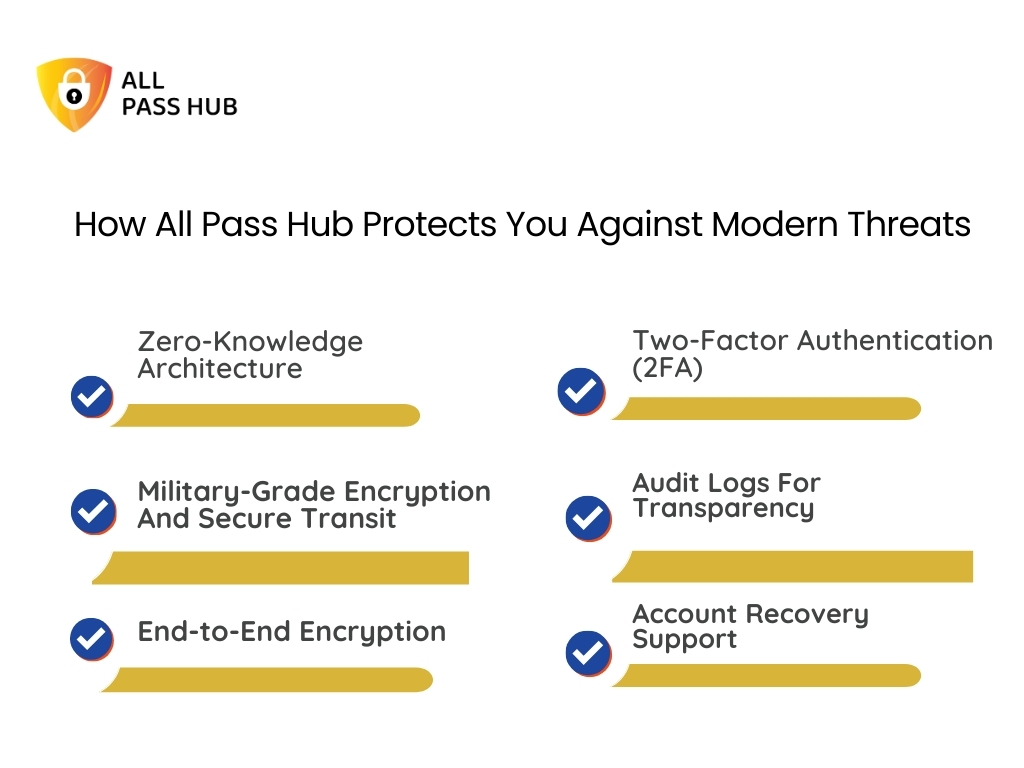
How All Pass Hub Protects You Against Modern Threats

How All Pass Hub Protects You Against Modern Threats

Cyberthreats are evolving daily, from phishing scams to credential stuffing attacks. One weak password or careless mistake can expose sensitive information. All Pass Hub is built to protect users by combining advanced security layers with practical usability.

Here is how All Pass Hub safeguards your digital presence:

Zero-Knowledge Architecture

Your master password never leaves your device. All Pass Hub uses PBKDF2 SHA256 with 600,000 unique iterations to generate an encryption key. A separate authentication construct is derived after one more iteration, ensuring secure login and isolation from vault decryption.

Military-Grade Encryption And Secure Transit

Every vault at rest is encrypted using AES-128-bit, while data in transit is shielded with TLS 1.2 or higher. Sensitive information is encrypted on your device before transmission, ensuring only encrypted data reaches our servers.

End-to-End Encryption With Dual Key Protection

A dual-key system enhances protection. Your login password authorizes access, while a master key is required to decrypt the vault. If one passkey is exposed, your credentials remain inaccessible.

Two-Factor Authentication (2FA)

A second verification layer prevents unauthorized users from gaining access, even if authentication details are compromised.

Audit Logs For Transparency

All Pass Hub maintains real-time, timestamped logs of every activity, including logins, changes, and credential additions. This visibility ensures that suspicious behavior can be detected and addressed immediately.

Account Recovery Support

If you forget your master password, All Pass Hub provides a secure recovery PDF and instant notification system. This process allows you to regain access safely without compromising your stored data.

This robust and carefully layered security framework ensures that your credentials remain private, resilient, and wholly under your control.

Core Insight: All Pass Hub protects with zero-knowledge architecture, AES-128 encryption, TLS 1.2, dual-key safeguards, 2FA, audit logs, and secure recovery, giving you total control and peace of mind.

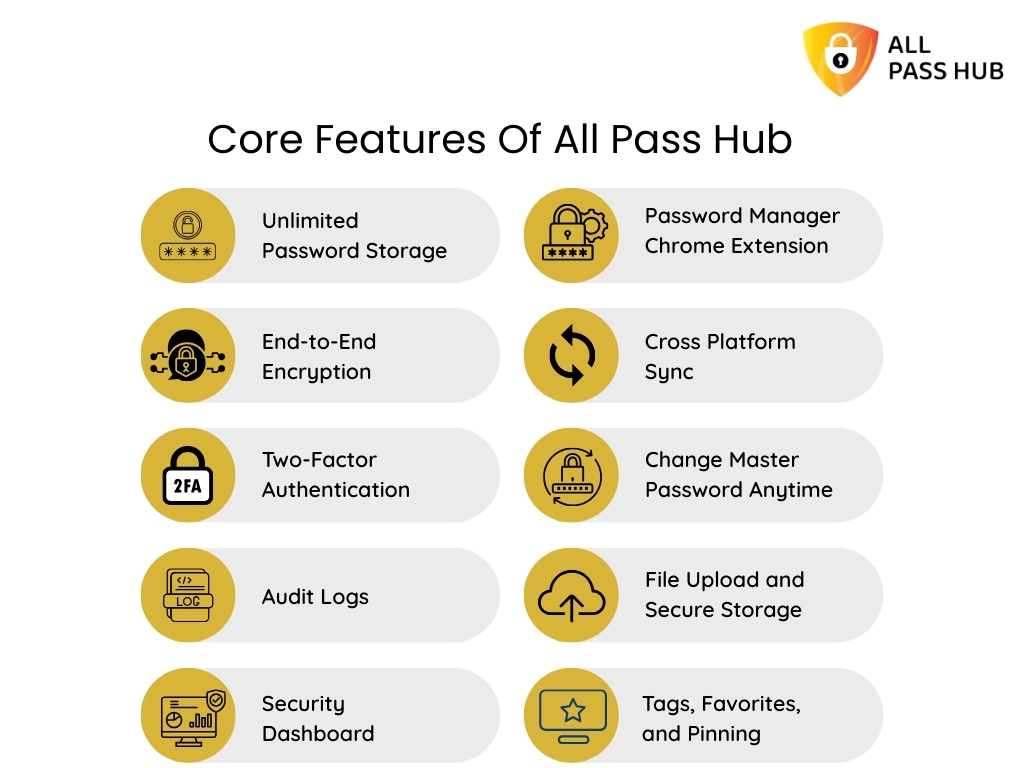
Core Features Of All Pass Hub

Core Features Of All Pass Hub

All Pass Hub combines simplicity with enterprise-grade security. Its features strive to make password management effortless while ensuring that sensitive data remains wholly guarded.

Here are the core features included in All Pass Hub:

  • Unlimited Password Storage: Save credentials, notes, credit cards, API keys, and more without limits.
  • End-to-End Encryption: AES-128 with HMAC (Hash-based Message Authentication Code) and salted hashing ensures your data is secure both at rest and in transit.
  • Two-Factor Authentication: Adds an extra layer of protection by requiring secondary verification.
  • Audit Logs: Track logins and changes with timestamps, device names, and IP details to detect unusual activity.
  • Security Dashboard: Instantly spot weak or reused passwords and reinforce them.
  • Password Manager Chrome Extension: Save and autofill logins with a single click while browsing.
  • Cross Platform Sync: Use your vault seamlessly on Windows, Mac, iOS, Android, and browsers.
  • Change Master Password Anytime: Update your master password without losing any stored data.
  • File Upload and Secure Storage: Store sensitive files alongside credentials with complete encryption.
  • Tags, Favorites, and Pinning: Organize credentials for quicker access to important accounts.
  • Password Generator: Create unique, impenetrable, and customizable passwords instantly.

These features aim to deliver convenience without compromising on protection, making All Pass Hub a powerful yet easy-to-use solution.

Smart Summary: All Pass Hub combines unlimited storage, AES-128 encryption, 2FA, audit logs, file storage, and seamless sync to deliver secure, convenient, and reliable password management for individuals and businesses. 

Don't Let Weak Passwords Cost You Everything Upgrade Your Security For Less Than A Dollar

Key Benefits Of All Pass Hub For Everyday Users

Key Benefits Of All Pass Hub For Everyday Users

Managing dozens of passwords is more than a technical issue; it is an emotional one. People feel anxious, waste time, and often get locked out of accounts at the worst possible moments. All Pass Hub addresses these everyday frustrations with practical benefits.

Here is how it changes the user experience:

Freedom From Lockouts

One study found that 76% of users have been locked out of accounts due to forgotten passwords. All Pass Hub’s account recovery and master password reset system means you never lose access to your data, even if you can’t recall the key.

Faster Daily Workflows

Features such as pinned credentials and smart tagging cut login time dramatically. Whether you are paying bills, checking banking apps, or logging into a work platform, your access is instant.

Stress-Free Sharing

Sharing credentials with family or coworkers no longer means sending them in unsafe emails or chats. All Pass Hub allows controlled sharing with complete visibility into who accessed what and when.

Relief From Password Fatigue

Password overload is real. Instead of carrying dozens of combinations in your head or writing them down on paper, All Pass Hub takes over the cognitive burden. It lets you focus on core activities.

Confidence During A Breach

When your company’s accounts are hacked, panic sets in. All Pass Hub’s dashboard instantly flags reused or weak credentials, guiding you to change them before attackers can act. It feels like having a personal security coach.

Business-Level Protection At Personal Pricing

You get enterprise-grade features like role-based access, group sharing, and dual-key encryption for less than a cup of coffee per month. That mix of affordability and professional security is a significant differentiator.

These benefits show that security is only part of the story. All Pass Hub aims to improve how you live and work remotely. It reduces stress while giving you complete control over your digital identity.

What You Should Know: All Pass Hub goes beyond security. It prevents lockouts, speeds up daily access, enables safe sharing, and removes password fatigue. It makes digital life simpler, calmer, and more productive for everyday users.

Free vs. Paid Password Manager: Which One Should You Choose?

Free vs. Paid Password Manager: Which One Should You Choose?

Choosing between free and paid password managers often comes down to the value they offer. Many free options cover the basics, but they usually limit storage or remove crucial protections. All Pass Hub takes a different approach by offering a generous free plan and affordable upgrades.

Free Plan

The free version includes unlimited password storage, password generator, 2FA, audit logs, and a security dashboard. Unlike most competitors, All Pass Hub does not restrict the number of credentials you can store, making it ideal for individuals who want resilient protection without incurring additional costs.

Premium Plan

At only $0.99 per month or $6.99 per year, Premium unlocks advanced features such as file uploads, account recovery, priority support, secure sharing, search by tags, pin, and complete cross-platform synchronization. Guess what? Choosing the annual option saves nearly 41 percent compared to paying monthly.

Enterprise And Business Plans

For teams and organizations, All Pass Hub provides role-based access, group sharing, IP rules, and dedicated onboarding support. Pricing is customized to business needs, ensuring flexibility without unnecessary costs. 

A Visual Glance At The Value Offered By Each Plan

FeatureFree PlanPremium Plan ($0.99/month or $6.99/year)Enterprise/Business (Custom Pricing)
Unlimited Password Storage
Secure Sharing
Security Dashboard
Audit Logs
Cross-Platform Sync
File Upload & Secure Storage
Account Recovery
Role-Based Access & Groups
IP Rules & Onboarding Support

The decision is simple: If you want to try without commitment, the free plan is more potent than most paid alternatives offered by competitors. If you seek high-end features and peace of mind, Premium delivers unmatched value at a fraction of typical costs.

Quick Recap: All Pass Hub’s free plan offers unlimited storage and essential tools, while Premium adds top-tier features for less than $7 a year, providing users with enterprise-level protection at a budget-friendly price. 

Security Upgrade Promotional Banner Showing Hands Typing On Keyboard With Digital Lock Icons Overlay

All Pass Hub For Businesses And Teams

Managing passwords across a team is far more complex than individual use. Businesses face risks when employees share credentials informally, lack oversight on who has access, or fail to revoke credentials when staff leave. All Pass Hub addresses these challenges with advanced features tailored for professional and organizational needs.

Business-ready features include:

Users Management

Add, remove, and organize employees with ease. It ensures that only active team members have authorization to the company accounts.

Roles Management

Assign role-based permissions so each user only accesses what they need, minimizing unnecessary exposure.

Groups Management

Create groups for departments or projects, making it easier to organize and control access across multiple teams.

Group Sharing

Securely share credentials within groups so everyone has the correct access at the right time, without sending details through unsafe channels.

User Supervisor

Give managers oversight of their team’s login data, providing accountability without compromising privacy.

User Credential

Manage user-specific credentials separately, ensuring that sensitive accounts remain personal yet fully auditable.

Audit Logs

Track activities with timestamped records of logins, edits, and usage. This transparency helps with compliance and regulatory requirements.

IP Rules And Policies

Limit permissions to approved networks or trusted devices, preventing unauthorized logins from external environments.

For small businesses, these features reduce the stress of onboarding and offboarding employees. They create the structure and visibility for larger enterprises, empowering them to comply with strict security frameworks. 

In a Nutshell: All Pass Hub equips businesses with complete control through users, roles, and groups management, secure sharing, supervision, audit logs, and IP rules. It ensures both small and large teams stay organized and protected. 

Why All Pass Hub Is Different From Competitors

Most password managers pitch encryption and syncing, but few truly change how people perceive security. All Pass Hub aims to eliminate fear, restore confidence, and give you more freedom online.

Imagine this:

  • What if you never had to worry about forgetting a password at the worst time, like during a crucial meeting or while traveling?
  • What if sharing credentials with your team or family felt as safe as keeping them locked in your head?
  • What if a dashboard could act like your personal security coach, spotting risks before they turned into crises?

These are not promises for the future; they are everyday realities with All Pass Hub.

Here is the value it delivers that others overlook:

  • Confidence Instead of Anxiety: You stop fearing account lockouts, weak credentials, and hidden breaches because everything is monitored and recoverable.
  • Time Returned to You: Pinned logins and autofill will save you valuable minutes every workday. It adds up to hours of productivity each month.
  • Safer Collaboration Without Friction: Teams no longer juggle spreadsheets or deal with unsafe emails. Group sharing and supervision keep everyone aligned without compromising trust.
  • Strategic Growth Enabler: All Pass Hub doubles as a compliance ally for organizations. Features such as audit logs, IP rules, and group management help you meet industry requirements without additional overhead.
  • Long-Term Adaptability: Start as an individual user, expand as a family, grow into a team. All Pass Hub scales with you rather than forcing you to switch tools.

What sets it apart is not just security, but the experience it creates: freedom from worry, smoother daily workflows, and the assurance that your digital life is protected today and ready for tomorrow.

Key Takeaway: All Pass Hub creates tangible value by removing fear, saving time, simplifying collaboration, and supporting growth. It transforms password management from a burden into an advantage for users and businesses alike. 

The Password Manager Millions Trust Because Your Data Deserves Bulletproof Protection

Best Practices For Maximum Security With All Pass Hub

Resilient security is not about complexity; it is about clever habits paired with the right tools. All Pass Hub offers you value-driven features, but how you use them can transform your digital safety into an unbeatable advantage.

Here are the best practices that unlock maximum value:

Set A Strong Master Password

Imagine if someone guessed your vault’s key because it was a birthday or a pet’s name. Instead, create a passphrase that only you know, and let All Pass Hub remember everything else.

Always Enable Two-Factor Authentication

What if someone stole your login details? With 2FA active, they still can’t break in. A second verification step becomes your invisible bodyguard.

Use The Security Dashboard Regularly

Think of it as a fitness tracker for your digital life. It highlights weak or reused passwords, helping you fix issues before they become a problem.

Generate Unique Passwords

Would you trust your home if every lock used the same key? The built-in generator creates unique, unbreakable passkeys for each account, ensuring no single breach spreads across your digital world.

Organize With Tags And Pins

Instead of hunting through a long list of logins, use tags and pins to keep critical accounts within reach. It turns everyday access into a smooth, stress-free routine.

Change Sensitive Credentials When Needed

If you suspect a breach, update your master password and sensitive logins immediately. All Pass Hub ensures a seamless transition without risking data loss.

When applied together, these practices turn All Pass Hub from a storage vault into a proactive security partner. They guide you toward safer and more productive digital living.

Final Thought: With handy habits like 2FA, strong master passwords, dashboard checks, and unique logins, All Pass Hub evolves from a secure vault into a proactive partner for long-term digital safety.

Conclusion: A Clever, Safer Way To Manage Passwords In 2025

Passwords remain one of the most significant challenges of our digital age. Forgetting them creates frustration, reusing them creates risks, and managing them without a system creates endless anxiety. 

Throughout this blog, we have explored how individuals and businesses gain more than a secure vault with All Pass Hub. You get a partner that protects every login with military-grade encryption, a guide that highlights risks before they grow, and a solution that adapts to your needs over time.

We recommend following the best practices suggested in the blog to maximize your account protection. All Pass Hub brings these practices to life with an intuitive experience. 

Whether you are an individual, a family, or a business, it eliminates the burden of remembering passwords and replaces it with confidence, clarity, and control.

The future of security in 2025 and beyond is not about remembering more; it is about trusting the right tool to remember for you. 

Do not let the struggle of managing credentials grow. Make a bold move today and give yourself lasting protection and peace of mind with All Pass Hub.

FAQ

How Secure Are Password Managers With End-To-End Encryption?

Password managers with end-to-end encryption ensure your data is encrypted on your device before transmission and decrypted only when accessed. Even service providers can’t read your vault, making it one of the safest ways to store credentials.

Is Client-Side Encryption Safer Than Browser Storage?

Yes. Client-side encryption encrypts your data locally before it leaves your device, giving you total control. Browser storage often keeps passwords in plain text or weaker formats, making them vulnerable targets for attackers.

Can I Use A Password Manager Without Internet Access?

Yes. Many managers, including All Pass Hub, allow offline access once your vault is synced. You can retrieve stored credentials even without an internet connection. However, the updates will sync only when you have internet access.

What Happens If A Password Manager Company Shuts Down?

Most password managers provide export or recovery features. With All Pass Hub, you retain access to your encrypted vault locally. It ensures your credentials remain available even if the company discontinues operations.

Do Password Managers Support Multi-Device Usage?

Yes. Modern managers synchronize across multiple devices, such as desktops, smartphones, and browsers. All Pass Hub supports cross-platform sync, ensuring you have access to your vault wherever and whenever you need it.

Choosing The Right Password Manager For Your Needs: Why All Pass Hub Stands Out

Picture this: It’s a sunny morning, you had a delicious breakfast, and your mind is ready for a productive start. And boom! Your very first login fails. The dreaded “incorrect password” message appears. You try again, and again, only to end up digging through sticky notes or resetting yet another account. 

Multiply that by dozens of accounts across your team, and suddenly your morning enthusiasm is gone.

It is not just an inconvenience; it is a growing business risk in 2025. Businesses cannot afford weak password practices due to the increasing prevalence of remote and hybrid teams, the rise of AI-driven phishing attacks by cybercriminals, and stricter compliance requirements. 

A single leaked credential can lead to lost trust, regulatory penalties, and massive financial damage.

The good news is that there is a better way: A password manager. It acts like a secure vault for every login, every credential, and every piece of sensitive data your team needs. It eliminates the endless resets, reduces costly errors, and strengthens protection with encryption and advanced safeguards.

In this blog, you will discover what a password manager is, why it matters more than ever, and how choosing the right one can eliminate password confusion, boost productivity, and keep your business secure.

So, let’s get started to reinforce your workspace password security and simplify everyday operations. 

What Is A Password Manager, And How Does It Work?

To understand why password managers are essential, let us first answer the most basic question: What exactly is a password manager? 

Think of it as a secure digital vault that locks away every login detail you or your team uses. Instead of remembering dozens of complex passwords, you only need to recall one master password to unlock this vault.

This safe repository does more than merely store; it actively works to simplify and secure your digital life. Here is how it functions in practice:

  • Encryption at the core: Your credentials are encrypted using advanced algorithms, ensuring that only you and your authorized team members can access them.
  • Master key access: A single master password grants you entry to the vault, reducing the burden of remembering multiple logins.
  • Autofill convenience: Browser extensions allow instant logins without typing, saving time and lowering the risk of errors.
  • Multi-device support: Whether on desktop, laptop, or mobile, your vault synchronizes safely across platforms for uninterrupted authorization.

In essence, a password manager works quietly in the background, giving you convenience without affecting protection. For teams, it becomes even more powerful by providing shared access in a controlled, secure way. It ensures that everyone has the needed credentials without compromising security.

The Crux: A password manager is not just a storage tool; it is a cross-platform security solution that encrypts, organizes, and simplifies access to every credential, making digital life safer and smoother.

Why Businesses Cannot Afford Password Chaos In 2025

Imagine starting a workday where employees cannot log in because passwords are forgotten, reset requests pile up, and credentials are scattered across spreadsheets and browsers. It is not a minor inconvenience; it is a recurring drain on productivity and a serious security liability. 

Businesses cannot afford to let disorganization rule their digital identities. The challenges are easy to overlook until they spiral into the following costly outcomes:

  • Remote and hybrid teams increase exposure: More logins are shared across more locations, which heightens the chance of a mistake or misuse.
  • Do-it-yourself methods fall short: Storing logins in browsers or spreadsheets may seem quick, but these tools lack encryption, audit trails, and centralized oversight.
  • Hidden costs of resets and support: Every forgotten password requires IT involvement. Multiply that by dozens of employees, and hours of productivity vanish each week.
  • Compliance risks grow heavier: Regulations around data protection impose stringent requirements. And poor password practices can result in penalties or failed audits.

The truth is that password mismanagement can undermine security, erode trust, and hinder business growth in today’s connected environment. A structured approach with a dedicated password manager is necessary.

Main Message: In 2025, unmanaged passwords expose businesses to cyber threats, wasted hours, and compliance risks. Moving from scattered practices to structured management is crucial for long-term resilience.

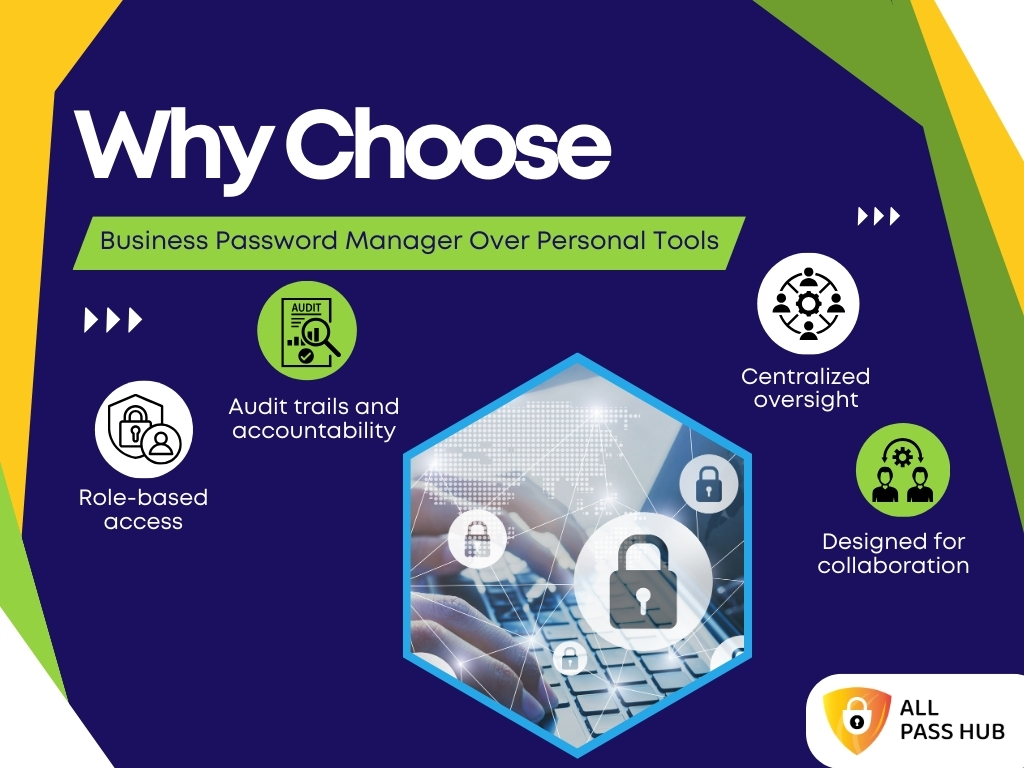
Why Choose A Business Password Manager Over Personal Tools

Why Choose Business Password Manager Over Personal Tool

At first glance, it may seem that personal password managers or browser-based tools are sufficient for a team. After all, they save passwords and autofill them when needed. 

However, when you scale this to an entire organization, the gaps become evident. What works quickly for one individual fails when multiple users, departments, and compliance standards come into play.

It is where a business password manager proves its worth. It is designed for teams, not just individuals, and provides the oversight, structure, and security businesses need.

Here is why the distinction matters:

  • Role-based access: Instead of sharing the same credentials informally, business managers enable you to define roles and permissions, so each user only views what they need.
  • Audit trails and accountability: With activity logs, administrators can trace who accessed or updated credentials, providing clarity and compliance-ready records.
  • Centralized oversight: Leaders gain visibility into access patterns and can enforce policies like IP restrictions or password strength rules across the entire team.
  • Designed for collaboration: Secure sharing of passwords, files, and credentials is easy and traceable, unlike personal tools that lack structured sharing mechanisms.

➡️Personal password managers are excellent for individuals who want convenience. But businesses require more. They need scalable solutions that combine security, collaboration, and accountability. That is exactly what a corporate or enterprise password manager is built to deliver.

Must-Know Insight: Personal tools may keep individuals organized, but they fall short for organizations. A business password manager provides the structure, visibility, and secure collaboration that teams need to work confidently. 

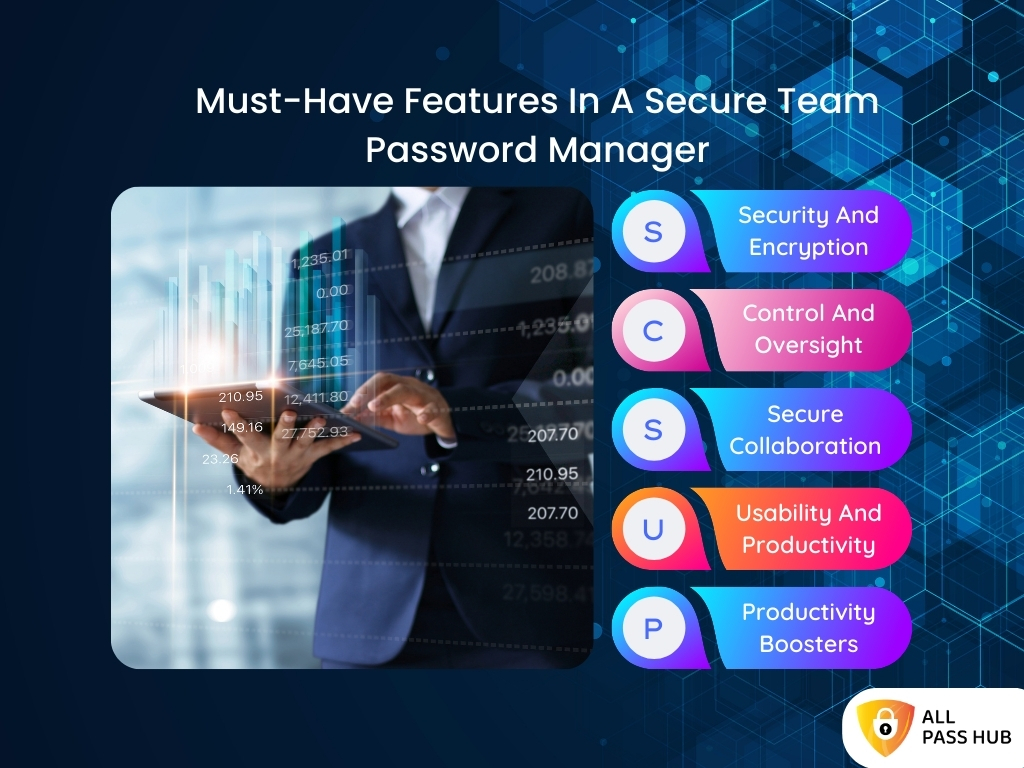
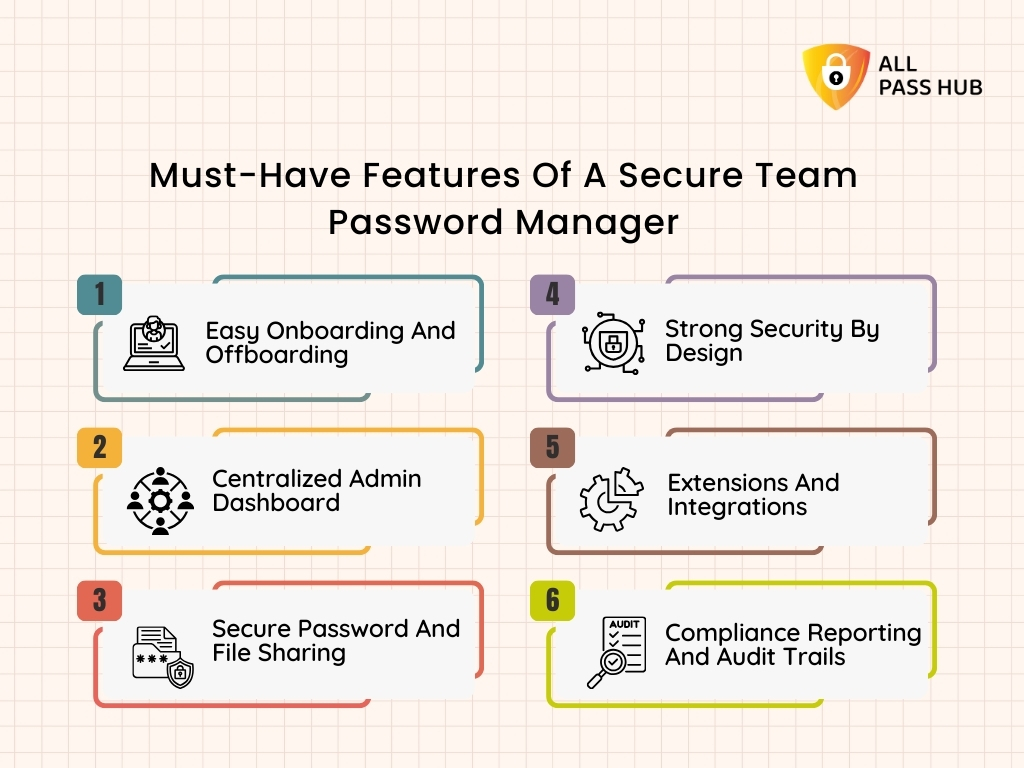
Must-Have Features In A Secure Team Password Manager

Must-Have Features In A Secure Team Password Manager

Not all password managers are created equal. While fundamental tools may be practical for individual use, businesses need more than convenience. They require impenetrable security, streamlined workflows, and seamless collaboration. 

A truly secure team password manager should offer the following essentials:

Security And Encryption

Security is non-negotiable when protecting credentials across an entire organization. Watch out for:

  • AES-128 encryption ensures sensitive data is secured at rest.
  • Zero-knowledge architecture guarantees that only you and your team can access the vault, not even the provider.
  • Multi-factor authentication adds an extra layer of protection.
  • A robust master password serves as the single key to the vault.

Control And Oversight

Organizations cannot afford to lose visibility into access patterns. Hence, consider the following:

  • Role-based access control (RBAC) ensures each employee only views what they need.
  • Activity logs track every login and update, building trust and accountability.
  • IP restrictions and audit trails provide an extra safeguard for compliance.

Secure Collaboration Without Friction

Teams often need to share access to apps, platforms, and services. For instance:

  • Encrypted password sharing allows credentials to be passed securely.
  • Revocable access links provide control if someone leaves the team.
  • Secure file sharing enables the storage of sensitive documents alongside passwords.

Usability And Productivity

Security should never slow work down. The right password manager makes life easier. For example:

  • Browser extensions for Chrome and Firefox enable autofill directly in workflows.
  • Tagging and search features help locate credentials instantly.
  • Autofill speeds up logins while maintaining control over where it works.
  • Unlimited credentials and cross-device sync ensure everything is consistent.
  • Offline access ensures work continues even without internet connectivity.

Productivity Boosters

Modern managers go beyond simple storage. They offer:

  • Built-in password generators create strong, unique passwords instantly.
  • A security dashboard highlights weak or reused credentials. It lets you fix them early.

The Bottom Line: The best team password managers stabilize the advanced security, centralized oversight, and ease of use. Features like encryption, RBAC, and secure sharing safeguard data, while autofill, tagging, and dashboards boost team efficiency.

Security First: Why Zero-Knowledge Architecture Is Non-Negotiable

Trust is everything when it comes to password protection. Businesses cannot afford to wonder whether their provider can peek into their data or whether sensitive credentials are at risk if servers are ever compromised. It is where zero-knowledge architecture comes in, and it has become the gold standard for secure password management.

What Zero-Knowledge Really Means

In simple terms, zero-knowledge ensures that your password manager never has access to your vault. Only you and your team can unlock the data, even if the provider wanted to peek inside.

Key Protections That Build Trust

  • End-to-end encryption secures your information at every step, whether it is stored or transmitted.
  • The dual key model separates authentication from decryption. It means even if one key is compromised, the vault stays safe.
  • Master password protection ensures that only you control the single key to your digital vault.
  • Military grade AES-128 encryption protects credentials at rest, while TLS 1.2 or higher secures data in transit.

Why Does It Matter For Teams In 2025?

With the rise of AI-driven phishing and increasingly strict compliance regulations, businesses need guarantees, not promises. 

Zero-knowledge architecture provides reassurance that sensitive data cannot be accessed by employees of the provider, hackers, or even special requests without the vault holder’s consent.

What This Means For You: Zero-knowledge encryption removes the need for blind trust. It guarantees that only your team can access stored credentials, protecting your business from breaches, insider risks, and compliance failures.

Which Type Of Password Manager Fits Your Business?

Businesses have different priorities, and the right tool depends on the optimal balance of security, usability, and scalability. Understanding the following types will help you make shrewd decisions.

SaaS-Based Password Managers

These are cloud-hosted solutions like All Pass Hub that enable real-time syncing across devices and locations. You get the following benefits:

  • Accessible on multiple platforms, including desktops, browsers, and mobile apps.
  • Automatic updates ensure you always have the latest features and protections.
  • Easy to scale for startups, small businesses, or large enterprises.
  • Zero-knowledge encryption safeguards data even though it is stored in the cloud.

Self-Hosted Password Managers

Some organizations prefer to host their password manager on internal servers. It:

  • Provides total ownership of infrastructure and data.
  • Requires in-house IT teams to manage installation, updates, and security.
  • Is more suitable for enterprises with strict regulatory requirements
  • Comes with a higher upfront cost and complexity

Browser Storage

Most browsers offer built-in password saving features, but these come with significant limitations. Some of them are:

  • No role-based access, centralized controls, or audit trails.
  • Limited security assurances compared to dedicated password managers.
  • Not designed for team collaboration or enterprise-grade security.

➡️So, why SaaS with zero-knowledge stands out in 2025?

Because for most businesses, SaaS-based solutions with zero-knowledge architecture are the best option. They combine accessibility with strong encryption, simplify onboarding for teams, and offer cross-platform compatibility that works seamlessly for remote and hybrid workplaces. 

In a Nutshell: SaaS-based password managers with zero-knowledge encryption strike the perfect chord between security, usability, and scalability, making them the wisest choice for businesses in 2025. 

Find the Right Password Manager for You

Password Manager For Different Teams And Industries

Password Manager For Different Teams And Industries

Not every team works the same way, and neither should their password manager. Startups seek speed and affordability, agencies juggle between multiple client credentials, and IT departments require high-level security. 

Let us walk you through different business scenarios to demonstrate how versatile solutions like All Pass Hub adapt to these diverse needs.

Startups

  • Budget-friendly options with room to scale as the team grows.
  • Quick onboarding without IT-heavy processes.
  • Free plan and premium upgrades make it accessible from day one.

Small Businesses

  • Unlimited credential storage ensures no team member runs out of space.
  • Easy-to-use browser extensions support employees with limited technical expertise.
  • A centralized dashboard reduces wasted time on resets and access confusion.

Agencies

  • Manage multiple client accounts securely without overlap.
  • Tagging and search features allow faster retrieval of project-specific credentials.
  • Audit trails provide transparency for compliance and accountability.

Developers And IT Teams

  • Store and share API keys, SSH credentials, and server logins securely.
  • Multi-factor authentication ensures an additional layer of defense.
  • Role-based access prevents unnecessary privilege escalation.

Remote Teams

  • Real-time synchronization across devices supports global collaboration.
  • Encrypted password sharing prevents risky alternatives like chat messages or spreadsheets.
  • Policies such as IP restrictions ensure logins only happen from trusted networks.

A Visual Glance At Password Manager Fit By Industry

Team TypeKey NeedsHow a Password Manager Helps
StartupsAffordability, quick onboarding, scalabilityFree plan, simple setup, growth-ready storage
Small BusinessesUnlimited storage, easy usabilityBrowser extensions, centralized dashboard, fewer resets
AgenciesClient account security, project separationTags, audit trails, and encrypted password sharing
Developers & ITSecure API/SSH keys, infrastructure controlMFA, role-based access, encrypted vault
Remote TeamsReal-time sync, safe collaborationCloud sync, IP rules, cross-device encrypted access

Quick Recap: Whether you run a lean startup, a growing agency, or a global enterprise, the right password manager should flexibly adapt to unique workflows while maintaining strong security and ease of use. 

How Secure Are Password Managers, Really?

Security is always the primary concern when businesses think about adopting a password manager. Teams wonder whether storing all credentials in one place is truly safe. 

The truth is that while no system can claim absolute immunity, present-day password managers are designed with multiple safeguards that make them significantly safer than spreadsheets, browsers, or email threads. 

This section explores the most common doubts, explains the security mechanisms that protect sensitive data, and highlights why password managers are safer than spreadsheets or browser storage.

Addressing Common Myths And Fears

Many organizations hesitate because of fears such as:

  • “Will all my passwords leak if the provider is hacked?”

Zero-knowledge encryption ensures even the provider cannot read your vault. Only your master password can unlock your data.

  • “What if I forget my master password?”

Most managers provide secure account recovery without ever exposing the contents of the vault.

  • “Are password managers attractive targets for hackers?”

Yes, but their security model is designed so that even in the event of a breach, encrypted data is useless without the user’s key.

The Role of Encryption And Authentication

To build confidence, modern password managers employ multiple security layers, such as:

  • AES-128 or AES-256 encryption protects credentials at rest with military-grade strength.
  • TLS 1.2 or higher secures data in transit, preventing interception.
  • Multi-factor authentication (MFA) requires an additional device or code, reducing risk even if a password is compromised.
  • Dual key models separate login credentials from decryption keys. It ensures attackers cannot unlock data with a single point of failure.

These combined measures protect businesses against brute-force attacks, phishing attempts, and unauthorized access.

Why Spreadsheets And Browsers Are Unsafe

Storing passwords in spreadsheets or letting browsers autofill them might feel hassle-free at first glance. However, both carry critical weaknesses:

  • No encryption means data can be read if the device is stolen.
  • No access control allows anyone with the file or device to view all credentials.
  • No audit trail prevents tracking of who accessed or modified credentials.
  • High exposure to malware since spreadsheets and browsers are easy targets for keyloggers or phishing.

In short, these methods trade short-term convenience for long-term vulnerability.

Building Confidence Through Oversight

Trust is not just about encryption; it is about visibility and accountability. Business-grade managers provide:

  • Audit logs that record every access and update.
  • Security dashboards that highlight weak or reused passwords.
  • Real-time notifications for suspicious activities or failed login attempts.
  • Role-based access so employees only see what they need.

This supervision turns password management from a blind trust system into a transparent and accountable framework that prevents breaches before they happen.

Core Insight: Password managers are designed to be safer than manual methods. With zero-knowledge encryption, military-grade algorithms, and real-time oversight, they give businesses both unbreakable protection and clear accountability. 

All Pass Hub vs. Other Password Managers: Where It Stands Out

Choosing the right password manager often feels overwhelming because of the countless tools in the market. Many solutions promise security, but they fail to address affordability, ease of use, and real-world scalability. It is where All Pass Hub sets itself apart. 

Its ability to combine enterprise-grade security with human-centered usability, while also packing in features, is something competitors often overlook. 

Let’s break down why it stands out from others.

Complete Coverage of Credentials

Unlike many managers that restrict storage or force users into higher tiers, All Pass Hub offers:

  • Unlimited credentials and unlimited device logins from the start.
  • Basic and premium credential types for flexibility.
  • Password generator and strength meter to eliminate weak, reused passwords.
  • Account recovery for quick and secure access restoration.

It ensures teams never hit artificial limits while scaling.

Advanced Organization Tools

Chaos often returns when teams cannot locate what they need. All Pass Hub eliminates that with:

  • Tags and search by tags to group logins by project, department, or vendor.
  • Favorites and pinned credentials to keep daily essentials passwords close.
  • History and activity logs to track usage over time.

These features give users the clarity to work faster without guesswork.

Security And Oversight For Admins

Most managers stop at encryption, but All Pass Hub builds peace of mind with:

  • Audit logs and export history for compliance and accountability.
  • User, role, and group management to cleanly assign access.
  • Group sharing and supervisor access for structured collaboration.
  • IP rules to control credentials usage.

All this empowers IT admins with visibility that spreadsheets and consumer-grade managers cannot match.

Support That Scales With You

Adoption succeeds when teams feel guided, not left behind. All Pass Hub supports this through:

  • White-glove onboarding for enterprises.
  • Chat and email support for quick resolution.
  • Importing and exporting credentials for smooth transitions.

By combining usability with dedicated support, businesses can roll out secure password management without friction.

All Pass Hub vs. Other Password Managers: Feature Comparison

FeatureCommon Password ManagersAll Pass Hub
Credential StorageLimited storage or capped by pricing tiersUnlimited credentials on unlimited devices
Password Generator & Strength MeterBasic generator, sometimes without strength analysisAn advanced generator with a strength meter to eliminate weak or reused logins
Search & OrganizationSimple search only, limited categorizationTags, search by tags, favorites, and pinned credentials for instant access
Audit Logs & HistoryAvailable only on costly enterprise plansFull audit logs, history, and export history included in $0.99/plan.
Role & User ManagementRestricted to premium enterprise tiersRoles, groups, group sharing, user supervision, and credential-level control
IP Rules & Access PoliciesRare or only at the enterprise levelIP rule enforcement and policy configuration included
File & Credential SharingLimited sharing, often email-based or unencryptedEncrypted sharing, revocable access, unlimited sharing, and secure file uploads
Onboarding & SupportBasic help articles, limited premium supportWhite-glove onboarding, chat and email support, guided setup
Import & ExportComplicated migration, often unsupportedSmooth import/export of credentials with export history
PricingHigh monthly fees for advanced featuresFree forever plan and $0.99 premium plan with enterprise scaling

➡️The Big Picture: Features like audit log export, tags, search by tags, and role-based controls are often hidden behind premium enterprise tiers in other tools. All Pass Hub brings them forward in an accessible, affordable package that works for startups, agencies, IT teams, and global enterprises alike.

Smart Summary: All Pass Hub is not just a vault for logins. It is a complete ecosystem with unlimited storage, advanced search, audit-ready oversight, and flexible team management, all at a transparent price point that others cannot match.

Step-By-Step Guide: Implementing All Pass Hub In Your Organization

Adopting a new password manager may seem daunting. However, with All Pass Hub, the process is straightforward and designed to minimize disruption. By following a structured rollout, businesses can transition from scattered logins to a secure, centralized system without overwhelming their teams. 

Here is how you can implement All Pass Hub in your organization.

Step 1: Audit Your Current Password Practices

Before importing anything, review how your team currently manages passwords. Identify risky habits such as storing passwords in spreadsheets, reusing weak credentials, or sharing through chat tools. This baseline helps you measure improvements once All Pass Hub is live.

Step 2: Import Credentials Easily

All Pass Hub supports smooth credential migration. Use the import feature to bring in existing logins from browsers, spreadsheets, or other tools. Export history is tracked to ensure nothing is misplaced during migration. And everything is neatly organized inside the password vault.

Step 3: Add Users And Assign Roles

Invite your team members and organize them into groups. Use role-based access control (RBAC) to assign permissions based on job function. 

For example, developers can access API keys while marketing staff view only their relevant logins. Groups and supervisor features make large-scale team management seamless.

Step 4: Configure Security Policies

Set up policies that comply with your organization’s security standards. Options include:

  • Enforcing multi-factor authentication (2FA).
  • Defining password rules with the password strength meter.
  • Applying IP rules to limit logins to specific networks.
  • Activating audit logs and activity monitoring for accountability.

Step 5: Train Employees And Encourage Adoption

  • Use the Security Dashboard to educate staff about password strength and reuse risks. 
  • Provide a quick walkthrough of the Chrome and Firefox extensions to show how autofill, tags, and pinned favorites reduce friction in daily work. 
  • White-glove onboarding support ensures smooth adoption even for non-technical staff.

Knowledge Drop: A structured rollout with All Pass Hub begins with audits, imports, role setup, policy enforcement, and training. All this helps your organization move from risky habits to a secure and streamlined system without disruption. 

Experience Simple Password Setup

Productivity Wins: Eliminating Password Resets And Chaos

Every business leader knows that lost minutes add up to hours, and wasted hours lead to missed opportunities. Password mismanagement is one of the most overlooked productivity drains. 

Employees forget logins, IT teams reset accounts, and managers lose visibility. The result is not only inefficiency but also frustration that undermines confidence across the organization.

With All Pass Hub, these challenges are addressed head-on through features designed to simplify workflows and empower teams.

Pivotal Ways In Which All Pass Hub Boosts Productivity

  • Fewer Password Resets: Employees no longer waste time requesting help as every credential is stored in one secure vault.
  • Stronger Audits: Audit logs and activity tracking ensure compliance reviews are faster and smoother.
  • Simpler Onboarding: New hires gain immediate access to the needed tools, reducing downtime.
  • Confidence in Every Task: Teams focus on work without worrying about misplaced or weak credentials.
  • Centralized Policies: IT sets access rules once, which reduces repeated interventions.

By combining robust security with intuitive usability, All Pass Hub eliminates squandered time, removes access confusion, and allows employees to focus on meaningful work.

Key Takeaway: All Pass Hub reduces wasted hours by cutting password resets, automating audits, and simplifying onboarding. It gives teams the freedom to focus on growth, efficiency, and secure collaboration.

Pricing And Affordability: Transparency That Matters

Cost often becomes the final deciding factor when businesses evaluate software. Unfortunately, many password managers bury their pricing behind complex tiers. And even lock essential features behind expensive enterprise plans. The truth is that affordability should never come at the expense of security.

All Pass Hub stands out because it counterbalances enterprise-grade protection with transparent, budget-friendly pricing. You know precisely what you are paying for, and you get essential features even in the free plan. 

This honesty in pricing ensures that startups, small businesses, and large enterprises alike can access robust security without breaking the bank.

Unique Pricing Advantages Of All Pass Hub

  • Free Forever Plan: Unlimited credentials & password storage, basic credential types, security dashboard, 2FA, and email support.
  • Premium for Just $0.99: Advanced credential types, favorite/pin, sharing, search by tags, account recovery, export history, premium support, and audit logs.
  • Tailored Enterprise Packages: For organizations with complex compliance, team, and reporting needs.

Why Pricing Transparency Matters

A single data breach can cost an organization millions in penalties, lost trust, and downtime. Compared to that, a secure password manager is one of the most pocket-friendly investments any team can make. 

All Pass Hub ensures that no team, regardless of size, is priced out of robust security.

The True Cost Of Password Management: A Comparison

FactorDIY Methods (Spreadsheets, Browsers)Expensive CompetitorsAll Pass Hub
Cost TransparencyHidden risks, no true cost controlConfusing tiers, high monthly feesSimple, flat, transparent
Security RiskHigh (weak encryption, human error)Low but often overpricedLow, enterprise-grade, affordable
Time Lost on ResetsFrequently, hours are wasted each weekReduced but at a premium priceDrastically reduced with free or low-cost plans
ScalabilityFails as the team growsAvailable but costlyScales seamlessly across free, premium, and enterprise
Audit and ComplianceNoneAvailable but locked in higher plansBuilt-in, even in affordable tiers
Overall ROINegative due to breaches and delaysModerate but expensiveHigh ROI with minimal investment

A Hard-Hitting Reality Check

When compared side by side, the cost of doing nothing or relying on spreadsheets is far more significant than the simple, predictable investment of adopting All Pass Hub. 

By paying less than the price of a cup of coffee each month ($0.99), businesses safeguard their future, their data, and their peace of mind.

Final Thought: All Pass Hub delivers transparent, affordable pricing while offering enterprise-grade protection, turning password management from a hidden liability into one of the wisest investments for any organization. 

Experience Simple Password Setup

Conclusion

In today’s digital world, remote work, AI-driven phishing, and compliance demands make security more complex than ever. Strong password management forms the foundation of trust, productivity, and business continuity.

Throughout this guide, we’ve explored why unmanaged credentials drain time and create hidden risks, why spreadsheets and browsers fail under pressure, and how a business password manager reshapes security. 

We explored the must-have features and highlighted how All Pass Hub delivers these high-end capabilities with ease. It also offers transparent pricing and a step-by-step implementation path.

➡️The message is clear: the right password manager reinforces security, reduces resets, and helps teams work with confidence. All Pass Hub stands out because it combines enterprise-grade protection with simplicity and affordability. 

With All Pass Hub, you replace uncertainty with seamless, secure collaboration.

As you prepare your team for the future, remember that “small decisions today prevent costly mistakes tomorrow.” Choosing a secure password manager is one of those pivotal decisions.

Thank you for investing your time to explore this journey with us. Move forward with clarity, confidence, and the peace of mind that your digital world is safe. 

FAQ

Can A Password Manager Work Without An Internet Connection?

Yes. Many password managers, including All Pass Hub, support offline access. It means you can view and use saved credentials even without internet connectivity. Once you reconnect, changes automatically sync across all devices.

How Do Password Managers Protect Against Insider Threats?

Password managers reduce insider risks through role-based access control, audit logs, and activity monitoring. Admins can see who accessed what and revoke permissions instantly if misuse is suspected, keeping credentials under strict oversight.

Do Password Managers Support Compliance Requirements Like GDPR?

Yes. A secure password manager offers features such as audit trails, encryption, and access policies that align with data protection standards. For example, All Pass Hub provides GDPR-friendly tools to ensure compliance without complicating workflows.

What Happens If I Forget My Master Password?

Most password managers employ zero-knowledge architecture, so that no one except you, not even the provider, can recover your master password. Instead, recovery methods such as secure account recovery options or backup codes help regain access without exposing data.

Can Teams Share Credentials Without Revealing The Actual Password?

Yes. Modern password managers allow credentials to be shared as encrypted tokens. It means teammates can log in to tools and platforms without ever viewing the raw password, ensuring safer collaboration and reduced leakage risk.

All Pass Hub: The Ultimate Password Manager Your Team Needs

Imagine this: It is Monday morning. Your first login fails, the reset email never arrives, and a teammate pings you for the social account password while a spreadsheet labeled passwords sits open on someone’s desktop. One little mix-up becomes a lost hour, then a risky habit. 

If this sounds familiar, ask yourself a simple question: How much time and trust are you losing to password chaos every week, and what would it mean to fix it today?

If you seek a top-notch solution, continue reading. We will discuss how All Pass Hub, an ultimate password manager, emerges as a single, secure, effortless way to manage every password. 

You will learn what a modern password manager should be, how the best password manager protects real workflows, and why a unified password vault changes the way teams collaborate.

We have designed this blog for leaders, IT managers, and fast-moving teams who want clarity and control without slowing work.

Expect clear answers, practical steps, and a few eye openers that pay off right away. The roadmap is simple. Understand the problem, see the solution, and leave with a plan you can put into action today.

Let’s get started!

Why Teams Struggle With Passwords Today

Why Teams Struggle With Passwords Today

Visualize this: it is Monday morning, the team is ready to commence a new project, but half the members cannot log in. Someone forgot the shared password, another is stuck waiting on IT for a reset, and a third is digging through old emails. This kind of chaos is usual than most leaders realize.

The Challenges Behind Everyday Passwords

Teams often encounter recurring issues that slow down productivity and weaken security. These are not isolated incidents; they are systemic problems that affect performance:

  • Weak or reused passwords: Many employees recycle simple logins, which makes accounts vulnerable. A single breach can compromise multiple platforms.
  • Scattered storage: From sticky notes to spreadsheets, or relying on browser storage, passwords are spread across insecure locations.
  • Time wasted: Reset requests and credential pings drain focus, creating delays that inflate across the organization.
  • Lack of centralized control: Without a collaborative password manager, administrators cannot enforce standards or gain visibility into risky practices.

Why This Matters For Teams

When credentials are scattered and unmanaged, the security incidents become harder to contain, while employee frustration rises with every reset request. They create unthinkable vulnerabilities for organizations. Without centralized control, managers cannot enforce strong policies or spot where risks are emerging. 

A dedicated team password manager resolves these challenges by managing every credential in a single secure, collaborative system. It reduces ticket volume and accelerates work. 

Most importantly, it provides leaders with clear visibility into how credentials are stored, shared, and used.

Core Insight: Disorganized password practices create inefficiency and risk. A collaborative team password manager centralizes control, strengthens security, and restores productivity.

What Is A Password Manager, And How Does It Work?

Imagine one master key that unlocks every approved door in your workday. No guessing, no hunting, no risky shortcuts. That is the simple idea behind an advanced password manager for teams.

It is fundamentally a secure digital vault that stores credentials, fills them when needed, and protects them with a single master password. Think of it as a locked cabinet in the cloud that only authorized people can open.

How It Works, In Layperson Terms

  • Store and organize: Save usernames, passwords, and notes inside a protected vault. It is organized by tags, folders, or teams.
  • Protect with one key: Use a single master password to unlock your vault. Strong encryption shields everything inside.
  • Fill without copying: The password manager app and browser extension autofill verified websites, eliminating errors and preventing phishing tricks.
  • Sync across devices: A cloud password manager keeps data available on laptops, phones, and tablets with the same security rules.

➡️So, why are most teams adopting it?

Simple: A secure password manager replaces scattered habits with one source of truth. It reduces reset tickets, speeds onboarding, and supports safe sharing within policies set by admins.

➡️And, where does it fit in your stack? 

Password manager software works alongside your identity tools. It covers websites, services, and shared secrets without a single sign-on, while maintaining auditability and consistent controls.

In a Nutshell: A password manager is a secure, cloud-based vault that stores and autofills logins with one master key. It replaces weak habits, simplifies sharing, and provides teams with visibility and control without slowing work.

Essential Features Every Team Should Look For

Essential Features Every Team Should Look For

Not every password manager is created equal. Teams need more than just a place to store credentials. They need features that keep work fast, safe, and organized while giving admins confidence in oversight. Here are the salient ones that matter most.

Core User Features

  • Autofill that works when needed: A reliable password manager app should detect approved websites, autofill credentials instantly, and never push logins where they do not belong.
  • Built-in password generator: Resilient, unique passwords are created in seconds, replacing guesswork with standards your team can trust.
  • Secure sharing: Teams need controlled sharing that protects sensitive logins while allowing collaboration with vendors, clients, or colleagues.
  • Smart organization: Tags, folders, and quick search enable users to find accounts instantly rather than scrolling through endless lists.

Admin And Security Features

Essential Features Every Team Should Look For
  • Admin dashboard: Centralized password management ensures visibility control. Admins can view usage, assign roles, and revoke permissions without delays.
  • Audit logs: Complete records help teams track access and resolve issues quickly, while providing compliance-ready trails.
  • Role-based access: Permissions can be granted at the group or role level to keep sensitive data on a need-to-know basis.
  • Advanced security: Multi-factor authentication, dual-key protection, and zero-knowledge architecture ensure no one outside your team can view or use your data.

These are not optional extras; they are the foundation of an unbreakable password manager for teams that want productivity without compromising safety.

Essential Insight: The best password managers offer secure sharing, password generation, and centralized controls. Teams should choose software that harmonizes user convenience with admin visibility and impenetrable protection. 

Secure your passwords with All Pass Hub

All Pass Hub Security: Trust By Design

If you ask if password managers are safe, the answer depends on how they are built. All Pass Hub was designed as a secure password manager from the ground up, so your password vault stays private, even from us.

How We Keep Your Vault Safe

  • Zero-knowledge promise: Only you can decrypt your data. All information is encrypted before it leaves your device. Not even All Pass Hub can read your vault.
  • Stronger keys by design: Your Master Password is strengthened through 600,000 iterations before it becomes your encryption key. That figure is meant to prevent offline guessing in its tracks.
  • Dual-key protection: One secret authenticates your sign-in, a separate master key decrypts your repository. If one key is ever exposed, your credentials remain protected.
  • Encryption in transit and at rest: Data at rest employs a military-grade security algorithm, AES-128. Data in transit is protected with TLS 1.2 or higher.
  • Defense in depth: Security controls work together, so policies, permissions, and encryption reinforce each other without slowing daily work.

All of this exists to answer one question with confidence. Yes, a password manager can be safe when it is designed for privacy-first and tested against real-world risks.

The Crux: All Pass Hub protects your password vault with zero-knowledge design, 600,000 Master Password iterations, dual-key protection, and robust encryption for data in transit and at rest. It allows teams to work with confidence.

Organization At Scale (Why Businesses Love It)

Growing teams need a structure that feels simple in daily work. A business password manager should keep people organized, permissions tight, and admins calm as the company expands.

Built For Many Users

  • Groups and roles: Organize by department, project, or client. Assign view, edit, or share rights that match real responsibilities.
  • Shared vaults and folders: Keep the correct credentials in the right place, so teams move swiftly without hunting for logins.
  • IP restrictions: Limit sign-ins to trusted networks, which lowers risk for remote and office-based teams.
  • Granular permissions: Give contractors or vendors temporary access, then remove it cleanly when the engagement ends.

How It Offers Peace Of Mind To Admins

  • Centralized visibility: A password manager for business lets admins view who has access, where it is used, and when changes occur.
  • Fewer tickets: Straightforward ownership and easy discovery reduce reset requests and access pings.
  • Stronger audits: A complete history supports compliance checks and faster investigations.
  • Simple scale: An enterprise password manager scales with new teams, locations, and tools without extra chaos.

When features work together, a multi-user password manager becomes the quiet backbone of secure collaboration. Teams focus on work, while leaders maintain control.

The Bottom Line: A business password manager organizes people, permissions, and places at scale. Groups, roles, and IP rules cut tickets, reinforce audits, and provide leaders with excellent visibility without slowing daily work.

Real World Impact (Case Study Style)

Numbers and features are helpful. However, the way a password manager makes a difference in your daily work matters. 

Imagine this: A growing marketing agency with 40 employees, each juggling dozens of accounts for social platforms, design tools, and client dashboards. Before adopting a centralized solution, they faced constant password resets, inconsistent access, and frequent delays in client deliverables.

How A Secure Password Manager Transformed Operations

  • Fewer password resets: By adopting All Pass Hub, reset requests dropped by nearly 80 percent. Employees logged in seamlessly rather than filing IT tickets.
  • Faster client onboarding: New hires gained access to shared vaults within minutes. It replaced long email chains and reduced waiting time.
  • Compliance-ready: Admins used the audit log to track access and generate compliance reports without piecing data together manually.
  • Reduced security risks: Teams stopped relying on spreadsheets and sticky notes. It significantly lowered the risk of unauthorized access.

Impact Across Different Teams

  • Startups benefit from a quick and hassle-free setup, which means less distraction from product building.
  • Remote teams maintain security while working across time zones through IP restrictions and cloud sync.
  • Agencies share credentials with multiple clients while preserving ownership in a solitary vault.
  • Developers and IT teams employ role-based access and password health checks to ensure systems are secure.
  • Enterprises meet GDPR compliance and other regulatory requirements with robust logs and encryption.

When a password manager for a small business or enterprise brings measurable savings in time and effort, security shifts from being a burden to becoming a competitive advantage.

Main Message: A collaborative password manager decreases reset requests, speeds onboarding, and ensures compliance. The result is unbreakable security, happier employees, and more time for core tasks. 

Set up In Minutes, Not Months

Getting started should feel simple and fast. The goal is to secure your team today, not after a long rollout. Here is how All Pass Hub gets everyone productive without heavy training or delays.

  • Install the extension: Add the All Pass Hub browser extension for Chrome and Firefox, then sign in once. The password manager app works on both desktop and mobile for a consistent experience.
  • Import in one go: Bring credentials from browsers, CSV files, or other tools. Tags and folders ensure everything is organized from day one.
  • Cloud sync enabled: A cloud password manager keeps passwords available across devices with the same controls and policies everywhere.
  • Invite teammates: Send invites, add people in groups, and apply role-based permissions. New members view only what they need.
  • Set policies quickly: Enable multi-factor authentication, define sharing rules, and require resilient passwords with the built-in generator.
  • BYOD option: Bring your own database for organizations that want to manage storage under their control, while maintaining the same user experience.

You don’t need a long project plan. Install, import, invite, and set comprehensible rules. Most teams complete the basics in a single session, then refine groups and policies as they grow.

What This Means For You: All Pass Hub speeds up adoption with quick setup, instant import, cloud sync, and simple invites. You gain a secure, cloud-based password manager that teams understand on day one, with policies ready to enforce. 

Protect your digital identity with zero-knowledge encryption

Beyond Passwords: A Complete Security Hub

Most password managers stop at storing logins. All Pass Hub goes further by offering teams a single trusted place to manage all sensitive information. It makes it more than just a password vault. It becomes an encrypted digital hub for all types of confidential records.

What You Can Store Safely

  • Files: Upload contracts, compliance documents, or sensitive project files that need restricted access.
  • Payment cards: Keep company credit cards or vendor payment details in encrypted storage, with access granted only to finance staff.
  • Secure notes: Save private keys, vendor instructions, or policy notes in a location where they cannot be lost or shared in an unsafe manner.
  • Vendor and client records: Manage client logins or partner credentials with the same controls, making audits easier and collaboration smoother.

Bringing passwords, files, cards, and notes into a single platform minimizes complexity. Admins get a unified view of what is stored, who accessed it, and how it was shared. It eliminates scattered tools and shadow storage that create risk.

Unlike competitors that rarely show updates, All Pass Hub provides a live changelog. It indicates that security is always evolving, and the platform is improving based on user needs.

Smart Summary: All Pass Hub is more than a password manager. It is a comprehensive security hub that protects files, cards, notes, and logins under a consolidated roof with unified controls and constant updates. 

Why Teams Choose All Pass Hub Over Others

Why Teams Choose All Pass Hub Over Others

When teams compare options, they are primarily asking one question: Which password manager is best for teams needing security, simplicity, and proof of ongoing improvement? 

Here is where All Pass Hub stands out in daily use.

Transparent Pricing That Scales

Start with a free password manager for individual use, then move to an affordable premium plan at $0.99 per month. Larger organizations can request a tailored enterprise package that matches scale and compliance needs.

Security You Can Explain To Anyone

Zero-knowledge design keeps your vault private. 600,000 Master Password iterations create an unbreakable encryption key. Military grade AES-128 protects data at rest, while TLS 1.2 secures data in transit.

Built For Business, Not Just Consumers

All Pass Hub is a password manager for businesses that has shared vaults, groups, roles, audit logs, and a clutter-free admin dashboard. Leaders obtain visibility and control without adding friction for the team.

Fast Onboarding, Low Effort Adoption

Chrome and Firefox extensions, cutting-edge import tools, and cloud sync make rollout plain sailing. Most teams can set policies, invite users, and start sharing safely in a single session.

Proof Of Momentum

A live changelog shows constant updates. It builds trust that the platform you choose today will continue to elevate tomorrow.

So, answering the big question: what is the best password manager for teams? It depends on the perfect balance of robust security, easy sharing, and clear admin control. All Pass Hub delivers all this with economical pricing and value-driven features that accommodate growth-oriented organizations.

Must-Know Insight: Teams choose All Pass Hub because it combines unambiguous pricing, top-notch security, and handy business features. It feels like a cakewalk for users, provides admins with power, and continues to scale with visible updates.

Password Manager vs. Browser Storage

Saving passwords in the browser feels effortless until teams grow and access spreads across devices. Convenience turns into blind spots. The choice is not about comfort; it is about authority, visibility, and peace of mind.

Where Browser Storage Helps

These benefits are tangible, but limited for teams:

  • Quick save and autofill inside one browser.
  • No additional apps to learn for basic personal use.
  • Sync across the same vendor’s devices if accounts match.

Where Browser Storage Falls Short

  • It is where the team needs to outgrow convenience:
  • No shared vaults or role-based permissions for groups.
  • No audit logs or admin dashboard to view who did what and when.
  • Weak policy enforcement for password strength, reuse, or sharing rules.
  • Offboarding gaps when people leave, since data can remain on personal profiles.
  • Limited encryption transparency and little support for compliance reviews.

What A Secure Password Manager Does Better

A dedicated, secure password manager centralizes control:

  • Shared vaults for projects and departments with clear ownership.
  • Role-based access, approval flows, and instant revocation.
  • Detailed audit trails and a clean admin dashboard.
  • Rigorous policies, breach alerts, and password health checks across browsers and devices.

➡️In the comparison of password managers vs browser passwords, teams win with centralized control, consistent security, and accountable sharing. Browser storage is fine for individuals. Teams need more than convenience; they need governance.

What You Should Know: Browser storage is built for an individual, not for a team. A secure password manager adds shared vaults, policies, and audit trails. It empowers organizations to gain superior control, quicker onboarding, and safer collaboration across every device.

How To Choose The Right Password Manager For Your Team

The ideal password manager can be a decisive factor between constant disruptions and smooth, secure teamwork. With several options available, teams often wonder what features truly matter. Well, the key is to focus on security, collaboration, and ease of use while balancing cost and compliance needs.

Core Features To Consider

When evaluating a password manager for business, small teams, or enterprises, make sure these essentials are present:

  • Encryption strength: Consider advanced encryption, such as AES-128 with resilient key derivation.
  • Secure sharing: Teams need a collaborative password manager that allows safe sharing without revealing plain text.
  • Admin controls: A reliable password manager admin dashboard offers role-based permissions, centralized monitoring, and instant revocation of authorization.
  • Audit and compliance support: Detailed logs and GDPR-compliant frameworks make audits smoother.
  • Password generator: Built-in tools to create iroclad, unique passwords. It saves time and reduces risk.

Evaluating The Experience

Security features alone are not enough. Teams should ask:

  1. How easy is onboarding for non-technical staff?
  2. Is there a browser extension for Chrome and Firefox to simplify daily use?
  3. Can credentials be organized with tags, groups, and policies at scale?
  4. Does the vendor provide transparent pricing and a free password manager plan for testing?

The Decision Framework

If you are still wondering how to choose a password manager, begin by mapping your team size, security priorities, and compliance requirements. 

Compare options not solely on price, but also consider future growth. What works for a small-sized business should scale into a multi-user password manager for enterprise needs.

➡️A good rule of thumb is to choose a secure password manager that aligns with your current operations and evolves with your team tomorrow.

Knowledge Drop: The best password manager for your team is one that combines strong encryption, secure sharing, and admin visibility with smooth onboarding, future-ready features, and definite pricing for every stage of growth. 

Start protecting your passwords instantly with All Pass Hub

The Future Of Password Management

Future logins will feel more manageable and safer. Phishing tricks will miss. Fewer people will type passwords at all. The shift is already here, and teams that prepare now will enjoy both speed and security.

Trends You Should Watch

  • Passkeys and WebAuthn: Sign-in with device-bound secrets and biometrics. It reduces phishing risk and removes the need to remember complex strings.
  • Multi-factor by default: Ironclad second steps become standard across tools. More services support tokens, authenticators, and biometric checks.
  • Zero-trust expansion: Context matters. Location, device posture, and behavior influence whether a sign-in is allowed, challenged, or blocked.
  • Stronger secrets, fewer secrets: Password generator use is gaining traction, while shared credentials move into controlled vaults with audit trails and policies.
  • Admin automation: Policy checks, breach alerts, and password health reviews occur in real-time, which reduces manual effort and ticket volume.

How All Pass Hub Prepares You

All Pass Hub supports multi-factor authentication, powerful generation, and secure sharing today. Passkey readiness and ongoing advancements are published in a live changelog, allowing you to track progress and plan with confidence. 

As standards evolve, features roll out without disrupting daily work.

Final Thought: Passwords are giving way to safer sign-in methods. All Pass Hub helps teams adopt modern security while keeping daily work simple, with clear updates that prove momentum and protect your roadmap.

Conclusion

In the digital world where teams face daily security challenges, a reliable password manager is paramount. It is the cornerstone of safeguarding accounts, files, and sensitive data.

In exploring the role of password managers, we have seen how All Pass Hub sets itself apart by delivering simplicity, security, and speed in a unified platform. It ensures that every team member has the needed credentials at the right time without friction. 

Moreover, it combines military-grade encryption, dual-key protection, centralized controls, and seamless browser extensions. All this eliminates the chaos of scattered passwords and strengthens trust across organizations of every size.

➡️The lessons are clear. Teams save time when resets are reduced, businesses reinforce trust when data is shielded with advanced encryption, and leaders gain peace of mind when audits and compliance are simplified. 

Whether you are operating a startup, coordinating remote teams, or managing enterprise-level operations, applying effective password management will always enhance both security and efficiency.

➡️Remember, intelligent password management is not only about protection; it is about empowering teams to work faster, safer, and with complete confidence in their digital world.

Thank you for joining us on this journey through the world of modern password management. Stay secure, stay organized, and keep building with confidence.

FAQ

Can A Password Manager Work Without An Internet Connection?

Yes, most password managers enable you to access stored credentials offline. Updates, synchronization, and backup functions typically require an internet connection. However, core access to saved logins often works locally for uninterrupted usage.

How Do Password Managers Handle Employee Departures?

Team password managers let admins instantly revoke access when employees leave. It prevents ex-team members from using shared credentials and ensures data remains secure. Some tools also offer role reassignment for a smooth transfer of ownership.

Are Free Password Managers Reliable For Business Use?

Free password managers can meet fundamental needs. However, they often lack advanced features like audit logs, role management, and enterprise-grade encryption. For businesses, premium or enterprise solutions provide resilient compliance, superior support, and scalability.

What Happens If I Forget My Master Password?

Most password managers cannot recover your master password for security reasons. Some offer recovery keys, biometric login options, or trusted recovery contacts. Setting up backup access methods is crucial to avoid losing control of your vault.

Can Password Managers Integrate With Single Sign-On (SSO) Solutions?

Yes, many enterprise password managers integrate with SSO platforms. It allows users to log in once and access multiple services while keeping additional credentials secure in the vault, combining convenience with enhanced security controls.

What Makes All Pass Hub The Ideal Password Manager For Teams

Imagine this: Your marketing team shares a password in a Google Sheet. The sales team forwards a login via email. Your IT manager still uses sticky notes. Teams rely on messaging apps or screenshots to manage credentials. These are not hypotheticals. These are daily habits in businesses that believe they are secure until they are not.

Here is a stat worth your attention. Over 80% of data breaches are caused by weak or reused passwords. It is a team-wide vulnerability hiding in plain sight.

One leaked password could halt your operations and expose sensitive data. And it does not take a hacker. Just one careless moment is enough.

➡️Ask yourself this:

  • Would your team survive a targeted breach tomorrow?
  • Do you know how many passwords your team is reusing right now?

Most businesses do not.

Hence, we have curated this blog for decision-makers, IT leads, and team managers who don’t want to leave security to chance. Whether you are running a remote startup or a growing company, you will see why password sharing is your silent risk.

We will explore the must-have features of a modern team password manager, share real-world examples, and show how All Pass Hub is setting a new benchmark in collaborative password security.

Ready to shift your team from exposed to empowered? The first step starts below. 

Why Do Teams Need A Password Manager?

Why Do Teams Need A Password Manager?

Imagine this: Your marketing team is juggling 20 different platforms. Your developers are accessing staging servers. Your HR team is logging into confidential employee data portals. Are they all using strong, unique, and secure passwords?

Or are they recycling old ones, sharing them over email, or storing them in browsers?

Without a centralized solution, teams unknowingly develop weak password habits. Here’s what typically goes wrong in teams without a password manager:

  • Password Reuse: Employees use the same weak password across tools to easily remember it.
  • Unsecured Sharing: Credentials are shared through chats, emails, or even screenshots.
  • Browser Storage: Sensitive logins are saved in browser autofill without oversight.
  • Lack of Visibility: Team leads have no idea who is accessing what, when, or how.

These practices open doors that cybercriminals don’t need to break. They simply walk through them.

When everyone shares passwords differently, updates them inconsistently, or stores them carelessly, you get password chaos. It is not just inefficient; it is a direct security liability.

A team password manager solves this by:

  • Encouraging password hygiene across teams
  • Replacing risky sharing methods with encrypted tools
  • Giving IT and team leaders visibility and access control
  • Protecting sensitive credentials across departments and devices

What This Means For You: If your team collaborates online, shares access, or works remotely, you need a business-grade password management solution. It is a baseline defense for modern teams.

What Is A Team Password Manager?

Visualize this: Your team is working remotely, handling multiple tools, switching between devices, and accessing shared platforms across departments. Every login becomes a potential risk when credentials are scattered and unmanaged.

That’s where a team password manager comes in.

It’s not just a digital vault; it’s your team’s central nervous system for safe access.

A team password manager is a software solution that allows multiple users to store, share, and manage passwords from a single, secure place. Unlike individual tools or browser storage, it is designed for collaboration, oversight, and control.

Let’s break it down with a simple analogy.

Imagine: A secure office with lockers. Each holds sensitive access keys. Team members only open the lockers to which they are authorized. Admins have the master key to monitor, manage, and track all entries.

That is what a collaborative password manager does in the digital world.

Here’s how it works in practice in the digital world:

  • Stores passwords in an encrypted vault accessible by team members
  • Allows admins to define who can view, share, or change each credential
  • Supports multiple devices, departments, and access levels
  • Eliminates the need for risky sharing methods like spreadsheets or emails

And because it’s centralized, you can revoke access instantly, audit changes, and control who gets permissions to what and when.

➡️Note: If you’re using browser storage or individual password managers, you are building walls with holes in them. A multi-user password manager secures collaboration, even across time zones and devices, without compromising productivity.

It’s a critical step toward zero-trust architecture, even for small teams.

Main Point: A team password manager is more than a convenience tool. It’s an essential layer of security that protects your team’s workflows, credentials, and reputation from human error and digital threats.
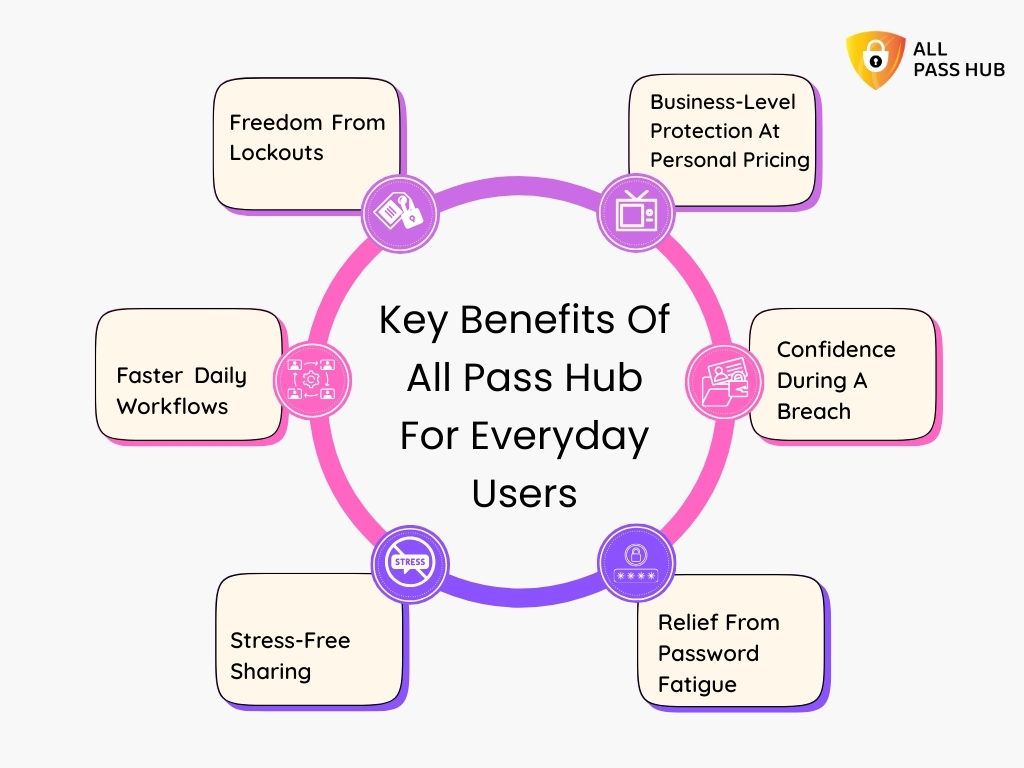
Why Traditional Password Sharing Methods Don’t Work Anymore

Why Traditional Password Sharing Methods Don't Work Anymore

Picture this: A team member leaves the company, and no one changes the passwords they had access to. Another one shares credentials through a personal messaging app. Someone stores the company’s social media logins in a spreadsheet labeled “Passwords_Final_Real_Use_This.” Sound familiar?

These are not outdated practices. They are alarmingly typical even today. And they create wide-open doors for cybercriminals to walk through without resistance.

Here’s why these old-school methods are a ticking time bomb:

Spreadsheets Become Security Nightmares

Anyone with authorization can copy, download, or leak them. One accidental email forward, and your entire password list could be exposed.

Email And Messaging Apps Are Not Designed For Security

These platforms do not encrypt messages end-to-end in a way that is suitable for password sharing. Messages are often archived or cached indefinitely.

Sticky Notes And Manual Logs Are Prone To Human Error

These physical or disorganized methods are easily lost, misplaced, or stolen. They offer zero control or visibility.

Lack Of Access Tracking Means Zero Accountability

You cannot audit who viewed or changed a password. If a breach occurs, there is no trail to follow.

Inconsistent Updates Lead To Version Chaos

One person updates a password, but others still use the old one. It leads to failed logins, downtime, and unnecessary support tickets.

These methods were never meant for collaborative, high-speed, multi-device work environments. They aren’t obsolete but highly dangerous in the current landscape.

➡️Why it’s time to upgrade: Modern teams need more than convenience. They need control, security, and transparency. A shared password manager replaces these vulnerable methods with encrypted, role-based access tools that offer clarity, speed, and protection.

What You Should Know: Traditional password sharing methods are outdated and risky. Secure collaboration requires encrypted tools that eliminate guesswork, reduce human error, and give you total visibility over access and accountability.

Exploring The Core Benefits Of All Pass Hub For Team Password Security

Think of your team’s password management like the foundation of a building. If it is weak or scattered, everything on top becomes unstable. All Pass Hub (APH) was created to fix that foundation. Not just patch it, but reinforce it with security-first thinking and team-centric design.

Unlike traditional tools that treat password management as a personal task, All Pass Hub is purpose-built for how digitally-focused teams actually work. 

Whether your company is fully remote, hybrid, or scaling rapidly, All Pass Hub provides a secure, shared environment that keeps authorization safe, synchronized, and fully under control.

Here is what sets it apart:

Built For Teams, Not Just Individuals

All Pass Hub is not a personal vault stretched to fit teams. It is designed from the ground up for multi-user environments, collaboration, and organizational needs.

Encryption Comes First

Every credential is protected with end-to-end AES encryption. It means only your team can access the data. Not even All Pass Hub can view your stored credentials.

Not Browser-Based or Add-On Dependent

All Pass Hub is a dedicated business solution, unlike browser password managers or consumer tools with business tiers added later. It avoids browser autofill risks, insecure device storage, and weak plugin dependencies.

Access From Anywhere, Safely

Remote teams can log in from any device without compromising security. Admins get complete visibility and can administer from a centralized dashboard.

Frictionless Sharing And Revocation

Share passwords safely without ever revealing them directly. When roles change, permissions can be instantly revoked without delay or disruption.

Seamless Onboarding For New Team Members

Instead of sending credentials via email or chat, you can add new employees to specific vaults with controlled access on day one.

The Crux: All Pass Hub delivers enterprise-grade security and true team collaboration in one platform. It helps your business eliminate unsafe sharing, lower risks, and stay secure without sacrificing speed or control. 

Call To Action: Make The Most of What All Pass Hub has To Offer

What Features Should A Team Password Manager Have?

What Features Should A Team Password Manager Have?

A team password manager is not just about storing credentials; it should make password security effortless, visibility instant, and access foolproof. Unfortunately, many solutions offer surface-level safety but lack depth where it matters most.

Before choosing a solution, decision-makers must ask a simple question:

Does this tool align with how my team actually works?

Here are the must-have features every business-grade team password manager should provide: 

File Upload

Upload documents, images, or spreadsheets with ease. Each file is validated, encrypted, and controlled from start to finish. 

Browser Extension

Save and autofill logins directly in your browser without compromising security. 

Pin Credentials

Pin your most frequently used credentials to stay at the top of your list for quick access. 

Search by Tags

Add tags to items and locate them swiftly. It doesn’t matter how many credentials you manage. 

Password Generator

Create robust and easy‑to‑read passwords right when you need them. 

Account Recovery

Bounce back quickly by recovering access securely when needed. 

Unlimited Sharing

Share credentials with multiple users at once, without limits or risks. 

Multi‑Factor Authentication (MFA)

Add layers of login verification with Multi-Factor Authentication for more compelling security control

Multi‑Factor Authentication (MFA)

Zero‑Knowledge Architecture

All Pass Hub can never see your passwords. Only you hold the keys. 

Store Unlimited Credentials

no caps, no limits. store unlimited credentials and as many entries as your team needs.

End‑to‑End Encryption

Credentials are encrypted from upload to download, staying unreadable to anyone else. 

Audit Log

Every action is tracked and visible, so you know who did what and when. 

Security Dashboard

Obtain a clear overview of weak or compromised credentials needing attention. 

Notifications

Stay informed with alerts about security risks or account changes. 

Import/Export Credentials

Move credentials in or out quickly using standard file formats for smooth migrations.

Quick Recap: The ideal password manager does more than store passwords. It strengthens your entire team’s security posture with intelligent access control, powerful encryption, and seamless usability across roles and devices.

All Pass Hub Security Features Explained

“What keeps your digital doors locked when no one’s watching?”

Most teams think their passwords are safe. They use a strong master password, maybe enable two-factor login, and call it a day. But threats today are not knocking politely. They are slipping in quietly, exploiting the minute gaps.

That is why All Pass Hub goes far beyond basic password protection. It turns your password manager into a security stronghold.

Here is how:

End-to-End AES Encryption

Think of this as sealing your vault before it even leaves your device. All credentials are encrypted using advanced AES algorithms (AES-128), and only you hold the keys. No one else, not even All Pass Hub, can read your data.

Two-Factor Authentication (2FA)

Just knowing your password is not enough. All Pass Hub adds a powerful second layer with authentication apps like Google Authenticator. Even if someone guesses your password, they still cannot log in without the second code.

Zero-Knowledge Architecture

This feature exhibits that privacy is at its purest. All Pass Hub never sees or stores your data in any readable form. It cannot decrypt your vault, track your login details, or expose your secrets, even if it is tried. You are the only one in control.

Passkey Support And Secure Account Recovery

Lost your vault credentials? You can recover your account using a one-time PDF recovery key. It is sent safely, expires after a single use, and gives you peace of mind without compromising safety.

Breach Alerts And Password Health Monitoring

Would you know if one of your saved logins was exposed in a breach? All Pass Hub is supervising on your behalf. It scans password strength, flags reuse, and alerts you to any potential weaknesses, allowing you to fix them rapidly.

Audit Logs For Full Visibility

Every action inside your vault is logged with time, IP address, and activity type. Whether it is a new login, permission update, or credential change, you see exactly who did what, when, and from where.

Must-Know Insight: Security should not rely on good intentions. All Pass Hub provides your team with iron-clad protection. It includes layered encryption, intelligent alerts, and recovery tools that secure every corner of your digital workspace. 

Collaboration And Control: Built For Team Dynamics

Picture this: Your marketing lead needs authorization to use campaign tools. Your developer wants to test credentials. Your HR manager is onboarding a new team member. How do you give them access without losing control?

It is where most teams struggle. They either overshare, exposing sensitive data to too many users, or they slow things down with bottlenecks that frustrate everyone.

All Pass Hub is built for both speed and security. It empowers teams to collaborate freely while giving decision-makers comprehensive oversight.

Here is how it simplifies password sharing without compromising control:

Granular Access Permissions

You decide who sees what. From view-only to complete admin rights, set permission levels that match each role. It keeps sensitive credentials visible only to those who genuinely need them.

Unlimited Sharing With Smart Restrictions

Share credentials with as many teammates as you like. Choose to share entire folders or individual passwords. Set expiration dates and revoke access instantly when roles change.

Locate By Tags And Pin Credentials

Quickly find what you need using tags, labels, or pinned items. No more endless scrolling through cluttered vaults. Everyone stays organized, even in fast-paced environments.

Multi-Device Syncing And Browser Extension

Your team is always on the move. Whether working from laptops, tablets, or mobile phones, every credential remains synced and accessible in real time. The browser extension makes autofill fast and secure on the go.

Inspect Logs And Notifications

Track every login, change, and share request. Know precisely who accessed what and when. Instant notifications help you detect anything unusual before it becomes a real threat.

Main Message: All Pass Hub balances freedom and negligence. It enables your team to work faster while keeping security tight. Collaboration should feel effortless, not risky, and this is how you achieve both. 

Who Should Use A Team Password Manager

Ask yourself this: Who in your organization doesn’t deal with credentials? The answer is simple. If your team members log in, they need protection.

It is not just the IT department or cybersecurity teams that need robust password practices. Today, every role across every department is a potential vulnerability if credentials are left unmanaged.

Here is a breakdown of who benefits the most from a team password manager:

Startups And Small Businesses

Early-stage companies grow rapidly. But speed without structure invites chaos. A team password manager brings order, security, and scalable access control without slowing down your operations.

Remote And Hybrid Teams

With people working from different locations and time zones, traditional password sharing is outdated and threatening. A centralized system ensures everyone stays on the same secure page, irrespective of where they work from.

IT Departments And Security Teams

They need visibility, not disorderliness. Audit logs, permissions, and detailed access trails help IT leaders enforce policies and respond fast to any threat.

Marketing And Sales Teams

From social media tools to CRM platforms, these teams handle dozens of logins daily. Instead of scattered notes or reused passwords, they get instant, secure authorization to what they need.

Healthcare Teams

Medical professionals handle sensitive patient data. A business-grade password manager helps them adhere to data privacy laws while improving operational efficiency.

Financial Services And Legal Firms

These sectors deal with highly confidential data. Centralized password security ensures every login is encrypted and access is tightly controlled to reinforce client trust.

HR And Operations

From payroll software to onboarding tools, HR teams manage platforms that require privacy. A team password manager protects both employee and organizational data during every stage of the employee lifecycle.

Essential Insight: A password manager is pivotal if your team shares credentials, works remotely, or manages sensitive data. It is the invisible shield that safeguards every login across every department. 

Real-World Scenarios Where A Team Password Manager Saves The Day

Let’s be honest. Most businesses don’t realize they have a password problem until it impacts them. Sometimes it is a missed deadline because no one could find the login. Sometimes it is worse: a security breach that exposes sensitive data and ruins trust. 

Below are real-world scenarios where a team password manager steps in as the silent hero.

Scenario 1: The Remote Employee Offboarding Crisis

Your marketing assistant leaves the company. No one knows which tools they had permission to use or which passwords they changed. Chaos erupts. 

➡️With a team password manager, you can instantly revoke their access, view every account they used, and reassign credentials without chasing emails or searching shared folders.

Scenario 2: The “Lost in Translation” Password

A global team works across three continents. Your developer in Berlin cannot log into the staging server because the credentials were sent through a messaging app two weeks ago. They are now concealed under hundreds of chats. 
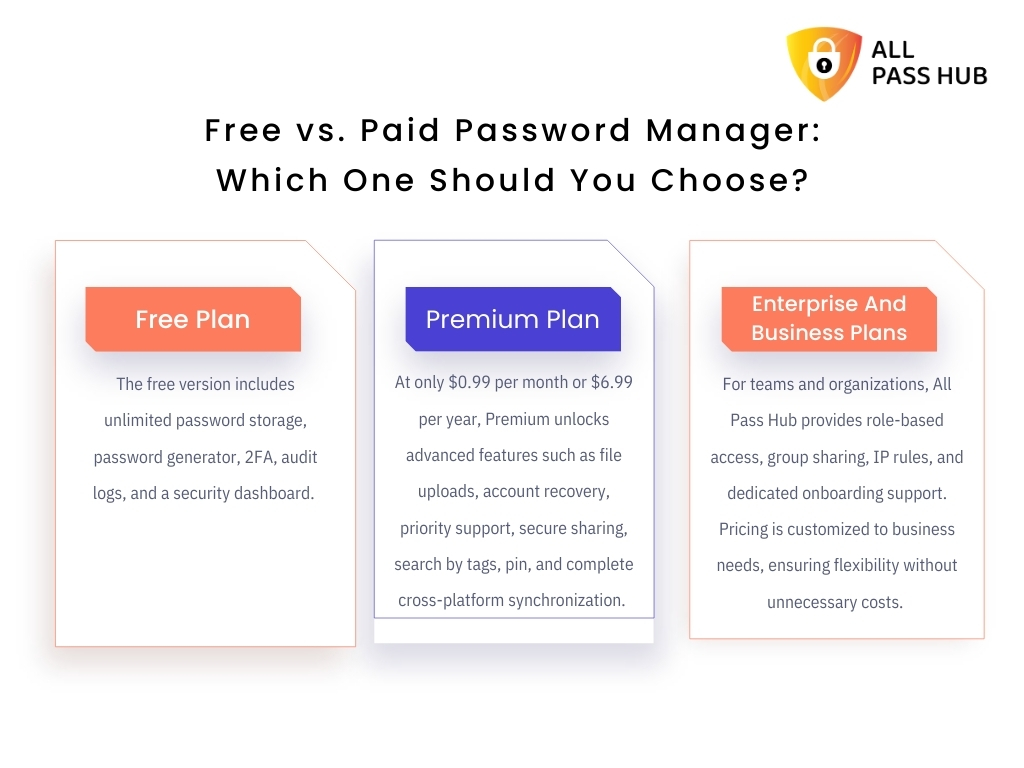
➡️A team password manager makes the password available in seconds, encrypted and easily searchable.

Scenario 3: The CEO’s Conference Catastrophe

Your CEO is on stage, about to demo your flagship product. The login fails. The password was changed last night, but no one updated the shared spreadsheet. 

➡️With a collaborative password manager, credentials stay current and synced across all users. Such an embarrassing and reputation-at-stake moment would never happen.

Scenario 4: The Vendor Access Mix-Up

You grant temporary access to an external contractor. They accidentally modified live data because they were given the incorrect login. 

➡️With a centralized password manager, you control who sees what, and you can provide time-limited authorization that auto-expires.

Scenario 5: The Audit Nightmare

During a security audit, you are asked to present a list of who accessed critical credentials over the last month. Without a password management system, this is nearly impossible. 

➡️With an audit-ready platform, you present detailed access logs in minutes.

The Bottom Line: Real problems need real solutions. A team password manager does more than store logins. It prevents disasters, streamlines operations, and helps you stay in control before small mistakes become significant problems. 

Choosing The Right Password Manager For Your Business

Not all password managers are built equally. Hence, select your team’s security wisely.

The market is crowded with options. Some look sleek but lack enterprise-grade features. Others claim security but do not scale well with growing teams. Investing in the ideal tool is not just a technical decision; it is a business-critical move that impacts every department.

Here is how to evaluate the best fit for your team:

Collaboration-Focused Design

Does the tool make sharing credentials between teams simple, secure, and organized? A business-grade solution should allow role-based permissions, encrypted sharing, and centralized management.

Zero Knowledge Architecture

Only a few platforms follow this standard. Your provider should never be able to view or retrieve your passwords. It is the gold standard for business confidentiality.

Security Features Beyond The Basics

Look for tools that offer end-to-end encryption, two-factor authentication, breach alerts, access logs, and password health reports. These are essentials.
Ease of Use For All Teams

It must be simple enough for non-technical users, yet powerful enough for IT admins. Look for intuitive interfaces, browser extensions, mobile support, and clear onboarding flows.
Scalability And Flexibility

Whether you are a five-person startup or a hundred-person organization, the solution should grow with you. It includes multi-device syncing, unlimited storage, and flexible sharing options.

Support And Recovery

Ensure there is reliable customer support and a well-documented account recovery process. You need quick assistance if something goes wrong.

Budget Alignment

Team password managers vary in pricing. For instance, some providers offer fixed team plans, while others have a pay-as-you-go option. Hence, consider both short-term cost and long-term value based on the features offered.

Knowledge Drop: Choosing the right password manager is not about picking the most popular tool. It is about selecting the most secure, growth-friendly, and team-friendly solution that fits your business goals. 

Cost Of Team Password Managers: What To Expect And Budget For

Is security expensive? Only if you wait for a breach to make you care.

You must understand the cost landscape before you commit to any password management tool. Many businesses assume it is a costly enterprise solution, but the reality is quite the opposite. From startups to growing teams, there is a solution for every budget.

Let’s break down what to expect and work out what to do.

Per-User Pricing vs Flat Team Plans

Some password managers charge a monthly fee per user. Others offer a flat rate for teams up to a particular size. Choose based on how your team is structured and how you anticipate it to grow.

  • Example: If a solution charges $4 per user per month, a 10-member team pays $40 monthly. Flat-rate plans may offer unlimited users for a fixed price, which could save costs over time.

Feature Tiers Matter

Basic plans primarily include core functionality like password vaults and sharing. Advanced plans include audit logs, breach alerts, admin controls, and integration options. Select a tier that matches your security needs, not just your budget.

Hidden Costs To Watch

Some tools have limitations on password storage, devices you can sync, and members you can add. Others charge for additional storage, reporting, or API access. Always read the fine print.

Free Trials And Freemium Plans

Many providers offer free versions or trials. It is an excellent way to test the experience, gauge user adoption, and assess ease of integration before committing.

ROI Over Time

Investing in a business password manager is not just a cost. It is a safeguard against expensive breaches, downtime, and operational inefficiencies. Compared to the financial and reputational damage of leaked credentials, it pays for itself quickly.

Smart Summary: Team password managers are affordable for businesses of all sizes. Look beyond the price tag and evaluate long-term value, feature coverage, and team scalability before making the final investment decision. 

Compare, choose, and try software risk-free

How To Successfully Implement A Password Manager In Your Organization

Buying the tool is the foremost step. Integrating it into your team’s culture is where the real transformation begins.

Rolling out a password manager across your organization should not feel like another IT headache. With the thoughtful approach, it becomes a seamless upgrade to your team’s security habits and workflow efficiency.

Here is how to do it right:

Get Leadership Buy-In Early

Begin with top-down advocacy. When executives and department heads understand the risk of poor password practices, they champion adoption. Make security a leadership priority, not just an IT concern.

Choose The Ideal Tool For Your Needs

Every team is different. Pick a solution that matches your business size, access patterns, remote work habits, and growth roadmap. Look for features, such as audit logs, multi-user support, and admin controls that match your goals.

Onboard In Phases, Not All At Once

Avoid overwhelming your team. Start with one or two departments, such as IT and marketing. Train them first, gather their feedback, and scale across the rest of the organization with refined onboarding steps.

Provide Role-Based Training

Not everyone needs the same training. Teach managers how to monitor access and revoke permissions. Demonstrate to employees how to store credentials securely, share with encryption, and avoid bad habits like browser storage.

Set Up Security Policies

Leverage built-in policy controls. Enforce strong password creation, two-factor authentication, and restrictions on sharing. Ensure these settings are standard for everyone from the outset.

Integrate With Daily Workflows

Use browser extensions, mobile apps, and single sign-on where available. If the tool feels like part of their workflow, employees are more likely to use it consistently.

Monitor, Review, And Improve

Track usage, audit logins, and review password health using dashboards and reports. Reinforce best manners through reminders and ongoing training sessions.

Core Insight: A successful password manager rollout blends the right tool with planned training, leadership support, and policy enforcement. Treat it as a cultural shift, not just a software switch, for lasting results.

How All Pass Hub Brings Value To Different Industries

No two industries are identical. Neither are their security needs.

From fast-moving startups to compliance-heavy enterprises, every team balances different access challenges. All Pass Hub was created with this diversity in mind. Its flexible, scalable design makes it a premier option across sectors that demand both usability and airtight protection.

Let us explore how diverse industry verticals can benefit from All Pass Hub’s tailored capabilities.

Technology And SaaS

Speed is everything, and so is security. All Pass Hub helps engineering and DevOps teams securely manage access to servers, APIs, and deployment tools without slowing down releases.

  • Share environment credentials safely with zero friction
  • Track logins across staging and production platforms
  • Prevent unauthorized access with role-based control

Healthcare

Confidentiality is non-negotiable in healthcare. All Pass Hub helps medical teams stay compliant with regulations by controlling access to patient records, lab portals, and admin systems.

  • Enable two-factor authentication across every login
  • Ensure access is only granted on a need-to-know basis
  • Secure data while staying compliant with privacy frameworks

Finance And Accounting

When managing sensitive financial data, even a single weak password can become a liability. All Pass Hub brings clarity, oversight, and adherence to your password practices.

  • Share banking or tax software credentials without email chains
  • Monitor who accessed what and when with complete audit logs
  • Keep your firm aligned with data protection mandates

Agencies And Creative Teams

Designers, marketers, and content teams often share tools and logins across client accounts. All Pass Hub lets them collaborate securely without sacrificing agility.

  • Organize credentials by tags or clients
  • Revoke access instantly when freelancers or clients change
  • Prevent creative chaos from becoming a security risk

E-commerce and Retail

Online stores and digital businesses run on dozens of tools, from payment processors to inventory dashboards. All Pass Hub keeps your operational backend guarded and efficient.

  • Centralize credentials for Shopify, Stripe, logistics, and more
  • Avoid lockouts due to forgotten or reused passwords
  • Empower team leads with negligence across user access

Education And Nonprofits

Limited resources should not mean limited protection. All Pass Hub provides an affordable and scalable solution for schools, universities, and mission-driven organizations.

  • Manage logins across admin, faculty, and support teams
  • Secure donor platforms, grant tools, and student data
  • Train non-technical users with an intuitive interface

In a Nutshell: All Pass Hub adapts to your industry’s specific needs, from compliance to collaboration. Irrespective of your team size or sector, it helps your team protect sensitive access without adding complexity or slowing down work.

Addressing Concerns About Using A Password Manager

The idea of adopting a team password manager raises important questions for many businesses. Some employees resist change. Some decision-makers hesitate over costs. Others worry about data security or over-reliance on a single system. 

These concerns are valid. However, they often originate from myths or misunderstandings that can be easily addressed with clarity and facts.

Let’s unpack the common concerns and how All Pass Hub overcomes them.

Concern 1: Is Storing Passwords In One Place Really Safe?

It might seem counterintuitive, but a centralized, encrypted vault is far more secure than scattered credentials in emails, spreadsheets, or browsers.

All Pass Hub uses end-to-end encryption, zero-knowledge architecture, and secure account recovery protocols. No one, not even the service provider, can view your data.

Concern 2: What If Our Team Resists Using It?

Change resistance is normal. However, All Pass Hub is built for usability. It offers browser extensions, mobile access, and intuitive features that fit naturally into your team’s workflow. 

Quick onboarding and role-based access ensure that team members only see what they need, without being overwhelmed.

Concern 3: How Do We Justify The Cost?

The cost of a breach can be thousands of dollars. The cost of stolen data, downtime, or reputation loss can be even higher. A team password manager is not just a tool; it is a proactive investment in cybersecurity. 

All Pass Hub’s pricing is structured to provide high value and scalability for teams of all sizes.

Concern 4: Will This Add More Work For It?

It actually reduces the workload. Admins gain visibility and control from one dashboard, with automated tools to manage permissions, monitor usage, and review audit logs. It eliminates the chaos of ad hoc password sharing and support tickets related to forgotten credentials.

Key Takeaway: Most concerns encircling team password managers come from outdated habits, not genuine limitations. With enterprise-grade security and user-friendly design, All Pass Hub removes friction and delivers clarity, control, and confidence across your entire organization. 

Planning Ahead: Password Security That Scales With Your Business

Growth brings complexity. As your business expands, adding more tools, employees, and systems, password security must evolve to support this growth. Without growth-friendly systems in place, teams risk falling into unsafe habits or losing oversight entirely.

All Pass Hub is designed to support your team’s security needs today and adapt with you in the future. Here’s how it will help your business’s future password security:

Support For New Authentication Methods

Trends like passkeys and Single Sign-On are changing how teams log in. All Pass Hub includes support for these technologies, allowing a smoother shift when you choose to adopt them. It helps your team stay compatible with modern access practices.

Reinforcing Security Habits Over Time

Good password behavior should be easy to maintain. APH promotes responsible usage through features like password health monitoring, access controls, and audit logs. These help keep teams aligned with stringent security practices without extra effort.

Managing Access As Teams Expand

Manual access management becomes difficult as your organization grows. With APH, you can easily add users, organize them into groups, and control permissions at every level. It reduces confusion and improves supervision.

Keeping Up With Change

Security threats evolve. APH includes breach alerts, a real-time security dashboard, and monitoring tools that help you respond quickly to risks. It becomes more effortless to adjust policies and stay informed without disrupting operations.

Final Thought: A secure system should grow with your business. All Pass Hub makes it plain sailing to adopt new standards, manage users, and maintain long-term password security without sacrificing control. 

Call-to-action: Future-Proof Your Team against tomorrow’s security risks

Conclusion

If you have read this far, you already understand something many teams overlook. Passwords are not just strings of characters. They are the keys to your entire business. And when those credentials are shared carelessly, stored in insecure places, or reused across tools, your organization is exposed in ways that can cost far more than you imagine.

You didn’t build your business on shortcuts, and your password security should not rely on them either.

All Pass Hub is more than a vault. It is a shift in mindset. It simplifies how your team collaborates securely and gives you complete visibility into who has access to what and why. Every feature is designed to replace chaos with control, while keeping things effortless for your team.

As you take the next step, remember that you are not just determining software; you are choosing to protect your people, your work, and your reputation.

Your future-ready security begins now. Take a wiser step and future-proof your credentials.

FAQ

Can I Migrate My Existing Passwords From Another Manager To All Pass Hub?

Yes, All Pass Hub supports seamless migration from popular password managers. You can import credentials using CSV files or browser-based tools, ensuring a smooth transition without losing existing data or disrupting team workflows.

Does All Pass Hub Work Across Multiple Devices And Operating Systems?

Absolutely. All Pass Hub is compatible with prominent operating systems, including Windows, macOS, iOS, Android, and Linux. It also works across browsers, making it easy for teams to access credentials securely from desktops, laptops, tablets, or mobile devices.

What Happens If A Team Member Leaves The Organization?

All Pass Hub gives admins complete control to revoke permissions instantly. You can also reassign credentials, monitor recent activity, and secure shared data without affecting access for the rest of the team.

How Is Support Handled If I Face Technical Issues?

Yes, we offer 24/7 customer support via email, chat, and knowledge base. Priority support is also available for business and enterprise users to resolve any technical issues swiftly and efficiently.

Is It Possible To Use All Pass Hub Without An Internet Connection?

While All Pass Hub primarily operates online to support real-time sync and sharing, specific browser extensions allow offline access to previously saved credentials. These get synced automatically once the connection is restored. 

All Pass Hub: Secure Password Manager For Teams Who Hate Chaos

Did you know that in 2025, more than 80 percent of business data breaches occur due to a weak or stolen password? Remote work is here to stay. Cyberattacks powered by artificial intelligence are multiplying every day. And compliance regulations are tightening across every industry. 

The question is not whether your business can afford to improve password security, but whether it can survive without it.

If you have ever felt the weight of password chaos, spreadsheets full of logins, or the constant drain of resets and lost access, no need to feel dejected, as you are not alone. 

Teams of every size face the same problem, and the costs are higher than many realize. What if there was a way to eliminate that chaos and replace it with clarity, speed, and confidence?

Continue reading as the answer lies in this blog. We will introduce you to All Pass Hub, a secure password manager designed for teams who want organization without friction. 

Whether you lead a startup, a growing agency, or an enterprise IT department, you will discover how a team password manager can guard collaboration, streamline workflows, and free your business from digital confusion once and for all.

Let’s get started to unchain your business from password management chaos. 

What Is A Team Password Manager?

Think of a secure vault that everyone on your team can use with confidence. It stores credentials in a unified location, keeps secrets encrypted, and enables individuals to find what they need without risky workarounds.

A team password manager is purpose-built for groups. It centralizes logins, notes, and keys, then applies rules that match your organization. 

In contrast, a password manager for teams supports shared spaces, approval flows, and visibility for leaders, which personal tools do not provide.

Team vs. Personal Password Managers

  • Personal managers protect an individual’s accounts. They rarely include role control, shared folders, or reporting. 
  • A multi-user password manager adds collaboration and governance. It empowers teams to work quickly while staying compliant.

Core Capabilities That Matter

  • Role-based access: Grant view, edit, or share rights by group or job requisites.
  • Secure password sharing: Send credentials without revealing plain text, and revoke at any time.
  • Audit trails: Track who viewed or changed items, with timestamped activity for reviews.
  • Shared password manager spaces: Create team or project vaults for organized, safe collaboration.

Your organization gains control and clarity with a shared password manager. Teams move faster, leaders gain insight, and every credential resides inside a governed password vault rather than scattered across chats and spreadsheets. 

Why Businesses Cannot Afford Password Disorder In 2025

Managing digital access has never been more complex. Teams today juggle dozens of tools, apps, and platforms, and every login becomes a potential weak spot. While some companies still lean on makeshift methods like spreadsheets or shared documents, this fragmented approach exposes organizations to enormous risk. 

To understand why, let’s examine the new realities of 2025.

The Remote And Hybrid Risk Multiplier

Distributed teams mean credentials are accessed from multiple networks and devices. This diversity increases the likelihood of:

  • Compromised accounts from unsecured Wi-Fi connections
  • Lost control when employees leave without offboarding
  • Shared files are being copied or forwarded without oversight

Password Manager vs. Spreadsheet: The True Cost Of DIY

What seems like a quick fix with Excel or Google Sheets often creates more problems than it solves. The drawbacks include:

  • No encryption, leaving sensitive data susceptible to leaks
  • Multiple versions that confuse teams
  • Easy duplication, which undermines accountability
  • No audit trail, making compliance reporting impossible

The Rising Tide Of AI-Driven Threats

Attackers now leverage artificial intelligence to launch more convincing phishing attempts and crack weak credentials faster than ever. Without a professional system in place, businesses are left vulnerable to:

  • Targeted credential stuffing attacks
  • Automated brute-force hacks
  • Hefty compliance fines when regulators discover poor access controls

IT Overhead And Productivity Drain

Disorganized password practices waste valuable time beyond the security threats. IT teams spend hours resetting forgotten logins. Employees lose focus as they struggle to find or request access. The result is reduced efficiency, frustrated staff, and higher costs.

Core Insight: In 2025, relying on spreadsheets or ad hoc methods for managing credentials is a dangerous gamble. Businesses need a reliable team password manager that lowers risk, improves productivity, and restores control.

Why Businesses Need A Dedicated Password Manager

Why Businesses Need A Dedicated Password Manager

As teams grow, informal ways of storing and sharing credentials create confusion and risk. A trusted system replaces scattered habits with precise structure, measurable control, and predictable outcomes. 

Here is what changes when you switch to a purpose-built platform.

Centralized Control And Accountability

A business password manager provides leaders with a single source of truth and the tools to supervise it. IT password management becomes proactive instead of reactive. For example:

  • Role-based access sets the least privilege by team, project, or job function.
  • Activity logs and audit trails reveal who viewed, edited, or shared items, with timestamps for reviews.
  • IP rules and session policies reduce risky sign-ins from untrusted locations.
  • Instant revocation removes authorization during offboarding, without tracking scattered files.

Productivity And Time Savings

Security should speed up work, not slow it. With a corporate password manager, employees find what they need and move on. For instance:

  • Self-service discovery replaces pings for logins and reduces reset tickets.
  • Autofill and a strong generator remove guesswork and prevent reuse.
  • Organized vaults and tags improve team password organization and lower search time.

Secure Collaboration Without Friction

Teams still need to share; they just need to do it safely. An enterprise password manager makes sharing controlled and reversible. Key scenarios include:

  • Encrypted sharing keeps secrets private during transfer and at rest.
  • Revocable access enables admins to grant, expire, or remove sharing in seconds.
  • Shared vaults align credentials with departments, clients, or projects.

➡️A professional business password manager turns access into a managed process. It makes compliance easier, audits faster, and daily work more effortless for everyone.

In a Nutshell: A dedicated manager adds control, speed, and safe sharing. Roles, audit logs, and clear policies turn scattered credentials into accountable workflows and secure collaboration across every team.

Must-Have Features Of A Secure Team Password Manager

Must-Have Features Of A Secure Team Password Manager

Choosing the right platform begins with clarity. The best tools protect every login, simplify daily work, and provide leaders with total visibility. To make a confident choice, review the following essentials and see how All Pass Hub delivers each one.

Easy Onboarding And Offboarding

Smooth entry and clean exits keep your directory healthy. Start fast, then maintain order as roles change. 

  • Simple setup with guided steps for non-technical teams.
  • Bulk import from browsers or CSV, with tags for quick sorting.
  • Group-based invites and one-click deprovision for departures.
  • Contextual tips and onboarding support that reduce training.

Centralized Admin Dashboard

Leaders need a single pane to identify threats and act quickly.

  • Role-based permissions that follow least privilege.
  • Activity logs that capture views, edits, shares, and downloads.
  • IP and session rules to minimize risky sign-ins.
  • Instant revocation to remove authorization without delay.

Secure Password And File Sharing

Sharing should be safe, reversible, and traceable.

  • Encrypted file sharing that never exposes plain text and is tied to the correct records.
  • Revocable access with expiry controls for links and items.
  • Team and project vaults that keep credentials organized.

Strong Security By Design

Security is a stack, not a switch.

  • Multi-factor authentication for every account and admin action.
  • Zero-knowledge architecture, so only you can decrypt your data.
  • AES-based protection for an encrypted password manager that meets modern standards.
  • Cloud password manager convenience with well-defined data controls.

Extensions And Integrations

Workflows stay smooth when tools meet you in the browser.

  • Chrome and Firefox extensions for accurate autofill and safe capture.
  • Intelligent prompts that detect verified sites and reduce phishing risk.
  • Import options for migration from other tools with minimal effort.

Compliance Reporting And Audit Trails

Audits should be rapid, honest, and complete.

  • Thorough audit trails for items, users, and groups.
  • Policy enforcement for password strength and sharing rules.
  • Emergency access options that preserve accountability.

Productivity Boosters

Security should feel effortless for every teammate.

  • Password vault with quick search, folders, and tags.
  • Built-in generator for strong, unique credentials.
  • Reliable autofill across devices, with offline access when needed.
  • Import and export to support structured backups and projects.

All Pass Hub aligns with these password manager security features from the first day. It is a password-sharing tool that keeps data private. A zero-knowledge password manager with multi-factor protection, and a platform that balances control with everyday speed.

Knowledge Drop: Select a secure team password manager that combines easy onboarding, role-based control, encrypted sharing, multi-factor security, and transparent reporting. All Pass Hub delivers these necessities without slowing down daily work.

Password Manager For Different Business Needs

Password Manager For Different Business Needs

Every organization has unique requirements when it comes to password management. A one-size-fits-all approach rarely works. That is why teams must evaluate how a password manager adapts to their industry, size, and daily operations. 

All Pass Hub is designed with flexibility in mind, ensuring that different types of businesses can protect credentials and collaborate securely. 

Here is how it fits specific use cases:

For Startups

Startups need simplicity and affordability without compromising security. All Pass Hub offers an intuitive interface, a free plan, and future-ready features that grow with your business.

For Remote Reams

Distributed teams require real-time synchronization and seamless sharing. With encrypted password sharing and device sync, All Pass Hub ensures remote workers collaborate securely and without interruptions.

For Agencies

Agencies often handle multiple client accounts and projects. All Pass Hub offers separate vaults, role-based access, and encrypted sharing that keep client data safe while reducing administrative headaches.

For Developers

Developers frequently manage sensitive credentials such as API keys and SSH access. All Pass Hub simplifies resilient storage, tagging, and retrieval, making technical workflows more efficient and reducing risks of exposure.

For Small Business

Smaller organizations may lack dedicated IT teams, yet they face the same risks as larger enterprises. All Pass Hub delivers enterprise-level protection at a fraction of the cost. It makes it an ideal choice for small business owners who need reliability and affordability. 

Visual Breakdown

Here is a visual breakdown of the All Pass Hub for different business needs for a quick comparison.

Business TypeKey ChallengesHow All Pass Hub Helps
StartupsLimited budget, fast scaling, need for simple onboardingFree forever plan, scalable features, intuitive setup
Remote TeamsDistributed workforce, constant sync, secure collaborationReal-time sync, encrypted password sharing, and device compatibility
AgenciesManaging multiple client accounts, secure access for staffSeparate vaults, role-based access, encrypted file and credential sharing
DevelopersHandling API keys, SSH credentials, and technical secretsSecure storage with tagging, quick retrieval, and reduced exposure risks
Small BusinessesNo dedicated IT staff, high risk of breaches, need affordable toolsEnterprise-level security at low cost, easy management, reliable, and scalable

The Bottom Line: Every business type, from startups to agencies and remote teams, benefits from a tailored password manager that simplifies access, protects data, and adapts to specific operational needs. 

Secure Password Manager

How Secure Are Password Managers?

If you are wondering whether password managers are safe, you are not alone. The short answer is yes when they are built thoughtfully and with a people-first approach. The longer answer depends on how they shield your data, verify users, and record activity.

Common Myths And The Reality

Many teams avoid password managers due to misconceptions. It is crucial to separate the following fears from fact before selection.

Myth 1: Password Managers Are Easy Targets. 

In reality, robust encryption and strict key handling protect vaults from prying eyes.

Myth 2: A Browser Can Do The Same Job. 

Browsers are convenient for individuals. However, they lack shared vaults, detailed logs, and consistent policy control.

Myth 3: One Breach Exposes Everything. 

A well-designed vault segments data, uses resilient keys, and requires additional checks to open sensitive items.

Why Spreadsheets, Notes, And Email Are Unsafe

It is tempting to store credentials where people already work. That convenience can create the following silent risks:

  • Files and emails travel without an ironclad encryption or expiry.
  • Anyone can copy, forward, or download without a trace.
  • Version confusion leads to wrong logins and poor accountability.
  • There is no transparent audit trail for reviews or compliance.

How Zero-Knowledge Protection Works

The safest approach ensures that only the owner can read the data. Here is what that means in practice.

  • Secrets are encrypted before they exit the device.
  • The provider cannot view vault contents because it does not hold the keys.
  • Decryption occurs only for the authorized user after successful authentication.
  • Strong key derivation with high iteration counts resists brute force attempts.

What Makes A Good Password Manager

If you are wondering what makes a reliable password manager, watch out for the following safeguards that work together.

  • End-to-end encryption with proven algorithms and fortified encryption in transit.
  • Multi-factor authentication for users and critical actions.
  • Role-based access, least privilege, and instant revocation.
  • Detailed audit trails, breach alerts, and health checks that expose weak items.
  • Recovery options that shield the vault without exposing secrets.

Must-Know Insight: Spreadsheets and email expose credentials. However, a zero-knowledge vault with strong encryption, two-factor authentication checks, and audit trails keeps secrets private, traceable, and recoverable for every team.

Step-by-Step Guide: Implementing All Pass Hub In Your Organization

Having an understanding that password managers bring value is one thing, but rolling one out across an organization is another. Many teams hesitate because they imagine it will be complicated. The reality is far more effortless. 

With All Pass Hub, you can establish structured password management in place within days, not months. 

Here is a straightforward plan to guide you.

Step 1. Audit Existing Practices

Before getting started, review where credentials are currently stored. Scrutinize spreadsheets, shared documents, sticky notes, or chat messages. Understanding the origin point helps identify risks and duplication.

Step 2. Import Credentials Easily

All Pass Hub supports quick import from CSVs and other managers. It ensures you do not have to start from scratch. Migrating existing logins is seamless and maintains continuity without disrupting your team’s workflow.

Step 3. Add Users And Assign Roles

Invite your team members once the vault is ready. Create groups for departments or projects, then assign roles. Role-based access keeps people focused only on what they need and reduces the vulnerability of sensitive credentials.

Step 4. Configure Security Policies

Set organization-wide rules once users are onboarded. You can:

  • Require multi-factor authentication.
  • Enforce IP restrictions for logins.
  • Define password complexity and expiry policies.
  • Enable logging and reporting for compliance.

These steps make sure every login adheres to the business security standards.

Step 5. Train Employees With Dashboards And Guided Onboarding

Even the best tool fails without user adoption. Hence, provide a quick training session or circulate onboarding resources. Show employees the Security Dashboard, password generator, and autofill features. Building comfort in the early stages fortifies trust and reduces IT support requests.

Step 6. Monitor And Optimize

Regularly review audit trails and usage reports after setup. Look for unusual access, weak passwords, or inactive accounts. Adjust permissions or policies when needed to maintain both security and productivity.

Smart Summary: Implementing All Pass Hub requires just six practical steps, from auditing current practices to training users, and ensures your team achieves unbreakable security and smooth collaboration without disruption. 

Secure Password Manager

Productivity Wins: How All Pass Hub Eliminates Password Disarray

Security is often the first benefit that comes to mind when leaders think of a password manager. Productivity is equally paramount. Wasted time on password resets, failed logins, and manual sharing quietly drains team energy and IT budgets. 

All Pass Hub overcomes these frustrations by providing organizations with a practical way to regain hours every week. The following are the common obstacles resolved by integrating it into your processes.

Cut Password Resets And Save IT Hours

With centralized policies and a built-in password generator, employees stop recycling delicate passwords or forgetting them entirely. It reduces the flood of reset tickets IT departments handle, freeing them for more strategic work.

Boost Focus And Employee Confidence

All Pass Hub enables employees to log in quickly and track credential health by providing secure autofill, tagging, and a strength dashboard. This ease of use removes frustration and builds confidence, allowing teams to focus on core tasks.

Streamline Collaboration Without Complications

Employees share access directly within the vault rather than sending logins through email or chat. Encrypted links, revocable permissions, and transparent access logs replace uncertainty with clarity. It makes team projects smoother and ensures safe collaboration.

A Centralized Hub For Organization-Wide Access

Every credential resides in a single secure value, whether for SaaS apps, client accounts, or internal tools. Administrators can manage policies and permissions without micromanaging. Employees know precisely where to go, saving time and reducing confusion.

Key Takeaway: All Pass Hub boosts productivity by decreasing reset requests, simplifying collaboration, and centralizing access. It ensures your team fully utilizes saved time and works with confidence daily.

Pricing And Affordability: Why Teams Choose All Pass Hub

Budgets matter as much as security. In 2025, leaders want protection they can explain and pricing they can predict. All Pass Hub keeps costs direct, removes hidden fees, and delivers value from day one.

Transparent Plans That Make Sense

Choosing a plan should feel simple, not risky. Here is how the structure supports teams.

  • Free forever plan for getting started. It is perfect for trials and small groups.
  • The Premium plan pricing is $0.99 per month for advanced features and priority chat support.
  • Tailored enterprise packages for large organizations that need custom policies and controls.

Predictable Costs, Real Savings

Security should lower total spend, not inflate it. With All Pass Hub, savings show up in daily work. For instance:

  • Fewer reset tickets reduce IT hours and context switching.
  • Strong controls help avoid fines and compliance headaches.
  • Concrete pricing replaces surprise renewals and add-ons.

Value That Scales With Growth

As teams expand, the platform grows without adding complexity. You can:

  • Start on free, then add people or features as needs change.
  • Maintain the same security stack across plans for consistent protection.
  • Migrate data and increase seats without new learning curves.

Clarity For Decision Makers

Leaders need to know what they get and what it costs. For example:

  • Simple billing and clean invoices support predictable budgets.
  • No feature gate confusion ensures core protections stay consistent.
  • Try before you commit with an easy path from test to rollout.

Final Thought: All Pass Hub pairs direct pricing with measurable savings. You can either start with the free forever plan, the $0.99/month premium plan, or choose an enterprise package. You will get impenetrable security, simple billing, and value that scales. 

3

Conclusion

Password sprawl is not just annoying; it is costly. Throughout this guide, we explored why teams struggle with scattered logins, why spreadsheets invite trouble, and how a team password manager brings order, visibility, and confidence. 

If you lead a startup, run an agency, support a remote workforce, or manage enterprise programs, the path forward is clear. Replace improvised storage with a trusted password manager that centralizes control, reduces resets, and keeps collaboration smooth. 

All Pass Hub meets that standard with a team-first design, strong encryption, definite pricing, and a rollout that feels simple rather than stressful.

A few final tips to put this into practice: 

  • Start with a quick audit to locate every spot credentials live, then import and tag them for fast discovery. 
  • Enable multi-factor authentication for all users, and set role-based access by team and project. 
  • Use the password generator to stop reuse, and review the security dashboard weekly to identify weak items early.

When you are ready to move from confusion to clarity, choose All Pass Hub as your secure password manager. 

Start on the free plan, invite a few teammates, and feel the difference a governed vault makes from the very first day. 

FAQ

How Does All Pass Hub Protect Data From Insider Threats?

All Pass Hub ensures that no one, including employees or administrators, can view your passwords because of its zero-knowledge architecture. Access is role-based, with activity logs to track usage, making internal misuse almost impossible.

Can I Migrate From Another Password Manager Without Losing Data?

Yes. All Pass Hub supports easy import and export options. It allows you to migrate from spreadsheets, browsers, or other password managers in minutes. It ensures a smooth transition without data loss or downtime for your team.

Does All Pass Hub Help With Compliance And Audit Requirements?

All Pass Hub provides detailed audit logs, activity monitoring, and policy enforcement features. These tools support compliance with regulations like GDPR, SOC 2, and HIPAA, making it easier for organizations to meet industry security standards.

What Happens If A Team Member Leaves The Company?

Administrators can instantly revoke authorization for any departing employee. It prevents lingering access risks and ensures that sensitive credentials remain secure while maintaining an uninterrupted workflow for the rest of the team.

Is Customer Support Available If My Team Gets Stuck?

Yes. All Pass Hub offers onboarding assistance, knowledge base resources, and dedicated support channels. Teams can access expert help quickly, ensuring smooth implementation and reducing downtime during setup or troubleshooting.

Navigating 2FA and Emergency Access: Ensuring Your Account Security in Every Scenario

Forgetting a password is like a disaster scenario. You keep sinking in the thoughts of what could happen to your accounts and how the accounts can be recovered. And boom, if your luck isn’t in your favor, you can become a victim of any cyber attack and lose your data over a single mistake.

To overcome this scenario, most of the platforms including a password manager implement two-factor authentication (2FA) and emergency access. In this blog, we will learn more about 2FA and how it helps in securing an account. Additionally, we will also learn about All Pass Hub’s one of the main features called emergency access, using which we help you recover and reset your master password.

What is two-factor authentication?

Two-factor authentication is an added security level that provides users with a password as a first factor and a security token or biometric factor as a second factor.

This layer of security makes it difficult for attackers to gain access to any online data or account.

The facility is extremely useful to secure sensitive platforms like a password manager.

How does two-factor authentication work?

With the All Pass Hub password manager, we use Google Authenticator for 2FA. Here are some of the general steps you follow with our 2FA.

  1. The user opens the platform and logs in using a username and password.
  2. The platform server finds a match and generates a unique security key for the user. Google authenticator processes the key and the platform validates it.
  3. This way, the user is authenticated and allowed to access the platform.

This ensures that the account access permission is as restrictive as possible and allows access to authorized personnel only.

Now, let us learn more about the Emergency access facility.

Emergency Access To Recover Master Password

Emergency access is an exclusive feature available to All Pass Hub users. It is a way in which they can recover a lost master password key and reset the master password.

By opting for emergency access, you will receive a PDF over the registered mail ID with a key to unlock the platform. Once you unlock it, you will have the option to reset the master password.

This will enable you to regain access to your account and use the platform service.

Conclusion

We strongly recommend activating the 2FA option to keep your passwords secure and avoid being locked out of your website. For any more questions regarding the topic, feel free to contact us.

Why Unlimited Credentials Are a Game-Changer for Password Management

The security landscape of online data is highly vulnerable. Additionally, we have a penchant for using passwords that are weak and easy to decrypt. We recycle them for various platforms, putting our entire account at risk of security risk. With so many phishing scams and brute force assaults happening around, it is clear that passwords alone are not enough to fight as a defense. We need something more robust, and secure. And there comes the role of All Pass Hub Password Manager.

Our advanced password management operates beyond normal vigilance to ensure that everything you feed remains encrypted and secure. We help you generate strong, complex passwords supported by a Master Password and Two-factor Authentication to make sure that no one, but only you can access the list of credentials stored.

When you enter the master password, you can copy, and paste your credentials wherever needed. The passwords are encrypted and locked in a secure vault, and the password to unlock is only known to you!

There are multiple benefits of using a password manager like All-Pass Hub, however, the biggest benefit is storing UNLIMITED Credentials.

All Pass Hub password manager allows you to store and access unlimited passwords in one spot. The data is encrypted end-to-end followed by a zero-knowledge policy.

You can share a password with a system user and All Pass Hub doesn’t even limit you there.

We are known to offer powerful security and some nice extra features such as,

  • Password generator
  • Security Dashboard
  • User activity
  • Export activity
  • Credential sharing
  • 2FA

Unlike other password managers, All Pass Hub’s free version includes most of the features and doesn’t prioritize buying a subscription. We allow you to store unlimited credentials even in the free version.

Now the benefits of storing unlimited credentials are
  • All your credentials are analyzed by our dashboard which reflects the strength of the various passwords used by you
  • You can have everything under one roof and do not have to go back and forth for password storage.
  • You can generate stronger passwords and reduce the risk for hackers to uncover.
  • You can share your passwords with a system user whenever necessary.
  • All Pass Hub Password Manager allows you to filter the credentials by the tags.
  • The best part is you can pin your frequently used password.
  • You can access your passwords, literally from anywhere on any device.
All Pass Hub Password Managers Are Worth a Try!

Security and peace of mind are the primary reasons why we recommend using All Pass Hub password manager. This is followed by the facility to store unlimited credentials, which otherwise would be challenging. Be rest assured, your personal data remains totally private. For more details on how our password manager works, feel free to connect with us.

How to Generate Strong and Secure Passwords with Our Built-In Generator

By using short and weak passwords you are jeopardizing your security. However, it is still a common practice to create weak passwords due to limited awareness of how to generate a strong, secure password and safeguard the information.

You would be surprised to know that nearly 61% of data breaches were due to low-quality credentials. Here are some unfortunate scenarios where weak passwords were breached leading to humongous losses.

  1. The Northern Irish Parliament case, 2018, where the hackers guessed their passwords and made their entry into the system.
  2. GitHub, 2013. In this scenario, hackers started tampering with the safety methods established by the site.
  3. Taobao customers, 2016 – One of the biggest and scariest brute force attacks that affected 21 million user accounts.

This ensures that the account access permission is as restrictive as possible and allows access to authorized personnel only.

Now, let us learn more about the Emergency access facility.

These incidents are a wake-up call for both businesses and individuals. To prevent credential-related breaches, it is essential to educate yourself on how to secure your passwords.

The first thing that comes to mind when we think of a strong password is using a Password Generator.

What is a Password Generator?

Password Generator is an online service or app that creates random, long, unique, complex, and custom passwords. These passwords enhance the security of various types of access.

It works upon an algorithm that randomly places characters, and letters, and decides upon the length of the password to generate a password.

Let’s Talk About All Pass Hub’s Password Generator:

All Pass Hub Password Generator offers the following customization.

  • Users can decide the length of the passwords
  • Users can customize uppercase, and lowercase, and use numbers or special characters as per their requirements.

Our password generator operates beyond regular customization. The best thing about our password generator is it also generates passwords that are “easy to read”, and “easy to say”, along with the above customization.

You can simply copy the password and use it for your access on the respective website.

Additionally, you can also store the generated passwords on the All Pass Hub-secured vault.

We function over Zero-Knowledge Architecture and ensure that all your stored data are end-to-end encrypted. Be rest assured, that your data is safe with us!

Best practices for creating strong passwords:

Here are a few things that you can do to create strong passwords.

  1. Increase the length and complexity of the password. It is ideal to have a password of a minimum of 12 to 16 characters.
  2. Make use of paraphrases. Paraphrases make it easy for you to remember a password style, rather than a random strong.
  3. Avoid common patterns and dictionary words. For example, sequential keyboard paths (tyuio) or repeated characters (www) make your passwords weak and are easily crackable. There are multiple advanced tools that hackers use to detect such weak passwords. It is better to avoid using such common patterns.
  4. Use two or more verifications for account access. Implement Multi-factor Authentication to enhance the security of account access.
  5. Make use of password managers and their offerings. Password Managers like All Pass Hub stores all your encrypted passwords in a safe vault.

In a world of ever-evolving cyber threats, adopting a strong password strategy is crucial. Our password manager provides a robust defense against password attacks. Contact us to learn more about All Pass Hub. Thank you!