Every small agency and freelancer eventually hits the same fork in the road.
A late-night Slack ping about a suspicious login.
A client is asking who still has access.
A contractor admitted to reusing a password because it was faster.
Nothing is on fire yet, but something is off.
That is where paths diverge.
Agency A: Rely on shortcuts, memory, and goodwill.
Agency B: Introduces structure early. Credentials reside in a centralized password vault. Access is controlled. Nothing relies on remembering.
Most freelancers and small teams are not careless. They are fast.
Habits scale quickly than systems. And password decisions quietly shape client trust and delivery confidence more than almost any daily workflow.
It only takes one weak credential for a client to question control. Once that doubt appears, work feels heavier. Speed no longer feels an advantage.
How Leaks Really Happen Inside Small Teams
Credential leaks rarely appear as dramatic breaches. They usually begin with ordinary moments that every freelancer & small team has seen.
Someone rushes to share a login during a client call.
A contractor works from a personal device with synced browsers.
An old account remains active after offboarding.
A shared password sits in a chat thread long after the task is done.
These situations feel harmless, yet they quietly create cracks that attackers wait for.
Research from CyCognito shows that stolen session cookies, misused tokens, and phishing attempts often originate from tiny lapses in credential handling.
Proofpoint highlights credential stuffing, password spraying, and Adversary-in-the-Middle (AitM) attacks as additional pathways for compromise.
Sentry Security explains how public apps leak credentials through poorly configured OAuth workflows. These risks come from human shortcuts more than technical flaws.
And when a leak slips through, the consequences reach far beyond the single account that started it. It emphasizes the importance of generating and using strong credentials using a password manager.
The Cost of Weak Passwords That Agencies Never See: Cost-Risk Analysis
When a password slips, the actual damage rarely begins at the moment of the leak. What unfolds afterward is a chain reaction. Freelancers & small teams only notice once client work slows, systems behave unpredictably, or a concerned client reaches out.
Research from Exabeam indicates that weak credentials are usually attackers’ silent entry points. It allows them to explore connected systems before anyone detects unusual behavior.
Proofpoint’s data reveals that exposed logins often contribute to unauthorized access long before teams realize something is suspicious.
Arsen’s breach analysis highlights how quickly the fallout spreads into client relationships, operational delays, and compliance pressure.
Let’s make the impact crystal clear by outlining how a single weak credential can escalate across an agency’s workflow.
Cost-Risk Analysis Table
Failure Point
What Happens Behind the Scenes
Business Impact
Unauthorized access
Attackers gain quiet entry and observe systems without immediate detection
Loss of control and increased threat exposure
Lateral movement
Access spreads into related accounts or shared tools
Multiple systems become compromised at once
Client data exposure
Sensitive information becomes accessible or copied
Damaged trust, possible legal reporting, and strained client relations
Operational slowdowns
Teams pause work to verify logs, reset access, and contain the issue
Missed deadlines, stalled deliverables, and internal disruption
Reputational consequences
Clients question security standards and long-term reliability
Harder renewals, slower referrals, risk of churn
Compliance triggers
Breaches meet thresholds for reporting or audits
Administrative burden, financial penalties, scrutiny from regulators
Once leaders notice how quickly these steps unfold, the priority naturally shifts toward designing a password security policy that prevents small cracks from becoming structural failures.
The Prevention Framework Small Teams Can Implement
Passwords fail quietly first, through small compromises that feel harmless in the moment. Actual protection comes from tightening the workflow before anything goes wrong, not from reacting after the damage is visible.
What actually works for freelancers and small agencies handling multiple clients is not a single policy or tool, but a set of simple practices applied consistently.
Below is the prevention blueprint (password security best practices) that holds up across real multi-client work.
MFA matters everywhere
Safeguard high-risk accounts with strong authentication (2FA) and avoid relying solely on SMS (text messages).
Unique passwords and passphrases
Remove shared patterns and ensure no two client accounts repeat the same structure.
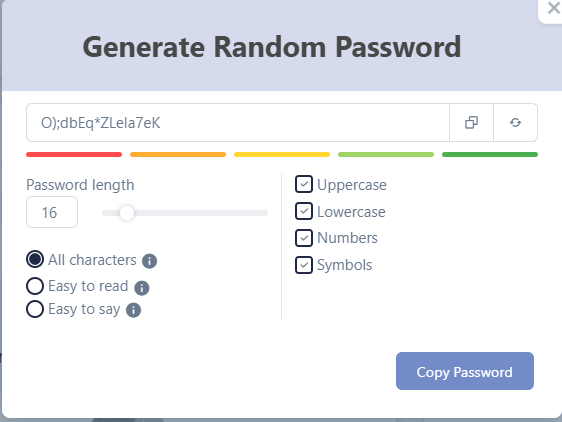
Organized, centralized credential storage
Use a single controlled vault instead of scattered files, chats, or browser sync.
Item-based RBAC and audit readiness
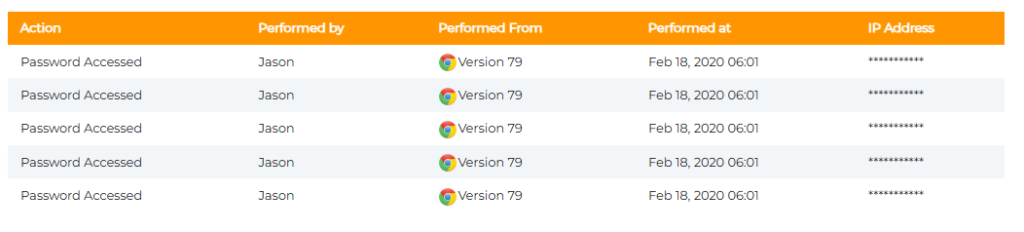
Assign access at the credential level so each person only sees the items tied to their responsibilities. Pair this with audit-ready logs that capture who viewed, edited, or shared an entry. Ideal for compliance checks and activity reviews.
Secure sharing and rotation rules
Share without exposing. Rotate credentials after major events, handovers, or vendor changes.
Real-time access reviews
Examine who can view what before every new project cycle commences.
⭐Tip: If a prevention step feels “optional,” it is usually the one attackers rely on, and you are neglecting.
Once these fundamentals are in place, the conversation naturally shifts toward the root problem holding back most teams: the infrastructure used to store and share credentials.
Why Password Managers for Small Teams Are a Solution to Leak Prevention
When small teams and freelancers trace a credential leak back to its source, the cause is rarely mysterious. It’s the workflow that drifted.
A password was dropped into a chat to save time.
A Google Sheet that outlived the project.
A contractor who kept access because offboarding was rushed.
None of these feels dangerous in the moment. The damage starts compounding long before anything breaks.
Password managers for small teams work because they replace improvisation with structure. They turn fragile habits into predictable, controlled access. That is why many digital agencies adopt them to manage client passwords and boost collaboration & security.
Let us make this straightforward with the following visual breakdown that decision-makers often find helpful.
How Password Managers Prevent Credential Leaks
Problem That Causes Leaks in Small Teams
What Happens in Real Life
How a Password Manager Solves It
Scattered credential sharing
Passwords shared in chats or emails linger for months
Secure sharing links, controlled visibility, and no long-term exposure
Shared or repeated passwords
One breach affects multiple client accounts
Enforced unique passwords and strong password generation
Stale access after offboarding
Ex-employees retain access without anyone noticing
Instant revocation and client-specific vault control
How Small Teams Build a Leak-Proof Credential Workflow
What most teams and freelancers never admit out loud is that leaks don’t come from attackers outsmarting them; they originate because everyday habits drift.
A workflow is only as strong as the last shortcut taken. It can be:
A login saved into a chat to unblock work.
A vendor who kept access longer than expected.
A credential no one remembered to rotate.
These moments feel operational, not risky, until they stack.
Teams that stay protected rely on a structure that eliminates guesswork and closes gaps before they form.
Let’s make this clear with a real structure behind an impenetrable workflow:
The Core Layers of a Leak-Proof Credential System
Layer
What It Protects
Strategic Advantage
Strong passphrases
Entry points
Prevents anyone from guessing or cracking patterns
MFA on critical accounts
High value targets
Stops intrusions even if a password leaks
Item-level access rules
Contractor and team visibility
Limits blast radius and keeps exposure contained
Centralized vault updates
Real-time accuracy
No one works with outdated credentials
Regular access reviews
Old accounts and stale permissions
Removes silent vulnerabilities before attackers find them
A workflow like this works because it eliminates improvisation. When every access path is intentional, leaks have nowhere to hide.
Once this structure is in place, the final step is to ensure secure password management as your team grows and client demands evolve.
The Bottom Line
Password security rarely announces itself as a problem. It appears as a barrier.
Work slows. Access feels uncertain. Simple questions take too long to answer.
Over time, that friction quietly erodes confidence, both yours and your clients’.
The teams and freelancers who stay ahead treat credentials as part of how work moves, not as loose items to manage later.
Access is intentional. Sharing is controlled. Nothing critical depends on memory, inbox searches, or last-minute fixes.
This shift is less about locking things down and more about creating operational calm.
If you want a password system that supports this way of working without adding overhead, All Pass Hub fits naturally into small agency and freelancer workflows. It ensures access is simple, controlled, and ready for whatever comes next.
Here is to creating a workflow where credentials feel effortless, security feels robust, and your clients always feel protected.
FAQs
How do companies actually encrypt passwords, and how does this differ between cloud and self-hosted setups?
Most systems encrypt passwords on the user’s device before they enter any server. In cloud setups, the vendor controls the storage location. In self-hosted models, the encrypted database resides within your environment.
How can we maintain password hygiene across multiple client environments with different rules?
Use one vault with client-specific folders, enforce strong passphrases using a password generator, standardize MFA for high-risk accounts, and review access before every new project cycle.
How can a small team identify if a password has already been compromised without waiting for an incident?
Monitor credential activity logs, review unexpected access patterns, and check passwords against breach databases. Early detection often comes from noticing irregular use rather than an entire incident alert.
How do we set up temporary access for new contractors without exposing everything?
Assign access at the item level and set definite expiration rules. Contractors should only view the credentials tied to their task, and the access should end automatically when the work is done.
How do we safely share passwords with clients who prefer email or messaging apps?
Avoid sending credentials through open channels as per password security best practices. Use a one-time share feature that lets the client view the password once without exposing your vault.
All Pass Hub includes this capability, allowing secure sharing without storing sensitive details in chats or email threads as part of its password security policy.
What do lost spreadsheets, repeated password reset tickets, and frantic chat messages asking for login details have in common? They all point to a growing problem: chaotic password management.
In today’s digital workplace, teams rely on dozens of tools, from CRMs and HR platforms to cloud storage and project dashboards. However, without proper structure, login details end up scattered across chatting apps, sticky notes, and shared Excel files. It creates inefficiency and security risks.
That’s where a password manager for teams redefines everything. By centralizing access into encrypted vaults, setting role-based permissions, and enabling secure sharing, teams can collaborate with peace of mind.
From agencies and IT teams to HR and admin departments to remote groups and enterprises, every organization faces the same challenge. This blog is written for them.
It offers practical answers, proven benefits, and explains how features like role-based access and audit logs protect company data. You’ll discover how All Pass Hub empowers modern teams to work confidently, collaboratively, and securely.
So fasten your seatbelt to uncover a blueprint for protecting your business and transforming the way your team collaborates.
What Is A Team Password Manager?
In layperson terms, a team password manager is a secure, shared vault where organizations can store, manage, and distribute credentials without relying on spreadsheets or unsecured chat tools.
Unlike personal password managers, which are designed for individuals, team solutions are built for collaboration, supervision, and accountability.
Here’s how it works in practice:
Centralized Password Management → Every login, key, and credential is stored in an encrypted repository accessible only to authorized team members.
Role-Based Permissions → Admins, managers, and employees can be granted different levels of access. It ensures credentials are shared only with the authorized personnel.
Encrypted Sharing → Instead of sending login details in emails, teams share access securely within the vault, eliminating leaks.
Zero-Knowledge Design → The provider cannot view or decrypt the data, guaranteeing privacy and control remain with the business.
The significant shift here is cultural. Moving from scattered logins to a shared password manager for business means adopting a structure where credentials are not just protected but also easy to manage.
This balance of security and usability is why present-day teams are adopting zero-knowledge, collaborative password managers as a foundation of corporate password management.
The Crux: A team password manager centralizes credentials, adds oversight, and supports collaboration securely. It replaces outdated methods such as spreadsheets or informal sharing.
Why Do Teams Need Password Managers?
Every team, whether a five-person startup or a global agency, has numerous accounts. It includes CRMs, cloud drives, email suites, and project tools. Yet most still juggle passkeys through spreadsheets, sticky notes, or chat apps.
These shortcuts may feel convenient. However, they quietly open the door to security risks that cost businesses time, money, and credibility.
Here’s why teams can’t afford to depend on outdated practices:
Password Reuse and Oversharing → When employees recycle the same credentials or share them casually, a single breach can compromise multiple systems.
Spreadsheets as “Vaults” → Excel files or Google Sheets may organize logins, but they offer zero encryption, no access control, and no audit trail.
Shadow IT Risks → Employees often create accounts outside of IT oversight, leaving credentials unmanaged and invisible until a breach occurs.
Rising Reset Tickets → IT teams lose countless hours handling password resets, reducing productivity and frustrating both staff and management.
The cost is exorbitant. According to the IBM report, credential theft accounts for a large percentage of data breaches, often resulting in millions of dollars in damages.
Teams that fail to stop unsafe authentication data sharing or eliminate storage in spreadsheets are not only at risk of breaches but also face compliance penalties and reputational harm.
Core Insight: Team password managers replace scattered, insecure practices with structured, centralized control. It reduces the likelihood of credential theft, reduces reset tickets, and restores productivity.
The Lifecycle Of A Team Password: From Creation To Decommission
Think of a password like a key that moves through many hands in its lifetime. From the moment it is created until it is retired, that “pass key” can either protect the business or expose it to unnecessary risk. Understanding this journey helps teams see where weak points emerge and how a team password manager like All Pass Hub secures every step.
Here’s how a typical team login verification token travels through its lifecycle:
Creation
Passwords often begin life hurriedly, crafted to be easy to remember rather than resilient enough to resist attacks. Weak or recycled passwords are the foremost crack in the armor.
With All Pass Hub → A built-in password generator creates undecipherable, unique credentials by default, reducing human error from the beginning.
Storage
Authentication information often ends up in spreadsheets, notebooks, or chat threads without a systematic storage structure. One lost file can mean uncontrolled access.
With All Pass Hub → Every credential is stored inside an encrypted repository with zero-knowledge assurance. It ensures only authorized team members can use it.
Sharing
Teams share credentials daily, whether for social media logins or SaaS tools. Untracked sharing creates a trail that no one can trace back if something goes wrong.
With All Pass Hub → Secure sharing links and role-based permissions ensure credentials travel safely between teammates and are monitored with a transparent audit log.
Rotation
Accounts change roles, projects end, or vendors move on. Yet many access tokens never get rotated, leaving old passkeys swinging in the system.
With All Pass Hub → Password rotation is easy to enforce. Security dashboards and audit logs alert admins to outdated or risky credentials.
Revocation
When employees leave the organization or access is no longer needed, revoked passwords should close the door. Unfortunately, orphaned accounts are often forgotten.
With All Pass Hub → Admins can instantly revoke or reassign access, ensuring no digital doors stay open for former staff or third-party contractors.
The lifecycle of a password reveals one truth: security gaps appear not in one moment, but across every stage. All Pass Hub protects the entire journey, allowing teams to collaborate with confidence rather than chaos.
Main Message: By securing the comprehensive password lifecycle from creation to revocation, team password managers transform fragile, forgotten credentials into a controlled, auditable, and resilient system.
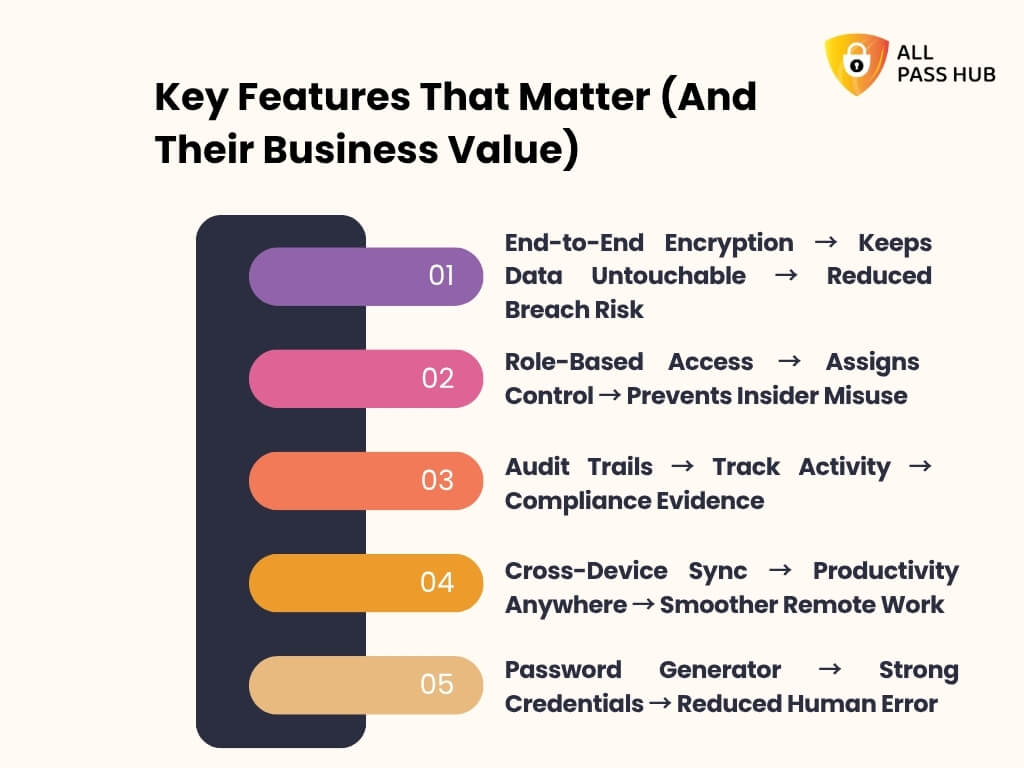
Key Features That Matter (And Their Business Value)
Features mean little if they don’t solve practical problems. A team password manager isn’t just a collection of security tools; it’s a way to eliminate daily hassle, lower risks, and cultivate trust across departments.
Let’s walk through the most critical features and the business value they deliver.
End-to-End Encryption → Keeps Data Untouchable → Reduced Breach Risk
Without encryption, stored credentials are like a diary left unlocked on a desk. End-to-end encryption with a zero-knowledge guarantee ensures that no one, not even the provider, can peep inside your vault.
Business Value: Peace of mind that sensitive logins are safe from hackers, breaches, or accidental exposure.
Role-Based Access → Assigns Control → Prevents Insider Misuse
In many teams, “everyone knows the password” is a recipe for trouble. Role-based access provides admins with control of who views what.
Business Value: Sensitive credentials stay in the right hands, reducing insider threats and maintaining accountability.
Imagine a financial auditor asking, “Who accessed this system last Tuesday?” You can only guess without logs. Audit trails answer those questions instantly.
Business Value: Creates a tamper-proof record of every login, making compliance checks and investigations far less painful.
Cross-Device Sync → Productivity Anywhere → Smoother Remote Work
In today’s hybrid work culture, a password locked to one device is futile. Cross-device sync ensures consistency in access, whether your team is on a laptop, tablet, or smartphone.
Business Value: Remote and on-the-go employees stay aligned without creating risky workarounds.
Password Generator → Strong Credentials → Reduced Human Error
Most people still default to “easy-to-type” passwords. A built-in password generator eliminates weak and recycled credentials by creating impenetrable, unique ones for every account.
Business Value: Lowers the likelihood of breaches caused by human laziness or forgetfulness.
The actual power of these features isn’t in the technology itself, but in the outcomes: top-notch security, smoother workflows, and a culture of accountability. All Pass Hub transforms technical specs into practical advantages that teams can feel in their daily work.
Smart Summary: Security features only matter when they deliver genuine results. From encryption to role-based access, All Pass Hub ties every capability to a tangible business outcome.
How Password Managers Protect Company Data
Think of your company’s data like a castle. Without the resilient defenses, attackers don’t need to storm the gates; they just find an unlocked door. A corporate password manager like All Pass Hub ensures every entry point is locked, guarded, and monitored.
Let’s walk you through what protection resembles.
Before: Scattered and Vulnerable
Saving authentication information in spreadsheets, sticky notes, or chat messages.
Shared accounts with no record of who accessed them.
Employees are reusing the same login across multiple platforms.
A single phishing email escalates into a company-wide breach.
After: Centralized and Secure
Encryption + Zero-Knowledge Policy → Every password is sealed in an encrypted vault that only your team can unlock. Even All Pass Hub cannot view your data.
Value: Eliminates the risk of provider breaches or insider snooping.
Password Vault for Enterprises → Instead of scattered credentials, everything resides in one controlled hub.
Value: Reduces the hassle of lost logins and reinforces supervision for IT admins.
Secure Sharing of Files & Credentials → Sensitive access is granted with granular permissions, not emailed around in plain text.
Value: Fosters trust among teams while safeguarding clients, partners, and internal data.
Audit Logs & Activity Monitoring → Every login and password change is tracked.
Value: Transparency deters insider misuse and creates compliance-ready records for audits.
Data Breach Prevention Mechanisms → Tools such as phishing resistance, brute-force blocking, and MFA integration close familiar attack doors.
Value: Keeps attackers out, even if one employee makes a mistake.
Replacing ineffective password practices with a secure, centralized system ensures your company’s digital castle is no longer a sitting duck. It becomes a fortress where every wall, gate, and guard works in harmony.
Knowledge Drop: A password manager doesn’t just store credentials; it turns scattered risks into a unified defense system. It ensures business data is locked down and compliant.
Collaboration Made Simple: Real Team Use Cases
Collaboration thrives when everyone knows exactly where to find what they need. A team password manager eliminates the friction of scattered logins and replaces them with structured, secure workflows.
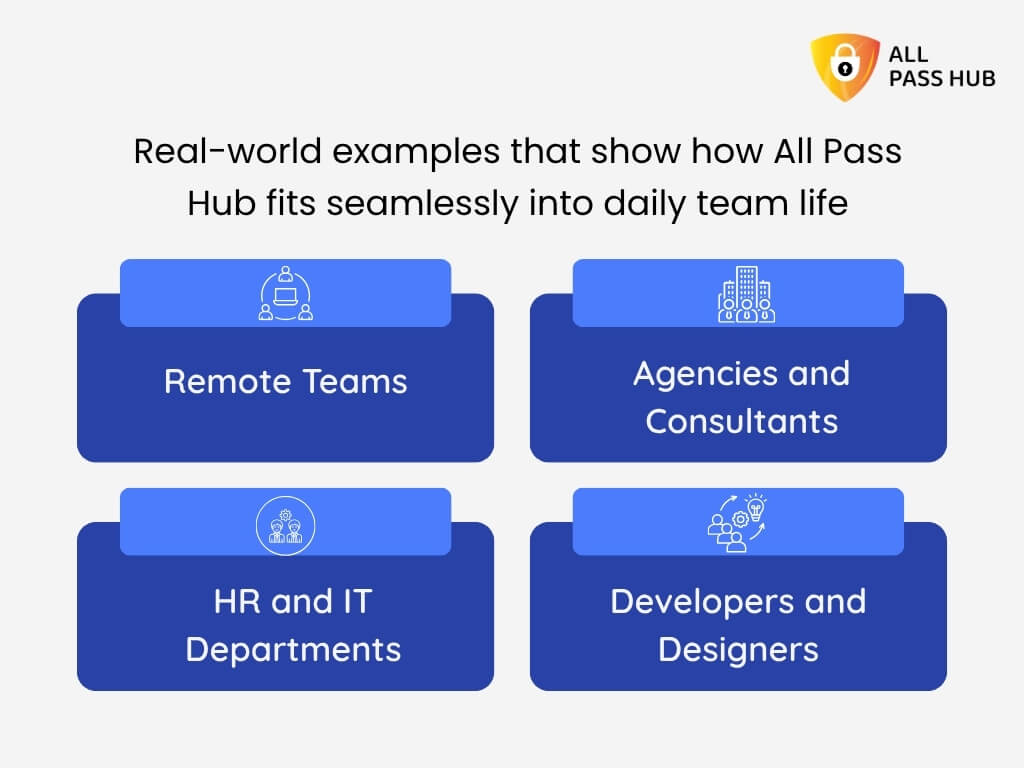
Here are some real-world examples that show how All Pass Hub fits seamlessly into daily team life:
Remote Teams
Remote employees often juggle multiple devices and time zones. With All Pass Hub’s cross-device sync, every login is available instantly on desktop, web, or mobile.
No waiting for emails, no hunting in Slack threads. Only secure access when and where required.
Agencies and Consultants
Marketing or branding agencies manage dozens of client accounts across social media apps, ad platforms, and analytics dashboards. A shared vault with role-based access ensures each client’s credentials are safe, organized, and only visible to authorized staff.
Onboarding new consultants is as effortless as assigning them to the secure repository.
HR and IT Departments
HR teams handle sensitive employee records while IT departments safeguard admin credentials for infrastructure. All Pass Hub provides role-based permissions. It ensures HR staff never pry on IT admin passwords, and IT doesn’t access payroll accounts.
Audit logs track every access event for accountability and transparency.
Developers and Designers
From GitHub repositories to design platforms, creative and technical teams use numerous shared accounts. All Pass Hub ensures credentials are rotated regularly, stored securely, and retrieved effortlessly. The result is fewer interruptions and more focus on shipping projects.
Quick Recap: Team password managers do more than store credentials; they enable agencies, IT, HR, and creative teams to collaborate safely without bottlenecks, guesswork, or security gaps.
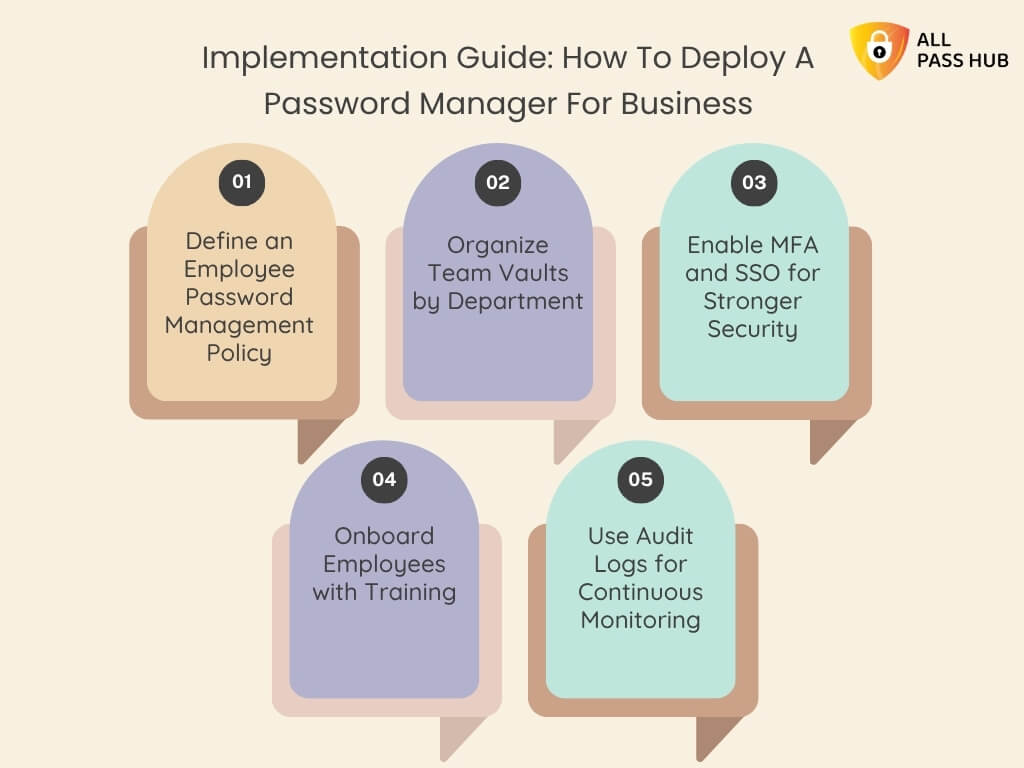
Implementation Guide: How To Deploy A Password Manager For Business
Adopting a team password manageris not just about technology; it is about reshaping how your team treats security every day. A structured rollout ensures smooth adoption, minimal friction, and maximum value.
Here’s a proven path to success:
1. Define an Employee Password Management Policy
Begin by formulating definite rules: how passwords are created, who can share them, and how frequently they must be rotated. This foundation guides every action your team takes inside the password manager.
2. Organize Team Vaults by Department
Create vaults for marketing, HR, IT, development, and client accounts. It prevents clutter, keeps credentials organized, and ensures that employees only access the needed passkeys.
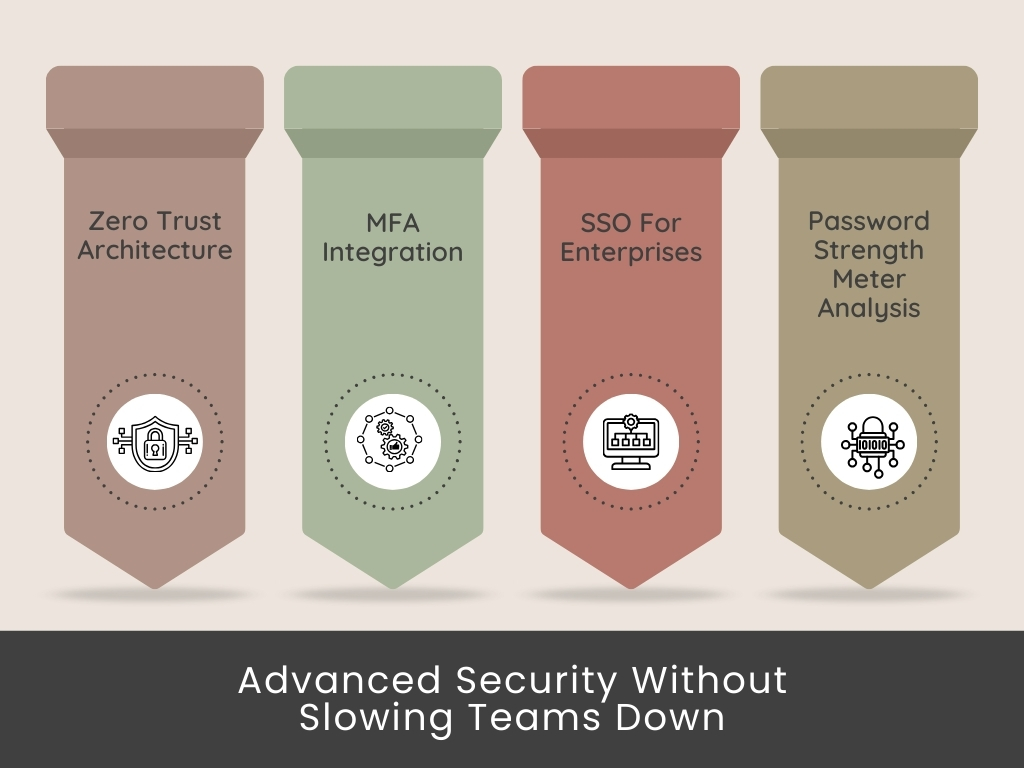
3. Enable MFA and SSO for Stronger Security
Multi-factor authentication combined with single sign-on ensures only verified users can log in. It reduces the risk of compromised accounts while keeping authorization straightforward for employees.
4. Onboard Employees with Training
Guide your team on how to log in, share, and manage credentials inside the repository. A 30-minute training session can prevent months of confusion and hesitation.
5. Use Audit Logs for Continuous Monitoring
Encourage managers and IT admins to check activity logs regularly. It provides visibility into unusual access attempts and ensures compliance requirements are always met.
Must-Know Insight: Successful deployment is about more than installing software. Policies, vault organization, training, and monitoring ensure your password manager becomes a daily security ally rather than another forgotten tool.
Compliance Made Easier With Team Password Managers
Meeting compliance is mandatory for modern businesses. Whether you operate in healthcare, finance, or the e-commerce industry vertical, regulators demand strict controls over the handling of company data and credentials. Failure to comply can invite costly fines, reputational damage, or even legal consequences.
Team password managers like All Pass Hub simplify this challenge. Instead of scattered spreadsheets and unsecured sharing methods, they provide the audit-ready tools enterprises need to pass compliance checks with confidence.
Why Compliance Matters
GDPR: Requires robust protection of personal data and accountability in access management.
HIPAA: Demands secure handling of patient information with transparent audit trails.
SOC 2: Focuses on access control, monitoring, and data confidentiality.
PCI DSS: Requires safe credential storage and protection for cardholder data.
Feature-to-Compliance Mapping
Feature
Compliance Need
All Pass Hub Advantage
End-to-End Encryption
Data confidentiality (GDPR, HIPAA, PCI DSS)
The zero-knowledge model ensures only authorized users view data
Proof of activity and accountability (SOC 2, HIPAA)
Tamper-proof logs track every access event
Role-Based Access
Least-privilege principle (ISO 27001, SOC 2)
Permissions set by role to reduce insider risks
Centralized Vaults
Secure storage (GDPR, HIPAA, PCI DSS)
Encrypted, organized storage for all credentials
What This Means For You: Compliance no longer has to be a burden. With features such as encryption, MFA, audit logs, and centralized control, All Pass Hub transforms regulatory pressure into an organized, trackable process.
Common Myths & Risks Without A Team Password Manager
Myths spread faster than facts when it comes to team security. Many companies still hold on to outdated practices, assuming they are “good enough.” Let’s tackle some of the most standard misconceptions head-on.
Myth 1: “A Spreadsheet Will Do the Job”
You might think: “It’s simple, everyone already has access.”
➡️The Truth: Spreadsheets are easily copied, shared, or leaked with no way to trace them. Convenience quickly turns into a security liability.
Myth 2: “A Password Manager Is Too Risky”
You might think: “Why put all my passwords in one basket?”
➡️The Truth: With end-to-end encryption and zero-knowledge design, enterprise password managers ensure no one outside your team, not even the provider, can access your data.
Myth 3: “We’re Too Small to Be a Target”
You might think: “Hackers only go after big companies.”
➡️The Truth: Small teams are often easier targets because their defenses are weaker. A single stolen password can cause disruption, downtime, or reputational loss.
The Hidden Risks of Skipping a Team Password Manager
Phishing and brute-force attacks thrive on fragile, unmanaged passwords.
Insider misuse goes unseen without access logs.
Compliance failures occur when you lack MFA and audit trails.
Downtime and fines hit harder than the cost of prevention.
In a Nutshell: Relying on outdated methods, such as spreadsheets or ignoring password managers, creates vulnerable spots in your security. The risk is not “if” but “when” an incident will happen.
All Pass Hub Features That Teams Love
Flashy features aren’t sufficient when selecting a team password manager. What matters is how those features translate into tangible value for your business, keeping teams secure, productive, and stress-free.
Let’s break down what makes All Pass Hub stand out.
Zero-Knowledge Encryption + AES-128
Why it Matters: Your credentials are protected with military-grade encryption.
Value to you: Even All Pass Hub cannot spy on your data, giving you complete privacy and peace of mind.
Multi-Factor Authentication (MFA) and SSO Integration
Why it Matters: Stronger access control for every login.
Value to you: Whether logging in through 2FA or integrating with Single Sign-On, your team has additional protection without added friction.
Audit Logs and Compliance Tracking
Why it Matters: You require visibility into who accessed what and when.
Value to you: Every action is recorded, helping you meet compliance standards and investigate suspicious activity with confidence.
Cross-Device Sync with Unlimited Users
Why it Matters: Present-day teams do not work from a single device or one office.
Value to you: From laptops to mobiles, everyone stays aligned, and you never hit “user limits” that other tools impose.
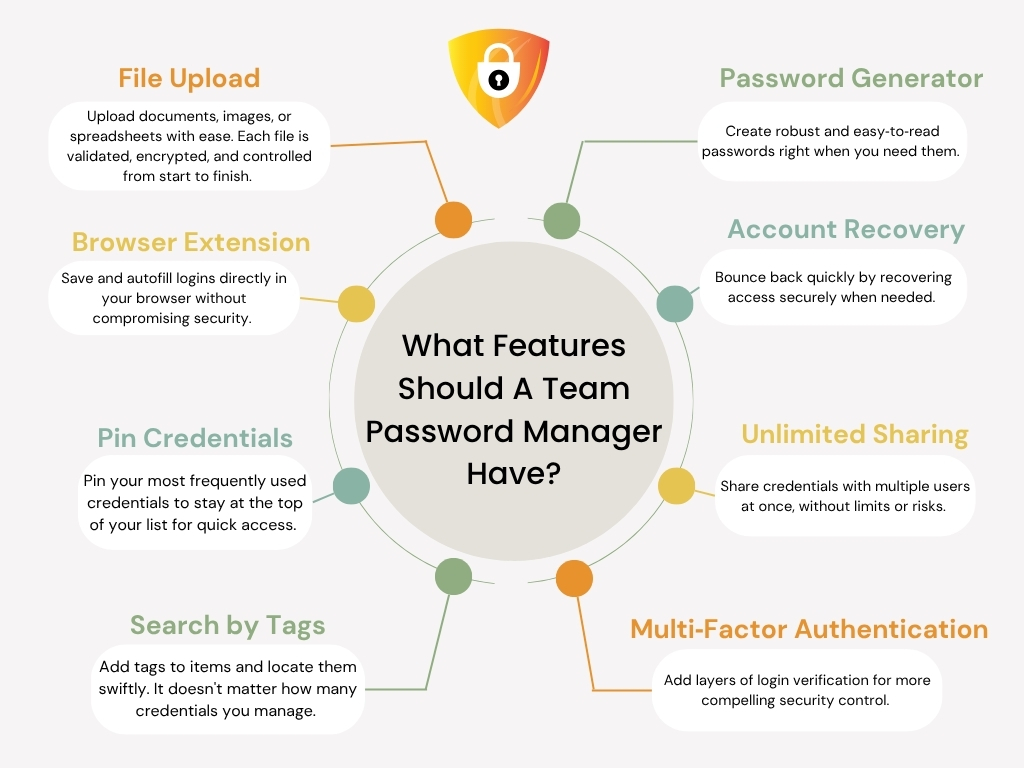
Why it Matters: Large teams can have hundreds of credentials.
Value to you: Find the right account instantly by using tags like “Finance,” “HR,” “Client A,” or “Vendor A.”
Affordable, Transparent Pricing
Why it Matters: Security should not be a luxury only large enterprises can pay for.
Value to you: With All Pass Hub plans ranging from free forever to $0.99/month and $6.99/year, plus enterprise customization, you get world-class security without the premium price tag.
Key Takeaway: All Pass Hub is more than a password manager. It is a scalable, compliance-ready solution designed for real teams, delivering enterprise-grade security without complexity or cost barriers.
Comparison: All Pass Hub vs. Other Team Password Managers
When choosing a password manager for teams, the devil is in the details. Many tools seem identical on the surface, but their limitations often appear only after adoption. Hidden user caps, weak audit logs, or a lack of authentic zero-knowledge protection can quickly turn a promising solution into a frustrating liability.
Here is a transparent comparison between All Pass Hub and other popular team password managers to equip you with clarity:
Feature / Criteria
All Pass Hub
Typical Competitors
Encryption
AES-128 + Zero-Knowledge
Satisfactory but partial provider visibility
Role-Based Access
Yes, with granular controls
Limited, often rigid roles
Audit Logs
Detailed, tamper-proof, exportable
Basic, often non-exportable
Cross-Device Sync
Unlimited devices included
Often, extra charges or limits
User Sharing
Limitless at no additional cost
Per-user pricing, capped sharing
MFA & SSO Integration
Supported across all plans
Often enterprise-tier only
File & Note Storage
Encrypted, integrated with credentials
Basic or unavailable
Compliance-Readiness
GDPR, HIPAA, SOC 2, PCI DSS supported
General compliance, fewer specifics
Pricing
Free, $0.99/month, $6.99/year, custom enterprise
Higher monthly rates, hidden fees
➡️What this demonstrates is straightforward: where others restrict, All Pass Hub scales. Where others charge more for enterprise-grade features, All Pass Hub includes them up front. Instead of compromise, you get transparency, affordability, and security in a consolidated vault.
Essential Insight: All Pass Hub outshines competitors with unlimited sharing, tamper-proof logs, and a compliance-first design. It offers transparent pricing without hidden trade-offs.
Building A Culture Of Security And Collaboration
Technology alone cannot safeguard a business; it needs people who understand and adopt secure practices. A team password manager is most potent when it becomes a daily habit rather than a once-a-month IT mandate.
The following are a few practical ways teams can implement to make this shift into their everyday routines.
Encourage Vault-First Habits
Every new credential, whether for a marketing platform or a financial tool, should start in the vault. This habit eliminates scattered spreadsheets and makes security second nature.
Make Security Part of Collaboration
When team members share passwords safely rather than relying on chat messages or sticky notes, they reinforce a culture of trust and accountability.
Scale Security With Growth
All Pass Hub supports unlimited users and affordable tiers, allowing security culture to expand alongside business growth without friction.
Measure and Reward Adoption
Audit logs and activity tracking can highlight departments thriving in guarded collaboration. Recognizing their efforts motivates others to follow suit.
What You Should Know: A culture of security thrives when teams perceive password managers not as tools but as enablers of trust, collaboration, and growth. It makes safe practices effortless across the workplace.
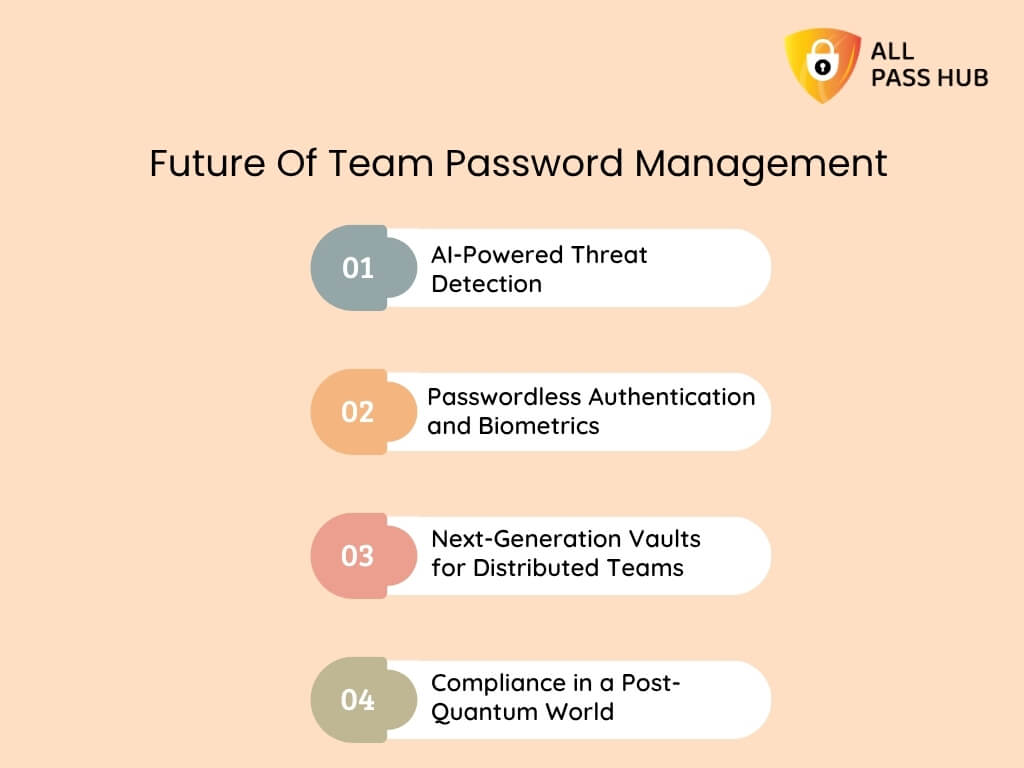
Future Of Team Password Management
The way teams collaborate and protect access is evolving as fast as the threats they face. Password managers are no longer static vaults; they are becoming adaptive guardians that predict risks and simplify workflows.
The future of team password management will be defined by innovation in the following four pivotal areas.
AI-Powered Threat Detection
Artificial intelligence will enable password managers to recognize unusual login patterns, suspicious sharing, or brute-force attempts instantly. All Pass Hub is already aligning toward AI-driven anomaly detection to strengthen team resilience.
Passwordless Authentication and Biometrics
Traditional logins are giving way to biometric authentication and passkeys. Fingerprints, facial recognition, and hardware tokens will soon work seamlessly with team vaults. It will minimize dependency on static credentials.
Next-Generation Vaults for Distributed Teams
As remote and hybrid work are becoming standard, password managers must adapt to support collaboration across geographies. Future vaults will provide real-time sync, offline-ready access, and integrations with emerging workplace platforms.
Compliance in a Post-Quantum World
Stringent regulations and quantum computing threats will push managers to adopt post-quantum cryptography and state-of-the-art compliance automation. Businesses that adopt forward-looking tools now will avoid costly overhauls later.
Final Thought: The future of team password management lies in AI-driven defense, passwordless access, global collaboration support, and post-quantum compliance readiness.
Conclusion
In today’s digital workplace, passwords are more than gatekeepers; they are the keys that unlock collaboration, productivity, and trust. Managing them carelessly turns them into cracks that invite unthinkable threats.
Throughout this guide, you explored how a team password manager replaces chaos with clarity and transforms vulnerability into resilience.
From scattered spreadsheets to centralized vaults, from forgotten logins to streamlined onboarding, and from siloed risks to shared accountability, password managers redefine teams’ working style. They do not just secure credentials; they guard culture, compliance, and confidence.
All Pass Hub is built with this future in mind. With zero-knowledge encryption, MFA, audit-ready logs, and unlimited user scalability, it ensures your team is protected today and prepared for tomorrow’s challenges.
⭐Where others promise, All Pass Hub proves by blending simplicity with enterprise-grade safeguards.
Your business deserves more than fragmented tools. It deserves an armor that evolves with you, protects every interaction, and inspires trust across your teams.
➡️Start your team’s secure journey with All Pass Hub today: collaborate confidently, shield completely.
FAQ
Can A Team Password Manager Integrate With Tools Like Slack Or Google Workspace?
Yes. Many team password managers, including All Pass Hub, integrate with business tools such as Slack, Google Workspace, and project management platforms. It makes credential sharing seamless and lowers the risk of employees resorting to insecure methods such as chat messages or spreadsheets.
How Do Password Managers Handle Employees Who Leave The Company?
A team password manager empowers admins to revoke access instantly when an employee departs. It prevents lingering access to shared accounts and safeguards sensitive data. With centralized control, businesses can transfer or reassign credentials securely without disruption.
What Is The Difference Between A Team Password Manager And A Password Vault?
A password vault is primarily a secure storage for credentials, whereas a team password manager combines vaulting with collaboration features, such as role-based access, audit logs, and safe sharing. It makes it practical for businesses requiring superior oversight and control.
How Does A Password Manager Improve ROI For Businesses?
Password managers save both time and money by reducing password reset requests, eliminating downtime caused by lost credentials, and lowering the risk of breaches. Productivity gains and compliance-readiness add further long-term ROI for companies of all sizes.
Is There A Risk Of Losing Access If The Password Manager Fails?
Reputable password managers provide secure recovery options, such as encrypted recovery files or admin reset controls. It ensures businesses retain access even if users forget master credentials, without compromising the zero-knowledge security model.
Do Small Teams And Agencies Really Need A Password Manager?
Yes. Even small teams face threats from password reuse, insecure sharing, and accidental leaks. A team password manager offers affordable, scalable protection that grows with the business. For agencies handling multiple clients, it provides clear separation and secure access control for each project.
Here’s a chilling reality: passwords are still the primary cause of enterprise data breaches, and businesses are paying an exorbitant price for it.
According to IBM’s report, the average cost of a data breach tied to weak or stolen credentials is over $4.45 million. For many companies, that’s not just a line on a balance sheet; it’s a reputational catastrophe that takes years to recover from.
So, why do passwords continue to be a security vulnerability in enterprises? Because employees reuse credentials, share them through unsecured spreadsheets, and IT teams often lack visibility into who has access to what.
These password security risks for businesses are no longer minor hiccups; they are ticking time bombs. That is where an enterprise password manager steps in. Many perceive it as a vault for storing logins.
However, it goes beyond that by delivering a corporate password management system that centralizes control, secures sharing, and creates a transparent trail for compliance. In essence, it transforms the weakest link into a resilient shield.
This blog is curated for IT leaders, security teams, and decision-makers who want to safeguard company data, strengthen compliance, and reduce risks without disrupting productivity.
You will explore what a corporate password manager is, how it works, why companies need one in 2026, the key features that matter, how to deploy and drive adoption, and more.
Without wasting any moment, let’s get started!
What Is A Corporate Password Manager, And How Does It Work?
At its simplest, enterprise password management is the practice of giving organizations a single, secure hub for every credential.
Instead of storing login details in scattered emails, sticky notes, or spreadsheets, a company password manager acts as a centralized password management system. It aims to keep all business accounts encrypted, organized, and monitored.
So, how does a corporate password manager work in practice?
Employees log into the vault using strong authentication such as MFA.
Credentials are encrypted and stored so that even the provider cannot view them, thanks to zero-trust password management.
Admins can enforce policies, assign access by role, and monitor activity logs.
Teams share credentials without exposing the actual password, reducing the risk of leaks.
The difference between a personal and a corporate password manager lies in scale and oversight. While personal tools focus on convenience, enterprise solutions add compliance features, reporting, and centralized control. It ensures IT leaders have the required visibility without sacrificing user autonomy.
A Password’s Journey in an Organization
Without a Password Manager:
Creation → written in a spreadsheet or email → shared over chat → reused by multiple employees → forgotten/reset → exposed to phishing → hard to trace misuse
With a Corporate Password Manager:
Creation → added to the vault → encrypted and stored centrally → shared securely with roles/permissions → synced across devices → monitored via audit logs → safely revoked when no longer needed
A corporate password manager does not just store logins. It builds a digital command center where enterprises maintain control, visibility, and resilience against evolving credential threats.
The Crux: A corporate password manager is more than storage. It is a centralized, zero-trust solution that combines secure storage, controlled sharing, and oversight to safeguard business data at scale.
Why Companies Need Password Managers In 2026
Every organization today, whether a small consultancy or a global enterprise, faces the same exhausting problem: password chaos. Employees juggle dozens of logins, reuse credentials across platforms, and store them in spreadsheets or sticky notes.
IT teams spend hours resetting forgotten accounts while attackers exploit fragile and shared logins to infiltrate systems.
💭So, why do companies need password managers now more than ever? Because passwords remain the most common vulnerable link. Despite firewalls and the latest security tools, one compromised login can still open the floodgates.
Corporate password management directly addresses these hazards by centralizing, encrypting, and auditing every login detail.
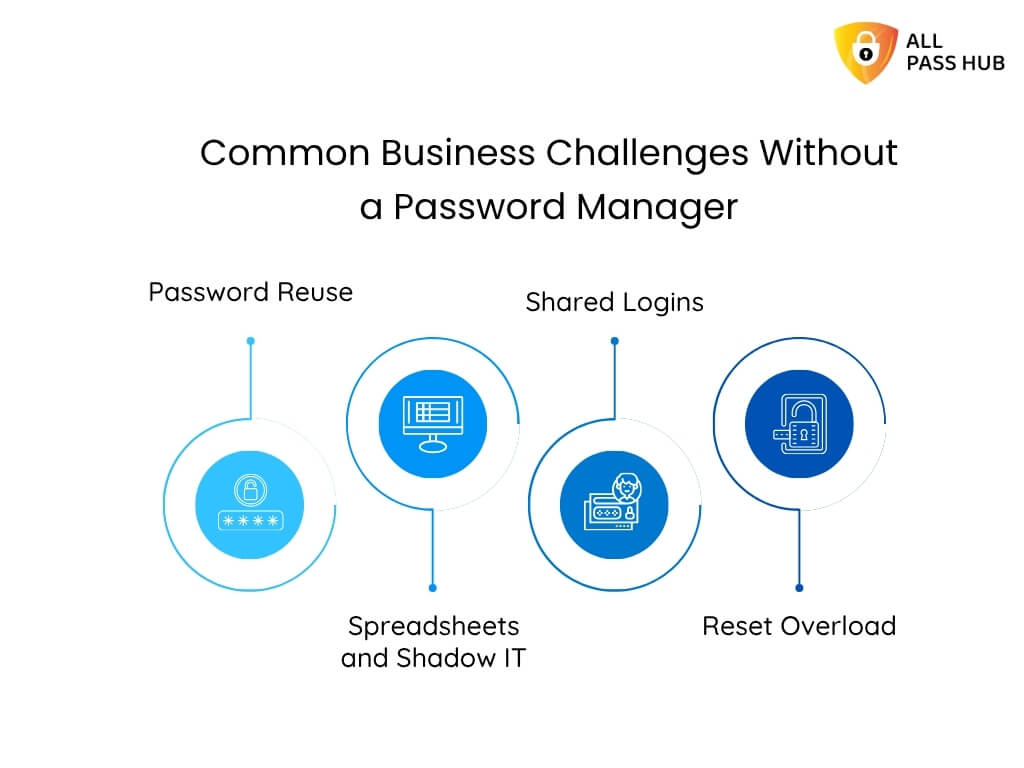
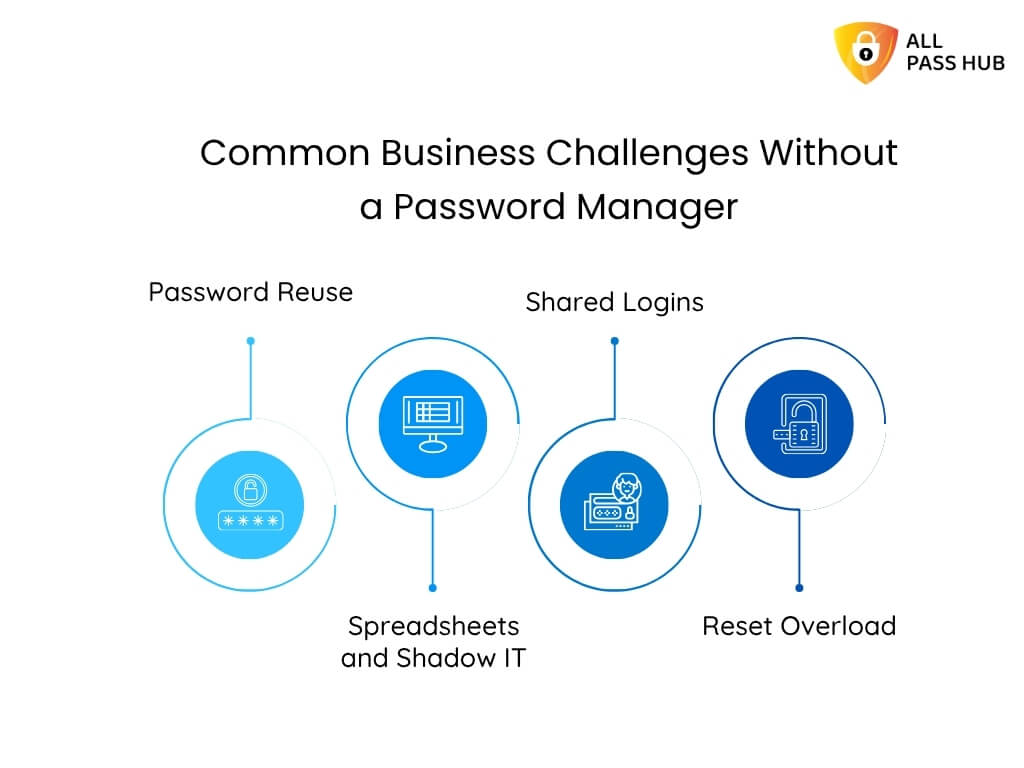
Common Business Challenges Without a Password Manager
Password Reuse: One leaked password often compromises multiple accounts.
Spreadsheets and Shadow IT: Informal tracking methods make breaches unavoidable.
Reset Overload: IT support is overwhelmed with password reset requests, draining crucial hours weekly.
How Corporate Password Management Solves Them
Stop password sharing in company workflows by using secure vault-based access.
Prevent credential theft enterprise-wide through encryption and audit trails.
Reduce password reset tickets by enabling autofill and cross-device sync.
Eliminate password spreadsheets by consolidating everything into a secure vault.
👉The result is not just reduced risk but improved productivity. Teams spend less time hunting for credentials and more time driving growth. It also helps enterprises strengthen compliance and avoid the adverse cost of data breaches.
Core Insight: Corporate password management eliminates password chaos, prevents credential theft, reduces IT overhead, and turns a critical business risk into a controlled, secure process.
Key Features Of The Best Password Manager For Business
Evaluating the best password manager for business is not merely about ticking off a list of technical specifications. The actual value lies in how each feature lowers risk, simplifies operations, and reinforces compliance.
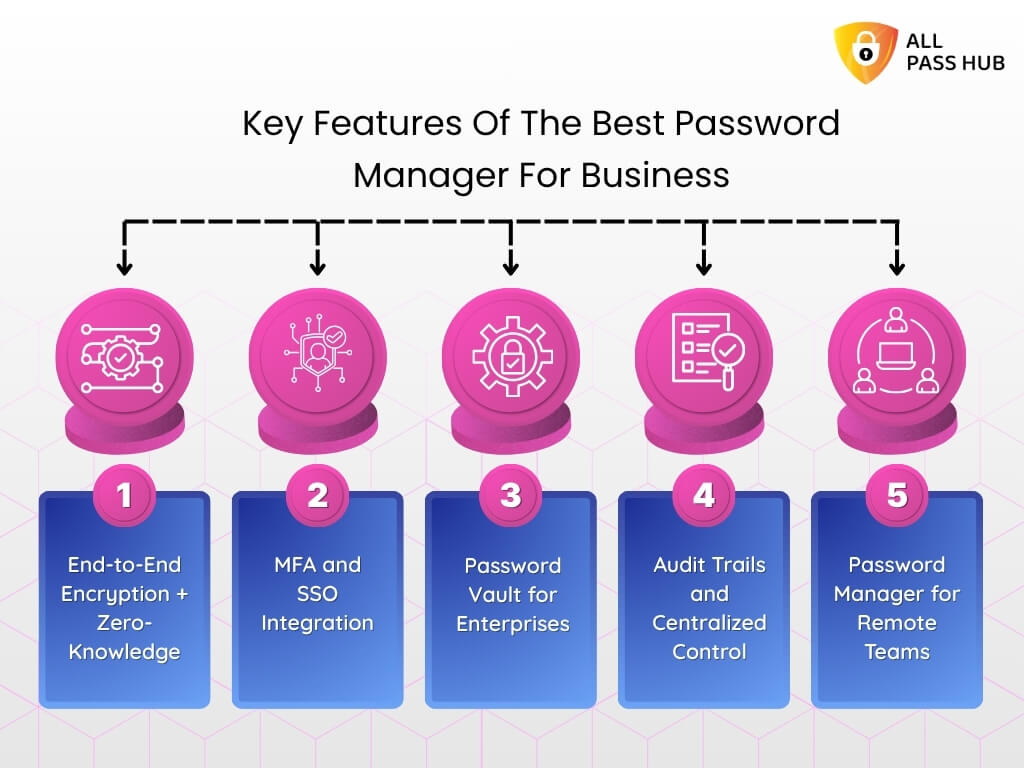
The following is a visual breakdown of the essential password manager security features and the real-world outcomes businesses care about most.
Feature
What It Does
Business Value
End-to-End Encryption + Zero-Knowledge
Credentials are encrypted before leaving a device and remain inaccessible even to the service provider.
Guarantees confidentiality and regulatory alignment, assuring enterprises that sensitive data cannot be exposed.
MFA and SSO Integration
Combines multi-factor authentication with single sign-on capabilities for layered security.
Blocks unauthorized access, simplifies employee logins, and improves compliance posture.
Password Vault for Enterprises
A centralized, secure storage for company passwords with granular access controls.
Eliminates risky spreadsheets, ensures only the right people access the right tools, and supports zero-trust password management.
Audit Trails and Centralized Control
Monitors all login activity, role changes, and access attempts in real time.
Provides compliance evidence, enables quick investigation of suspicious activity, and prevents insider threats.
Password Manager for Remote Teams
Cross-device synchronization across laptops, mobile devices, and browsers.
Empowers hybrid and distributed teams to collaborate securely without credential gaps.
Integration Options (MFA, SSO, Cloud, On-Premise)
Seamlessly connects with enterprise systems and workflows.
Maximizes adoption, reduces IT complexity, and ensures scalability across teams of all sizes.
These features are not only confined to “nice to have.” They directly benefit from fewer breaches, lower compliance risks, quicker employee onboarding, and stronger enterprise trust.
An authentic enterprise password manager doesn’t just store passwords; it becomes a cornerstone of business security.
The Bottom Line: The best business password managers deliver more than technical features; they drive measurable outcomes such as reduced breaches, lower IT costs, and stronger compliance.
How Corporate Password Managers Protect Company Data
Think about the life of a single company password. It begins when an employee creates it, often hurriedly, for a project management app or a client dashboard.
Leaving it unmanaged leads to login details being scribbled in a notebook, shared insecurely over chat, and duplicated across multiple accounts. That is where the threat looms: one careless moment can snowball into a breach.
Let’s discuss how a corporate password manager takes control.
Creation and Storage
Instead of being vulnerable or reused, the password is generated by the tool’s strength meter and stored safely inside a password vault for enterprises. End-to-end encryption ensures it is invisible to anyone outside the company, including the service provider.
Sharing with Teams
The password is not copied into an email when a colleague needs access. Instead, it is shared securely within the platform. Centralized company password storage is paired with role-based permissions.
It ensures only authorized employees view it, and audit trails record every passkey handoff.
Daily Use Across Devices
The credential syncs instantly, irrespective of whether an employee logs in from their laptop, mobile phone, or browser. It not only boosts convenience but also reinforces secure password managementfor business, as passwords are never revealed in plain text.
Protection Against Attacks
Even if hackers launch phishing or brute force attempts, they face multiple barriers. It includes multi-factor authentication, zero-knowledge encryption, and ongoing monitoring through audit logs. IT is alerted immediately if an unusual access attempt appears.
Compliance and Oversight
Thoroughly document the password’s journey when regulators ask for proof of secure access. Audit trails map who used it, when, and from where. It transforms what was once a liability into compliance-ready evidence.
By the end of its journey, that single password has gone from being a ticking time bomb to becoming part of a defensible, compliant, and secure ecosystem.
It is the actual strength of enterprise password management software, such as All Pass Hub. It doesn’t just lock passwords away; it safeguards the business around them.
Main Message: A password manager armors every stage of a credential’s life, from creation to compliance reporting. It ensures sensitive company data remains secure, traceable, and out of attackers’ reach.
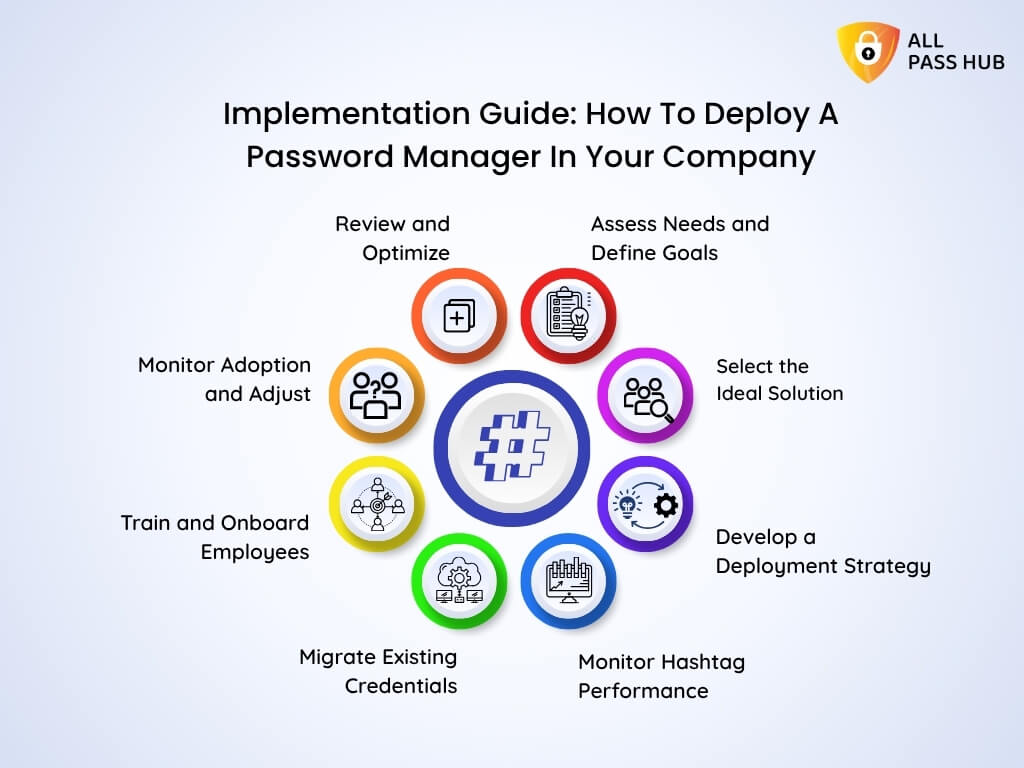
Implementation Guide: How To Deploy A Password Manager In Your Company
Deploying a corporate password manager is not just about buying software; it is about creating a secure foundation for how your team works every day. Here’s a clear step-by-step playbook to make the transition smooth and impactful that decision-makers can rely on.
1. Assess Needs and Define Goals
Begin by identifying pain points such as password reuse, shared spreadsheets, constant reset tickets, and compliance pressure. Define what success looks like, such as reducing credential theft or eliminating shadow IT.
2. Select the Ideal Solution
Search for an enterprise password manager that supports MFA, SSO integration, centralized controls, and compliance features. Consider scalability for remote teams, cost transparency, and security models like zero-knowledge encryption.
3. Develop a Deployment Strategy
Decide whether you will roll out to a pilot team first or launch company-wide. Assign IT leads to configure policies and establish role-based permissions. Draft an employee password management policy to clarify responsibilities.
4. Migrate Existing Credentials
Plan the migration with meticulous care. Import passwords from spreadsheets, browsers, or legacy tools into a secure password vault for enterprises. Ensure no data is misplaced and communicate how the new system will replace existing methods.
5. Train and Onboard Employees
Employees are the make-or-break factor for adoption. Provide simple training sessions showing how to log in, share credentials, and use MFA. Reinforce the benefits: less hassle, fewer resets, and safer collaboration.
6. Monitor Adoption and Adjust
Track usage through audit logs and the admin dashboard. Identify teams that are lagging and provide additional support. Adjust policies based on real-world workflows. It ensures adoption is high and resistance is low.
7. Review and Optimize
Schedule periodic reviews of security dashboards, audit logs, and compliance reports. Update policies as your business grows. Incorporate new integrations or features to future-proof your long-term investment.
Following this structured approach will ensure that deploying a password manager becomes less of a daunting IT project and more of a predictable, secure upgrade for your entire company.
Must-Know Insight: Successful implementation is not just about installing software; it is about guiding employees, migrating safely, and building a culture of secure collaboration across the organization.
Business Benefits of Secure Password Management
Passwords are a thorn for many businesses as they drain productivity and expose them to unnecessary risks. However, managing them securely transforms them from a daily frustration into a strategic advantage that drives efficiency, compliance, and collaboration.
Here is how that value shows up in day-to-day work.
Productivity That Scales With Teams
Cuts down valuable minutes that go into forgotten logins and resets
Decreases IT tickets, freeing staff for strategic projects
Gives employees instant, secure access to the needed tools
Collaboration Without Compromise
Securely shares credentials without spreadsheets or emails
Role-based permissions ensure the right people get the required access
Audit trails track every action for transparency
Compliance That Inspires Confidence
Provides audit-ready reports for GDPR, HIPAA, and other frameworks
Demonstrates transparency and accountability to regulators
Turns audits into a smooth, less stressful process
Eliminating Human Error
Replaces risky spreadsheets and sticky notes with a central vault
Ensures every password is encrypted and securely retrievable
Lowers accidental leaks and costly oversights
A Culture of Security By Design
Facilitates login and sharing, making security effortless
Boosts employee buy-in by removing friction from workflows
Embeds enterprise password management best practices into daily operations
Secure password management is not just an IT safeguard; it is a business enabler that strengthens resilience, streamlines work, and builds lasting trust across the organization.
Smart Summary: Secure password management delivers measurable ROI by boosting productivity, enabling safe collaboration, reducing human error, and turning compliance into a competitive edge.
Compliance & Regulatory Requirements In 2026
In today’s regulatory environment, businesses cannot afford to treat compliance as an afterthought. One overlooked requirement can translate into hefty fines, reputational damage, or even operational shutdowns.
Corporate password managers bridge this gap by aligning daily security practices with industry frameworks. They ensure that teams meet stringent requirements without drowning in red tape.
Here is how compliance becomes practical and attainable.
GDPR Compliance for Global Enterprises
Safeguards user data with encryption and authorization controls
Provides audit trails for proving lawful handling of credentials
Enables easy demonstration of compliance during audits
HIPAA Compliance for Healthcare Providers
Ensures safe storage of patient-related credentials
Tracks every access event for accountability
Supports healthcare teams with role-based permissions
SOX and PCI DSS for Finance & Retail
Enforces robust password policies and regular updates
Records every action to support financial transparency
Shield payment and financial systems from breaches
ISO 27001 for Enterprises
Demonstrates continuous risk management through reporting
Supports an organization’s Information Security Management System (ISMS)
Builds confidence with clients, auditors, and stakeholders
Feature-to-Compliance Mapping
Password Manager Feature
GDPR
HIPAA
SOX
PCI DSS
ISO 27001
End-to-end encryption + zero-knowledge
Art. 32 (Security of processing), Art. 25 (Data protection by design)
A potent password manager doesn’t just simplify compliance; it makes daily business operations seamless. Organizations have compliance proof at their fingertips rather than crawling for evidence.
What You Should Know: Corporate password managers bridge the gap between security and compliance by aligning encryption, logs, and role-based controls with GDPR, HIPAA, SOX, PCI DSS, and ISO 27001.
Common Threats Corporate Password Managers Solve
Even the resilient walls can crumble if small gaps are neglected. In enterprises, those cracks often appear as fragile passwords, unchecked authorization, or ignored vulnerabilities. The fallout is financial, legal, and reputational without proper safeguard tools.
Key Threats Without Corporate Password Management
Phishing Attacks: Employees tricked into providing credentials open the door for attackers to infiltrate sensitive systems.
Brute-Force Intrusions: Automated tools can guess simple or reused passkeys until they succeed.
Insider Misuse: Frustrated employees or careless staff may misuse shared credentials.
Credential Theft: Compromised accounts from breaches outside the company can still put business data at risk.
Compliance Gaps: Overlooking audit trails or unsecured access controls makes complying with regulatory checks nearly impossible.
How Corporate Password Managers Prevent These Risks
Strong password policies and generators cut off brute-force opportunities.
Phishing resistance improves with MFA and zero-knowledge encryption.
Role-based access ensures insiders only view what they should.
Centralized vaults protect stolen credentials from being reused.
Transparent audit logs seal compliance loopholes.
Essential Insight: Without a corporate password manager, organizations invite phishing, credential theft, and insider misuse. With one, every access point becomes guarded, monitored, and accountable.
All Pass Hub Features For Corporate Teams
Enterprises and growing businesses don’t merely need a password manager; they require a solution that fortifies security and makes collaboration effortless. All Pass Hub was designed with corporate teams in mind. It ensures that IT leaders, managers, and employees alike can work securely without slowing down.
Here’s how All Pass Hub’s standout features translate into tangible business value:
Zero-Knowledge Encryption & AES-128 Protection
Feature: Credentials are encrypted before they are transmitted from your device. It means not even All Pass Hub can view them.
Value: Guarantees privacy and keeps sensitive business data untouchable from external breaches or insider risks.
Value: Enhances login security while reducing friction for employees, striking a balance between safety and ease.
Centralized Control & Role-Based Permissions
Feature: Admins can set permissions, monitor access, and manage large teams with a centralized dashboard.
Value: Eliminates the chaos of shared logins and ensures that only authorized people access the required data.
Audit Trails & Transparency
Feature: Comprehensive logs track access attempts, changes, and unusual activity.
Value: Provides evidence for compliance audits and helps businesses detect potential threats early.
Cross-Device Sync for Remote Teams
Feature: Instant synchronization across desktops, smartphones, and browsers.
Value: Keeps distributed & remote teams connected and productive, no matter where they work from.
Unlimited Users & Scalable Design
Feature: Support for unlimited users without restrictive pricing tiers.
Value: Scales with your business, making it equally practical for startups, mid-sized companies, and large enterprises.
Feature-to-Value Mapping At A Glance
Feature
Business Value
Zero-Knowledge Encryption + AES-128
Maximum data privacy and breach protection
MFA + SSO Integration
Stronger security with streamlined employee logins
Centralized Control & Permissions
Easy IT management, no uncontrolled password sprawl
Audit Trails
Compliance evidence and proactive risk detection
Cross-Device Sync
Productivity boost for remote and hybrid teams
Unlimited Users
Cost-effective scalability for any size enterprise
The Bottom Line: All Pass Hub is not just a password manager but a full-fledged enterprise password management solution. By blending encryption, compliance, scalability, and ease of use, it turns password chaos into a structured, safe, and business-ready system.
Comparison: All Pass Hub vs. Other Business Password Managers
When evaluating enterprise password managers, businesses often find themselves juggling feature lists, pricing tiers, and fine print. It makes it more challenging to see the broader perspective. Here is a transparent comparison of All Pass Hub against other leading solutions to cut through the noise.
This table is built around the vital criteria enterprises care about: security, usability, compliance, and cost.
Criteria
All Pass Hub
Competitors
Encryption & Privacy
Zero-knowledge model with AES-128 end-to-end encryption
Encryption is offered, but some store keys on servers
MFA & SSO Integration
Full enterprise-grade MFA and SSO support
MFA is often included, and SSO is limited to higher tiers
Audit Trails & Compliance
Transparent logs included in all plans
Logs restricted to enterprise plans only
Cross-Device Sync
Seamless across desktop, mobile, and browser extensions
Sync may be restricted or unreliable
Unlimited Users
Available in affordable tiers, no cap on team size
Strict user limits, expensive upgrades
Scalability
Flexible pricing for startups, SMBs, and large enterprises
Higher costs as team size grows
Centralized Control
Full admin panel with role-based permissions
Admin features locked behind premium tiers
File & Credential Sharing
Secure file sharing included
Often requires an add-on or is not available
Cost Transparency
Clear, low-cost pricing with yearly discounts
Complex pricing tiers, hidden costs
Why This Matters
Security: All Pass Hub provides encryption, MFA, and audit logs as core features at just $0.99/month and $6.99/year. They aren’t locked behind expensive enterprise-only tiers.
Compliance: Built-in transparency ensures organizations can face audits with confidence rather than searching for proof.
Scalability: Pricing stays fair. It makes it viable for small teams and large enterprises alike, unlike competitors that scale costs aggressively.
Usability: Employees experience frictionless logins, and admins get total control without added complexity.
Quick Recap: The side-by-side difference is clear. All Pass Hub aims to deliver enterprise-grade security and compliance without inflated costs or restrictions that competitors impose.
Future Of Corporate Password Management
The corporate password landscape is evolving rapidly than most businesses realize. Static credentials are losing their edge as cybercriminals become sophisticated.
Not only that. AI-driven attacks are becoming the norm, and regulators are demanding stronger safeguards. To stay resilient, Companies must think ahead rather than reacting when it is too late.
Emerging Trends Shaping 2026 and Beyond
Passwordless Enterprise Security
Companies are adopting passkeys and biometric authentication to reduce dependency on traditional passwords. This shift will make phishing and brute-force tactics far less effective.
Biometric Authentication
Fingerprint, facial recognition, and behavioral biometrics are becoming mainstream. These methods provide stronger identity assurance while simplifying the user experience.
Cloud vs On-Premise Debate
Enterprises are weighing the balance between the flexibility of cloud-based vaults and the control of self-hosted solutions. Hybrid models are gaining popularity to satisfy both security and operational needs.
AI in Password Management Solutions
Artificial intelligence is being leveraged to identify irregularities, flag unusual login behaviors, and anticipate risks before they escalate into breaches.
Next-Gen Password Vaults
Vaults are evolving from being mere storage hubs into intelligent ecosystems that integrate seamlessly with MFA, SSO, compliance dashboards, and automated breach detection.
Why This Future Matters For Your Business
Adopting these innovations is not just about security; it is about competitive survival. Enterprises that fail to modernize face higher risks of breaches, compliance penalties, and lost customer trust.
In contrast, forward-looking organizations will save costs, reinforce resilience, and attract clients who demand robust digital governance.
Final Thought: The future of corporate password management is about convergence: more potent authentication, more innovative AI, and transparent compliance all working together. All Pass Hub is built with this future in mind, ensuring your company is not only secure today but also prepared for what comes next.
Conclusion
In today’s digital economy, passwords remain the keys to access and the most targeted points of attack. Data breaches, insider misuse, and compliance penalties are not distant threats; they are the daily risks of operating without a professional password management solution.
This guide has shown why corporate password management is paramount. With end-to-end encryption, zero-knowledge assurance, MFA, SSO, and audit-ready compliance features, modern enterprise solutions turn scattered password chaos into secure, transparent collaboration.
Moving from spreadsheets to a centralized vault is more than a technology change. It is a cultural shift that embeds accountability, trust, and resilience at the heart of business operations.
All Pass Hub was designed to lead this shift. It delivers enterprise-grade protection with the flexibility, affordability, and transparency that growing teams and global organizations need.
Whether you are a startup scaling quickly or an enterprise managing complex compliance demands, All Pass Hub fits seamlessly into your workflow.
➡️Do not treat password security as an afterthought. Make it your competitive edge. Choose All Pass Hub today and step confidently into a future where your credentials, compliance, and peace of mind are safeguarded at every step.
FAQ
Are Password Managers Safe For Businesses?
Yes, modern enterprise password managers adopt end-to-end encryption and zero-knowledge architecture. It means even the provider cannot access the company data.
With features such as MFA, audit logs, and centralized control, they are more secure than spreadsheets or manual tracking.
What Is The Best Password Manager For Enterprises?
The best solution harmonizes security, usability, scalability, and compliance. All Pass Hub provides zero-knowledge encryption, MFA, audit-ready logs, and affordable pricing, making it suitable for startups, SMBs, and global enterprises alike.
How To Choose A Password Manager For Business?
Prioritize features such as encryption, MFA, SSO integration, team sharing, compliance readiness, and ease of deployment. Evaluate scalability and support for remote or hybrid teams. A solution should adapt to growth while keeping security airtight.
What Features Should A Business Password Manager Have?
A business password manager should include encrypted vaults, MFA and SSO support, audit logs, centralized admin controls, role-based permissions, and compliance reporting.
Cross-device sync and unlimited user support make collaboration seamless and secure.
How Can I Secure Company Passwords Effectively?
Centralize all credentials in an encrypted password vault, enforce MFA across accounts, and formulate employee policies for robust password practices. Regularly monitor audit logs to identify suspicious activity and maintain compliance.
How To Migrate To A New Password Manager?
Migration involves exporting credentials safely, importing them into the new manager, and verifying encryption. Platforms like All Pass Hub provide onboarding guidance and policies to ensure data integrity and minimize downtime.
How Do I Get Employees To Use Password Manager Tools?
Adoption grows when tools are easy to use. Provide simple training, explain security benefits, and highlight time savings with autofill and cross-device sync. Reinforce policies through role-based access and compliance requirements.
What Is The Typical Cost Of A Business Password Manager?
Pricing varies, but All Pass Hub starts at $0.99 per month or $6.99 per year for teams. However, custom pricing is available for enterprises requiring more advanced features. It ensures affordability while scaling to high-security, compliance-driven needs.
Should My Company Use A Cloud or an On-Premise Password Manager?
Cloud-based options offer easy deployment, automatic updates, and remote access, while on-premise solutions provide direct infrastructure control. The ideal choice depends on your compliance requirements, IT resources, and long-term scalability goals.