There is a moment every small team eventually faces. A client asks where their credentials are stored, who can access them, or how quickly you can perform an audit trail.
And for a minute, the room gets quiet. Not because the team is unprepared, but because the answer depends on whatever the cloud vendor allows you to view.
That pause is the actual risk. It shows a gap between responsibility and visibility.
Small teams don’t struggle with security awareness. They struggle because traditional cloud password tools keep ownership with the vendor.
You get the interface. Vendor controls the infrastructure. You rely on their logs, their access rules, and their storage decisions.
Gartner forecasts that by 2025, 60% of enterprises will adopt self-hosting for privacy-enhancing computing, a significant increase from less than 5% in 2021.
Self-hosting a credentials database changes that dynamic. It brings ownership back into your environment. And once you experience that level of clarity, the old model feels restrictive.
The True Meaning of Self-Hosting For Small Teams
Self-hosting is often perceived as racks, servers, and midnight maintenance.
For small teams, a self-hosted password vault means your encrypted credential database resides in an environment you control.
Not in a vendor’s region. Not behind a vendor’s admin panel — Only yours.
That shift matters because the issues that break workflows for small teams often arise from everyday situations:
A shared drive folder gets renamed, and no one notices until delivery day.
A browser syncs an outdated password, and the wrong version spreads quietly.
A contractor leaves, and you are unsure what copies still exist.
Self-hosting removes the guesswork. You control backups. You decide your reverse proxy configuration. You are accountable for patching and updates.
Even something as simple as a failing SD card on a self-hosted Raspberry Pi setup has consequences that users in the r/selfhosted community have ended up discussing.
It is not effortless; It is free of uncertainty. And that clarity is the foundation of control.
Why Security Feels Different When You Self-Host Database
Security feels very different when your encrypted data sits inside your environment. You no longer wonder who manages the backend keys or how logs are interpreted.
You already know:
✔️ Where the encrypted vault is stored
✔️ Who can reach the database
✔️ How the infrastructure behaves behind the scenes
Cloud password managers work well until you need precision. Not broad permissions. Not vendor-controlled logs. Actual, verifiable access control.
Self-hosting your own database changes the posture entirely:
Audit logs reflect exactly what happened on your infrastructure.
Data residency questions become predictable because you are aware of the location.
Offboarding becomes decisive when the encrypted database sits in your environment. You can remove someone’s access at the source itself.
Revoking access is immediate with All Pass Hub. No leftover tokens. No lingering sessions. No vendor delays. Authorization ends the moment you choose.
Reddit discussions often mention this tradeoff. Teams prefer a little setup because it gives them something cloud tools can never provide: complete awareness of how and where their credential data resides.
That sense of certainty is the real value.
The Operational Friction Cloud Tools Never Solved
You have probably seen this play out inside your own team:
A designer keeps a private copy of a login because the shared vault feels slow.
A project manager screenshots a login in the middle of a call to save time
A spreadsheet that was “retired” six months ago quietly returns because it still feels familiar and fast
Teams don’t create workarounds because they ignore the process. They form because the primary tool forces them into workarounds that delay delivery and increase risk.
They also create a predictable pattern of unofficial lists, duplicate vaults, and side copies that quietly weaken security over time.
A self-hosted password manager for teams removes that friction. Access becomes accurate, revocation becomes trustworthy, and performance aligns with your environment.
Once that happens, the conversation naturally shifts toward ownership and long-term stability.
Where All Pass Hub Fits in a World That Needs Control
Many small teams reach a point where cloud password managers feel convenient but incomplete. The interface is polished, but the vault sits somewhere you do not supervise.
For teams handling sensitive client accounts, that gap becomes more challenging to justify. They want the reliability of a managed platform along with the assurance of their encrypted database on their trusted infrastructure.
Though self-hosting resolves visibility problems, it introduces a heavy operational load:
Server maintenance
SSL configuration
Patching
Backups
Reverse proxy issues
All Pass Hub offers a balanced alternative. The application remains cloud-based.
No server upkeeping or maintenance. No SSL headaches. No patching. No risk of breaking your vault through misconfigurations.
You host only one thing. Your encrypted database is stored in your environment.
That is the balance small teams have been trying to find.
A simple workflow. A familiar interface. Actual supervision of the credentials database.
How All Pass Hub Compares to Other Self-Hosted Options
The following table outlines where All Pass Hub stands among available options.
Password Manager
Pros
Cons
Best Use Case
Vaultwarden
Lightweight, resource-efficient, and works with Bitwarden clients
Community maintained, no formal security audits
Individuals or homelabs
KeePassXC
Minimal server dependency and strong on the privacy & encryption side.
No built-in sharing, manual sync, not ideal for multi-user setups
Privacy-first individual setups
Passky
Lightweight, open-source, and simple to deploy
Limited team features, no third-party audits, basic UI
Individuals or minimal setups
Padloc
Clean interface, simple workflows, cross-platform
Limited scalability, relies on the vendor for hosting extensions
Individuals or small teams
All Pass Hub
Cloud platform with database self-hosting, zero-vendor visibility, ideal for multi-client teams
Not open-source and requires a user-controlled database host
Small teams or compliance-focused agencies
Final Thoughts
If you manage credentials for a small team, you already know this. Visibility determines whether your system prevents problems or reacts to them.
When your encrypted database lives on the infrastructure you supervise, everything feels streamlined.
Audits make sense. Offboarding becomes predictable. Client conversations shift from uncertainty to confidence.
Think of it as the difference between renting storage space in someone else’s warehouse and keeping your valuables in a locker you own.
One gives convenience. The other provides certainty. And assurance is what clients remember.
Self-hosting your credential database is the next step for better clarity and clearer oversight. All Pass Hub offers that path. You get the ease of a managed application and the control that traditional cloud tools cannot provide.
When clarity becomes the priority, the next step becomes obvious.
FAQs
How does self-hosting your credentials database work?
Traditional self-hosting means running both the app and database on your own infrastructure. Small teams often find this powerful, but it is more challenging to maintain.
All Pass Hub offers a lighter approach by enabling teams to self-host only the encrypted database and keeping the app cloud-based for simplicity.
What is the difference between cloud-hosted and self-hosted?
Cloud-hosted systems keep everything on the vendor’s servers. Self-hosted password managers provide teams with the entire infrastructure responsibility.
All Pass Hub offers a balanced alternative. It allows teams to keep the application managed in the cloud and host their encrypted database in their own environment.
How do companies encrypt passwords?
Most tools encrypt data before storage. In fully hosted systems, the vendor manages infrastructure and storage.
All Pass Hub keeps encryption client-side and allows teams to choose where their encrypted database resides.
Is a self-hosted password manager more secure for small teams?
Often yes, because teams control where encrypted data lives and how it is accessed. The tradeoff is higher maintenance.
All Pass Hub offers a hybrid path to improve supervision and visibility without requiring small teams to manage the entire application stack.
You will be surprised to know that every year, businesses lose thousands of productive hours to something as basic as mishandled passwords. From forgotten logins that trigger endless reset requests to credentials scattered across spreadsheets and chat threads, the consequences create a ripple effect across entire teams.
For CTOs, team leads, and administrators, the challenge is more demanding: protect access without slowing down workflows.
The pain is undeniable. Reset fatigue overwhelms IT departments, shadow IT undermines policies, and compliance gaps create sleepless nights for leadership.
What should be effortless access often turns into costly disruption. It is not merely a technical flaw; it is a leadership challenge that directly impacts productivity, resilience, and trust.
It is where purpose-built enterprise password management becomes crucial. Platforms like All Pass Hub deliver more than secure vaults.
In this blog, you will discover how they combine compliance-ready oversight for CTOs, streamlined credential management for leaders, and supervision features that empower administrators. Together, they shift password handling from chaos to clarity.
Whether you are navigating technology, guiding teams, or managing oversight, you will explore how All Pass Hub reduces the growing burden of handling credentials while strengthening enterprise security.
Let us begin by examining the actual cost of unmanaged team passwords.
The Growing Burden Of Team Password Management
Password management is no longer a side task for CTOs, team leaders, and administrators. It is gradually becoming a daily obstacle that drains resources and compromises both security and efficiency. Teams juggle dozens of tools, accounts, and platforms.
However, without a structured system, access quickly becomes fragmented. This lack of order creates ripple effects that hurt collaboration, stretch IT resources, and expose businesses to risks.
Let us break down where the burden lies.
Credential Sprawl In Remote And Hybrid Teams
As teams expand across geographies and devices, credentials often end up cluttered in spreadsheets, emails, or personal browsers. Instead of one trusted vault, leaders face a patchwork of insecure storage methods, making access both inconsistent and unsafe.
Reset Fatigue And Wasted IT Resources
IT departments burn up countless hours responding to forgotten password requests. This passkey reset fatigue consumes valuable time from growing teams, pulling them away from innovation and leaving employees frustrated.
A centralized password management solution prevents this cycle, allowing IT staff to focus on high-value projects.
Risks Of Non-Compliance And Insider Threats
Shadow IT thrives without supervision. Employees bypass official tools by creating their own accounts. It leads to compliance gaps. Even worse: shared passwords proliferate without accountability, creating opportunities for insider threats.
For CTOs, this lack of visibility is more than inconvenient; it is a direct risk to enterprise resilience.
Main Message: Poor password management is not just about lost logins; it is about lost productivity, strained IT resources, and compliance gaps. Centralized solutions are leadership priorities.
The Security That CTOs Trust
Security is not simply about locking credentials away for CTOs; it is about fostering an environment where access is seamless yet uncompromising. Leaders require solutions that protect sensitive data while meeting the stringent compliance standards.
This synergy demands features that go beyond storage, ensuring visibility, control, and accountability.
Here is how All Pass Hub delivers the security CTOs demand.
Premium Credential Types For Comprehensive Storage
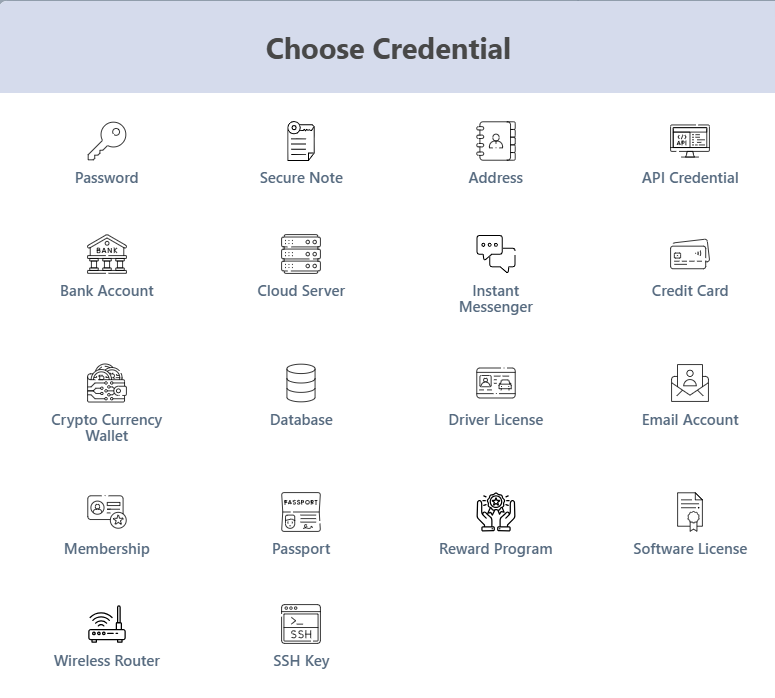
Modern enterprises use far more than standard logins. From API keys and licenses to payment details, the diversity of credentials requires flexible storage. All Pass Hub accommodates multiple credential formats by creating a secure hub where everything is managed with harmony and governance.
Audit Logs For Full Compliance Visibility
Compliance is only possible when activity can be tracked. All Pass Hub provides detailed audit logs that capture logins, sharing activity, and login attempts. For CTOs, this means clarity during compliance reviews. It delivers confidence that insider risks or unusual behavior will be recorded.
IP Rule Enforcement For Trusted Access
Not all login attempts are equal. All Pass Hub enforces IP-based rules to ensure that credentials are accessible from approved networks. It protects enterprises from unauthorized intrusion attempts and reassures leadership that sensitive assets remain within trusted environments.
➡️Real-Life Scenario
Before: A CTO might spend hours during an audit scrambling to explain inconsistent access logs or risk unauthorized logins from unknown networks.
After: Those same reports are generated instantly. Every credential is tied to a secure rule, and leadership enters compliance reviews with confidence instead of concern.
Core Insight: All Pass Hub combines encryption, auditing, and access restrictions to meet enterprise password security compliance while providing CTOs the oversight they need to safeguard both data and trust.
The Team Management Features Leaders Need
Team leaders juggle the daily challenge of providing their members with the needed tools while keeping sensitive data protected. Without clear systems, collaboration becomes chaotic, permissions get messy, and oversight becomes reactive rather than proactive.
All Pass Hub equips leaders with management tools that simplify delegation, strengthen control, and remove the bottlenecks that slow teams down. These leadership-centric features ensure that access is not only secure but also practical, which is why we will explore them in detail below.
Users & Roles Management For Scalable Access
Assigning and adjusting permissions for dozens of employees can be tiresome. With role-based access, leaders can define admin, manager, or user roles and instantly apply them across departments. It ensures that everyone has the required authorization without compromising security.
Groups Management & Sharing For Organization
Instead of managing individuals one by one, All Pass Hub allows credentials to be shared across defined groups, whether by department, client account, or project. Leaders enjoy increased efficiency while reducing errors caused by ad-hoc sharing.
User Supervisor For Oversight Without Micromanagement
Team leaders need visibility, not intrusion. The supervisor feature enables leaders to track credential usage, identify unusual activity, and step in when necessary without disrupting productivity.
User Credential Control For Critical Access
Team leads cannot risk ambiguity when sensitive logins are involved. Credential control empowers leaders to approve, revoke, or restrict permissions in real-time. It ensures business-critical data never falls into the wrong hands.
➡️Real-Life Scenario
Before: A team leader spends days manually assigning accounts to new hires, removing access for those who leave, and constantly answering “who has the password?” messages.
After: With All Pass Hub, leaders set role-based rules once, apply group permissions instantly, and maintain real-time visibility, turning days of admin work into minutes.
The Bottom Line: All Pass Hub empowers leaders with scalable access controls, group organization, and oversight tools. It transforms disorganized credential management into structured, secure collaboration.
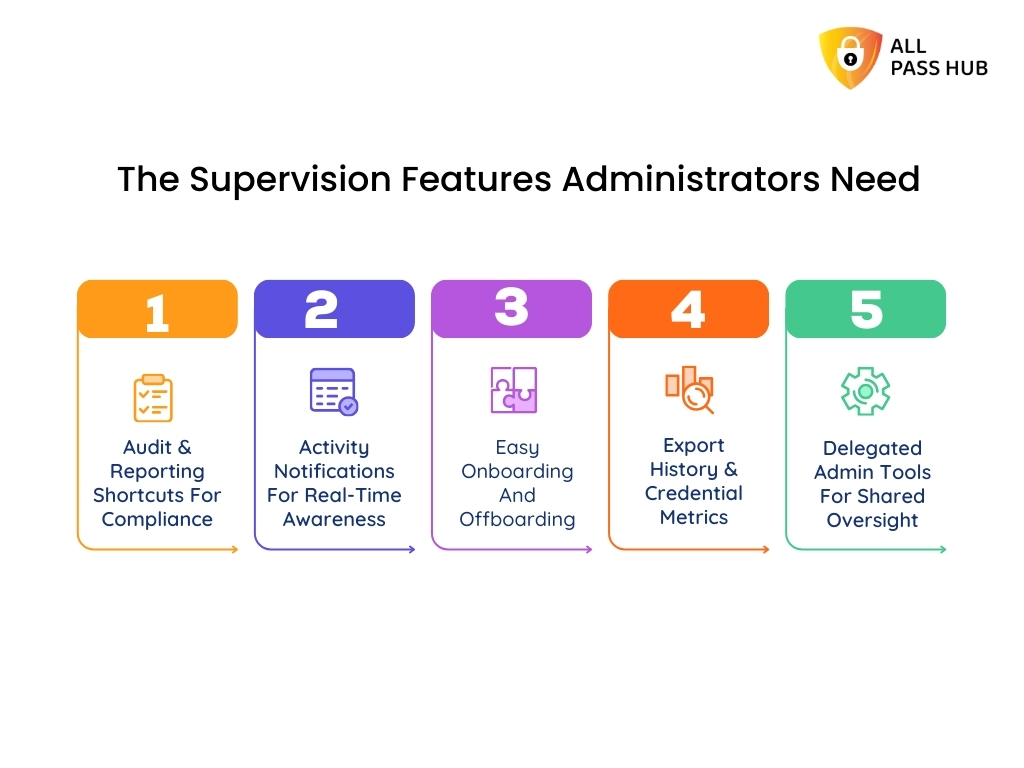
The Supervision Features Administrators Need
Administrators are the silent backbone of team security. They are expected to detect irregularities, enforce compliance, and resolve issues before they spiral into risks.
However, when tools lack oversight functions, admins are left chasing down activity logs. They have to manage endless manual checks and piece together reports under pressure. All Pass Hub changes this reality by offering supervision features that transform reactive monitoring into proactive control.
Here is how these features become everyday time-savers for administrators.
Audit & Reporting Shortcuts For Compliance
Admins can generate audit-ready reports in minutes rather than scanning through multiple systems. These shortcuts ensure compliance standards are fulfilled without exhausting hours of manual preparation.
Activity Notifications For Real-Time Awareness
Admins no longer have to wait for a quarterly review to discover unusual activity. Real-time alerts notify them of credential usage, failed logins, or suspicious attempts, enabling quick responses to potential threats.
Easy Onboarding And Offboarding
Adding or removing users manually is error-prone and time-consuming. All Pass Hub streamlines onboarding with quick setup and makes offboarding immediate. It prevents unauthorized access the moment someone leaves the organization.
Export History & Credential Metrics
Exporting and tracking credentials are often missing in general password manager tools. All Pass Hub not only allows exports but also records complete history and usage metrics. It provides admins with profound insights into how credentials are being managed.
Delegated Admin Tools For Shared Oversight
Instead of one admin shouldering the entire load, you can delegate the responsibilities safely. Admins can assign trusted supervisors to specific groups or departments, distributing governance without sacrificing accountability.
➡️Real-Life Scenario
Before: An administrator spends hours compiling logs for an external audit, manually chasing down access histories, and worrying about overlooked red flags.
After: All Pass Hub delivers complete audit logs in minutes. It sends notifications in real-time and ensures every credential action is recorded. It allows administrators to focus on strategy instead of stress.
The Crux: With All Pass Hub, administrators move from reactive monitoring to proactive control. They reclaim valuable hours and ensure enterprise-level compliance at every step.
Collaboration Without Compromise
Teams thrive on collaboration. However, insecure sharing habits such as passing logins through email or chat threads create serious vulnerabilities.
Leaders and admins are stuck balancing accessibility with control. They often sacrifice one for the other. It is where All Pass Hub steps in, providing teams with a top-notch way to share credentials and files instantly while ensuring compliance and accountability.
Let’s explore the tools that make collaboration safe and effortless.
Guest Sharing Module For Temporary Access
External vendors or contractors often require short-term login access. Instead of exposing sensitive data permanently, the guest sharing module provides time-bound access that expires automatically.
Client Sharing Made Simple
Agencies and service providers can give clients secure authorization to shared accounts or files without risking oversharing. Permissions are concrete, revocable, and fully auditable, eliminating the mess of back-and-forth communication.
Sharing With Others Across Departments
For internal collaboration, All Pass Hub replaces unsafe email or chat logins with a centralized vault. Departments share credentials safely, with every action logged for supervision.
➡️Real-Life Scenario
Before: A marketing team shares a social media login over chat. Weeks later, a contractor who left the project still has access, creating a risk of unauthorized posts.
After: With All Pass Hub, the same login is shared through a controlled vault. Access is temporary, visible, and revocable, ensuring the right people have credentials only when needed.
Must-Know Insight: Collaboration does not have to compromise security. With All Pass Hub’s guest, client, and departmental sharing tools, teams exchange credentials confidently while leadership retains total control.
Productivity Boost For Fast-Moving Teams
Speed matters for every department, whether it is IT resolving issues, marketing accessing campaign tools, or finance handling billing systems. Yet, productivity suffers when employees exhaust time searching for logins, reorganizing credentials, or duplicating data during audits.
All Pass Hub introduces features that make accessing and managing information seamless. It enables teams to focus on progress rather than chasing credentials.
Here is how it boosts overall productivity.
Favorites And Pin For Quick Access
Critical logins can be pinned or marked as favorites, ensuring the commonly used credentials are always at the top. No more scrolling through endless lists or guessing which login to use.
Tags And Search By Tags
You can organize credentials with customizable tags. A finance manager searching for “billing tools” or a developer searching for “APIs” can find the required login details instantly.
Exporting And Export History
Exporting is efficient and safe, irrespective of whether you are migrating systems or preparing compliance documentation. Export history ensures admins always know what was moved, by whom, and when.
➡️Real-Life Scenario
Before: A project lead wastes thirty minutes each week searching through untagged logins for finance tools. Simultaneously, the IT team spends hours tracking down which credentials were exported during audits.
After: What once took hours is now managed in minutes with All Pass Hub. Tags ensure immediate retrieval, and export logs provide total visibility and complete accountability.
What You Should Know: Productivity should never be sacrificed for security. All Pass Hub’s tagging, favorites, and export tools help teams mitigate wasted time, streamline workflows, and maintain supervision without slowing down.
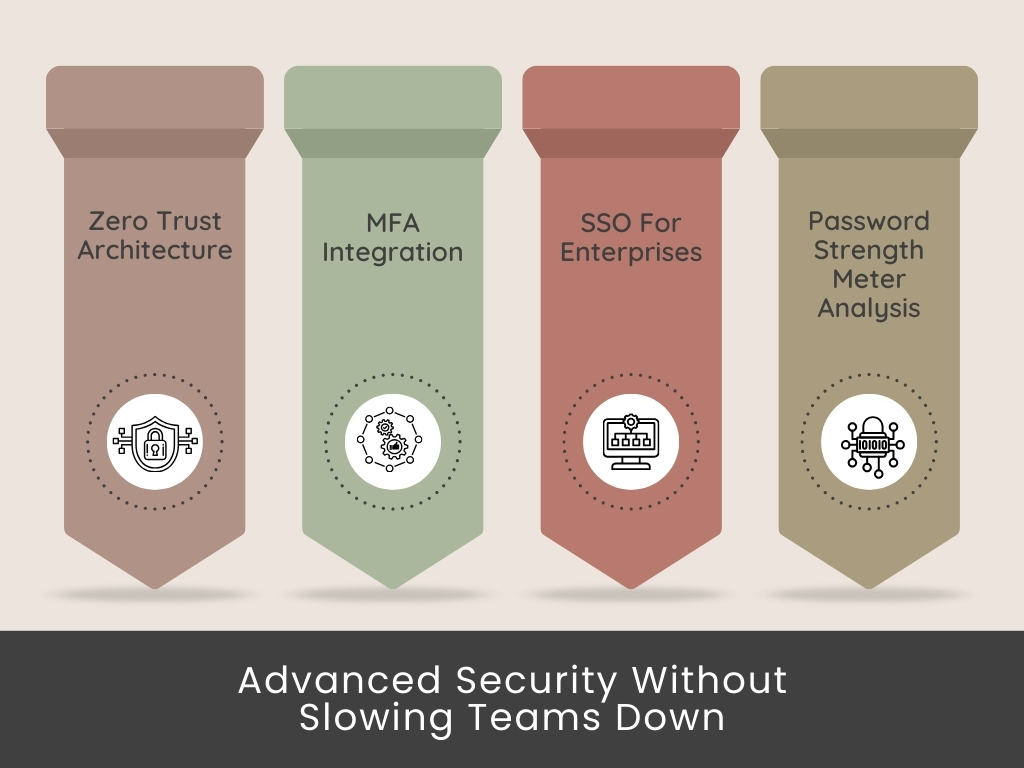
Advanced Security Without Slowing Teams Down
Security is often viewed as a trade-off with speed, but it should not be. Teams need protection that shields credentials without creating frustrating roadblocks.
All Pass Hub harmonizes enterprise-grade safeguards with ease of access. It empowers CTOs, team leaders, and admins to maintain compliance and productivity simultaneously.
Let’s explore how All Pass Hub’s resilient security benefits all three.
Zero Trust Architecture
With a privacy-first model, All Pass Hub never assumes trust by default. It verifies, encrypts, and restricts every login attempt based on policies, ensuring unbreakable enterprise security.
MFA Integration
Multi-factor authentication options, including OTPs and authenticator apps, add resilience to access control. It guards teams from compromised pass keys while keeping the login process swift and reliable.
SSO For Enterprises
Single Sign-On simplifies access to multiple applications using a unified secure set of credentials. Enterprises reduce password fatigue while fortifying security at scale.
Password Strength Meter Analysis
Employees receive real-time feedback based on their password quality. Weak credentials are flagged instantly, lowering the risk of accidental vulnerabilities across the business.
➡️Real-Life Scenario
Before: A remote team spends precious time juggling multiple logins, constantly re-entering credentials, and facing delays due to weak password resets. IT leaders worry that this friction leads employees to bypass safeguards.
After: All Pass Hub delivers quicker logins with SSO, robust defense with MFA, and guidance with password strength analysis. Teams stay secure without compromising on speed.
Smart Summary: With All Pass Hub, next-level protection and seamless access coexist. Zero Trust, MFA, SSO, and strength examination create a security ecosystem that supports productivity, not affects it.
Why CTOs, Team Leaders, and Admins Choose All Pass Hub Over Alternatives
Most password managers highlight encryption and two-factor authentication. However, they rarely address the distinct challenges that leadership roles face.
For instance, CTOs worry about compliance and risk, team leaders focus on smooth collaboration, and administrators handle the day-to-day governance that keeps everything running smoothly.
All Pass Hub bridges these gaps by aligning advanced security, team management, and supervision into one solution.
Let’s see how it directly supports each role.
For CTOs: Security And Compliance That Scale
CTOs need more than storage. They need enterprise password management that enforces compliance, reinforces defenses, and maximizes ROI. All Pass Hub provides audit-ready logs, IP rule enforcement, and enterprise password vault solutions that ensure policies are not just written but actively followed.
The platform supports enterprise password security compliance. It enables CTOs to perform reviews confidently and demonstrate complete visibility across teams.
➡️Real-Life Scenario
Before: A CTO faces constant pressure to justify security investments while juggling incomplete logs and inconsistent oversight.
After: Every credential is connected to an enterprise credential vault with All Pass Hub. Moreover, reporting is automated, and compliance checks become speedier, organized, and more credible.
For Team Leaders: Collaboration Without Chaos
Team leaders seek speed, clarity, and to reduce unnecessary friction in workflows. All Pass Hub provides secure password allocation for teams, role-based management, and credential sharing best practices. All this prevents logins from being lost in chats or spreadsheets.
Leaders gain a team password manager with unlimited storage. It ensures that every tool, client login, and project account is accessible without security shortcuts.
➡️Real-Life Scenario
Before: A project manager spends hours tracking down shared credentials. It delays deadlines and frustrates team members.
After: With All Pass Hub, the same manager organizes credentials by groups, pins essentials, and shares them securely. It ensures projects stay on track without burning up time.
For Administrators: Effortless Oversight And Control
Administrators carry the weight of daily credential supervision, onboarding, and offboarding. All Pass Hub facilitates these tasks with features like delegated admin tools, export history, and activity notifications.
With its business password manager with audit logs, administrators obtain total visibility into usage while reducing the burden of manual monitoring.
➡️Real-Life Scenario
Before: An administrator manually reviews access requests and spends days preparing audit spreadsheets.
After: All Pass Hub automates reporting, delivers instant control through a security dashboard, and provides real-time alerts. It frees up admins to focus on proactive governance instead of paperwork.
👉Note: It is an admin password management tool that saves hours weekly.
A Visual Breakdown Of How All Pass Hub Benefits Each
Role
Challenges Without a Solution
How All Pass Hub Helps
Time-Saving Outcome
CTOs
Incomplete logs, compliance gaps, and difficulty proving ROI to stakeholders.
Enterprise password manager with audit logs, IP rule enforcement, and compliance-ready reporting.
Compliance reviews are automated, audits are painless, and risks are minimized.
Team Leaders
Scattered logins in chats and spreadsheets, delayed projects, insecure sharing habits.
Role-based access, team password manager with unlimited storage, and secure password sharing.
Faster collaboration, fewer delays, and controlled credential access for every project.
Delegated admin tools, export history, real-time notifications, and a security dashboard.
Instant oversight, reduced IT burden, and effortless supervision of daily access.
Essential Insight: By addressing the unique pain points of CTOs, team leaders, and administrators, All Pass Hub stands apart from alternatives. It is not just a business password manager; it is a leadership-centric solution that delivers security, efficiency, and control where they matter most.
Future-Ready Features Leaders Can Count On
The world of credential management is rapidly developing. What seems sufficient today can become outdated tomorrow as businesses embrace remote-first operations, new compliance frameworks, and evolving cyber threats.
Leaders cannot afford to depend on tools that become sluggish or obsolete. They need a solution that scales with their teams and anticipates what comes next. It is where All Pass Hub positions itself as a future-ready platform, blending forward-looking innovation with present-day usability.
Let’s explore the features that prepare leaders for tomorrow while delivering value today.
Passkey Adoption And Passwordless Authentication Future
As enterprises move toward passwordless authentication, All Pass Hub is already adapting. With support for passkey readiness, it reduces reliance on traditional logins while preparing businesses for the next wave of secure digital access.
AI-Powered Detection For Insider Threats And Irregularities
Human error remains the primary cause of breaches. By integrating AI-powered password manager intelligence, All Pass Hub analyzes behavior and flags unusual activity. It also strengthens protection against insider risks without slowing teams down.
Scalable Enterprise Password Management For Growth
Growing teams need a platform that does not collapse under scale. All Pass Hub is a growth-friendly enterprise password management with unlimited storage, role-based expansion, and seamless onboarding. It ensures smooth transitions from startups to global organizations.
Progressive Cybersecurity Tools For Leaders
CTOs, team leads, and administrators require solutions that are not only functional but also visionary. Features such as adaptive authentication, compliance automation, and cross-device synchronization prepare teams to tackle current cybersecurity challenges with confidence.
Key Takeaway: All Pass Hub ensures that leaders invest not in a static tool but in a future-proof credential management platform. It should evolve with emerging threats, compliance standards, and workplace needs.
All Pass Hub vs. Competitors: The Unfulfilled Advantage
CTOs, team leaders, and administrators need more than check-the-box security features. They need tangible time savings, supervision tools, and enterprise visibility. It is where All Pass Hub stands apart from competitors.
Let’s explore how it distinguishes itself.
A Visual Comparison Of All Pass Hub And Competitors
Feature Category
All Pass Hub
Typical Competitors
Leadership Advantage
Security & Compliance
Zero trust architecture, IP rule enforcement, audit-ready logs
Basic encryption, limited reporting
Total compliance visibility and location-based control
Hours saved in audits, migrations, and daily workflows
Scalability
Designed for CTOs, admins, and team leaders at enterprise scale
Often optimized for individuals or small teams
Scales seamlessly from small business to enterprise
ROI Impact
Cuts reset fatigue, streamlines audits, and prevents compliance penalties
Focuses mainly on password storage
Measurable time and cost savings for leaders
Overlooked Features That Make The Difference
Most password managers stop at vaults and sharing. All Pass Hub includes the following in-depth leadership tools that are rarely highlighted elsewhere:
IP Rule Enforcement ensures logins only happen from approved networks.
Supervisor Tools let admins monitor and guide credential use without micromanaging.
Export History and Credential Metrics provide clarity during migrations and compliance checks.
Why Competitors Fall Short On Leadership-Centric Needs
While other platforms cater to individual users, All Pass Hub was built with enterprise governance in mind.
Most competitors often lack granular role management, department-level supervision, or audit-ready reporting that saves leaders crucial hours during compliance cycles.
ROI That Leaders Can Measure
All Pass Hub is not just a security platform; it is a productivity engine. By reducing reset fatigue, cutting audit prep time, and eliminating unsafe sharing habits, it directly translates to measurable ROI for organizations.
Teams gain time, IT reduces burden, and leaders obtain confidence that compliance and collaboration are under control.
Final Thought: Competitors may secure logins, but All Pass Hub secures leadership peace of mind. With its blend of monitoring, compliance, and productivity-focused tools, it is the modern enterprise password vault solution leaders trust.
Conclusion
Leadership is about supervision, and protecting credentials is at the heart of that responsibility. Time wasted on resets, scattered spreadsheets, and compliance gaps is not simply IT negligence; it is a leadership liability that slows progress and affects trust.
That is why All Pass Hub was designed as a leadership-centric platform. It delivers enterprise-grade security for CTOs, seamless collaboration for team leaders, and effortless oversight for administrators.
Its game-changing features, such as audit logs, IP rules, supervisor controls, and compliance dashboards, transform your password handling from a source of frustration into a driver of confidence and productivity.
The best part is flexibility. You can try All Pass Hub for free, and no credit card is required at signup. For growing teams, the premium plan is priced at only $0.99 per month or $6.99 per year, less than the cost of a cup of coffee. Enterprises with advanced compliance needs can request personalized organizational plans tailored to scale.
Take the first step to reclaim wasted hours, strengthen defenses, and keep teams focused on innovation.
➡️Start with All Pass Hub today and give your organization the clarity and security it deserves🤝.
FAQ
Why Do CTOs Need Password Managers In 2025?
CTOs face increasing cyber threats, stricter compliance, and credential sprawl across cloud platforms. A password manager centralizes access, enforces policies, and ensures visibility. It helps CTOs safeguard data, streamline audits, and support safe scaling.
How Does All Pass Hub Support Team Leads Managing Remote Teams?
All Pass Hub offers secure password sharing, role-based controls, and cross-device synchronization. Team leads can grant access instantly, monitor usage, and reduce bottlenecks. It ensures distributed teams work efficiently while protecting sensitive information.
What Supervision Tools Do Administrators Get Beyond Audit Logs?
Administrators obtain oversight with user supervisor controls, credential activity metrics, delegated admin tools, IP rule implementation, and real-time notifications. These tools simplify daily monitoring, prevent insider risks, and ensure consistent compliance without micromanaging.
Can Small Businesses Scale To Enterprise With All Pass Hub?
Yes. Small teams can start for free. They can switch to the premium plan for advanced collaboration and scale into enterprise-grade organizational plans as they develop.
The platform adapts seamlessly with unlimited storage, group management, and compliance-ready features as the business flourishes.
How Does All Pass Hub Enforce Enterprise Password Security Compliance?
All Pass Hub combines zero-knowledge encryption, IP rules, MFA, SSO, and detailed reporting. Compliance-ready audit logs provide comprehensive visibility, while dashboards flag weak credentials. It ensures organizations meet regulatory standards while protecting against evolving threats.