Every small agency and freelancer eventually hits the same fork in the road.
A late-night Slack ping about a suspicious login.
A client is asking who still has access.
A contractor admitted to reusing a password because it was faster.
Nothing is on fire yet, but something is off.
That is where paths diverge.
Agency A: Rely on shortcuts, memory, and goodwill.
Agency B: Introduces structure early. Credentials reside in a centralized password vault. Access is controlled. Nothing relies on remembering.
Most freelancers and small teams are not careless. They are fast.
Habits scale quickly than systems. And password decisions quietly shape client trust and delivery confidence more than almost any daily workflow.
It only takes one weak credential for a client to question control. Once that doubt appears, work feels heavier. Speed no longer feels an advantage.
How Leaks Really Happen Inside Small Teams
Credential leaks rarely appear as dramatic breaches. They usually begin with ordinary moments that every freelancer & small team has seen.
Someone rushes to share a login during a client call.
A contractor works from a personal device with synced browsers.
An old account remains active after offboarding.
A shared password sits in a chat thread long after the task is done.
These situations feel harmless, yet they quietly create cracks that attackers wait for.
Research from CyCognito shows that stolen session cookies, misused tokens, and phishing attempts often originate from tiny lapses in credential handling.
Proofpoint highlights credential stuffing, password spraying, and Adversary-in-the-Middle (AitM) attacks as additional pathways for compromise.
Sentry Security explains how public apps leak credentials through poorly configured OAuth workflows. These risks come from human shortcuts more than technical flaws.
And when a leak slips through, the consequences reach far beyond the single account that started it. It emphasizes the importance of generating and using strong credentials using a password manager.
The Cost of Weak Passwords That Agencies Never See: Cost-Risk Analysis
When a password slips, the actual damage rarely begins at the moment of the leak. What unfolds afterward is a chain reaction. Freelancers & small teams only notice once client work slows, systems behave unpredictably, or a concerned client reaches out.
Research from Exabeam indicates that weak credentials are usually attackers’ silent entry points. It allows them to explore connected systems before anyone detects unusual behavior.
Proofpoint’s data reveals that exposed logins often contribute to unauthorized access long before teams realize something is suspicious.
Arsen’s breach analysis highlights how quickly the fallout spreads into client relationships, operational delays, and compliance pressure.
Let’s make the impact crystal clear by outlining how a single weak credential can escalate across an agency’s workflow.
Cost-Risk Analysis Table
Failure Point
What Happens Behind the Scenes
Business Impact
Unauthorized access
Attackers gain quiet entry and observe systems without immediate detection
Loss of control and increased threat exposure
Lateral movement
Access spreads into related accounts or shared tools
Multiple systems become compromised at once
Client data exposure
Sensitive information becomes accessible or copied
Damaged trust, possible legal reporting, and strained client relations
Operational slowdowns
Teams pause work to verify logs, reset access, and contain the issue
Missed deadlines, stalled deliverables, and internal disruption
Reputational consequences
Clients question security standards and long-term reliability
Harder renewals, slower referrals, risk of churn
Compliance triggers
Breaches meet thresholds for reporting or audits
Administrative burden, financial penalties, scrutiny from regulators
Once leaders notice how quickly these steps unfold, the priority naturally shifts toward designing a password security policy that prevents small cracks from becoming structural failures.
The Prevention Framework Small Teams Can Implement
Passwords fail quietly first, through small compromises that feel harmless in the moment. Actual protection comes from tightening the workflow before anything goes wrong, not from reacting after the damage is visible.
What actually works for freelancers and small agencies handling multiple clients is not a single policy or tool, but a set of simple practices applied consistently.
Below is the prevention blueprint (password security best practices) that holds up across real multi-client work.
MFA matters everywhere
Safeguard high-risk accounts with strong authentication (2FA) and avoid relying solely on SMS (text messages).
Unique passwords and passphrases
Remove shared patterns and ensure no two client accounts repeat the same structure.
Organized, centralized credential storage
Use a single controlled vault instead of scattered files, chats, or browser sync.
Item-based RBAC and audit readiness
Assign access at the credential level so each person only sees the items tied to their responsibilities. Pair this with audit-ready logs that capture who viewed, edited, or shared an entry. Ideal for compliance checks and activity reviews.
Secure sharing and rotation rules
Share without exposing. Rotate credentials after major events, handovers, or vendor changes.
Real-time access reviews
Examine who can view what before every new project cycle commences.
⭐Tip: If a prevention step feels “optional,” it is usually the one attackers rely on, and you are neglecting.
Once these fundamentals are in place, the conversation naturally shifts toward the root problem holding back most teams: the infrastructure used to store and share credentials.
Why Password Managers for Small Teams Are a Solution to Leak Prevention
When small teams and freelancers trace a credential leak back to its source, the cause is rarely mysterious. It’s the workflow that drifted.
A password was dropped into a chat to save time.
A Google Sheet that outlived the project.
A contractor who kept access because offboarding was rushed.
None of these feels dangerous in the moment. The damage starts compounding long before anything breaks.
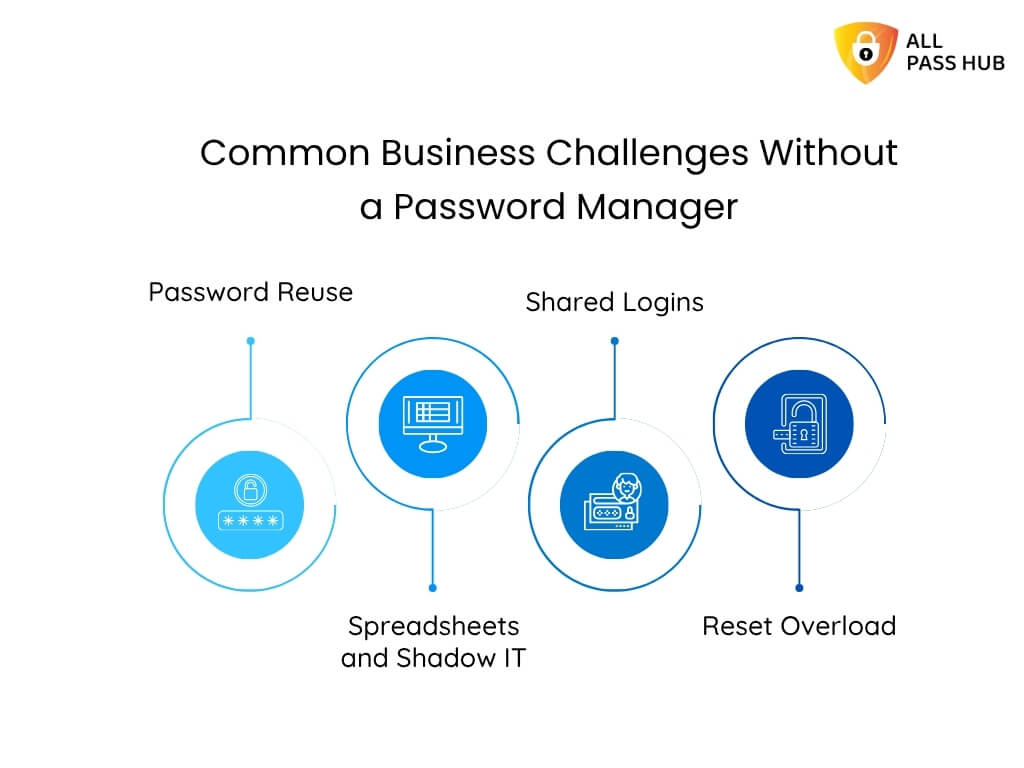
Password managers for small teams work because they replace improvisation with structure. They turn fragile habits into predictable, controlled access. That is why many digital agencies adopt them to manage client passwords and boost collaboration & security.
Let us make this straightforward with the following visual breakdown that decision-makers often find helpful.
How Password Managers Prevent Credential Leaks
Problem That Causes Leaks in Small Teams
What Happens in Real Life
How a Password Manager Solves It
Scattered credential sharing
Passwords shared in chats or emails linger for months
Secure sharing links, controlled visibility, and no long-term exposure
Shared or repeated passwords
One breach affects multiple client accounts
Enforced unique passwords and strong password generation
Stale access after offboarding
Ex-employees retain access without anyone noticing
Instant revocation and client-specific vault control
How Small Teams Build a Leak-Proof Credential Workflow
What most teams and freelancers never admit out loud is that leaks don’t come from attackers outsmarting them; they originate because everyday habits drift.
A workflow is only as strong as the last shortcut taken. It can be:
A login saved into a chat to unblock work.
A vendor who kept access longer than expected.
A credential no one remembered to rotate.
These moments feel operational, not risky, until they stack.
Teams that stay protected rely on a structure that eliminates guesswork and closes gaps before they form.
Let’s make this clear with a real structure behind an impenetrable workflow:
The Core Layers of a Leak-Proof Credential System
Layer
What It Protects
Strategic Advantage
Strong passphrases
Entry points
Prevents anyone from guessing or cracking patterns
MFA on critical accounts
High value targets
Stops intrusions even if a password leaks
Item-level access rules
Contractor and team visibility
Limits blast radius and keeps exposure contained
Centralized vault updates
Real-time accuracy
No one works with outdated credentials
Regular access reviews
Old accounts and stale permissions
Removes silent vulnerabilities before attackers find them
A workflow like this works because it eliminates improvisation. When every access path is intentional, leaks have nowhere to hide.
Once this structure is in place, the final step is to ensure secure password management as your team grows and client demands evolve.
The Bottom Line
Password security rarely announces itself as a problem. It appears as a barrier.
Work slows. Access feels uncertain. Simple questions take too long to answer.
Over time, that friction quietly erodes confidence, both yours and your clients’.
The teams and freelancers who stay ahead treat credentials as part of how work moves, not as loose items to manage later.
Access is intentional. Sharing is controlled. Nothing critical depends on memory, inbox searches, or last-minute fixes.
This shift is less about locking things down and more about creating operational calm.
If you want a password system that supports this way of working without adding overhead, All Pass Hub fits naturally into small agency and freelancer workflows. It ensures access is simple, controlled, and ready for whatever comes next.
Here is to creating a workflow where credentials feel effortless, security feels robust, and your clients always feel protected.
FAQs
How do companies actually encrypt passwords, and how does this differ between cloud and self-hosted setups?
Most systems encrypt passwords on the user’s device before they enter any server. In cloud setups, the vendor controls the storage location. In self-hosted models, the encrypted database resides within your environment.
How can we maintain password hygiene across multiple client environments with different rules?
Use one vault with client-specific folders, enforce strong passphrases using a password generator, standardize MFA for high-risk accounts, and review access before every new project cycle.
How can a small team identify if a password has already been compromised without waiting for an incident?
Monitor credential activity logs, review unexpected access patterns, and check passwords against breach databases. Early detection often comes from noticing irregular use rather than an entire incident alert.
How do we set up temporary access for new contractors without exposing everything?
Assign access at the item level and set definite expiration rules. Contractors should only view the credentials tied to their task, and the access should end automatically when the work is done.
How do we safely share passwords with clients who prefer email or messaging apps?
Avoid sending credentials through open channels as per password security best practices. Use a one-time share feature that lets the client view the password once without exposing your vault.
All Pass Hub includes this capability, allowing secure sharing without storing sensitive details in chats or email threads as part of its password security policy.
Here’s a reality check that stings:Nearly 81% hacking-related breaches in corporate settings still trace back to weak, reused, or stolen passwords. Attackers no longer need to break into vaults with brute force; they trick, phish, and exploit human errors quicker than ever before.
Relying on a single password in today’s digital landscape is like locking your front door but leaving the windows wide open.
So, how can individuals, teams, and enterprises safeguard their credentials when cybercriminals constantly raise the stakes? The answer lies in multi-factor authentication (MFA), a digital security authentication method that adds layers of protection.
It turns a stolen password into nothing more than an ineffective string of characters. MFA is a lifeline for businesses, high-performance teams, and anyone serious about defending their digital presence.
In this blog, you’ll discover what multi-factor authentication is, how it works, why it is paramount in 2025, and how All Pass Hub strengthens MFA with encryption, audit logs, and seamless team collaboration.
You’ll also explore real-world benefits, best practices, recovery strategies, and the future of authentication.
Get ready to see how MFA reshapes password security, and why adopting it with All Pass Hub could be the wisest move you make this year.
What Is Multi-Factor Authentication (MFA)?
At its core, multi-factor authentication is about confirming that the person accessing an account is actually its rightful owner. Instead of relying on a single lock, MFA adds extra doors, keys, and checkpoints that hackers cannot easily bypass.
It blends convenience with security, creating a layered defense that has become crucial in today’s connected world.
Breaking It Down Simply
Knowledge (something you know): A password or PIN.
Possession (something you have): A phone with an authenticator app or a hardware token.
Inherence (something you are): Biometric markers such as a fingerprint or facial recognition.
When two or more of these factors are combined, the odds of a cybercriminal breaking in drop dramatically. Even if your password is stolen, attackers face the impossible task of faking your phone, fingerprint, or both.
MFA vs 2FA
Two-factor authentication (2FA) uses exactly two factors, such as a password plus a one-time code. MFA can include two, three, or more verification layers. Think of it as upgrading from a sturdy lock to an entire security system with motion sensors, cameras, and alarms.
That is why teams and businesses are moving beyond password-only models. Stolen credentials no longer spell disaster when MFA is in place. Instead, they become a dead end for attackers.
Main Message: Multi-factor authentication blends knowledge, possession, and inherence to build resilience. Unlike password-only setups, it provides a layered shield that keeps individuals, teams, and enterprises one step ahead of the latest cyber threats.
The easiest way to picture multi-factor authentication in action is to imagine entering a high-security building.
First, you swipe your badge (a password).
Then, you punch in a unique code sent to your phone (verification code).
Finally, you place your finger on a scanner (biometric factor).
👉Note: Access is permitted only when all three are aligned.
Steps Involved In MFA
This step-by-step approach creates multiple roadblocks for attackers:
Step 1: Password – your first line of defense, but vulnerable if stolen.
Step 2: Verification code – time-sensitive and linked to your personal device.
Step 3: Biometric factor – nearly impossible to replicate, unique to you.
Real-World MFA Examples
Authenticator apps such as Google Authenticator or Authy generate one-time codes.
Tokens issue rotating codes or push notifications.
Biometric checks, such as Face ID or fingerprints, safeguard mobile and desktop logins.
Adaptive MFA: Risk-Based Authentication
Modern systems leap with adaptive MFA. Rather than treating every login the same, they assess risk factors such as location, device, or time of access.
➡ ️ For example, if a user suddenly logs in from a new country at 2 AM, the system might demand an additional factor before granting entry. This flexibility fortifies protection without overburdening users.
In a Nutshell: Multi-factor authentication works by layering knowledge, possession, and inherence. It is often enhanced by adaptive checks to block attackers even when one factor is compromised.
Cyber threats are no longer a distant danger; they strike daily, often without warning. One stolen password can expose an entire company’s data. However, multi-factor authentication builds an unbreakable protection wall that transforms this risk into reassurance.
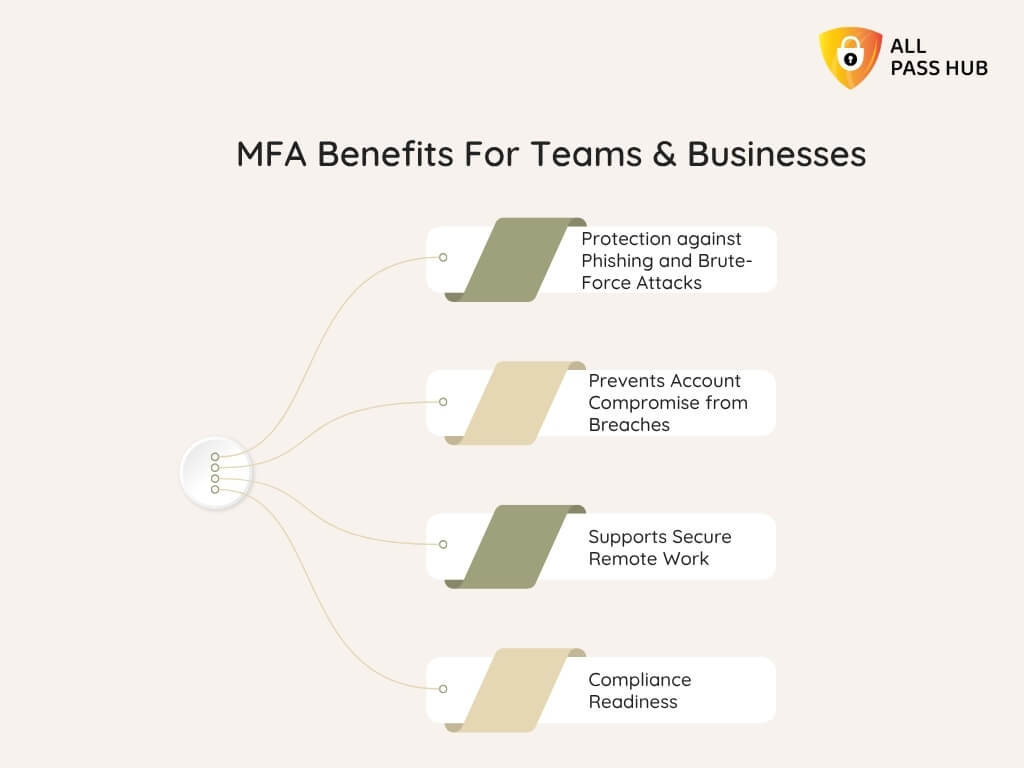
Why MFA Matters For Businesses And Teams
Protection against Phishing and Brute-Force Attacks: MFA keeps hackers locked out even if they trick someone into revealing their password.
Prevents Account Compromise from Breaches: Credentials leaked in data breaches lose their power when extra factors are required.
Supports Secure Remote Work: With employees signing in from multiple devices and locations, MFA ensures every login is verified.
Compliance Readiness: Many industries now mandate MFA to meet security regulations, making it both a defensive and legal necessity.
For enterprises, this translates into fewer breaches, smoother compliance audits, and measurable cost savings. For teams, it fosters trust by ensuring collaboration happens in a safe environment. For individuals, it means peace of mind that their personal data remains private in the scenario of password theft.
Core Insight: Multi-factor authentication safeguards businesses, teams, and individuals by preventing breaches, strengthening compliance, and ensuring peace of mind in today’s unpredictable digital world.
Understanding multi-factor authentication in theory is one thing, but seeing it put into practice through All Pass Hub shows just how potent it becomes when paired with groundbreaking security tools. All Pass Hub takes MFA beyond the basics, building layers of defense that support both individuals and enterprises.
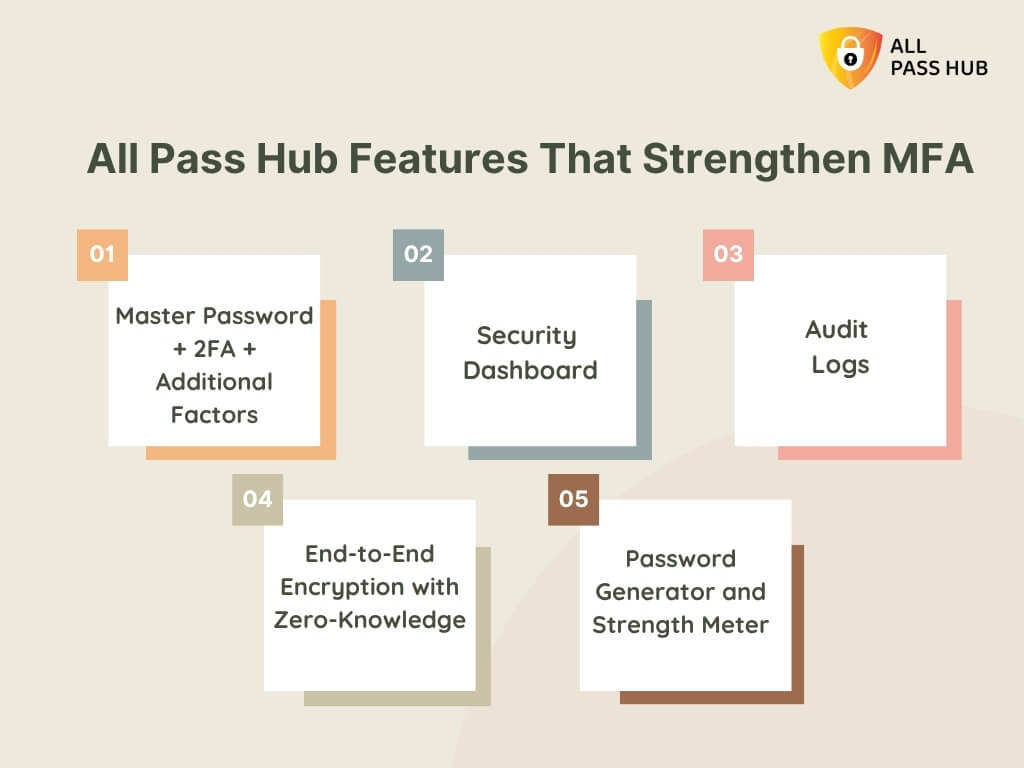
How All Pass Hub Enhances MFA
Master Password + 2FA + Additional Factors: Every login requires multiple verifications, ensuring stolen credentials alone cannot open the vault.
Security Dashboard: Address issues instantly by flagging weak or compromised passwords before attackers exploit them.
Audit Logs: Provide transparency into login attempts, highlighting suspicious access patterns and reinforcing MFA enforcement.
End-to-End Encryption with Zero-Knowledge: All authentication data is encrypted locally, ensuring that not even All Pass Hub can view user credentials.
Password Generator and Strength Meter: Prevent weak entry points by encouraging resilient, unique passwords before MFA layers are added.
This combination means MFA with All Pass Hub is not just a safety net; it is a pivotal component of a complete ecosystem aimed to shield every login, team member, and shared credential.
Knowledge Drop: All Pass Hub elevates MFA by combining strong encryption, real-time dashboards, and transparent audit logs. It creates a layered security system personalized for individuals, teams, and enterprises.
Theory becomes truly valuable when it translates into everyday protection. That’s where All Pass Hub’s multi-factor authentication shines. It is not just a security setting buried in the background; it is a daily ally for teams, enterprises, and individuals managing sensitive credentials.
Let’s look at how this plays out in real-world scenarios.
Remote Teams Accessing Cloud Apps
Picture a marketing team spread across three continents. They need to access social accounts, analytics dashboards, and project tools every day. Even if a member’s password is phished, attackers cannot break into company resources with MFA in place.
Each login is verified, giving managers peace of mind that global access does not equal global risk.
Enterprises Enforcing Role-Based Access
Enterprises handle several employees, contractors, and partners. All Pass Hub allows administrators to enforce MFA at scale, assigning access levels based on roles.
Finance cannot view IT credentials, and interns have restricted access to executive tools. MFA ensures that sensitive systems are safeguarded behind multiple checks.
Collaboration And Credential Sharing
Agencies and startups often need to share client logins or internal tools among teams. With MFA in place, you can securely share credentials without fear of leaks.
Every access attempt is logged, time-stamped, and verified. It creates an audit trail that guards both users and organizations.
Must-Know Insight: All Pass Hub brings MFA to life by protecting remote teams, enforcing role-based access, and enabling safe credential sharing. It turns collaboration into a secure and transparent process.
2FA vs MFA: What’s the Difference?
Many people confuse two-factor authentication (2FA) with multi-factor authentication (MFA), and even use them interchangeably. Though they sound similar, the protection they offer is not identical. Both add layers beyond passwords, yet MFA offers broader flexibility and stronger resilience for enterprises and teams.
Here’s a clear comparison:
Aspect
2FA (Two-Factor Authentication)
MFA (Multi-Factor Authentication)
Number of Factors
Exactly two (password + one additional factor)
Two or more (password + code + biometrics, tokens, or more)
Examples
Password + SMS code
Password + Authenticator App + Fingerprint
Flexibility
Limited, only two checks possible
Highly flexible, can combine multiple authentication factors
Security Strength
Stronger than passwords alone but limited if one factor is compromised
Significantly stronger, harder for attackers to bypass multiple diverse factors
Use Cases
Common for personal accounts like email or banking
Ideal for enterprises, remote teams, and compliance-heavy industries
Future Alignment
Suitable but may struggle against evolving threats
Adaptive, aligns with biometrics, passkeys, and AI-driven authentication trends
👉Note: 2FA adds an extra safety, and MFA installs an entire security system. MFA is a clear-cut choice for organizations handling sensitive credentials or aiming for compliance.
The Bottom Line: While 2FA improves security, MFA offers top-notch flexibility and higher protection by blending multiple authentication factors. It makes it the gold standard for modern businesses and teams.
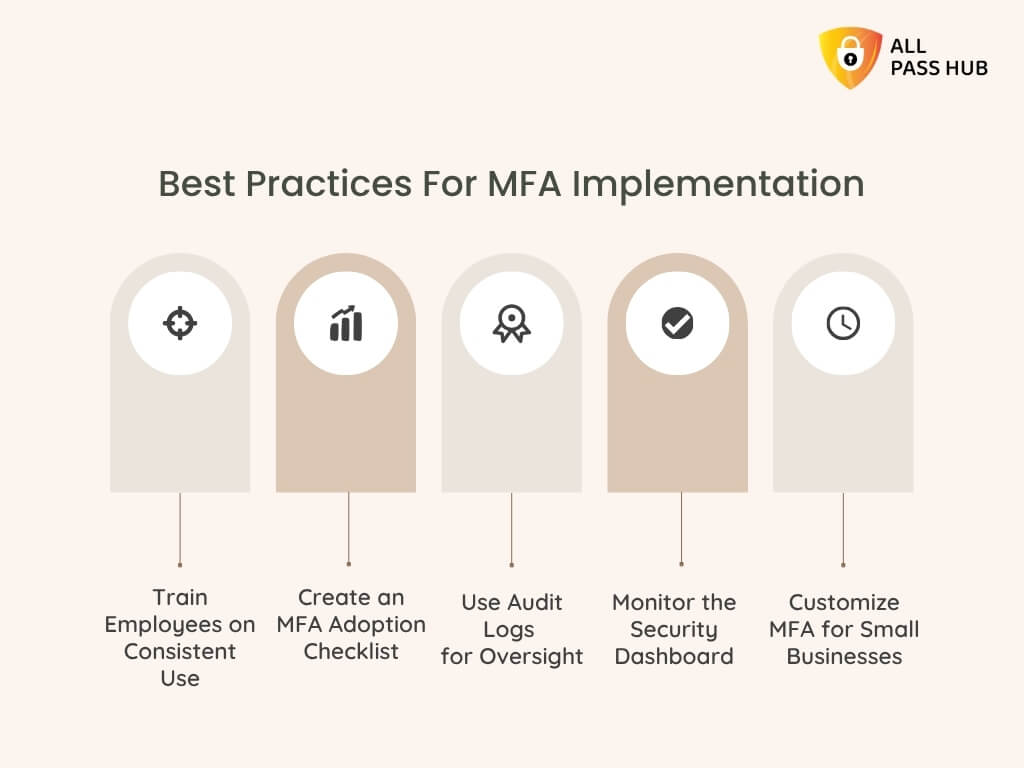
Multi-factor authentication delivers unbreakable protection only if it is implemented thoughtfully and used consistently. Without proper planning, teams risk confusion, weak adoption, or gaps in coverage. The good news is that following a few best practices ensures MFA runs smoothly across businesses of any size.
Practical Checklist For MFA Success
✅Train Employees on Consistent Use: Educate staff on why MFA matters and how to adopt it across devices, apps, and shared credentials. Awareness builds cooperation.
✅Create an MFA Adoption Checklist: Define required accounts, apps, and services that must have MFA enabled. It avoids partial coverage and vulnerable points.
✅Use Audit Logs for Oversight: Monitor unusual login attempts, privilege escalations, or repeated failures to fortify security.
✅Monitor the Security Dashboard: Obtain real-time alerts on weak credentials and suspicious activities. It helps to detect problems before they escalate.
✅Customize MFA for Small Businesses: Smaller teams may start with a master password plus an authenticator app. Gradually scale into biometrics or tokens as needs grow.
When done correctly, MFA not only protects data but also fosters trust. Teams feel safer, compliance becomes easier, and leaders can rest assured that their defenses are proactive rather than reactive.
Essential Insight: Rock-solid MFA adoption begins with training, clear checklists, and real-time monitoring. It ensures every login is verified and every team member plays a pivotal role in digital security.
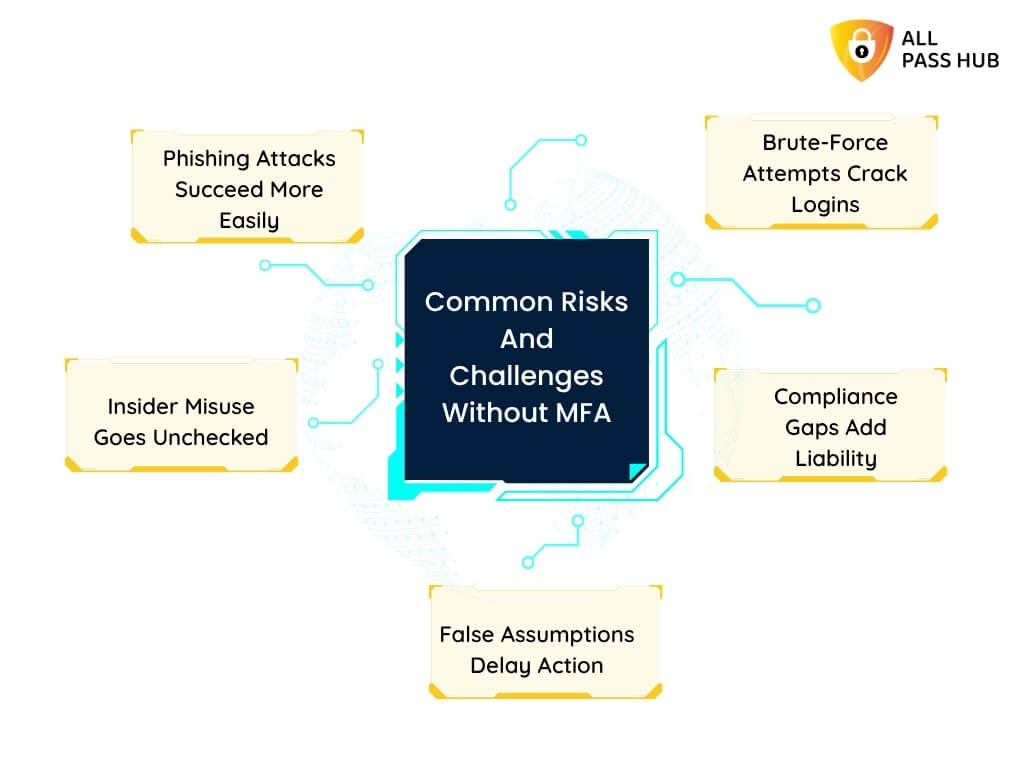
Common Risks And Challenges Without MFA
Relying solely on passwords today is like leaving your vault wide open while hoping thieves will not notice. Businesses, teams, and individuals encounter risks that are both immediate and severe without multi-factor authentication.
What Can Go Wrong Without MFA
Phishing Attacks Succeed More Easily: A single careless click can expose login details. And without MFA, attackers walk straight into accounts.
Brute-Force Attempts Crack Logins: Automated tools can try millions of password combinations, breaking through weak defenses in minutes.
Insider Misuse Goes Unchecked: Employees or contractors with malicious intent can exploit shared credentials without additional verification.
Compliance Gaps Add Liability: Industries bound by SOC 2, HIPAA, or GDPR may face fines or audit failures if MFA is not enforced.
False Assumptions Delay Action: Many still think MFA is “too complex” or “only for large enterprises,” leaving them vulnerable to attacks they could have prevented.
💡Pro Tip: The cost of ignoring MFA is not just financial; it includes damaged reputations, lost clients, and disrupted operations. Hackers thrive on simplicity, and a password-only environment is the most straightforward target of all.
What You Should Know: Without MFA, phishing, brute-force attacks, insider misuse, and compliance failures become everyday risks. It makes businesses vulnerable to breaches that could have been easily prevented.
Compliance & Regulatory Landscape In 2025
Regulators and standards bodies are enforcing organizations to tighten access controls, and multi-factor authentication has shifted from best practice to an explicit requirement in some contexts.
Below is a practical map of what key frameworks to expect in 2025 and how MFA fits into each one.
Standard / Law
MFA Expectation (2025)
What It Means In Practice
PCI DSS (Payment Card Industry)
MFA is required for all access to the cardholder data environment (CDE) and most remote or privileged access.
Implement MFA for all CDE access, cloud components, admin logins, and remote access; no bypass allowed. Evidence of MFA controls is required during assessments. (PCI Compliance Hub)
HIPAA (U.S. Health Data)
Becoming mandatory under proposed Security Rule updates, OCR has signaled MFA will be required with limited exceptions.
Covered entities and business associates should prepare to enforce MFA for access to ePHI, including stronger recovery procedures and documented risk analyses. Monitor final rule text and compliance timelines. (HHS.gov)
SOC 2 (Trust Services Criteria)
Strongly recommended as a control to meet the Security principle; not always spelled out as a strict mandate.
Use MFA to demonstrate effective access controls and reduce unauthorized access. Auditors will expect MFA where risk analysis shows it is appropriate. (Secureframe)
GDPR (EU Data Protection)
Not explicitly mandatory, but required as an appropriate technical measure for high-risk access to personal data.
Apply MFA where the risk to personal data is significant. Document why MFA is used and how it aligns with the data protection impact assessment and technical measures requirement. (Secret Double Octopus)
How Organizations Should Act Now
Treat MFA as a baseline control for any privileged, remote, or high-risk access. Evidence of implementation will be critical in audits and incident investigations.
Align MFA rollouts with risk assessments, compliance calendars, and vendor contracts. With rules still evolving, document your risk-based decisions and timelines.
Build audit trails that show MFA enforcement and exceptions to demonstrate controls during SOC 2 audits or regulatory reviews.
What You Should Know: MFA is now an essential control for payment environments. It is rapidly becoming mandatory or necessary across healthcare, SOC 2, and privacy frameworks. Ensure to prepare, document, and prove your MFA controls.
Recovery And Fallback Design: Staying Accessible
Even the strongest multi-factor authentication system must address an unavoidable reality: people lose devices, reset phones, or get locked out of their authenticators. Without a recovery plan, MFA can backfire by locking out legitimate users and slowing down teams when every minute is crucial.
Regulators like SOC 2 and HIPAA emphasize not only secure access but also continuous availability. It means fallback methods must keep people working without weakening security.
Here’s how organizations can balance both:
Practical Recovery Measures
Backup Codes: Provide one-time, limited-use codes stored securely offline.
Secondary Factors: Allow trusted devices, biometrics, or hardware tokens as alternate verifications.
Role-Based Approval: Empower admins to re-verify users through documented approval, with all activity logged.
Training Employees: Teach staff to follow safe recovery protocols, avoiding shortcuts such as email-only resets.
Audit Trail Recording: Ensure every recovery attempt is recorded. It indicates to regulators and auditors that proper oversight exists.
Why It Matters For Compliance
SOC 2 and PCI DSS: Expect to see proof of fallback processes that don’t weaken security.
HIPAA: Requires continuity of access to patient data; recovery plans prevent disruption in care.
GDPR: Stresses accountability, so fallback processes must be secure, documented, and justifiable in audits.
Key Takeaway: A well-structured recovery plan avoids business disruptions while meeting compliance requirements. Reliable fallback keeps users working, regulators reassured, and attackers locked out.
All Pass Hub vs Other MFA Solutions
It’s natural to get lost in similar-sounding features when selecting a multi-factor authentication tool. However, not every solution is built to scale across individuals, teams, and enterprises with the same harmony of security, usability, and transparency.
All Pass Hub sets itself apart by weaving MFA directly into a broader ecosystem of secure password management, credential sharing, and audit oversight. While others may stop at token-based logins or app codes, All Pass Hub surpasses with role-based controls, encrypted audit trails, and compliance-ready safeguards.
Here’s how All Pass Hub compares against common alternatives:
SOC 2, GDPR, HIPAA, and PCI DSS are aligned with audit trails
Minimal compliance focus
Limited industry-specific coverage
Scalability
Unlimited team members without extra cost
Often licensed per user
Premium tiers restrict user counts
Recovery and Fallback
Backup codes, role-approved recovery, full audit of resets
Limited fallback, often insecure email reset
Inconsistent across platforms
Value Proposition
Unified solution: sync, share, MFA, logs, compliance in one
MFA only, siloed
Partial overlap, higher costs for enterprises
➡️Why It Matters: Instead of bolting MFA on as an afterthought, All Pass Hub makes it an integrated, compliance-ready safeguard. It saves time, lowers costs, and delivers peace of mind for every user, from freelancers to global enterprises.
The Crux: All Pass Hub is not just another MFA tool. It is a comprehensive, transparent, and scalable security solution that ensures seamless and secure collaboration.
Future Of Multi-Factor Authentication
Cybersecurity is not static. Attackers become more cunning as technology evolves, and what feels cutting-edge today may become outdated tomorrow. That is why multi-factor authentication must continue to adapt.
The future of MFA is not just about adding more layers; it is about making them smarter, faster, and invisible to friction-prone workflows.
Emerging Trends To Watch
AI-Driven Authentication: Artificial intelligence will examine user behavior patterns such as typing rhythm, device fingerprint, or login location to flag anomalies instantly.
Passkeys vs MFA: Passkeys are gaining traction as a passwordless option, and they will be linked to device-based cryptography. While convenient, MFA remains integral when layered with other factors to defend against device theft or phishing.
Biometric Authentication Evolution: Facial recognition, fingerprint scans, and even voiceprints will grow more reliable, with fallback systems ensuring users never get locked out.
Post-Quantum Cryptography: With quantum computing threatening traditional encryption, MFA will correspond with stronger cryptographic algorithms to remain resilient.
Contextual MFA: Instead of triggering MFA at every login, systems will adapt based on context, such as high-risk locations, devices, or unusual behavior.
Why This Matters For Businesses
Enterprises cannot afford to wait for these shifts to become mainstream. By adopting a password manager that evolves with future standards, they ensure that security investments remain effective today and tomorrow.
All Pass Hub is already moving toward this future. It combines zero-knowledge design, role-based enforcement, and audit-ready transparency with a roadmap that embraces biometric growth, AI-driven monitoring, and integration with upcoming encryption standards.
Final Thought: The future of MFA is about staying ahead of threats with intelligent, adaptive, and quantum-resistant defenses. All Pass Hub ensures your team is always prepared for what comes next.
Conclusion
Passwords alone are no longer enough to protect what matters most. From phishing emails to brute-force attacks, digital threats have grown sharply and rapidly, leaving single-password defenses exposed. That is why multi-factor authentication has moved from a “nice-to-have” to a true non-negotiable feature.
Throughout this guide, you’ve explored what MFA is, how it works, and why it matters for businesses, teams, and individuals.
You also discovered how All Pass Hub pairs MFA with other potent safeguards such as end-to-end encryption, zero-knowledge design, audit trails, and role-based access. The result is a solution that balances robust protection with effortless usability.
Whether you are a startup building trust with your first customers, a remote team juggling collaboration across time zones, or an enterprise facing stringent compliance demands, the same truth applies: MFA with All Pass Hub protects your world without slowing it down.
➡️Now is the time to step into a safer, more transparent future. Choose All Pass Hub and give yourself the peace of mind, compliance assurance, and confidence to thrive in 2025 and beyond.
FAQ
Can MFA Stop Phishing Attacks?
Yes, MFA blocks most phishing attempts by requiring additional verification beyond stolen credentials. Even if an attacker has a password, they cannot bypass the second or third authentication factor.
How Does MFA Integrate With Password Managers?
Password managers like All Pass Hub combine strong vault encryption with MFA. This means users must authenticate not just with a master password, but also with an additional factor, such as an app, token, or biometric.
What Are The Three Factors Of Authentication?
They are: something you know (password), something you have (smartphone or token), and something you are (biometric, such as fingerprint or face scan). MFA combines two or more factors to strengthen identity verification.
Is MFA Required For Compliance Audits?
Yes, frameworks such as SOC 2, HIPAA, GDPR, and PCI DSS expect MFA for access to sensitive systems. Regulators see MFA as an essential safeguard for reducing unauthorized access risk.
How Do I Train My Employees To Adopt MFA?
Provide simple setup guides, run brief awareness sessions, and explain why MFA matters. Reinforce with reminders, mock phishing tests, and ensure IT support is ready to help with enrollment.
Is MFA Secure Enough Against AI-Driven Threats?
MFA adds resilience against AI-powered attacks by introducing barriers beyond credentials. Adaptive MFA, which adjusts security based on risk, further reinforces defenses against automated intrusion attempts.
How Do Passkeys Compare With MFA?
Passkeys eliminate traditional passwords by using device-based cryptography. Though they reduce phishing risks, they are still evolving. MFA remains widely adopted, flexible, and can work alongside passkeys for multi-layered security.
What Happens If I Lose Access To My MFA Device?
Most solutions, including All Pass Hub, offer secure recovery through backup codes or admin-approved reset processes. Recovery protocols aim to keep accounts accessible without compromising security.
Does MFA Slow Down Daily Workflows?
Advanced MFA methods, such as biometrics and push notifications, add only a few seconds to the login process. In return, they prevent costly breaches and downtime, making them far more efficient than relying solely on passwords.
Imagine this: It is Monday morning. Your first login fails, the reset email never arrives, and a teammate pings you for the social account password while a spreadsheet labeled passwords sits open on someone’s desktop. One little mix-up becomes a lost hour, then a risky habit.
If this sounds familiar, ask yourself a simple question: How much time and trust are you losing to password chaos every week, and what would it mean to fix it today?
If you seek a top-notch solution, continue reading. We will discuss how All Pass Hub, an ultimate password manager, emerges as a single, secure, effortless way to manage every password.
You will learn what a modern password manager should be, how the best password manager protects real workflows, and why a unified password vault changes the way teams collaborate.
We have designed this blog for leaders, IT managers, and fast-moving teams who want clarity and control without slowing work.
Expect clear answers, practical steps, and a few eye openers that pay off right away. The roadmap is simple. Understand the problem, see the solution, and leave with a plan you can put into action today.
Let’s get started!
Why Teams Struggle With Passwords Today
Visualize this: it is Monday morning, the team is ready to commence a new project, but half the members cannot log in. Someone forgot the shared password, another is stuck waiting on IT for a reset, and a third is digging through old emails. This kind of chaos is usual than most leaders realize.
The Challenges Behind Everyday Passwords
Teams often encounter recurring issues that slow down productivity and weaken security. These are not isolated incidents; they are systemic problems that affect performance:
Weak or reused passwords: Many employees recycle simple logins, which makes accounts vulnerable. A single breach can compromise multiple platforms.
Scattered storage: From sticky notes to spreadsheets, or relying on browser storage, passwords are spread across insecure locations.
Time wasted: Reset requests and credential pings drain focus, creating delays that inflate across the organization.
Lack of centralized control: Without a collaborative password manager, administrators cannot enforce standards or gain visibility into risky practices.
Why This Matters For Teams
When credentials are scattered and unmanaged, the security incidents become harder to contain, while employee frustration rises with every reset request. They create unthinkable vulnerabilities for organizations. Without centralized control, managers cannot enforce strong policies or spot where risks are emerging.
A dedicated team password manager resolves these challenges by managing every credential in a single secure, collaborative system. It reduces ticket volume and accelerates work.
Most importantly, it provides leaders with clear visibility into how credentials are stored, shared, and used.
Core Insight: Disorganized password practices create inefficiency and risk. A collaborative team password manager centralizes control, strengthens security, and restores productivity.
What Is A Password Manager, And How Does It Work?
Imagine one master key that unlocks every approved door in your workday. No guessing, no hunting, no risky shortcuts. That is the simple idea behind an advanced password manager for teams.
It is fundamentally a secure digital vault that stores credentials, fills them when needed, and protects them with a single master password. Think of it as a locked cabinet in the cloud that only authorized people can open.
How It Works, In Layperson Terms
Store and organize: Save usernames, passwords, and notes inside a protected vault. It is organized by tags, folders, or teams.
Protect with one key: Use a single master password to unlock your vault. Strong encryption shields everything inside.
Fill without copying: The password manager app and browser extension autofill verified websites, eliminating errors and preventing phishing tricks.
Sync across devices: A cloud password manager keeps data available on laptops, phones, and tablets with the same security rules.
➡️So, why are most teams adopting it?
Simple: A secure password manager replaces scattered habits with one source of truth. It reduces reset tickets, speeds onboarding, and supports safe sharing within policies set by admins.
➡️And, where does it fit in your stack?
Password manager software works alongside your identity tools. It covers websites, services, and shared secrets without a single sign-on, while maintaining auditability and consistent controls.
In a Nutshell: A password manager is a secure, cloud-based vault that stores and autofills logins with one master key. It replaces weak habits, simplifies sharing, and provides teams with visibility and control without slowing work.
Essential Features Every Team Should Look For
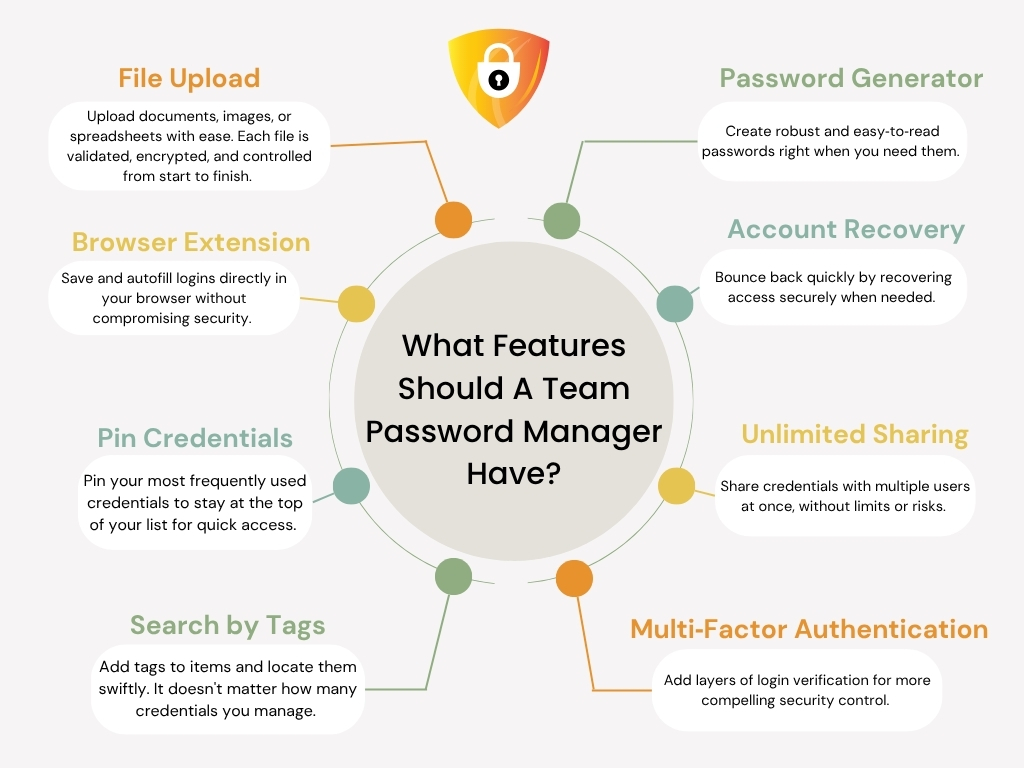
Not every password manager is created equal. Teams need more than just a place to store credentials. They need features that keep work fast, safe, and organized while giving admins confidence in oversight. Here are the salient ones that matter most.
Core User Features
Autofill that works when needed: A reliable password manager app should detect approved websites, autofill credentials instantly, and never push logins where they do not belong.
Built-in password generator: Resilient,unique passwords are created in seconds, replacing guesswork with standards your team can trust.
Secure sharing: Teams need controlled sharing that protects sensitive logins while allowing collaboration with vendors, clients, or colleagues.
Smart organization: Tags, folders, and quick search enable users to find accounts instantly rather than scrolling through endless lists.
Admin And Security Features
Admin dashboard: Centralized password management ensures visibility control. Admins can view usage, assign roles, and revoke permissions without delays.
Audit logs: Complete records help teams track access and resolve issues quickly, while providing compliance-ready trails.
Role-based access: Permissions can be granted at the group or role level to keep sensitive data on a need-to-know basis.
These are not optional extras; they are the foundation of an unbreakable password manager for teams that want productivity without compromising safety.
Essential Insight: The best password managers offer secure sharing, password generation, and centralized controls. Teams should choose software that harmonizes user convenience with admin visibility and impenetrable protection.
All Pass Hub Security: Trust By Design
If you ask if password managers are safe, the answer depends on how they are built. All Pass Hub was designed as a secure password manager from the ground up, so your password vault stays private, even from us.
How We Keep Your Vault Safe
Zero-knowledge promise: Only you can decrypt your data. All information is encrypted before it leaves your device. Not even All Pass Hub can read your vault.
Stronger keys by design: Your Master Password is strengthened through 600,000 iterations before it becomes your encryption key. That figure is meant to prevent offline guessing in its tracks.
Dual-key protection: One secret authenticates your sign-in, a separate master key decrypts your repository. If one key is ever exposed, your credentials remain protected.
Encryption in transit and at rest: Data at rest employs a military-grade security algorithm, AES-128. Data in transit is protected with TLS 1.2 or higher.
Defense in depth: Security controls work together, so policies, permissions, and encryption reinforce each other without slowing daily work.
All of this exists to answer one question with confidence. Yes, a password manager can be safe when it is designed for privacy-first and tested against real-world risks.
The Crux: All Pass Hub protects your password vault with zero-knowledge design, 600,000 Master Password iterations, dual-key protection, and robust encryption for data in transit and at rest. It allows teams to work with confidence.
Organization At Scale (Why Businesses Love It)
Growing teams need a structure that feels simple in daily work. A business password manager should keep people organized, permissions tight, and admins calm as the company expands.
Built For Many Users
Groups and roles: Organize by department, project, or client. Assign view, edit, or share rights that match real responsibilities.
Shared vaults and folders: Keep the correct credentials in the right place, so teams move swiftly without hunting for logins.
IP restrictions: Limit sign-ins to trusted networks, which lowers risk for remote and office-based teams.
Granular permissions: Give contractors or vendors temporary access, then remove it cleanly when the engagement ends.
How It Offers Peace Of Mind To Admins
Centralized visibility: A password manager for business lets admins view who has access, where it is used, and when changes occur.
Fewer tickets: Straightforward ownership and easy discovery reduce reset requests and access pings.
Stronger audits: A complete history supports compliance checks and faster investigations.
Simple scale: An enterprise password manager scales with new teams, locations, and tools without extra chaos.
When features work together, a multi-user password manager becomes the quiet backbone of secure collaboration. Teams focus on work, while leaders maintain control.
The Bottom Line: A business password manager organizes people, permissions, and places at scale. Groups, roles, and IP rules cut tickets, reinforce audits, and provide leaders with excellent visibility without slowing daily work.
Real World Impact (Case Study Style)
Numbers and features are helpful. However, the way a password manager makes a difference in your daily work matters.
Imagine this: A growing marketing agency with 40 employees, each juggling dozens of accounts for social platforms, design tools, and client dashboards. Before adopting a centralized solution, they faced constant password resets, inconsistent access, and frequent delays in client deliverables.
How A Secure Password Manager Transformed Operations
Fewer password resets: By adopting All Pass Hub, reset requests dropped by nearly 80 percent. Employees logged in seamlessly rather than filing IT tickets.
Faster client onboarding: New hires gained access to shared vaults within minutes. It replaced long email chains and reduced waiting time.
Compliance-ready: Admins used the audit log to track access and generate compliance reports without piecing data together manually.
Reduced security risks: Teams stopped relying on spreadsheets and sticky notes. It significantly lowered the risk of unauthorized access.
Impact Across Different Teams
Startups benefit from a quick and hassle-free setup, which means less distraction from product building.
Remote teams maintain security while working across time zones through IP restrictions and cloud sync.
Agencies share credentials with multiple clients while preserving ownership in a solitary vault.
Developers and IT teams employ role-based access and password health checks to ensure systems are secure.
Enterprises meet GDPR compliance and other regulatory requirements with robust logs and encryption.
When a password manager for a small business or enterprise brings measurable savings in time and effort, security shifts from being a burden to becoming a competitive advantage.
Main Message: A collaborative password manager decreases reset requests, speeds onboarding, and ensures compliance. The result is unbreakable security, happier employees, and more time for core tasks.
Set up In Minutes, Not Months
Getting started should feel simple and fast. The goal is to secure your team today, not after a long rollout. Here is how All Pass Hub gets everyone productive without heavy training or delays.
Install the extension: Add the All Pass Hub browser extension for Chrome and Firefox, then sign in once. The password manager app works on both desktop and mobile for a consistent experience.
Import in one go: Bring credentials from browsers, CSV files, or other tools. Tags and folders ensure everything is organized from day one.
Cloud sync enabled: A cloud password manager keeps passwords available across devices with the same controls and policies everywhere.
Invite teammates: Send invites, add people in groups, and apply role-based permissions. New members view only what they need.
Set policies quickly: Enable multi-factor authentication, define sharing rules, and require resilient passwords with the built-in generator.
BYOD option: Bring your own database for organizations that want to manage storage under their control, while maintaining the same user experience.
You don’t need a long project plan. Install, import, invite, and set comprehensible rules. Most teams complete the basics in a single session, then refine groups and policies as they grow.
What This Means For You: All Pass Hub speeds up adoption with quick setup, instant import, cloud sync, and simple invites. You gain a secure, cloud-based password manager that teams understand on day one, with policies ready to enforce.
Beyond Passwords: A Complete Security Hub
Most password managers stop at storing logins. All Pass Hub goes further by offering teams a single trusted place to manage all sensitive information. It makes it more than just a password vault. It becomes an encrypted digital hub for all types of confidential records.
What You Can Store Safely
Files: Upload contracts, compliance documents, or sensitive project files that need restricted access.
Payment cards: Keep company credit cards or vendor payment details in encrypted storage, with access granted only to finance staff.
Secure notes: Save private keys, vendor instructions, or policy notes in a location where they cannot be lost or shared in an unsafe manner.
Vendor and client records: Manage client logins or partner credentials with the same controls, making audits easier and collaboration smoother.
Bringing passwords, files, cards, and notes into a single platform minimizes complexity. Admins get a unified view of what is stored, who accessed it, and how it was shared. It eliminates scattered tools and shadow storage that create risk.
Unlike competitors that rarely show updates, All Pass Hub provides a live changelog. It indicates that security is always evolving, and the platform is improving based on user needs.
Smart Summary: All Pass Hub is more than a password manager. It is a comprehensive security hub that protects files, cards, notes, and logins under a consolidated roof with unified controls and constant updates.
Why Teams Choose All Pass Hub Over Others
When teams compare options, they are primarily asking one question: Which password manager is best for teams needing security, simplicity, and proof of ongoing improvement?
Here is where All Pass Hub stands out in daily use.
Transparent Pricing That Scales
Start with a free password manager for individual use, then move to an affordable premium plan at $0.99 per month. Larger organizations can request a tailored enterprise package that matches scale and compliance needs.
Security You Can Explain To Anyone
Zero-knowledge design keeps your vault private. 600,000 Master Password iterations create an unbreakable encryption key. Military grade AES-128 protects data at rest, while TLS 1.2 secures data in transit.
Built For Business, Not Just Consumers
All Pass Hub is a password manager for businesses that has shared vaults, groups, roles, audit logs, and a clutter-free admin dashboard. Leaders obtain visibility and control without adding friction for the team.
Fast Onboarding, Low Effort Adoption
Chrome and Firefox extensions, cutting-edge import tools, and cloud sync make rollout plain sailing. Most teams can set policies, invite users, and start sharing safely in a single session.
Proof Of Momentum
A live changelog shows constant updates. It builds trust that the platform you choose today will continue to elevate tomorrow.
So, answering the big question: what is the best password manager for teams? It depends on the perfect balance of robust security, easy sharing, and clear admin control. All Pass Hub delivers all this with economical pricing and value-driven features that accommodate growth-oriented organizations.
Must-Know Insight: Teams choose All Pass Hub because it combines unambiguous pricing, top-notch security, and handy business features. It feels like a cakewalk for users, provides admins with power, and continues to scale with visible updates.
Password Manager vs. Browser Storage
Saving passwords in the browser feels effortless until teams grow and access spreads across devices. Convenience turns into blind spots. The choice is not about comfort; it is about authority, visibility, and peace of mind.
Where Browser Storage Helps
These benefits are tangible, but limited for teams:
Quick save and autofill inside one browser.
No additional apps to learn for basic personal use.
Sync across the same vendor’s devices if accounts match.
Where Browser Storage Falls Short
It is where the team needs to outgrow convenience:
No shared vaults or role-based permissions for groups.
No audit logs or admin dashboard to view who did what and when.
Weak policy enforcement for password strength, reuse, or sharing rules.
Offboarding gaps when people leave, since data can remain on personal profiles.
Limited encryption transparency and little support for compliance reviews.
What A Secure Password Manager Does Better
A dedicated, secure password manager centralizes control:
Shared vaults for projects and departments with clear ownership.
Role-based access, approval flows, and instant revocation.
Detailed audit trails and a clean admin dashboard.
Rigorous policies, breach alerts, and password health checks across browsers and devices.
➡️In the comparison of password managers vs browser passwords, teams win with centralized control, consistent security, and accountable sharing. Browser storage is fine for individuals. Teams need more than convenience; they need governance.
What You Should Know: Browser storage is built for an individual, not for a team. A secure password manager adds shared vaults, policies, and audit trails. It empowers organizations to gain superior control, quicker onboarding, and safer collaboration across every device.
How To Choose The Right Password Manager For Your Team
The ideal password manager can be a decisive factor between constant disruptions and smooth, secure teamwork. With several options available, teams often wonder what features truly matter. Well, the key is to focus on security, collaboration, and ease of use while balancing cost and compliance needs.
Core Features To Consider
When evaluating a password manager for business, small teams, or enterprises, make sure these essentials are present:
Encryption strength: Consider advanced encryption, such as AES-128 with resilient key derivation.
Secure sharing: Teams need a collaborative password manager that allows safe sharing without revealing plain text.
Admin controls: A reliable password manager admin dashboard offers role-based permissions, centralized monitoring, and instant revocation of authorization.
Audit and compliance support: Detailed logs and GDPR-compliant frameworks make audits smoother.
Password generator: Built-in tools to create iroclad, unique passwords. It saves time and reduces risk.
Evaluating The Experience
Security features alone are not enough. Teams should ask:
How easy is onboarding for non-technical staff?
Is there a browser extension for Chrome and Firefox to simplify daily use?
Can credentials be organized with tags, groups, and policies at scale?
Does the vendor provide transparent pricing and a free password manager plan for testing?
The Decision Framework
If you are still wondering how to choose a password manager, begin by mapping your team size, security priorities, and compliance requirements.
Compare options not solely on price, but also consider future growth. What works for a small-sized business should scale into a multi-user password manager for enterprise needs.
➡️A good rule of thumb is to choose a secure password manager that aligns with your current operations and evolves with your team tomorrow.
Knowledge Drop: The best password manager for your team is one that combines strong encryption, secure sharing, and admin visibility with smooth onboarding, future-ready features, and definite pricing for every stage of growth.
The Future Of Password Management
Future logins will feel more manageable and safer. Phishing tricks will miss. Fewer people will type passwords at all. The shift is already here, and teams that prepare now will enjoy both speed and security.
Trends You Should Watch
Passkeys and WebAuthn: Sign-in with device-bound secrets and biometrics. It reduces phishing risk and removes the need to remember complex strings.
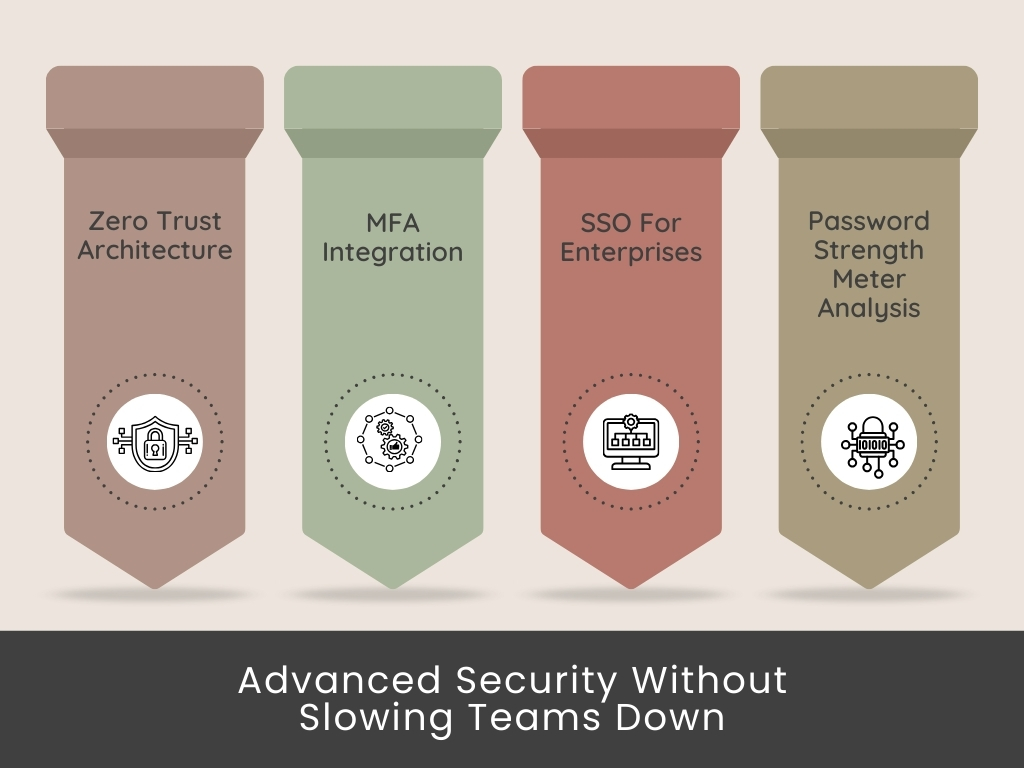
Multi-factor by default: Ironclad second steps become standard across tools. More services support tokens, authenticators, and biometric checks.
Zero-trust expansion: Context matters. Location, device posture, and behavior influence whether a sign-in is allowed, challenged, or blocked.
Stronger secrets, fewer secrets: Password generator use is gaining traction, while shared credentials move into controlled vaults with audit trails and policies.
Admin automation: Policy checks, breach alerts, and password health reviews occur in real-time, which reduces manual effort and ticket volume.
How All Pass Hub Prepares You
All Pass Hub supports multi-factor authentication, powerful generation, and secure sharing today. Passkey readiness and ongoing advancements are published in a live changelog, allowing you to track progress and plan with confidence.
As standards evolve, features roll out without disrupting daily work.
Final Thought: Passwords are giving way to safer sign-in methods. All Pass Hub helps teams adopt modern security while keeping daily work simple, with clear updates that prove momentum and protect your roadmap.
Conclusion
In the digital world where teams face daily security challenges, a reliable password manager is paramount. It is the cornerstone of safeguarding accounts, files, and sensitive data.
In exploring the role of password managers, we have seen how All Pass Hub sets itself apart by delivering simplicity, security, and speed in a unified platform. It ensures that every team member has the needed credentials at the right time without friction.
Moreover, it combines military-grade encryption, dual-key protection, centralized controls, and seamless browser extensions. All this eliminates the chaos of scattered passwords and strengthens trust across organizations of every size.
➡️The lessons are clear. Teams save time when resets are reduced, businesses reinforce trust when data is shielded with advanced encryption, and leaders gain peace of mind when audits and compliance are simplified.
Whether you are operating a startup, coordinating remote teams, or managing enterprise-level operations, applying effective password management will always enhance both security and efficiency.
➡️Remember, intelligent password management is not only about protection; it is about empowering teams to work faster, safer, and with complete confidence in their digital world.
Thank you for joining us on this journey through the world of modern password management. Stay secure, stay organized, and keep building with confidence.
FAQ
Can A Password Manager Work Without An Internet Connection?
Yes, most password managers enable you to access stored credentials offline. Updates, synchronization, and backup functions typically require an internet connection. However, core access to saved logins often works locally for uninterrupted usage.
How Do Password Managers Handle Employee Departures?
Team password managers let admins instantly revoke access when employees leave. It prevents ex-team members from using shared credentials and ensures data remains secure. Some tools also offer role reassignment for a smooth transfer of ownership.
Are Free Password Managers Reliable For Business Use?
Free password managers can meet fundamental needs. However, they often lack advanced features like audit logs, role management, and enterprise-grade encryption. For businesses, premium or enterprise solutions provide resilient compliance, superior support, and scalability.
What Happens If I Forget My Master Password?
Most password managers cannot recover your master password for security reasons. Some offer recovery keys, biometric login options, or trusted recovery contacts. Setting up backup access methods is crucial to avoid losing control of your vault.
Can Password Managers Integrate With Single Sign-On (SSO) Solutions?
Yes, many enterprise password managers integrate with SSO platforms. It allows users to log in once and access multiple services while keeping additional credentials secure in the vault, combining convenience with enhanced security controls.