- Posted on April 28, 2026
- 10 Min Read
A password manager with item-level role-based access control allows teams to define precise permissions for every sensitive credential, ensuring that only the right individuals can view, edit, or share specific items. This blog explains how item-level RBAC works in real-world team environments, why it is essential for reducing unnecessary access, and how solutions like All Pass Hub help teams maintain strong security while keeping access management simple and efficient.
As organizations scale, managing shared credentials across teams becomes more complex and risky. Without granular control, sensitive information is often overexposed, increasing the chances of misuse or accidental leaks. According to Cybersecurity Ventures, global cybercrime costs are expected to reach $10.5 trillion annually by 2025, showing how costly weak access management can be.
With item-level RBAC, teams can assign access based on roles and responsibilities rather than sharing credentials broadly. This not only improves accountability but also limits the impact of potential security incidents. Throughout this blog, you will learn how this approach works, where it fits into your security strategy, and how tools like All Pass Hub make it easier to implement controlled, role-based access without disrupting everyday workflows.
What Is Item-Level Role-Based Access Control?
Role-based access control (RBAC) is a way of managing permissions by assigning them to roles rather than to individual people. Instead of saying “give Sarah access to this login,” you say “give Sarah the Viewer role”, and the role determines what she can do.
Item-level RBAC means those role permissions are applied individually to each credential or folder inside your vault, not to the entire vault or to a single shared workspace. Each item has its own access list.
There are three levels at which password managers commonly apply permissions:
- Screen-level: Can this person log into the app at all?
- Workspace-level (vault-wide): Can this person see everything in the vault?
- Item-level: Can this person access this specific credential, and with what permissions?
Item-level is the most granular of the three. Here is what it looks like in practice:
For Example: A freelance developer is hired to work on one client’s staging environment. With item-level RBAC, you share the staging server login with them directly, they see that one credential, and nothing else in the vault. The client’s billing login, the production database password, and every other item in that folder remain invisible.
For reference: the NIST/ANSI/INCITS RBAC standard defines three formal levels like flat, hierarchical, and constrained RBAC. Item-level RBAC in a password manager maps most closely to flat or hierarchical RBAC: each item’s permissions are assigned per-role, and roles can optionally inherit from one another. You do not need to understand the NIST taxonomy to use item-level RBAC effectively.
Trade-off to be aware of: Item-level RBAC requires someone to configure permissions on each item. For a team of two or three people with full mutual trust, that overhead may not be worth it, a shared folder or workspace-level access may be simpler. The feature pays off as your team grows or when you start working with external contractors and clients.
Why Item-Level RBAC Matters More Than Vault-Wide Permissions
Many password managers offer folder-level sharing: you create a folder, add credentials to it, and share the whole folder with a team member. That works well when everyone in the folder genuinely needs everything in it. The problem is that, in practice, they usually do not.
When access is too broad, the risk is proportionally broader. If a team member’s account is compromised or if an employee leaves without proper offboarding, every credential they had access to is potentially exposed. The same applies to a contractor who was given folder access because it was the easiest way to share one login.
IBM describes the principle of least privilege (PoLP) as giving users “the minimum level of permissions required to complete a task or fulfill a job.” Item-level RBAC is how you enforce that principle at the credential level inside a password manager not just at the app or folder level.
- Agency scenario
A digital agency manages credentials for six clients in one vault. A subcontractor is brought in to handle social media for one client. With folder-level access only, you either share the entire client folder (including payment gateways, hosting logins, and admin accounts) or you create a new folder just for that contractor. Item-level RBAC lets you share exactly the two social media logins they need, with no restructuring required.
Also Read – The Small Agency Password Playbook: Practical Steps to Strengthen Security in 2026
- Finance team scenario
An external auditor needs to verify that a billing portal is configured correctly. They need to be able to log in and look around, but they should not be able to change the password or share it with anyone else. Item-level RBAC lets you assign them a Viewer role on that one credential, with edit and share permissions disabled.
Honest caveat: If your team is two or three people who all need access to the same set of credentials and trust each other completely, folder-level permissions are genuinely sufficient. Item-level RBAC adds the most value when you have external contributors, role-specific access needs, or credentials that should only ever be visible to specific individuals.
Which Password Managers Offer Item-Level RBAC and What Do They Charge For It?
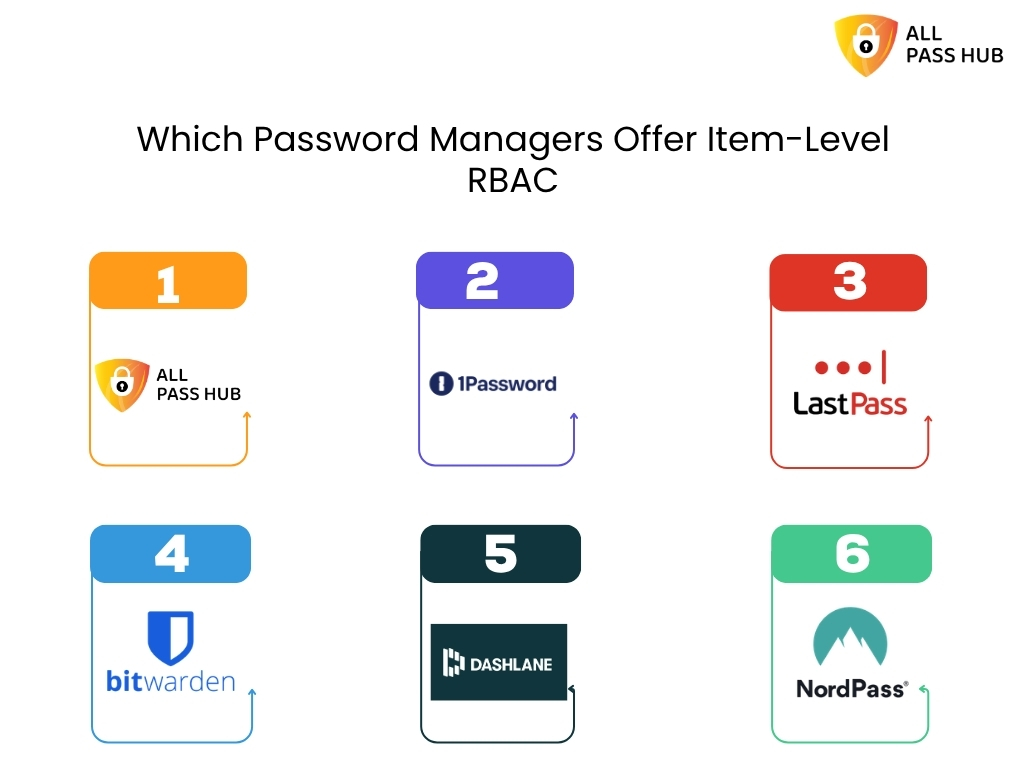
This is where the practical difference between tools becomes clear. Most password managers support some form of permission control, but the tier at which item-level granularity becomes available varies significantly.
| Password Manager | Item-Level RBAC | Minimum Plan | Notes |
|---|---|---|---|
| All Pass Hub | Yes | Free | Per-credential permissions on all plans |
| 1Password | Yes | Business | Collection-level sharing; item-level permissions in Teams/Business |
| LastPass | Partial | Teams or Business | Folder-level sharing standard; item-level granularity varies |
| Bitwarden | Yes | Teams / Enterprise | Open-source; collection permissions model; basic sharing on free |
| Dashlane | Yes | Business | Sharing rights configurable at item level on paid plans |
| NordPass | Partial | Business | Limited item-level granularity compared to folder-level |
The pattern in the table is consistent: for most tools, item-level RBAC is a Business or Enterprise feature that sits behind a paid tier. All Pass Hub makes it available on every plan, including free, which is a meaningful difference for small teams and agencies that need credential-level access control without a per-seat upgrade cost.
One important clarification: tools like 1Password and Bitwarden are well-built products with features that justify their high pricing at scale like audit logs, SSO integration, advanced reporting, and compliance tooling. However, All Pass Hub stands out as an affordable tool offering such useful features.
The comparison here is specific to one dimension: at which pricing tier does item-level RBAC become available? For teams that primarily need that one capability without the enterprise feature set, the tier difference is the relevant factor.
Also Read – What Is the Best Password Manager for Agencies and Small Teams in 2026?
How Item-Level RBAC Works Inside All Pass Hub
Understanding the concept is one thing. Here is what it looks like when you actually configure it.
All Pass Hub supports three core roles at the item level:
- Viewer – Can see and use the credential. Cannot edit the password, username, or metadata. Cannot share or revoke access.
- Editor – Can view and update the credential. Cannot manage who else has access to it.
- Admin – Full control: view, edit, share, and revoke access for other team members.
The workflow for onboarding a contractor looks like this:
- Step 1 – Add the contractor to your All Pass Hub workspace as a new team member.
- Step 2 – Open the specific credential they need. Navigate to its sharing or permissions settings.
- Step 3 – Assign the contractor a role. For most contractor situations, Viewer is appropriate.
- Step 4 – The contractor logs in and sees only the item(s) you have explicitly shared with them. Everything else in the vault remains invisible to them.
- Offboarding – When the engagement ends, remove the contractor’s access to that specific item or remove them from the workspace entirely. The rest of the vault is unaffected.
Audit logs: Before publishing, confirm whether All Pass Hub provides an access history or audit log at the item level. For example, whether an admin can see when a specific credential was viewed or used.
Also Read – Password Security for Agencies: Why Ignoring It Could Cost You Everything
Ending Note
Item-level role-based access control is no longer optional for teams that handle shared credentials, it is a foundational part of modern security. By defining access at the individual item level, organizations can ensure that sensitive information is only available to those who truly need it. This approach reduces unnecessary exposure, improves accountability, and creates a clear structure for managing access across teams without adding friction to daily workflows.
As discussed throughout this blog, traditional access models often lead to over-permissioning, where too many users have access to too many credentials. This not only increases internal risks but also makes it harder to track who is responsible for what. Item-level RBAC solves this by aligning access with roles and responsibilities, giving teams better control, clearer visibility, and a more secure way to collaborate.
All Pass Hub provides a practical solution for growing teams by offering item-level access control within an intuitive interface. It helps teams organize credentials, assign permissions with precision, and maintain control as they scale. Instead of relying on manual processes or broad access sharing, teams can use All Pass Hub to create a structured and secure system that supports both productivity and protection.
In the end, adopting a password manager with item-level RBAC is about more than just managing passwords. It is about building a system where access is intentional, risks are minimized, and every team member has exactly what they need to work efficiently without compromising security.
Frequently Asked Questions
- What is object-level vs row-level access control?
Object-level access control determines whether a user can access a specific resource at all a file, a credential, a folder. Row-level access control goes deeper, restricting which records within that resource are visible. In a password manager, item-level RBAC is object-level control: each credential is an object, and permissions are set per object rather than per vault or per folder.
2. How does role-based access control work in practice?
An administrator assigns each user a role such as Viewer, Editor, or Admin and each role carries a defined set of permissions. When applied at the item level in a password manager like All Pass Hub, this means a team member with a Viewer role on a specific credential can see it and use it but cannot edit the password or share it with others.
3. What is the principle of least privilege (PoLP)?
The principle of least privilege means giving users the minimum access they need to do their job and nothing more. In a password manager, this means a contractor who needs one client’s FTP login should not have access to every credential in that client’s folder. Item-level RBAC is the technical mechanism that enforces least privilege at the credential level.
4. How is RBAC different from ACLs?
An access control list (ACL) attaches permissions directly to a resource, listing which individual users can access it. RBAC assigns permissions to roles, not users directly users inherit permissions through the role they hold. RBAC scales significantly better than ACLs for teams, because changing one role updates permissions for every user in that role simultaneously, rather than editing each resource’s list individually.
5. What are the three levels of RBAC defined by NIST?
The NIST/ANSI/INCITS RBAC standard (2004) defines three levels: flat RBAC (users assigned to roles, roles assigned to permissions), hierarchical RBAC (roles can inherit permissions from other roles), and constrained RBAC (adds separation of duties to prevent any single user from holding conflicting roles). Most team password managers implement flat or hierarchical RBAC. Constrained RBAC is more common in financial and compliance-heavy enterprise systems.
Last reviewed April 2026. Pricing tiers and feature availability for all products mentioned including All Pass Hub should be verified against each vendor’s current public pricing page before acting on any information in this article.